-
Hold your breath: How to play Flash on iPad?
Posted on April 8th, 2010 No comments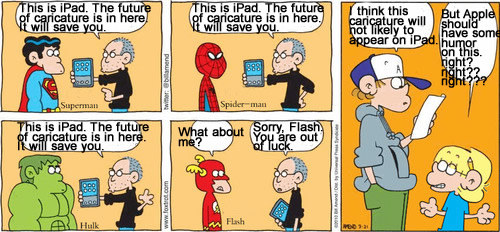
Apple’s gadgets are restricted to non-flash content, thanks to Apple’s stubborn diplomatic strategy. Perhaps iPhone and iPod users would feel less hurt, because they are surrounded by tens of thousands apps to satisfy most of their needs. What about iPad users? They will shame on a tablet device with a perfect 9.7″ screen and marvelous computing power still not to have Flash power. Unfortunately, the answer is the same no, due to the perspective of Apple’s brain that Flash playback can consume a lot of power thus reduce the hours the device battery can support.
Fact as it is now, some day, the bar will be lifted and Flash playback will be possible on iPad. For now, I would like to make a recommendation of a sound alternative to play Flash on iPad. Let’s take advantage of iPad’s strong processing power to recreate Flash entertainment on iPad.
This is the tool that makes it possible, download it from here.
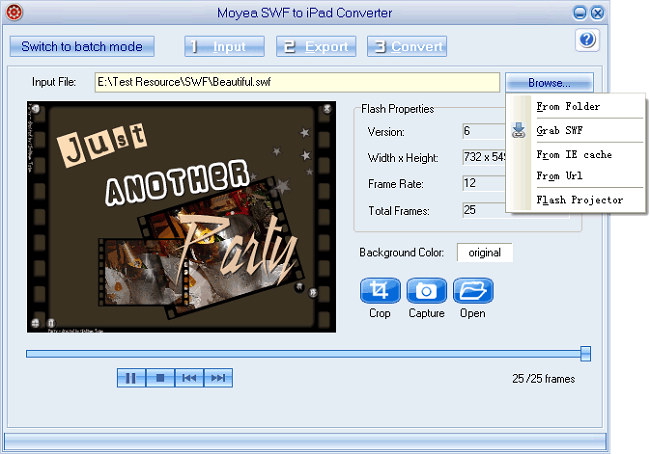
The program comes with a free Flash downloader, which you can use to download Flash embedded in the web pages easily. Just type the web page URL to let it detect and download the Flash on the page.Then you launch this tool, Moyea SWF to iPad Converter, input the Flash files that have been downloaded to your computer.
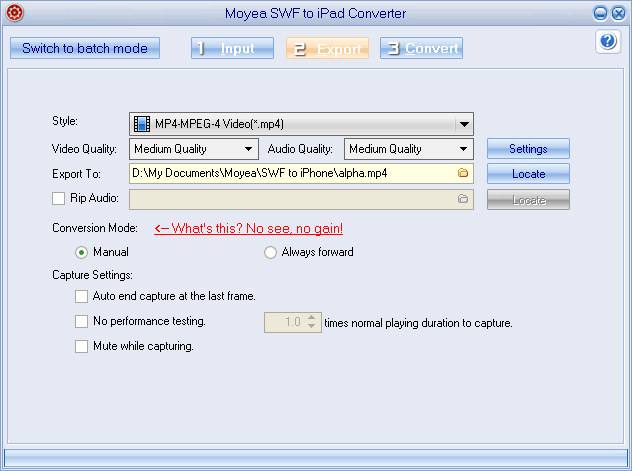
Click “Export” to set an output profile for iPad, MPEG-4 Video profile is recommended as default.
Click “Convert” and start conversion after you click “Play and Capture“.
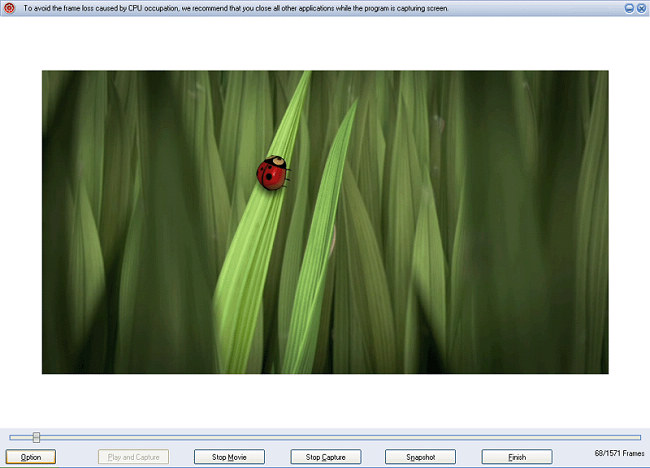
After the Flash ended at the last frame, the converting tool will encode the Flash into MPEG-4 format. Then, you can transfer the converted MPEG-4 video file to iPad and start to watch.
Moyea SWF to iPad Converter offers abundant functions to handle all kinds of Flash: animation, video, game and even application. When there is ActionScript involved, what you need to do is switch the program to manual mode. It also provides a smart playback control to secure a no-frame-drop output without repetitive experiments.
Want to learn more about the tool? Why not download it to have a try for yourself?
For videos in FLV format, FLV to iPad converter will be the perfect solution for you.
займ на карту rusbankinfo.ru
FLV Converter, Gadget News, SWF to Video Converter flash to ipad, flash video ipad, flv to ipad, play flash video on ipad, play flv video on ipad, swf to ipad




Recent Comments