

Leawo Blu-ray Ripper
The Ultimate Blu-ray&DVD Digitization & Conversion Solution
Support Any Blu-ray/DVD Descrypt and Rip Blu-ray/DVD Discs, Folders, and ISO Images to 180+ Mainstream Formats at 50X Higher Speed with 1:1 Lossless Quality for both professional content workflows and personal media uses.

Works on:

Why Do You Need Leawo Blu-ray Ripper
From Shelf to Screen: Bring Your Movie Collection Into the Digital Age.
Are your expensive Blu-ray discs sitting on the shelf collecting dust?
Are you worried about scratches, damages, aging, or not having a disc drive on your new laptop?
Leawo Blu-ray Ripper is here to bridge the gap:
Protect Your Investment

No more worrying about physical damages, scratches or disc rot.
Clutter-Free Living

Modernize Your Playback
Cinema-Quality at Home

Core Features
Ultimate Encryption Control Meets Blazing-Fast, Lossless Ripping
Decrypt Any Disc Protection and Rip Blu-ray/DVD to Video/Audio Effortlessly
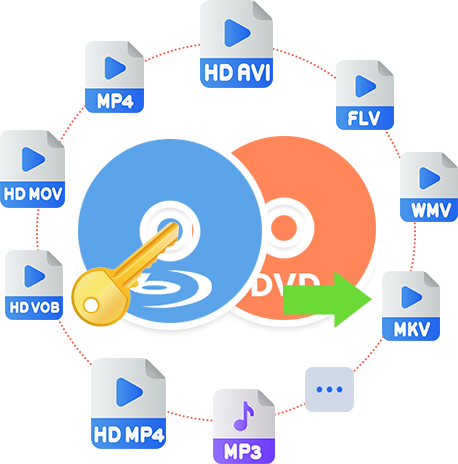
When digitizing physical discs, the very first roadblock you'll hit is the maze of copy protections. But don't worry, Leawo Blu-ray Ripper comes armed with industry-leading decryption technology. It seamlessly supports and processes discs with various types of protections, including AACS, BD+, the latest MKB encryption, CSS, etc. on commercial or homemade Blu-rays/DVDs, and rip Blu-rays/DVDs to video in 180+ (MP4, MKV, AVI, HEVC, FLAC, etc. - 1000+ in total if user-defined formats are included) formats with original quality for Windows/Mac computers, home theatre system, or NAS servers, or with compressed quality for portable digital devices to play smoothly anytime, anywhere on the go.
Video Editing
Edit with Ease: Personalize Your Movies Before Conversion Starts
The internal Blu-ray/DVD editor helps you further optimize your digital copies, so as to meet your needs exactly. You can gain multiple video editing features from the internal editor, including:
Trim: Cut unwanted clips so as to only rip and convert the clips you want in output.
Crop: Define the image size and remove black margins.
Effect: Adjust video contrast, brightness and saturation to change video effect.
Watermark: Apply text or image as watermark for branding and content identification.
Video & Audio: Flip or rotate video, adjust playback speed (from 1/4 to 4 times), and remove noise.
3D: Apply one of 6 3D movie effects and adjust 3D depth to create 3D videos from regular Blu-ray/DVD.
Other Features
Other Highlight Features
Batch conversion
Convert multiple Blu-ray/DVD titles in one time to save your time and energy, and support merge multiple files into one big file.
Built-in Media player
Play back Blu-ray/DVD discs of all regions and regardless of disc protections via the internal region-free Blu-ray player.
Easy to use interface
Extremely easy to operate and user-friendly interface for even novices. No technical knowledge required.
Parameters settings
Change output format parameters like video/audio codec and bit rate, aspect ratio, resolution, frame rate, sample rate, channel, etc.
How Does Leawo Blu-ray Ripper Work
How to Rip Blu-ray/DVDs to Video
 1
1Step 1 : Add source Blu-ray/DVD
2Step 2 : Select Output Profile
3Step 3 : Set Output Directory
4Step 4 : Start Converting Blu-ray


Pricing Plans of Blu-ray Ripper
Pricing Plans of Blu-ray Ripper for Mac
Choose Your Pricing Plan
Windows
Mac
Basic Plan
One Year
$44.95
- 1 License for 1 PC
- All Features of 3 ModulesLeawo Blu-ray Ripper, Leawo DVD Ripper, Leawo Blu-ray Recorder Ripperfor 1 Year
- Auto-renewal. Cancel Anytime
- 5 Days Money Back Guarantee
- Unlimited Free Upgrades
Professional Plan
Lifetime
$99.95
- 1 License for 1 PC
- All Features of 3 ModulesLeawo Blu-ray Ripper, Leawo DVD Ripper, Leawo Blu-ray Recorder Ripperfor Lifetime
- One-time Payment
- 14 Days Money Back Guarantee
- Unlimited Free Upgrades
40% OFF
Blu-ray Ripper + Blu-ray Copy (Lifetime)
$199.9
$119.94
- 1 License for 1 PC
- All Features of 7 ModulesLeawo Blu-ray Ripper, Leawo DVD Ripper, Leawo Blu-ray Recorder Ripper, Leawo Blu-ray Copy, Leawo DVD Copy, Leawo Blu-ray Recorder Copy, Leawo Blu-ray to DVD Converterfor Lifetime
- One-time Payment
- 14 Days Money Back Guarantee
- Unlimited Free Upgrades
Tech Specs
Supported OS :Microsoft® Windows 7, Windows 8, Windows 8.1, Windows 10, Windows 11
Processor :1GHz Intel or AMD CPU
RAM :512MB RAM (1024MB or above recommended)
Free Hard Disk :5GB+ (DVD) / 25GB+ (Blu-ray Disc) hard disk space
Graphic Card :NVIDIA GeForce GTX 260 and above
Others :Blu-ray drive, Internet Connection
Supported OS :macOS High Sierra (10.13), macOS Majave (10.14), macOS Catalina (10.15), macOS Big Sur (11),
macOS Monterey (12), macOS Ventura(13), macOS Sonoma (14), macOS Sequoia (15), macOS Tahoe (26), macOS Golden Gate(27)
Processor :1 GHz or above Intel Processor and Apple M1/M2 chip
RAM :512 MB of RAM or above
Free Hard Disk :5GB+ (DVD) / 25GB+ (Blu-ray Disc) Free Hard Disk Space
Hardware :DVD Drive (an external Blu-ray Drive is required for ripping Blu-ray Disc)
Others :Internet Connection
Testimonials
FAQS
Frequently Asked Questions
Is Leawo Blu-ray Ripper free to use?
No, Leawo Blu-ray Ripper is a shareware. But you could use Leawo Blu-ray Ripper for free within the free trial period.

Is there a free version of Leawo Blu-ray Ripper?
Yes, Leawo Blu-ray Ripper offers free trial version, which could rip and convert the first 5-minute content for handling both encrypted and non-encrypted Blu-ray contents. Meanwhile, Leawo Blu-ray Ripper free trial handles encrypted Blu-ray content for 30 days. To unlock these limitations, you need to register and activate Leawo Blu-ray Ripper.

Is Leawo Blu-ray Ripper safe to use?
Yes, Leawo Blu-ray Ripper is safe to use. Leawo Blu-ray Ripper brings no virus and malware, and does no harm to both computer and source Blu-ray content. It is safe to download, install and use Leawo Blu-ray Ripper.
Is it legal to decrypt and rip Blu-ray disc?
This highly depends on how you use the ripped Blu-ray content. It would be not illegal if you decrypt, rip and convert Blu-ray discs for personal use only. But if you rip and convert Blu-ray disc for business or profit purpose without official authority, it is illegal.
Can Leawo Blu-ray Ripper remove Blu-ray copy protection?
Yes, Leawo Blu-ray Ripper could remove copy protection from Blu-ray discs and convert copy-protected Blu-ray discs to digital files without copy protection. It could handle Blu-ray discs with AACS, BD+ and the latest MKB protection, and DVD discs with CSS protection.
Can I just rip and convert the main movie of Blu-ray disc?
Yes, Leawo Blu-ray Ripper offers Main Movie mode for you to load the main movie (the longest title by default, but allow you to switch to other title) from source Blu-ray for ripping and converting.
Can I add watermark in converting Blu-ray?
Yes, the video editor within Leawo Blu-ray Ripper allows you to add either image or text watermark. It even allows you to edit watermark like setting transparency, color, position, etc.
Does Leawo Blu-ray Ripper support GPU hardware acceleration?
Yes. Leawo Blu-ray Ripper supports GPU hardware acceleration to make use of NVIDIA CUDA, Intel Quick Sync or AMD APP GPU hardware graphics card to increase Blu-ray ripping and converting speed.
What are the most recommended file formats for ripping Blu-ray?
MKV and MP4 are widely recommended as output format for ripping Blu-ray. Leawo Blu-ray Ripper supports lossless MKV and lossless MP4 outputs. MKV could retain the source Blu-ray quality to the most, while MP4 is most accepted by various media players and devices.
 How to Back Up Copy Protected Blu-ray and DVD Dis...2026-09-19
 WinX DVD Ripper Platinum Review: Is It the Right...2026-02-24
 Is MakeMKV Still Worth Using in 2026? Full Review2026-02-08
 The Ultimate Guide to Extract Audio from DVD2026-02-04
 Is HandBrake Worth Using in 2026? A Comprehensive...2026-01-23
 HD DVD vs Blu-ray: What’s the Difference2026-01-09
 Can the Wii Play DVDs? Complete Explanation2026-01-04
 How to Play DVDs on Xbox 3602025-10-10
 Does Xbox 360 Play Blu-ray?2025-10-09
 How to Play Blu-ray on Xbox One2025-09-03
 Latest Articles


What Client Say About Leawo Blu-ray Ripper
this is one of the best dvd/blueray digital copiers i bought. i had a few but when i found this one i really lucked out. easy to learn. lifetime warranty by far has never let me down. i have alot of movies that i bought dvd, blue ray, alot but when im stuck in a place that has no wifi or tv... just pick up my phone and im watching something till i can get out.... and be able to watch more when i have the time. fantastic
I tried two other rippers on free trials but wasn't as impressed as I was with Leawo. I have subsequently ripped my entire DVD and Bluray collection to Hard Drive and now stream them without the needed cupboard space for discs.
I have used Leawo for over 16 years! I have Nero and have used it just as long, however, when it comes to ripping and creating/converting videos, LEAWO IS AMAZING! If you are shopping around for a converter, ripper (DVD – Blu-ray), look no further, for this Professional Suite is SWEET! If one can afford the lifetime purchase any of the Leawo products, or purchase the entire suite, buying the lifetime offer is the best route. The products or Professional Leawo will update throughout one's entire use of the software.