Convert PowerPoint to Video
 Convert PowerPoint to 23 video formats
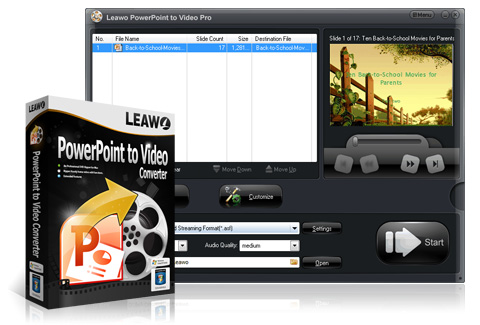
Convert PowerPoint presentation to the video format you prefer. Convert PPT to video file, regular ones including ASF, AVI, FLV, MPEG, MP4, TS, MOV, WMV, VOB, 3GP, and rare ones like RM, MKV, Wii AVI, Wii MOV, NDS DPG, NDS DPG2, NDS DPG3 and NDS DPG4. Besides, it can also extract sound from PowerPoint and save in audio format like MP3, AAC, AC3, WAV, WMA, M4A, MKA, RA, etc.
 Support multiple PowerPoint versions as input
Leawo PowerPoint to Video Pro can function on Windows 8. It supports PowerPoint 2000/2002/2003/2007/2010/2013 of 32-bit and 64-bit editions and PowerPoint Viewer 2007/2010. All PowerPoint files in .ppt, .pps, .pot, .pptx, .ppsx, .potx, potm, etc. format can imported and convert to video format.
 Keep complete of original PowerPoint effects
A PowerPoint converter that retains all original elements, particularly dynamic effects like animations, transitions, music, narration and movie clips from imported PowerPoint slideshow to video file.
View PowerPoint without PowerPoint tool
 Convert PowerPoint for various web services - Export a PowerPoint presentation to popular web video like Audio Video Interleaved, Flash Video, Windows Media video, Apple QuickTime Movie and more, making it accessible on YouTube, Vimeo, your blogs and many other video-sharing sites.
 Watch PowerPoint on diverse end-devices
Apart from specific video file format, this PowerPoint to video conversion tool also offers non-tech users with abundant of video profiles designed for various end-devices, which features Apple TV, Blackberry, Android, iPod, iPad, iPhone, PSP, PS3 (HD support), Pocket PC, Zen, Zune, XBOX, and so on.
Customize output video
 Adjust output video parameters
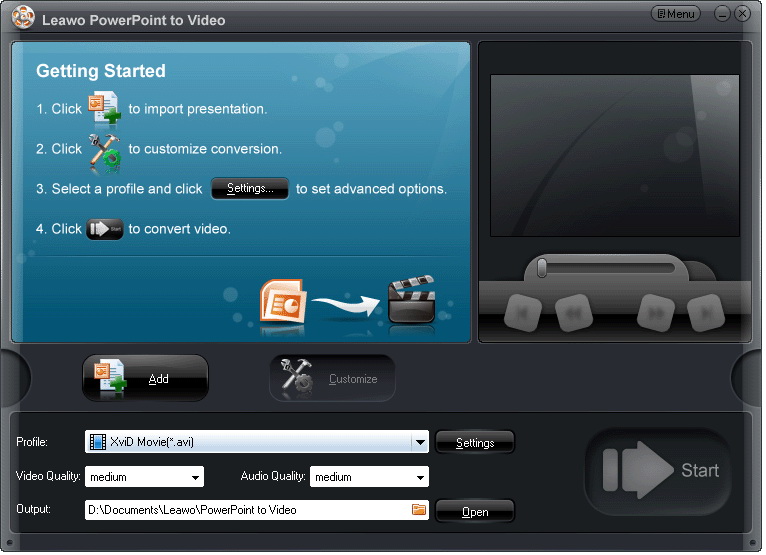
Besides simply selecting an optimized video profile in this PowerPoint to video convertor, you can also convert PPT to video with you own personalized settings. Video parameters including codec, bit rate, frame rate, video size (resolution), aspect ratio, channel, etc. are open for modification for best output quality.
 Add Background Music
The Music feature of this cool PowerPoint to video converter allows you to add background music for the output video slideshow. You can insert as many soundtracks as you like.
 Add your own watermark
You can also add watermark or logo to credit your work to protect your PowerPoint presentation from unauthorized hands and illegal usage. By adjusting the video layout with photo frame, you can create a perfect video out of ordinary PowerPoint.
Fast and Easy-to-use
 Multi-lingual interface for easier operation
Leawo PowerPoint to Video Pro is set with a neat GUI in 8 most-spoken languages, i.e. English, French, German, Italian, Japanese, Portuguese, Simplified and Traditional Chinese, to give you quick access to your video slideshow.
 Batch conversion with no number limit
Process multiple PPT files per conversion and best of all, with no number limit. You can import as many PowerPoint files as possible into this powerful PPT converter and convert them all to videos in one click. Create a separate video for each PowerPoint file.
 Process fast and precisely with timeline
Convert PowerPoint presentations to videos in no minute. Display the exact process of each PPT file with precise conversion time. You can preview the output video in real time during the PPT to video conversion process.