Leawo Video Converter User Guide
Leawo Video Converter is an all-in-one best video converting software for converting videos and audios among popular formats and creating fascinating photos from video files. With DRM Removel function, this program achieves DRM-protected video conversions successfully. With this smart tool downloaded and the video converted, you may easily get the specific video format watched on TV, played on portable media players, loaded to mobile phones and Android mobile, or put on websites, etc. What’s more, with 2D to 3D video conversion supported, you can even enjoy any 3D stereoscopic videos on any 3D devices. This video converter also offers additional ingenious features of clipping, cropping and adjusting effects, adding subtitles, adjusting 3D depth effect to assist you in enhancing movie effects and creating more featured movies.
Note: VOB files on DVD are usually encrypted. To decrypt and convert DVD movies, please use Leawo DVD Ripper.

Convert Video

Advanced
Settings
Video Editing

2D to 3D
Conversion
How to Convert Various Video
Step 1Add video files to the software
Click on the "Add Video Files" icon to add the target files to the program. Or simply drag and drop the files to the main interface for further conversion. You can double click the file to have a preview, adjust video or audio quality to satisfy your needs, set an output folder for the destination files in "Output", or rearrange the file order by “Move Up” and “Move Down”.
Note: this program provides you with the ability to merge video files at random. Within the video processing list, pick up any video files you need and right click on the files chosen, select "Merge" option then you are able to merge any videos randomly once the video conversion process get started.

Step 2Choose a proper video format for output
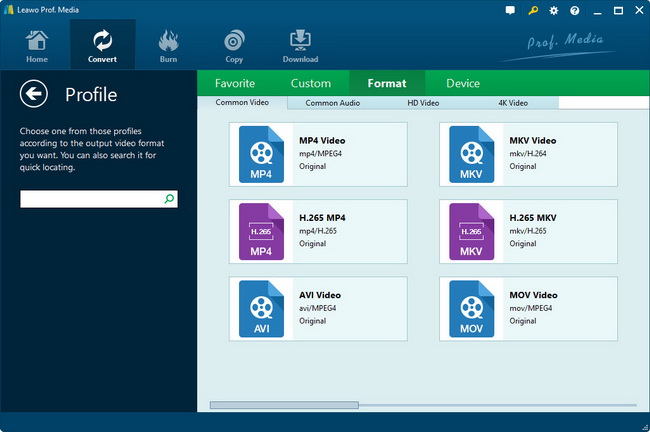
Mouse click the inverted triangle icon besides Profile to enter into the popped up profile choosing panel, where you can select any video format based on specific requirements. Numerous formats are gathered in groups like iPhone, iPod, PSP, Tablet PC etc to make your selection as convenient as possible. In addition, you can also taking advantage of the searching bar to locate the objective format quickly.
Step 3Start to convert video files
Click the big "Convert" button to start the conversion, the convert interface will pop up where the State, Destination File, Duration, Estimated Size will be viewed clearly. You can also choose to do after conversion operation like Do Nothing, Open Output Folder, Shutdown Computer.

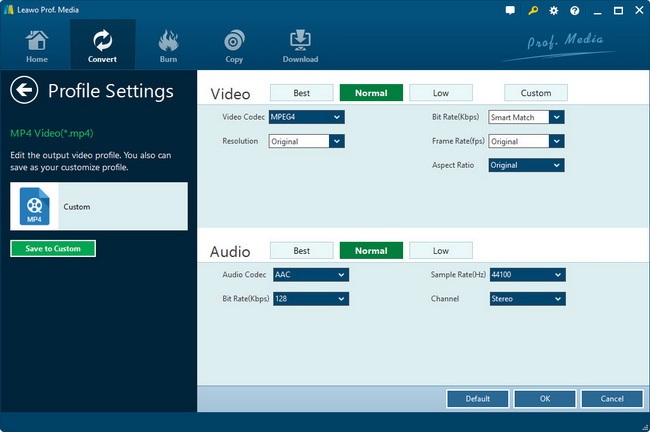
Advanced Settings
Open the “Settings” panel by pressing the “Settings” tab, advanced video and audio parameter settings are provided for you to adjust. Specify the video or audio codec, quality, bit rate, video frame rate, video size, audio sample rate etc to meet your demands.
Video Editing
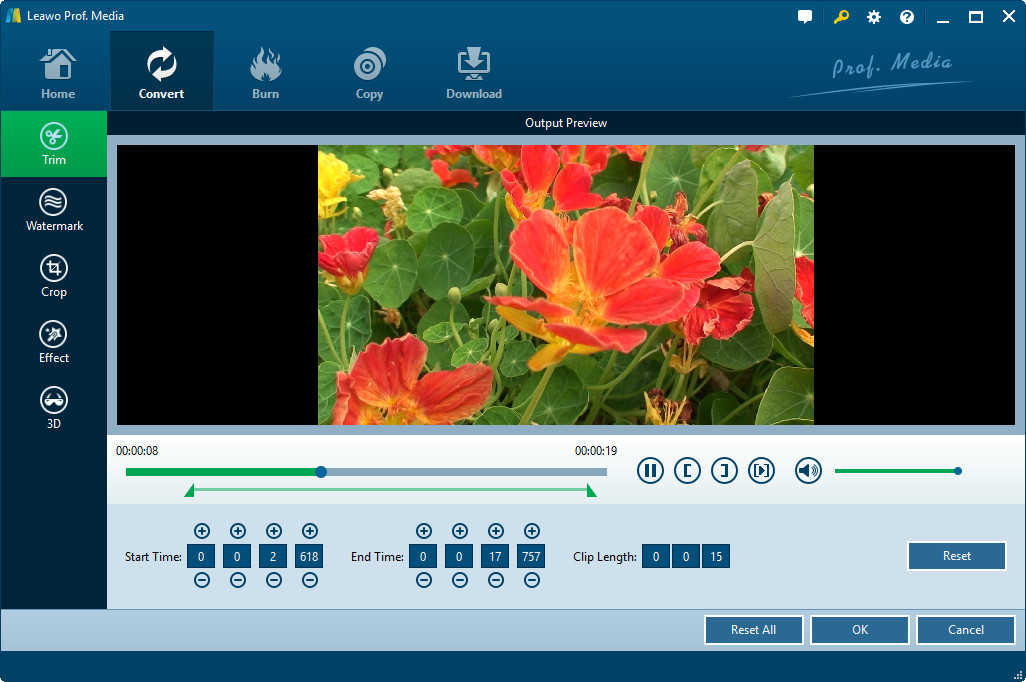
Click on the "Edit" icon on the top menu bar or right clicking the file name in the processing list and select “Media Edit” to access the Video Edit panel. You will find the Trim, Crop, Effect, and Watermark options provided for you to create unique video effect.
With Trim: Modify the "Start Time" and "End time" with values directly to get the specific clip length. Or drag the adjustable slider to set the video segment. The length of the video will be shown in the Clip Length box.
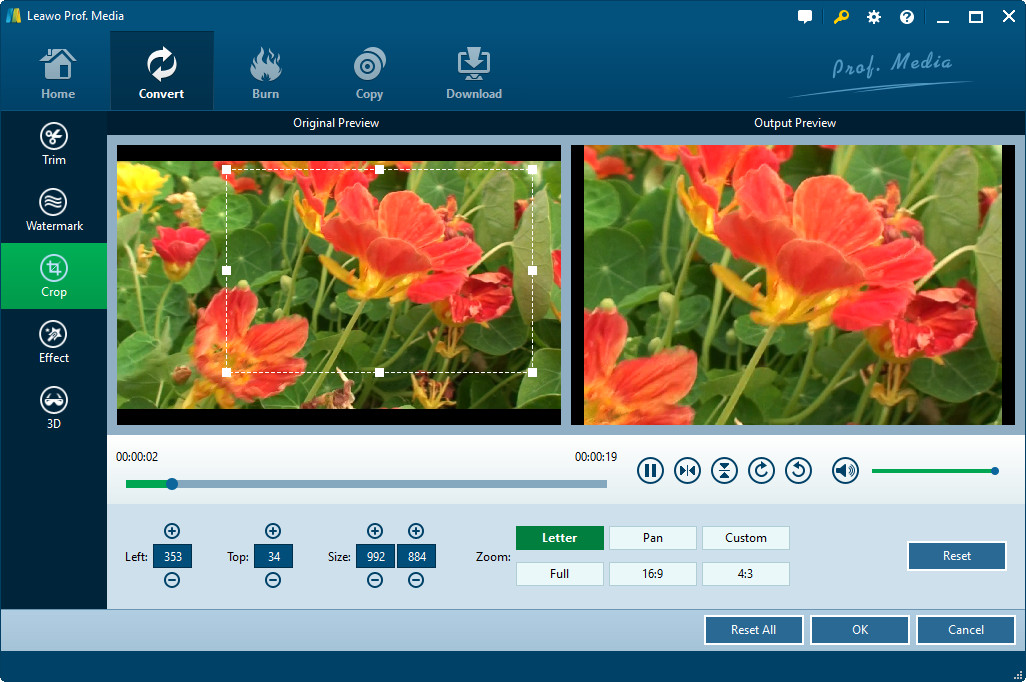
With Crop: Select a cropping style in "Zoom", and set the Left and Top value or do the offset for a precise dimension in “Cropped Size”. You can also directly drag the dot frame to get a new video size.
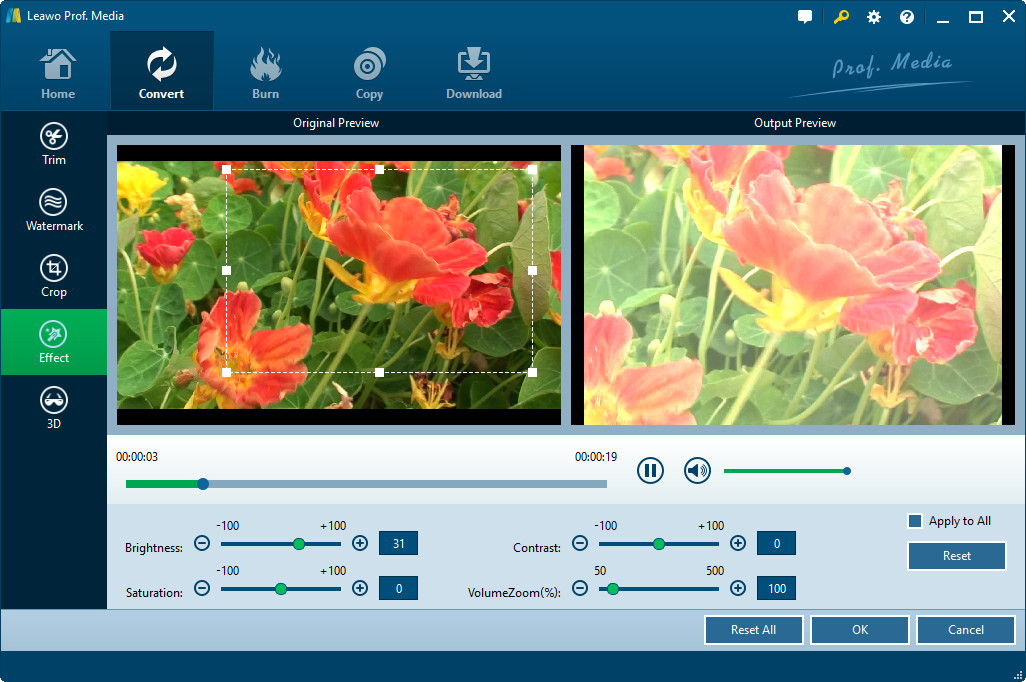
With Effect: Adjust the video effect for a better visual effect. Simply drag the slides of "Brightness", "Contrast", "Saturation" and Audio "Volume" to adjust the output video effect.
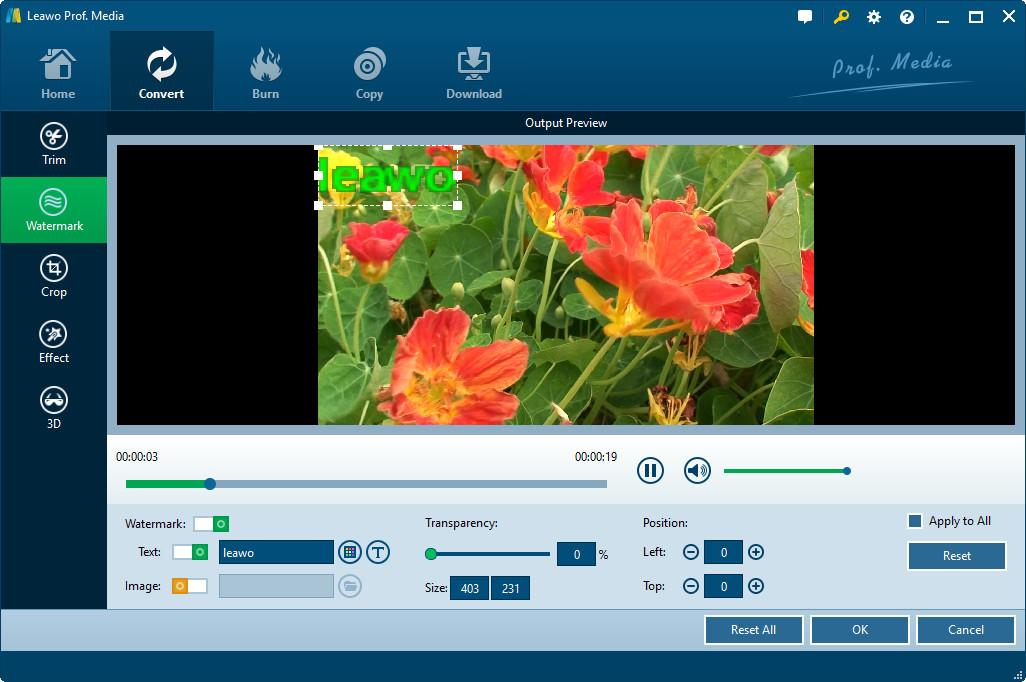
With Watermark: You can easily add watermark to the converted video file. Check “Enable Watermark”, then you can freely write any text as the watermark and add image watermark to the video file.
Powerful 3D video settings
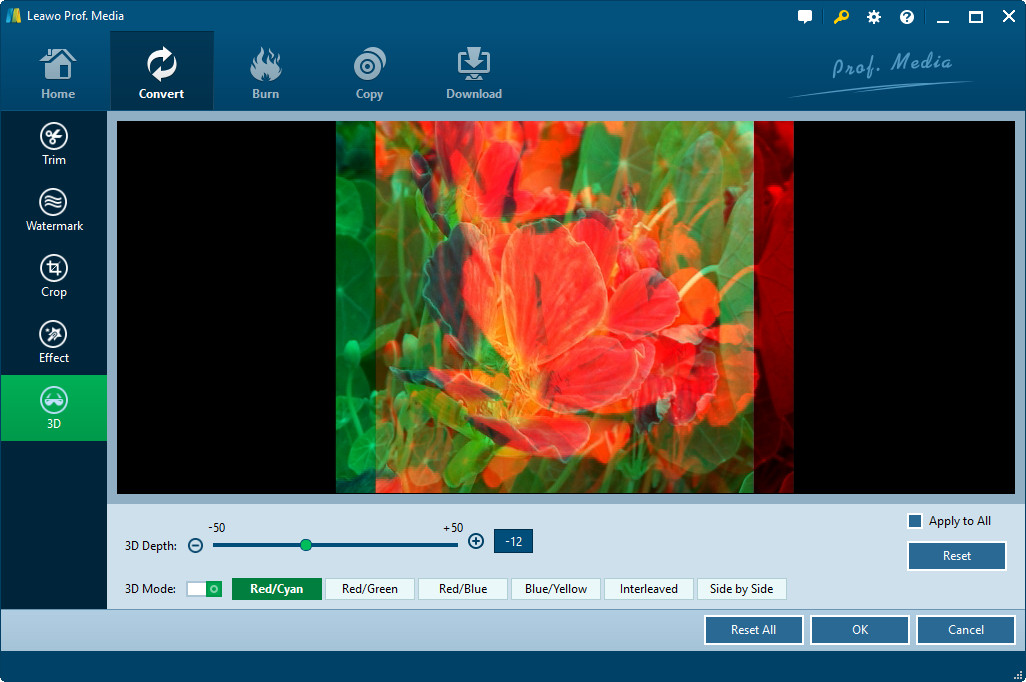
Once you would like to convert 2D to 3D video, simply press "3D Settings" icon on the main interface and switch to the following panel.
You are able to pick up one of the 3D setting modes: Red/Cyan, Red/Green, Red/Blue, Blue/Yellow, Interleaved, and Side by Side for the output video. 3D depth is feasible for adjusting from -50 to+50 section.

Users Say
As consumers, I love companies offering solid product guarantees. It proves the company has faith in its product, and is making a solid effort to gain your trust.
-From Donald through our support center
Social Network
Join Our Newsletter: