Leawo DVD Ripper, a DVD to MKV converter as well, provides an ultimate solution to rip DVD to MKV, to convert DVD to MKV, to backup DVD to MKV and many other popular video/HD video/audio formats for playback on various portable media devices. This DVD to MKV converter also comes with excellent video editing features which guarantees a more customized and high quality MKV output file. Besides these, this DVD to MKV converter allows you to convert 2D DVD to 3D videos to enrich your 3D collections for unlimited 3D video enjoyment. And for Mac users, Leawo DVD Ripper for Mac would be your best choice to rip DVD to MKV on Mac and other videos.
Full Guide
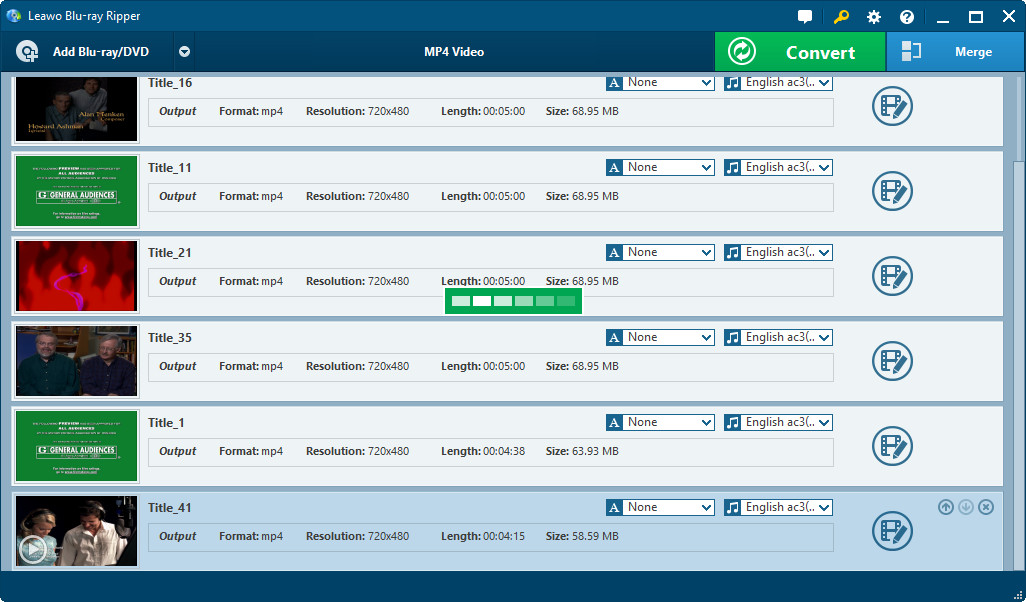
Load source DVD
Launch Leawo DVD Ripper and click "Load DVD" icon to import DVD files either from DVD folder or from DVD drive.
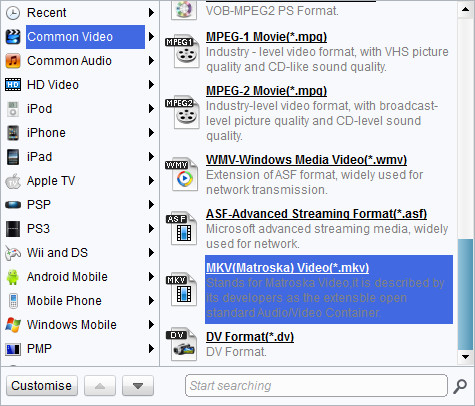
Choose MKV as target profile
Select MKV as the target output format from "Profile" drop-down menu, or input "MKV" into the profile search bar to easily find MKV profile. (Mac users click icon before 3D to enter Profile panel)
You can change MKV parameters by clicking settings button behind Profile frame (Mac users click "+" button in Profile frame): codec, bit rate, video size, aspect ratio, frame rate, etc.
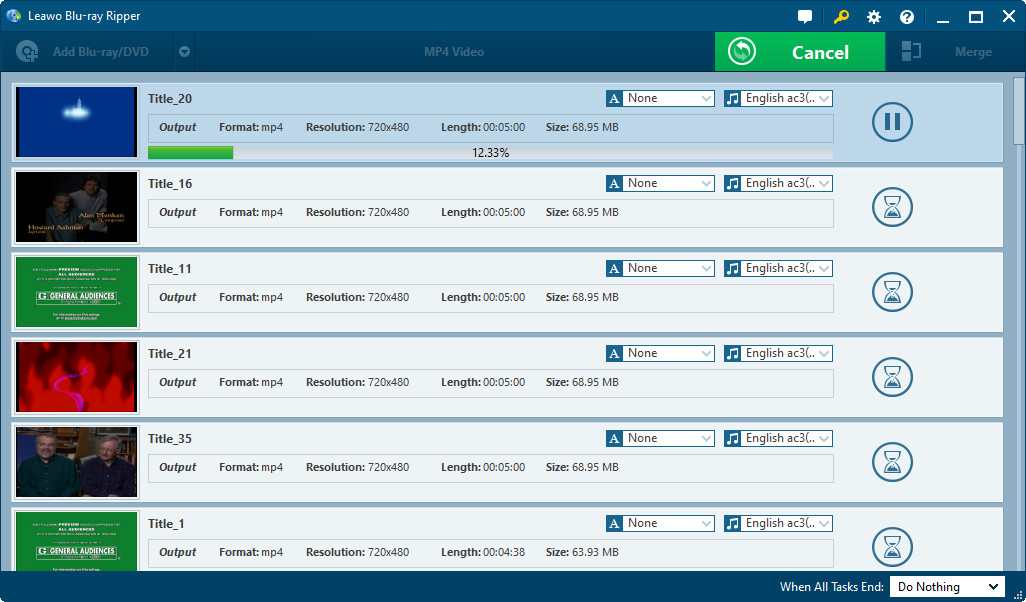
Convert DVD to MKV
Click convert button to start to convert DVD to MKV videos within this DVD to MKV converter.
- This DVD to MKV converter could convert DVD to video in various formats like AVI, FLV, MP4, MPEG, 3GP, etc. for various devices like iPod, iPad, iPhone, Android phones, etc.
- This DVD to MKV converter allows you to trim video length, crop video size, adjust video effect, add watermark, etc. For details, check how to edit DVD or how to edit DVD on Mac.
DVD Ripper 
Convert DVDs to any video formats(in 3D) easily so you can enjoy them on portable devices on the go.
$29.95
Platfrom: Windows 8/7/Vista/XP Go to DVD Ripper for Mac
Extended Knowledge
.MKV (for video with subtitles and audio), .MKA (for audio-only) .MKS (for subtitles only) are three common Matroska file types. Matroska Multimedia Container, an open standard free container format, is a file format that can hold an unlimited number of video, audio, picture or subtitle tracks inside a single file. Matroska is similar in concept to other containers like AVI, MP4 or ASF, but is entirely open in specification.
