A lot of friends are trying to put videos on their Zune for playing. These videos are in different formats. They may be in MOV, AVI, WMV, or 3GP, 3G2, VOB, MPEG, MPG, FLV, etc. But Zune accepts to play videos only in WMV and MP4, so people are eager for a converter software program to convert video to Zune. Searched in Google, they've got seas of tools. After constant trials, they would find that most of the converters do not work well. Either the output video is only a part of the movie or no output at all. Leawo Video Converter is a professional tool to convert video to Zune! The output quality is good and the conversion speed is fast. In addition to the primary function to convert video to Zune, it offers sets of video editing functions to help improve the video quality. Users can use it to eliminate the movie letter box, to trim the video down to clips, or to adjust the contrast, brightness, etc.
How to convert video to Zune with Leawo Video Converter?
You may feel easy to use it to convert video to Zune, as this converter is a small and simple tool for video to Zune conversion. Several clicks will help you to complete the task. Follow the step-by-step tutorial will let you feel much easier to use it.
Full Guide

Import videos
Import the video on your computer to the program.
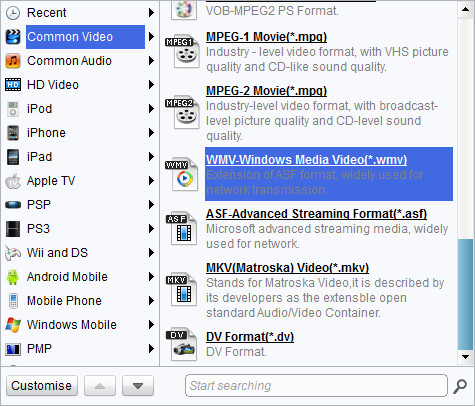
Choose output video format
Select MP4 as output profile.

Add features to the output video
Customize the video to improve the video picture and sound for an enjoyable visual and aural feeling by clicking "Edit".
- Under "Trim", trim the video down in length.
- Under "Crop", crop the video into a friendly dimension to your Zune display screen.
- Under Effect", adjust the video effect: brightness, contrast, saturation and volume.
- Under "Watermark", add an image or a text over the video as watermark.

Start conversion
Click the big "Convert" button to start the conversion. A little time later, you may copy the video to your Zune and enjoy in no time.
Extended Knowledge

Zune is a digital media brand owned by Microsoft which includes a line of portable media players, a digital media player software for Windows machines, a music subscription service known as a "Zune pass", music and video streaming for the Xbox 360 via the Zune Software, music, tv and movie sales, and the media software for Windows Phone.
