Compared with other popular video formats, Zune is unfamiliar to us, however, which kind of converter could assist me a lot in converting MP4 to Zune for Mac enjoyment? I want to recommend you an excellent software, Leawo Video Converter for Mac. Leawo Free Video Converter for Mac can also be acted as a powerful and professional Mac MP4 to Zune converter, which enables you to easily convert some fashionable video formats like AVI, MP4 to Zune. You'll be attracted by its fast speed conversion and excellent output quality, and then happily enjoy your Zune file. Enjoy your digital life with this smart tool.
Now Let's take a look at something about Zune together. Zune is a product line of portable media players manufactured by Microsoft. The line also including Zune software and the Zune Marketplace services sold by Microsoft, which provide online music, video, and podcast downloads. Zune's primary competitors are the Apple iTunes/iPod product line and the SanDisk Sansa line. There is a tutorial of converting MP4 to Zune for Mac with Leawo Video Converter for Mac.
Full Guide
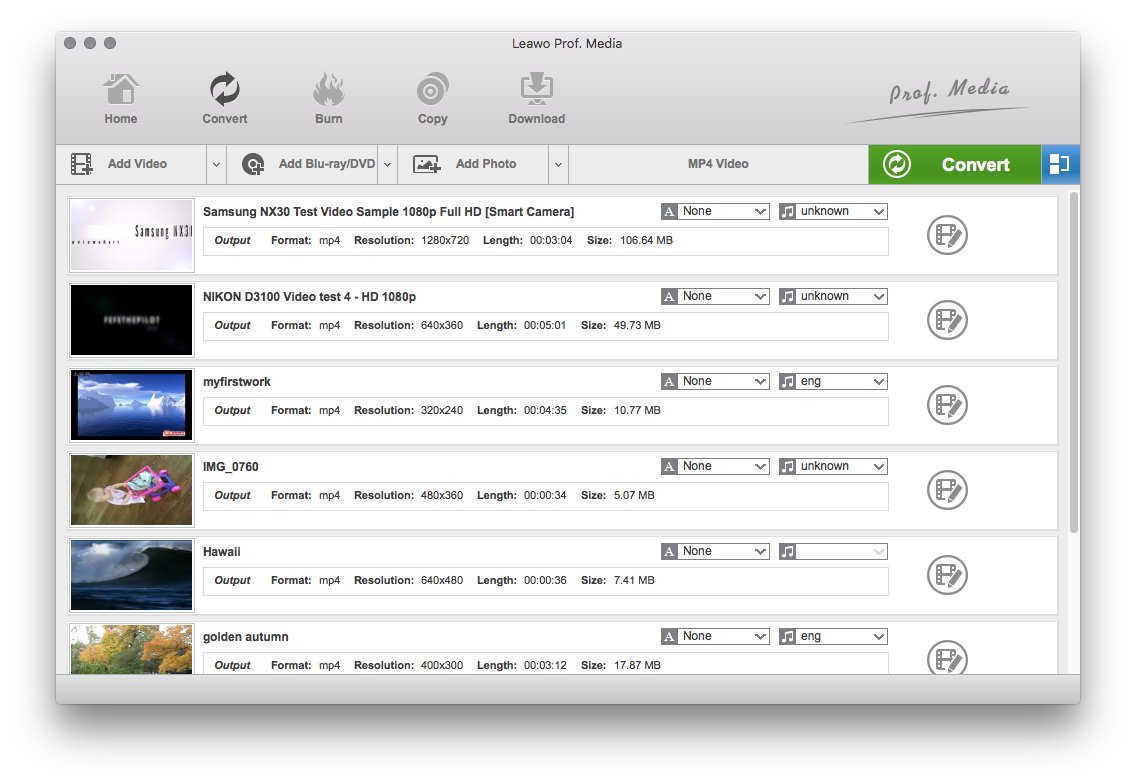
Do the essential settings
Click "Add" button to load MP4 files you want.
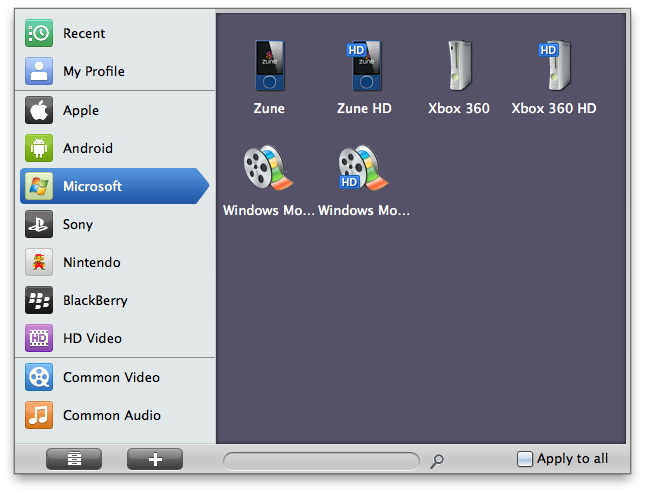
Select Output Profile
Click on the file format of the original video on the video processing list, and then it will switch to the following output file format choosing panel. Select a target format for the output according to your requirement. Or you can take advantage of the "Profile Search Function" and get access to the target format quickly.
Besides, you can set detailed parameters: Choose the file and go to "Add Profile" button at the bottom of the main interface to set detailed parameters for the video as you like. Such as Codec, Video Size, Bit Rate, Aspect Ratio, Frame Rate, etc.
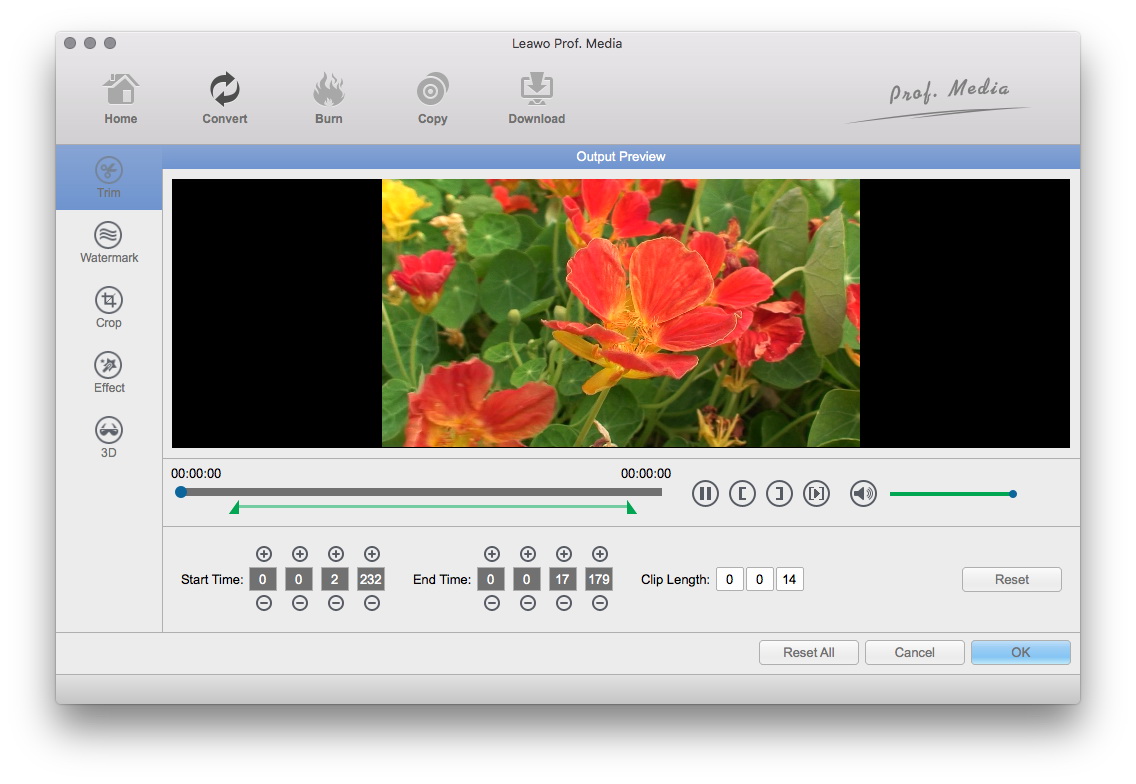
Video Effect Settings
Click "Edit" button to trim, crop, rotate, adjust and watermark video to satisfy your needs.
- Trim: Click "Trim" button. Now trim video duration by setting start time and end time to keep the segment you want.
- Crop: Click "Crop" to crop the video file to extract the black sides or unnecessary segment from the original video file.
- Rotation: Revolve the video to the needed angle. You can achieve horizontal flip & vertical flip, or realize to rotate 90° clockwise and rotate 90° counterclockwise. If the adjustment is beyond satisfaction you can reset it as well.
- Effect: Click "Effect" button to set video brightness, contrast, and saturation for better output quality.
- Watermark: Check "Enable Watermark", and click "Image Watermark" or "Text Watermark" to add watermark to the video, then adjust the Transparency, Margin, and Watermark Size.
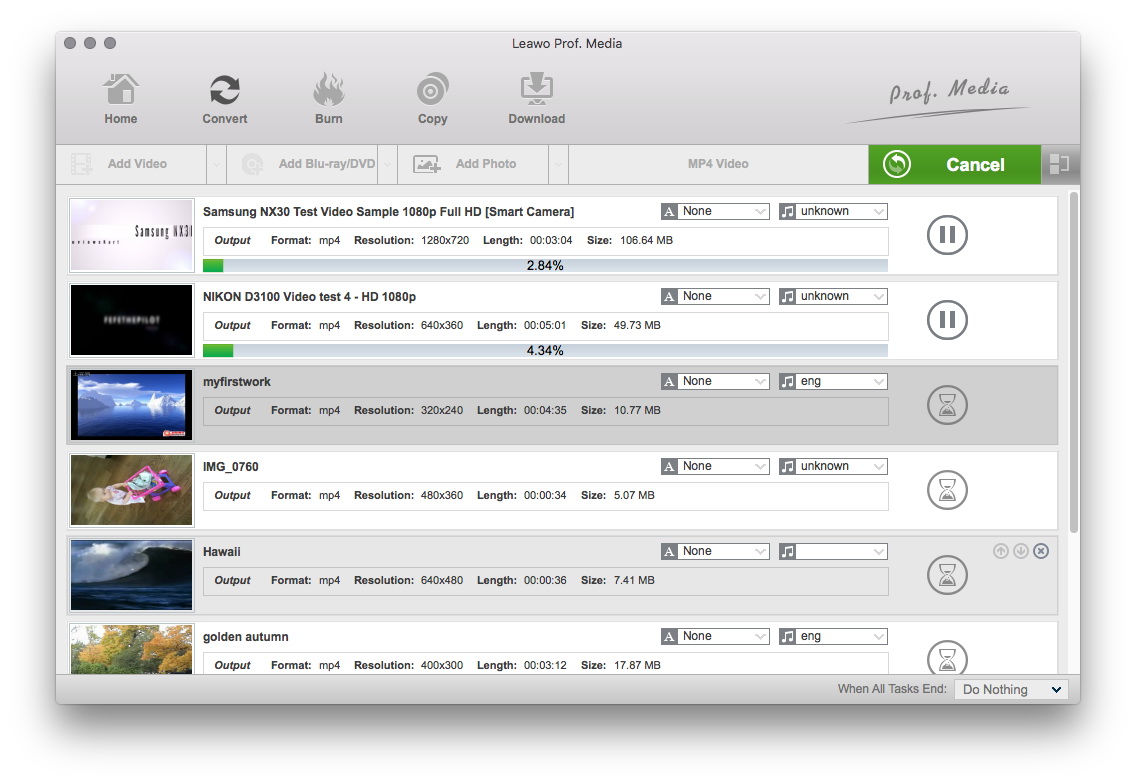
Convert Videos
When you have got ready for the settings for the added videos in the video converter program, you can click "Convert" button to start conversion. Just for a while, the conversion will be finished and you can enjoy it freely.
Extended Knowledge

Zune is a digital media brand owned by Microsoft which includes a line of portable media players, a digital media player software for Windows machines, a music subscription service known as a "Zune pass", music and video streaming for the Xbox 360 via the Zune Software, music, tv and movie sales, and the media software for Windows Phone.
