So many friends have iPod on their own, this portable player brings us happiness, especially when we use it to view our favorite videos. How to convert MP4 to iPod for Mac to make them fit for your enjoyment? Actually, Leawo Video Converter for Mac (Mac iPod Converter) is a professional Mac MP4 to iPod converter which can convert almost all popular video formats including AVI, VOB, MPEG, WMV, MP4 to iPod video file. After video conversion, this MP4 to iPod converter for Mac gives you excellent output quality for your better enjoyment on your iPod! Now download it first!
What is MP4?
MP4, short for MPEG-4 Part 14, is a multimedia container format standard specified as a part of MPEG-4. It is most commonly used to store digital audio and digital video streams, especially those defined by MPEG, but can also be used to store other data such as subtitles and still images. Like most modern container formats, MPEG-4 Part 14 allows streaming over the Internet. The official filename extension for MPEG-4 Part 14 files is .mp4, thus the container format is often referred to MP4.
Full Guide
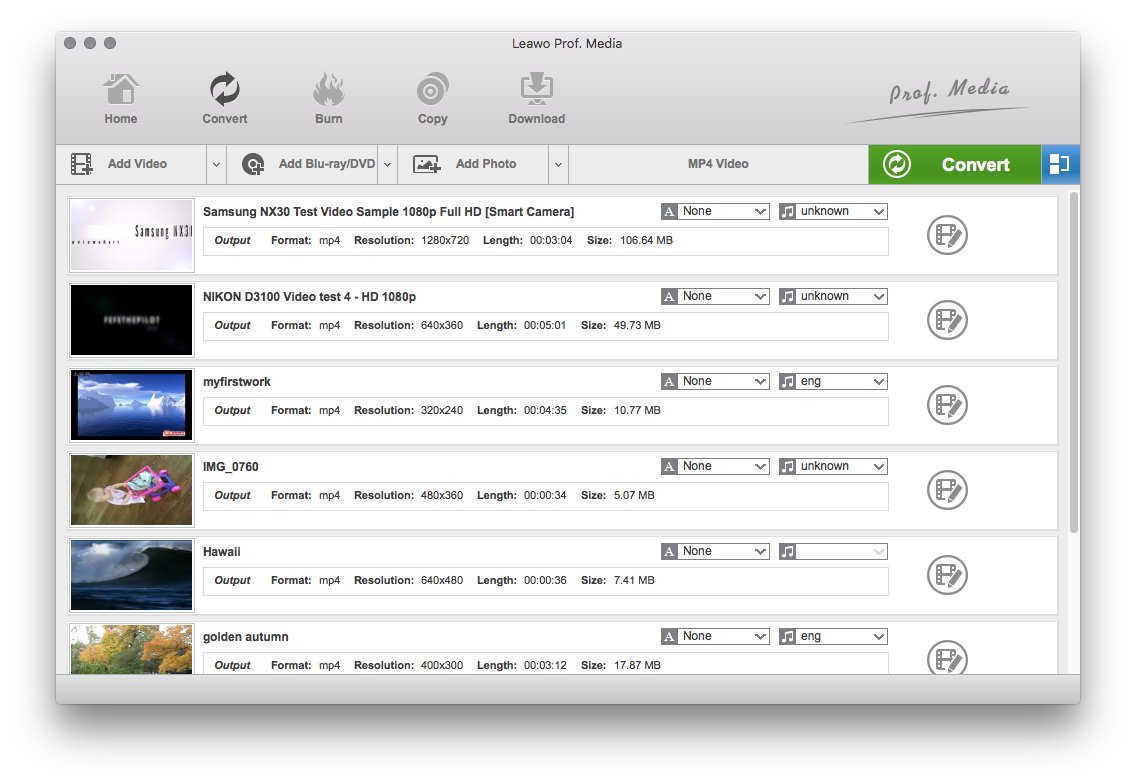
Do the essential settings
Click "Add" button to load MP4 files you want.

Select Output Profile
Select each file and choose the output format like iPod in "Profile".
Select video and audio quality that you need.
Set an output folder by "Output" for the destination files.
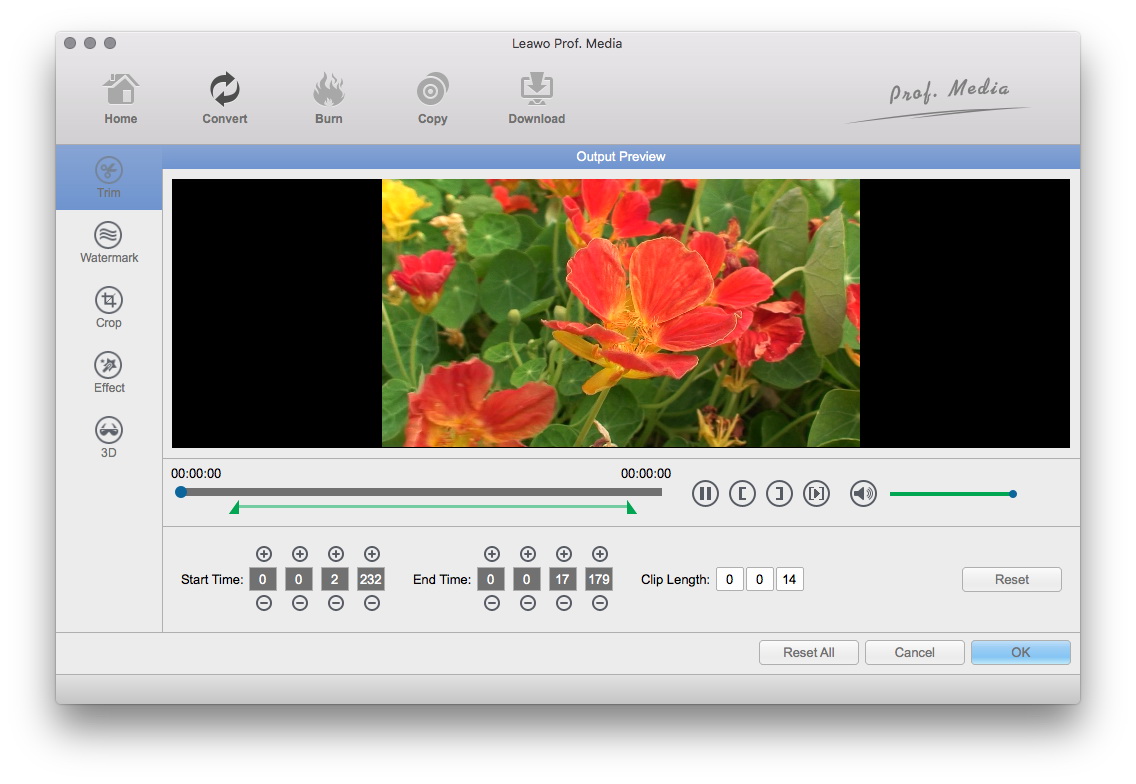
Video Effect Settings
Click "Edit" button to crop, trim, adjust and watermark video to satisfy your needs.
- Trim: Click "Trim" button. Now trim video duration by setting start time and end time to keep the segment you want.
- Crop: Click "Crop" to crop the video file to extract the black sides or unnecessary segment from the original video file.
- Rotation: Revolve the video to the needed angle. You can achieve horizontal flip & vertical flip, or realize to rotate 90° clockwise and rotate 90° counterclockwise. If the adjustment is beyond satisfaction you can reset it as well.
- Effect: Click "Effect" button to set video brightness, contrast, and saturation for better output quality.
- Watermark: Check "Enable Watermark", and click "Image Watermark" or "Text Watermark" to add watermark to the video, then adjust the Transparency, Margin, and Watermark Size.
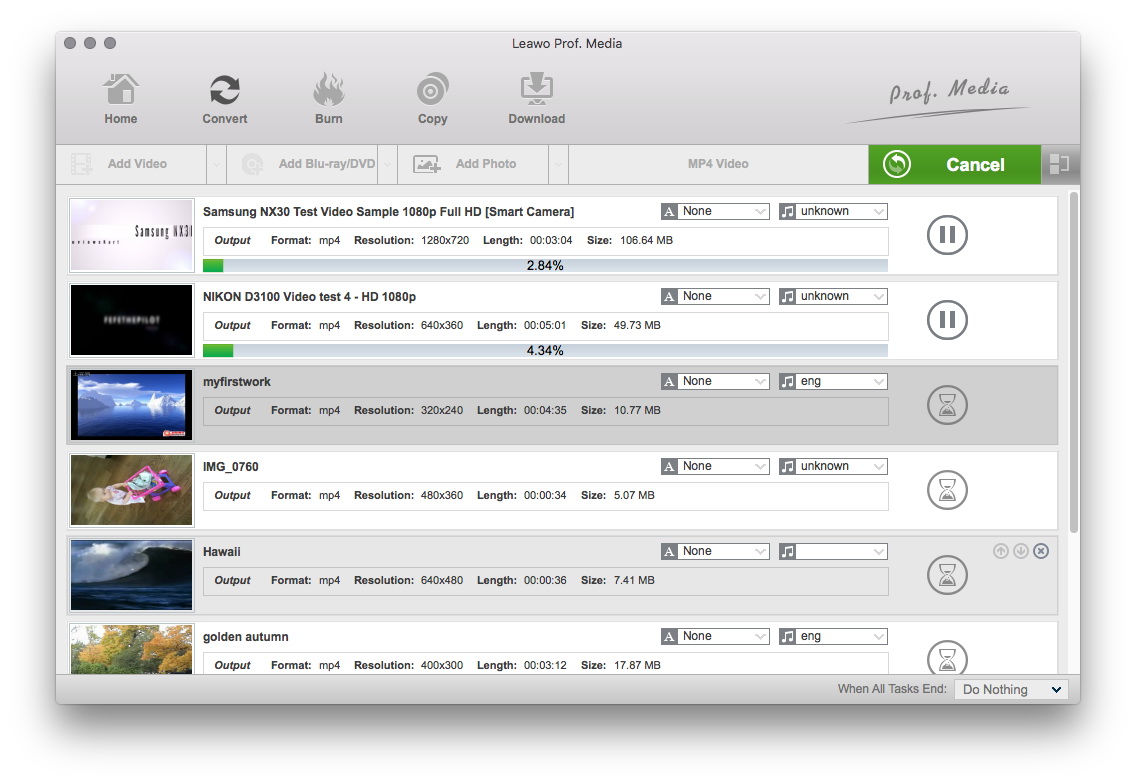
Convert Videos
When you have got ready for the settings for the added videos in the video converter program, you can click "Convert" button to start conversion. Just for a while, the conversion will be finished and you can enjoy it freely.
Extended Knowledge

An iPod is a portable device for storing and playing audio files encoded by MP3 or AAC compression algorithms. Designed by Apple Computer, iPods have distinctive styling and can hold thousands of songs. Popular iPod features including a calendar, address book, to-do list, alarm clock with sleep timer, games and text reader. When connected to a personal computer (PC), Windows or Macintosh, the iPod communicates with a piece of Apple software called iTunes. The iPod and iTunes work together to synchronize the songs available on the iPod to those available on the PC. This happens automatically, without any intervention required from the users.
