As a matched competitor against Apple iPod, Microsoft Zune is also a good alternative for people who pursuit classic experience of video and music. If you are told you can play FLV videos on your Zune, what comes to your mind first? Copy the FLV videos to your Zune and play? Absolutely wrong. You need to convert FLV to Zune video for Mac first. Aspiring video converter developer has already taken Zune into their consideration on program design. For Mac users, Leawo Video Converter for Mac — the powerful Mac FLV to Zune Converter is an adequate chice.
It not only provides useful profiles for Zune but also allows you to customize the settings and even edit the video at your wish. With such wonderful tool, why still wait to try converting FLV to Zune video for yourself now? In the following there is a guide for you to convert FLV to Zune on Mac. You just need to follow it then you can learn how to convert FLV to Zune videos with Mac FLV Converter successfully.
Full Guide
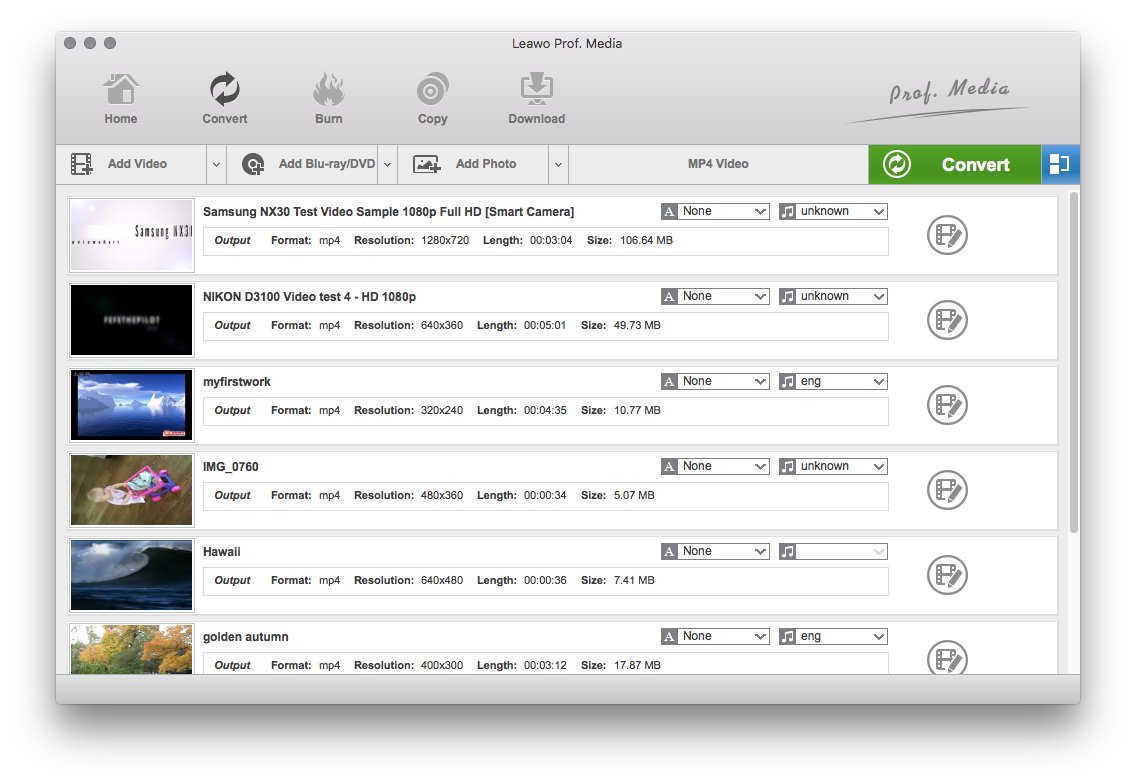
Add your FLV files to the process list
Click on the Add button to add video files or just drag the files to the program directly.
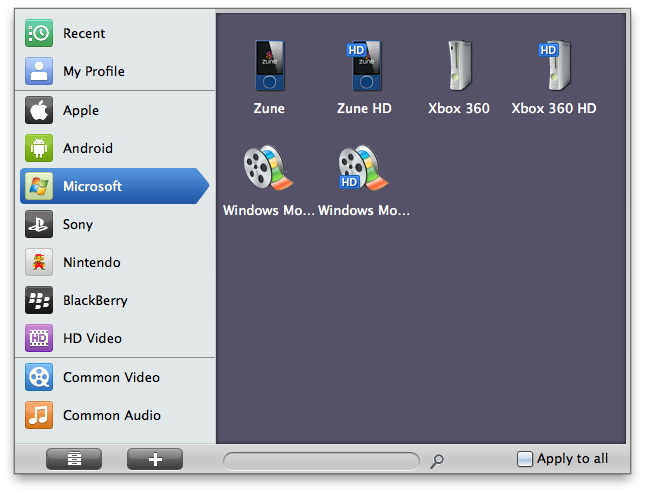
Select the output profile
It is worth mentioning that Leawo Mac FLV Converter has a library of more than 100 specific profiles about many popular video formats.
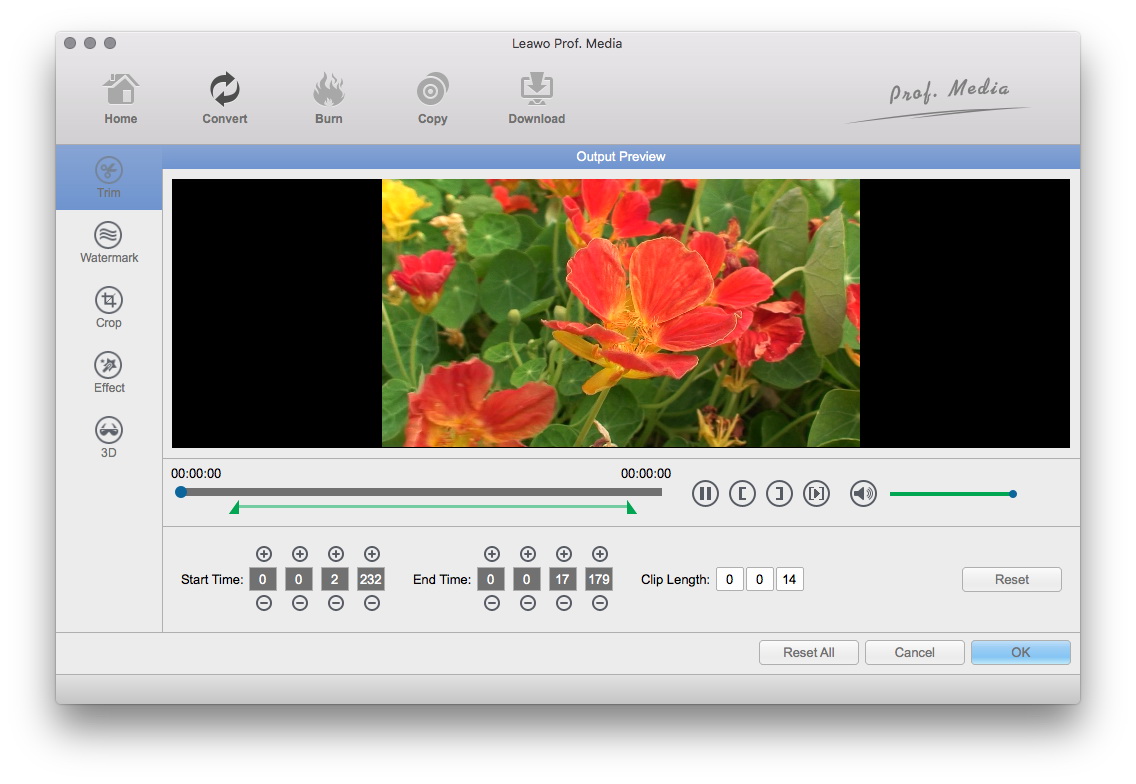
Edit video with individualized features
You can also cut a segment from the original video via trim function, cut the black margin via crop function and play with the video effect adjustments of brightness, contrast and saturation. You can add image or text watermark to the video as well.
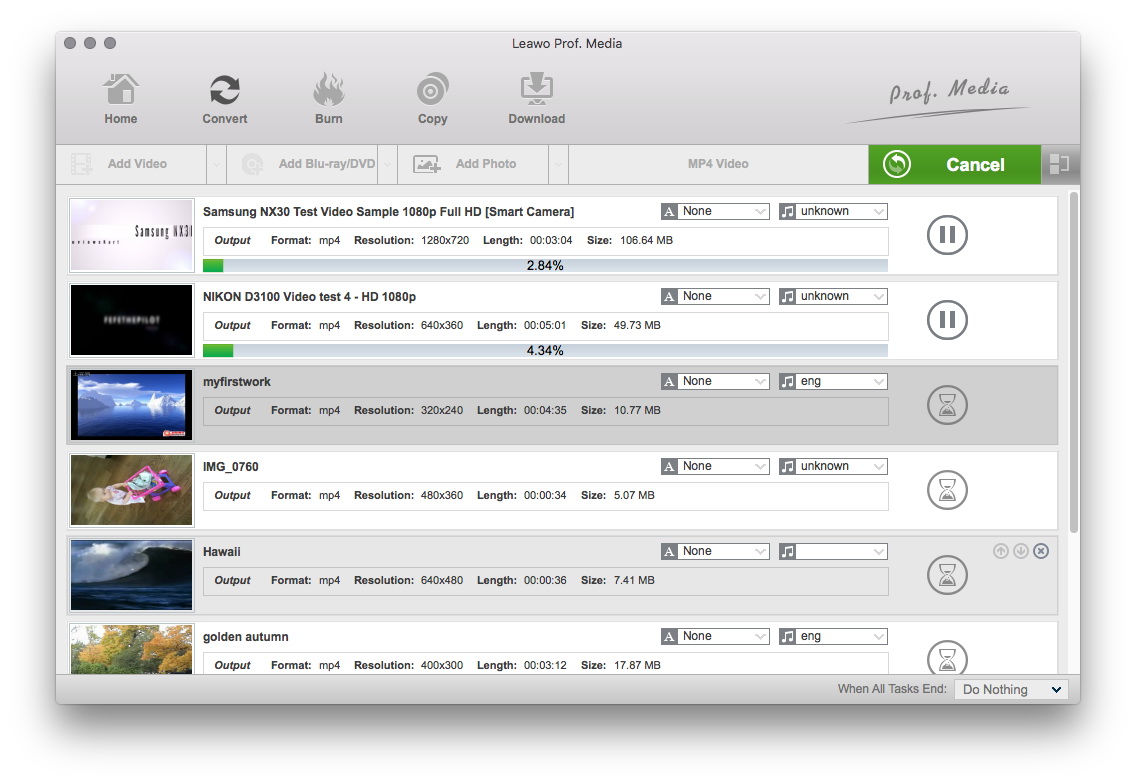
Begin the conversion
After you have finished all the settings you can click on the big Convert button to convert FLV to Zune videos.
If you want to understand how Leawo Mac FLV Converter may serve you, it is advised that you try it and explore more exciting features by yourself.
Extended Knowledge

Zune is a digital media brand owned by Microsoft which includes a line of portable media players, a digital media player software for Windows machines, a music subscription service known as a "Zune pass", music and video streaming for the Xbox 360 via the Zune Software, music, tv and movie sales, and the media software for Windows Phone.
