VOB is the intuitive video file format on DVD-video media. It is able to be converted from other video formats, say FLV to VOB with video converter software. Since VOB video file is too big for network transmission, many online free converter services refuse to provide conversion from FLV to VOB for Mac. However, a versatile video converter like Leawo Video Converter for Mac — the powerful Mac FLV Converter is targeting such needs as converting FLV to VOB for Mac users. In this video converter, you can convert FLV to high-quality VOB video file format in a few clicks. To add more flexibility to the FLV conversion, this Mac FLV to VOB Converter is also eligible for general video editing.
Full Guide
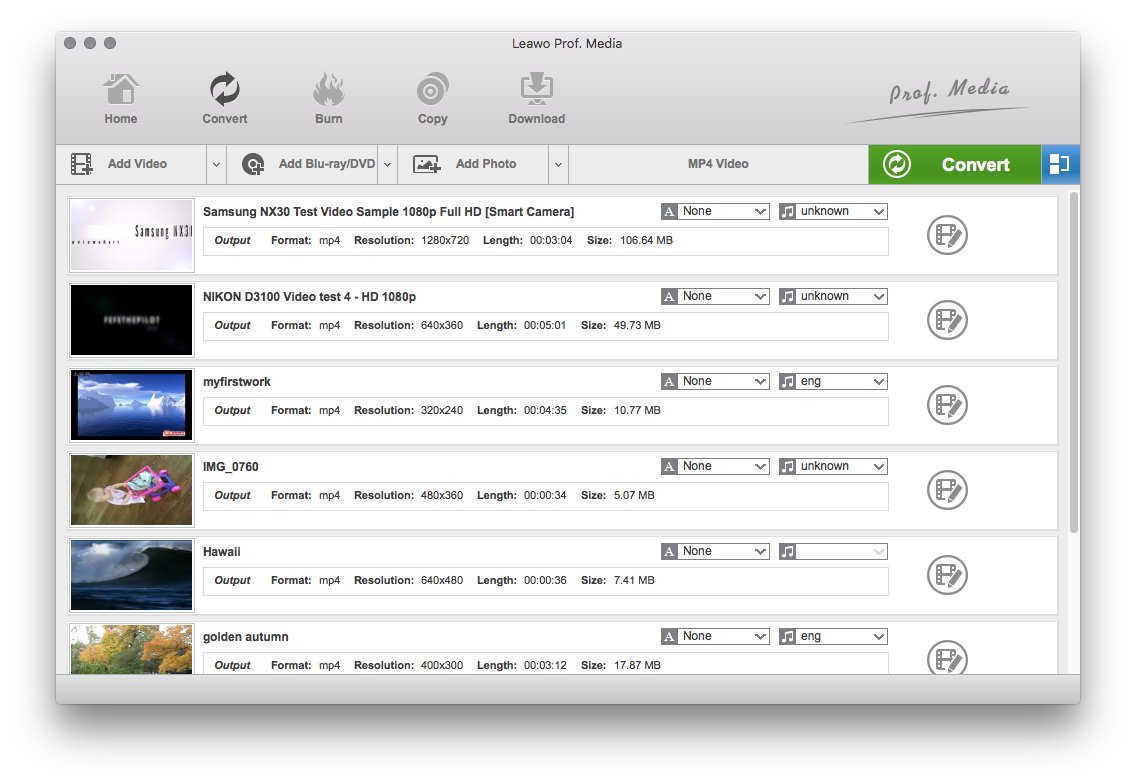
Add FLV Video Files
Click on the "Add" icon to import videos to the program or you can directly drag the videos to software.
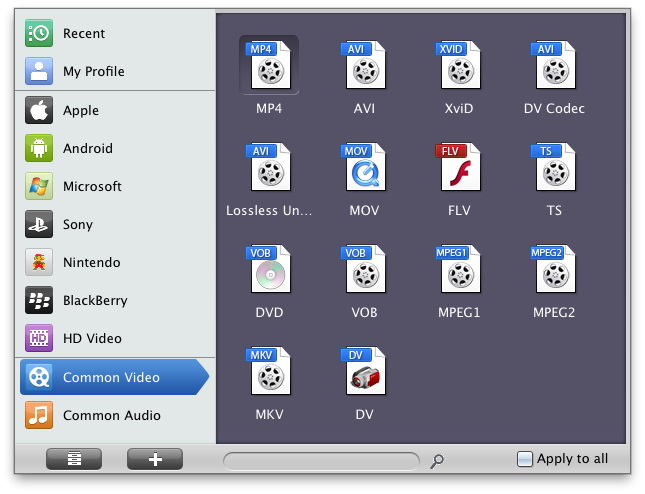
Select the output profile
In the "Profile" drop-down box, choose VOB as the output format. If you have bunch of FLV videos to convert to VOB format, use convenient functions like batch and apply-to-all that can save your time and effort.
- Video Codec is fixed to MPEG-2 only. This is because MPEG-2 is the standard video format on DVD which is contained in VOB file format.
- Bit Rate and Frame Rate are both set to auto for safe play. The higher the better, but with a larger output size.
- Aspect Ratio can be changed between 4:3 and 16:9 for normal screen and wide screen.
- Interlaced scan should be off when you are not going to output to an older DVD player.
- Besides quality control, other audio settings won't make much difference. Change it only when necessary.
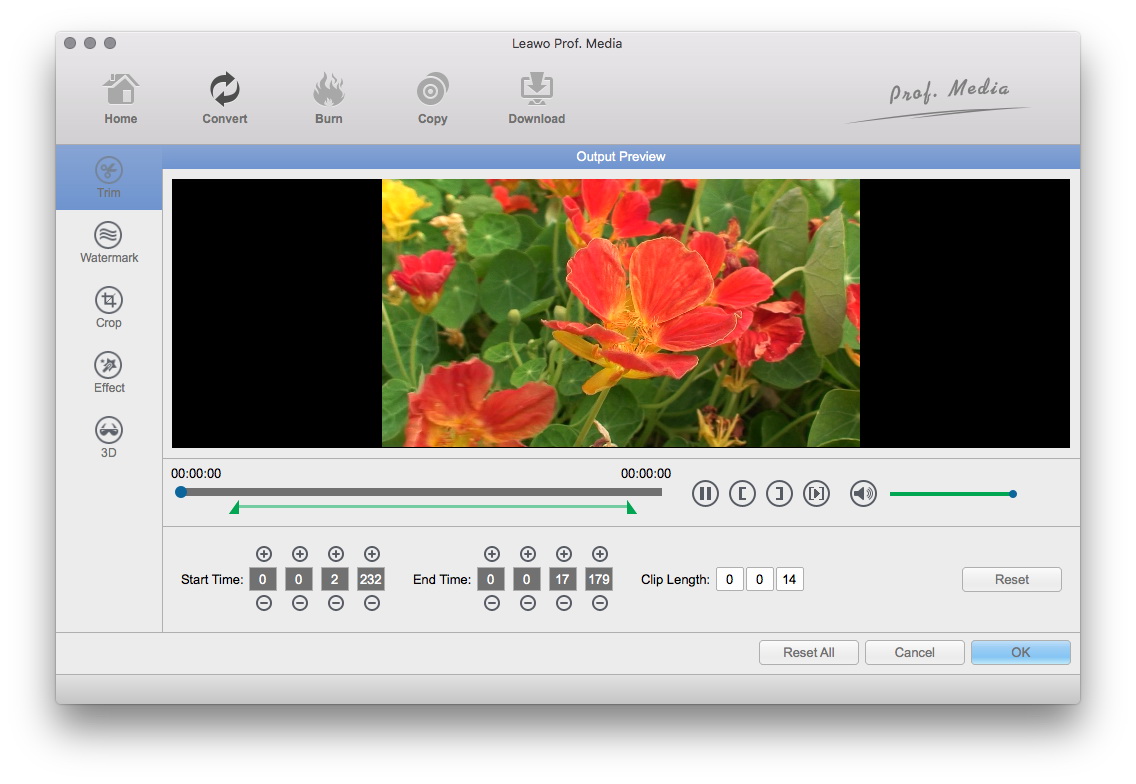
Edit Video with Effects
In this step, you can add some video editing effects to the output video: Trim, Crop, Effect and Watermark.
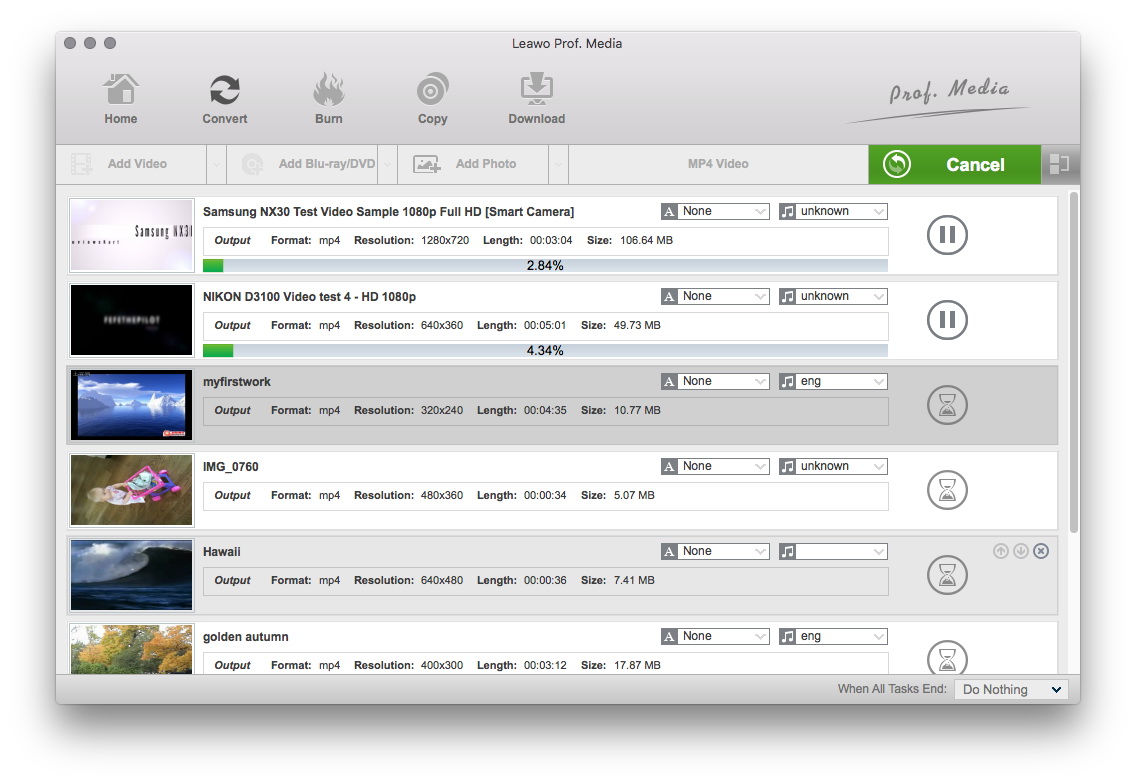
Begin the Conversion
When you have finished all the settings, you can start to convert FLV to VOB. Moreover, you can turn up the simultaneous processing threads to gain more conversion speed.
Leawo Mac Video Converter is an user-oriented software that is devoted to converting FLV to quality VOB videos. In fact, this Mac FLV to VOB Converter can do more than that. For more information, see the website of Leawo Mac Video Converter.
Extended Knowledge
FLV (Flash Video) is a file format used to deliver video over the internet using Adobe Flash Player and, is the most popular file format. Almost all video sharing sites are supporting to play videos in FLV format, that's because 98% of all internet users have installed Adobe Flash Player on their computers, and the webmasters hope the videos on their sites can be viewed by as many as people.
VOB (Video Object) is a container format in DVD-Video media. VOB can contain video, audio, subtitle, menu and navigation contents multiplexed together into a stream form. VOB is based on the MPEG program stream format, but with additional limitations and specifications in the private streams. The MPEG program stream has provisions for non-standard data (as used in VOB files) in the form of so-called private streams. VOB files are a very strict subset of the MPEG program stream standard. While all VOB files are MPEG program streams, not all MPEG program streams comply with the definition for a VOB file.
