Have an urge to download FLV videos from YouTube or other video sites to your MacBook for further editing or your iPod for portable watching? It is recommended that FLV be converted to MOV, because MOV is the preferred video format on Mac platform and Apple products. You can make good use of Leawo Video Converter for Mac — the best Mac FLV to MOV Converter to help you get this done. Leawo Mac Video Converter is one of the good Mac FLV to MOV Converters which enable you to convert FLV to MOV on Mac platform. Moreover, this FLV to MOV Converter for Mac also thoughtfully offers some extensive editing functions on the video to be converted.
In the following, there is simple guide for you to convert FLV to MOV for Mac. You will get to know what is good of this Mac FLV to MOV Converter.
Full Guide
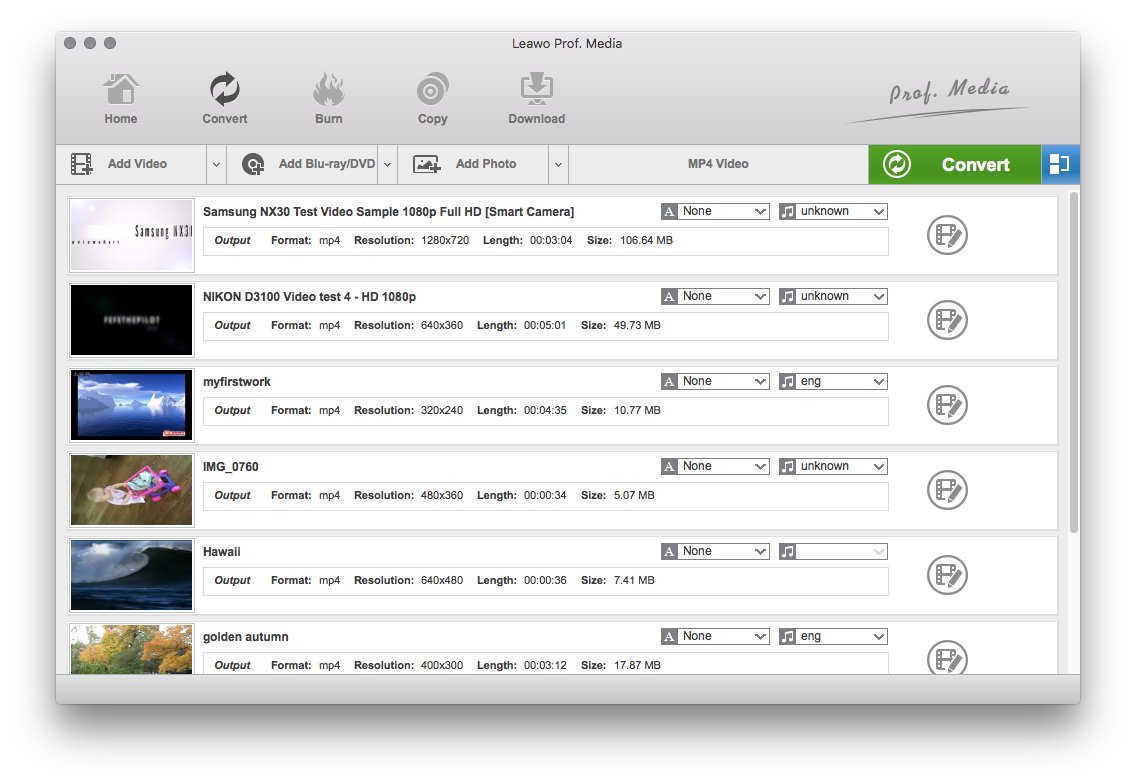
Add FLV Video Files
Click on the "Add Video" icon to import videos to the program or you can directly drag the videos to software.
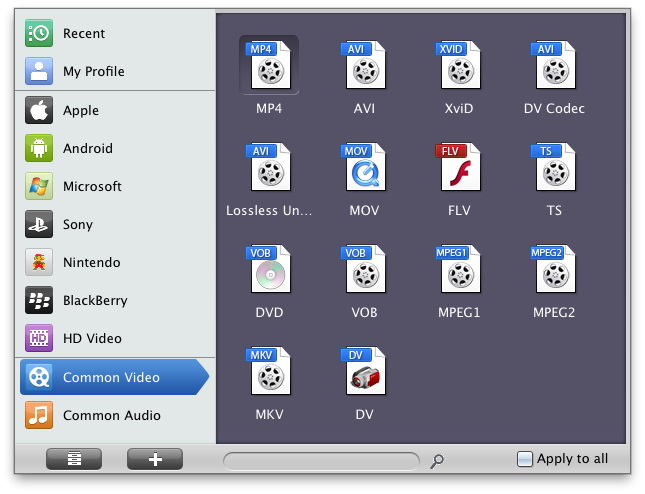
Choose Output Video Format
In the "Profile" drop-down box, choose MOV as the output format. If you have bunch of FLV videos to convert to MOV format, use convenient functions like batch and apply-to-all that can save your time and effort.

Edit Video with Effects
In this step, you can add some video editing effects to the output video: Trim, Crop, Effect and Watermark.
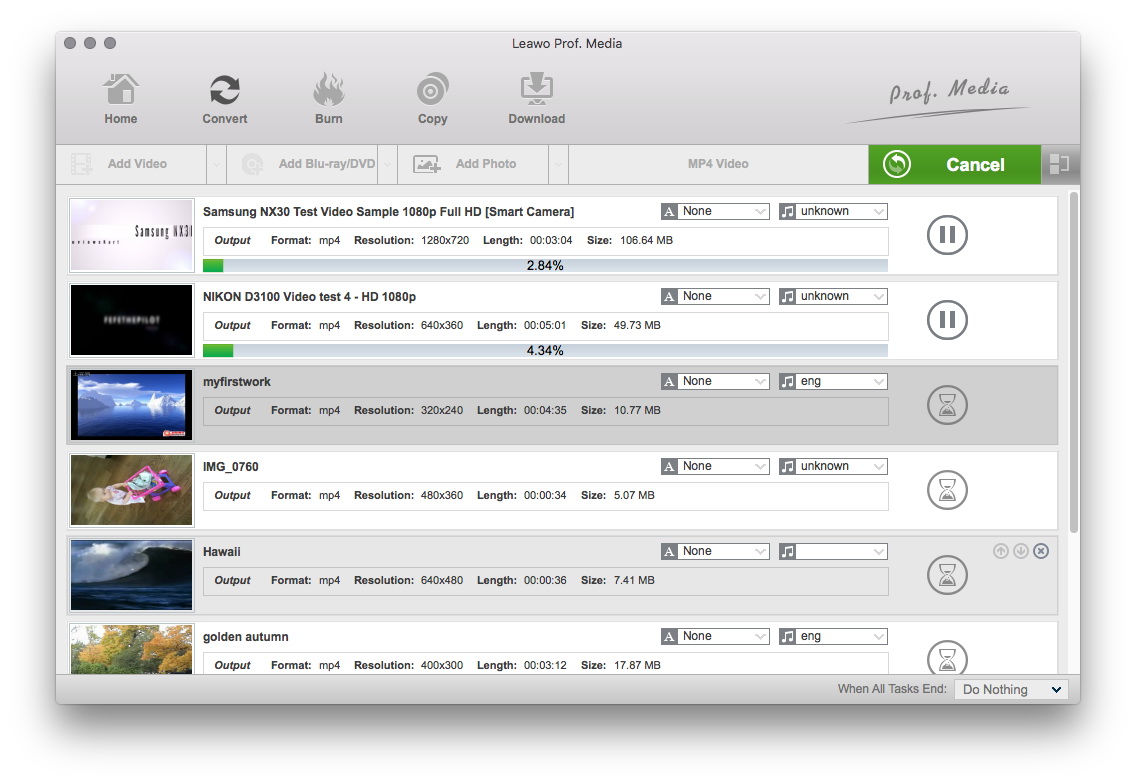
Begin the Conversion
When you have finished all the settings, you can start to convert FLV to MOV. Moreover, you can turn up the simultaneous processing threads to gain more conversion speed.
Leawo Mac Video Converter is user-oriented software that is devoted to converting FLV to qualified MOV videos on Mac. In fact, this Mac FLV to MOV Converter can do more than that. For more information, see the website of Leawo Mac Video Converter.
Extended Knowledge

FLV (Flash Video) is a file format used to deliver video over the internet using Adobe Flash Player and, is the most popular file format. Almost all video sharing sites are supporting to play videos in FLV format, that's because 98% of all internet users have installed Adobe Flash Player on their computers, and the webmasters hope the videos on their sites can be viewed by as many as people.
MOV video file is common multimedia format often used for saving movies and other video files, uses a proprietary compression algorithm developed by Apple Computer, compatible with both Macintosh and Windows platforms. The format specifies a multimedia container file that contains one or more tracks, each of which stores a particular type of data: audio, video, effects, or text (e.g. for subtitles).
