


Summary:
CyberLink PowerDVD is a powerful paid media player built for high-quality playback, but it can feel expensive and unnecessary for casual users. For most people, Leawo Blu-ray Player is a better free alternative that handles common formats and disc playback without extra cost.
Occasionally, you only need a media player that functions flawlessly. You open a video, and it begins to play. No errors, no missing codecs, no delay. But not every player actually manages all formats or excellent files appropriately. That is where paid alternatives such as CyberLink PowerDVD come in.
High-resolution material and Blu-ray playback, among other video formats, are supported by PowerDVD. Additionally, it has additional capabilities meant to improve video and sound quality. Many consumers, hence, turn to it when free players fall short of their needs. In this Cyberlink PowerDVD review, we will examine what PowerDVD provides, how it performs in actual life, and if it’s worth paying for as opposed to free substitutes
OutlineCLOSE
Part 1: Key Features: What Can PowerDVD Do?
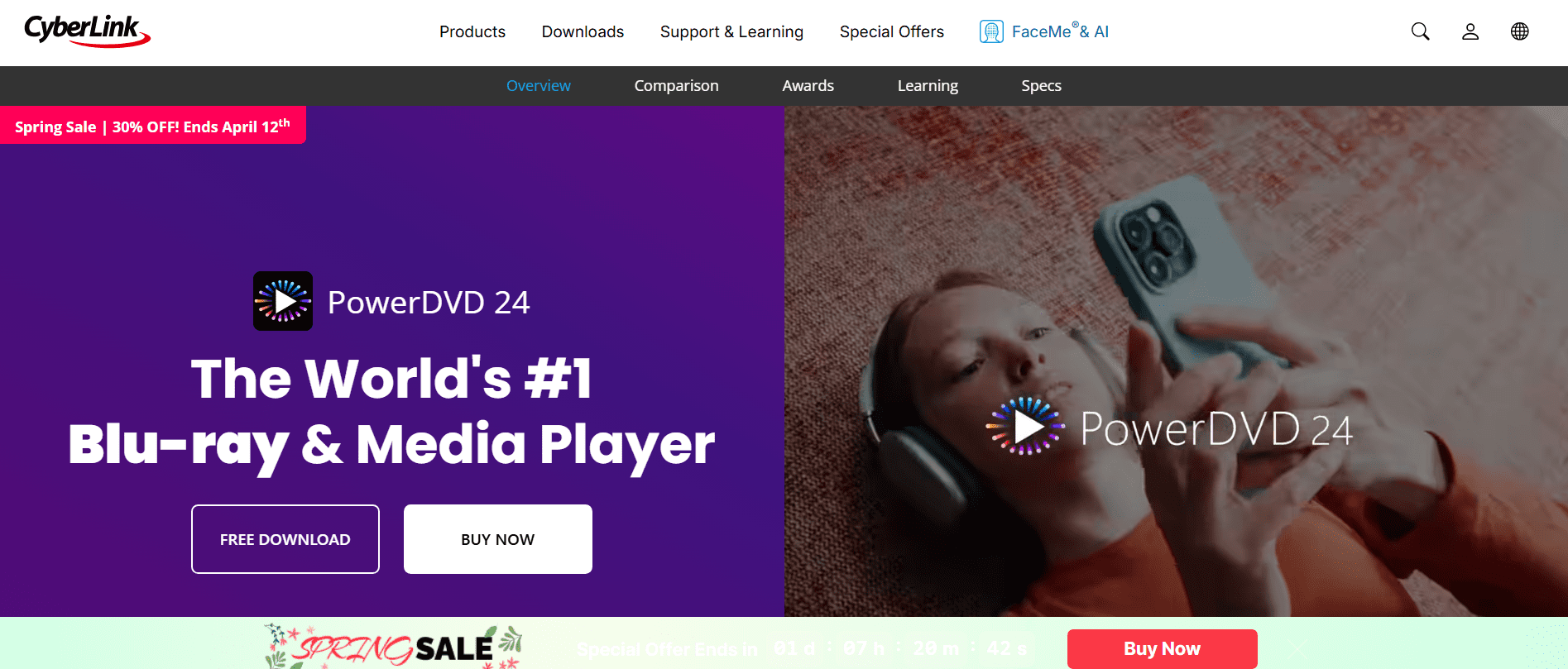
Fundamentally, CyberLink PowerDVD is designed to manage more than just basic video playback. It focuses on high-quality viewing and broad compatibility, especially for users who deal with different formats or larger screens. Here are the main features that define what it can do:
4K and 8K UHD Resolution Support
CyberLink PowerDVD is designed for playing extremely high-res movies. It is capable of playing 4K and even 8K UHD videos, which is good if you’re playing stuff on a very large display or a premium monitor. The playback is fairly smooth, and you won’t experience much lag or quality degradation, assuming your hardware is up to spec. It also improves the color and contrast slightly, making the video appear sharper and more detailed.
Blu-ray and DVD Playback
PowerDVD has been primarily designed as a software player for physical media. It allows direct access via a built-in Blu-ray and DVD player, whereas most other drives require dedicated software. It offers the same simple interface, with menus, chapters, and subtitles available.
Home Theater Audio Optimization
The program is optimized for use with a home-theater configuration. It is capable of handling Dolby Digital, DTS, and multi-channel surround sound. What this really means is better depth in audio, voices sound clearer, and background sounds feel more natural.
Wide Media Format Support
PowerDVD can handle any number of popular file formats, both saving you time and energy. Video: MP4, MKV, AVI, MOV, and for Audio: MP3, FLAC, M4A, WAV, etc.
Smart Audio Converter (Karaoke Feature)
Also, the tool has an integrated audio tool that can take down or completely remove vocals from songs. It’s not a perfect system, but it works well enough for home usage. Upmix and downmix the audio balance, and have normal music turned into home karaoke-things, so you don’t need any additional programs.
Part 2: PowerDVD Real Performance: See How It Works
One thing is features, but genuine usage is typically easier. You install the player, open a file, and assume it will run smoothly. CyberLink PowerDVD sets out to distinguish itself by providing background controls while maintaining smooth playback.
How to Use PowerDVD?
If you’re trying it for the first time, the process is pretty straightforward. The interface might look a bit packed at first, but basic playback doesn’t take much effort.
Step 1: Download PowerDVD from the official website. The user can choose to purchase the full product or use the free trial. Once this has been done, follow the installation procedure.
Step 2: The second step is to use PowerDVD by selecting a movie or video file that is available on the user’s system or an available movie on the system’s built-in library. Double-clicking the file will initiate playback.
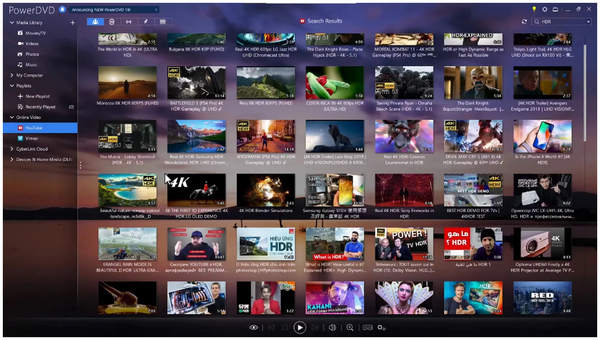
Step 3: When playback has begun, the main screen will display the playing movie. The user can easily adjust the desired settings for viewing, from subtitling to audio and even the quality of the movie being played.
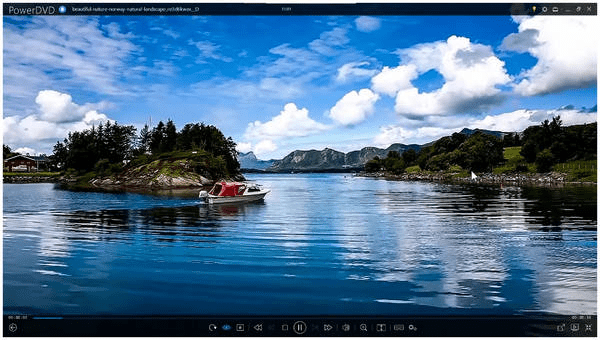
In many ways, getting started with PowerDVD has been a very straightforward process; most users will likely have no problem figuring out how to use it!
How’s PowerDVD Doing?
Pros:
- Strong performance with high-resolution videos
- Works well with home theater audio systems
- Supports a wide range of formats
- Developed by a well-known and reliable company
Cons:
- Higher price compared to other media players
- Some features may feel unnecessary for casual use
- Noticeable differences between Standard and Ultra versions
Part 3: Is PowerDVD Free to Use?
At first glance, you might think CyberLink PowerDVD is an all-in-one media player with everything unlocked, but the truth is that there are many different layers to the cost structure. In fact, you can’t just download the software and have it all work with no limitations. If you do download it, you must install the trial version and you won’t have access to any of the really neat functions until you have subscribed to a payment plan, or if you have purchased one of their products outright. Below is a list of the different plans available, based on function and price:
- PowerDVD standard – $59.99 (one time purchase only)
- PowerDVD Ultra – $99.99 (upgraded version will have upgraded functions)
- PowerDVD 365 – $54.99 per year (subscription based)
It is important to be aware of the differences in the way that access is provided based on the level of payment plan that you choose. For example, if you would like to use the Blu-ray capabilities or the advanced audio functions are dependent upon which payment plan you select. If you select the less costly purchase option (i.e., PowerDVD Standard), then those advanced functions will be limited versus having full access if you select the Ultra version.
Part 4: Best Free Cyberlink PowerDVD Alternative
If you’re not ready to pay for a media player, there are still solid options out there that are free. One of the most commonly used alternatives is Leawo Blu-ray Player. There are many reasons to consider using Leawo Blu-ray Player instead of paid programs. First and foremost, it’s free; second, it supports a wide variety of media formats, including Blu-ray discs, DVDs, and high-definition video files; and finally, for many users, that’s enough reason to use Leawo Blu-ray Player as their media player instead of a paid program.

-
A 100% free Blu-ray media player combo that offers totally free media playback solutions for 4K Blu-ray, Blu-ray, DVD, video and audio playback. It could play back 4K Blu-ray, Blu-ray and DVD discs regardless of disc protection and region restrictions, without any quality loss and subscription required.

Leawo Blu-ray Player is available at no cost for both Windows and Mac computers, and can play back not only Blu-ray discs and DVDs, but ISO files as well as most of the major video file formats including MP4, MKV, and mov; Leawo Blu-ray Player also has video support for both 4K and 8K video playback (depending on your computer’s hardware).
In addition to being a free media player, Leawo Blu-ray Player has several distinct advantages over paid alternatives; one of these advantages is that Leawo Blu-ray Player is able to playback protected discs and region locked content with ease, which is not something you typically find with paid programs. Leawo Blu-ray Player also combines a number of different types of tools into one product: as a video player, an audio player, and a disc player. Leawo Blu-ray Player is all things media-related combined into one application.
Final Verdict
In conclusion, CyberLink PowerDVD is an impressive software that lives up to its name in terms of what it can do with your favourite movies or shows. With Blu-ray, 4K and 8K support, CyberLink PowerDVD is designed for people who want to experience home theatre quality video and audio in the comfort of their own home. However, the cost of this product limits it for many people. So, simply if you want a more basic program and/or cost-efficient option to play back/down convert most types of media files, Leawo Blu-ray Player may be your best option as it provides DVD/Blue-ray media playback capabilities free of charge to users.
-
Cyberlink PowerDVD Review: Best Paid Media Player?
-
ScreenRec Review: Real Performance Test
-
Best Ways to Watch YouTube Videos Offline Without Internet
-
How Many People Can Share a Netflix Account?
-
5 Proven Methods to Watch YouTube Without Ads
-
How Long Do Recordings Stay on YouTube TV? Full Breakdown
-
AnyBurn Review: Is This Free Burner Enough
-
3 Best Ways to Download All Videos from YouTube Channel
-
DVDFab DVD Creator Review: Read Before Buying
-
Windows Media Player Review: Is It Working on Windows 11?








-
Best Twitter Porn Accounts You Shouldn’t Miss
-
How to Download Pornhub Videos? Ways to Download from Pornhub
-
Top 5 OnlyFans Viewer Tools to View OnlyFans Content for Free
-
Full Review of Savethevideo: Is Savethevideo Safe & How to Use it?
-
How to Download MissAV Porn Videos in HD for Offline Viewing?
-
Netflix Download Limit: What it is & How to Avoid
-
Full Guide to YouTube Members Only Videos: Watch, Download
-
How to Import Bookmarks from Safari to Chrome
-
How to Download Videos from Fansly with Fansly Downloader
-
4 Methods to Burn ISO Files to Blu-ray Discs Easily















 العربية
 繁體中文
繁體中文 Dansk
Dansk Nederlands
 Suomi
Suomi Français
 Deutsch
 Italiano
 한국어
한국어 Norsk bokmål
 Português
 Русский
 Español
 Svenska