

Leawo Blu-ray Copy
The Ultimate 1:1 Blu-ray & DVD Cloning & Backup Software
Effortlessly Bit-by-bit Copy, Back Up, or Compress Blu-ray/DVD discs, Folders, and ISO images at 50X Processing speed

Works on:

Why Do You Need Leawo Blu-ray Copy
Time-Tested Collections Deserve Lifetime Protection. Secure Your Media Instantly.
Physical discs are fragile, susceptible to scratches, dust, and aging. Worse yet, traditional backup software leaves your computer frozen for hours just to copy a single movie.
Leawo Blu-ray Copy completely rewrites the rules:
Disc Rot & Damage Prevention

Protect your financial investment of expensive, rare, or limited-edition box sets from inevitable physical scratches, oxidation, and accidental breakage.
Seamless Home Archiving

Erase the Waiting Room
Bridge the Hardware Gap
Core Features
Blazing Speed, Flawless Cloning: The Gold Standard for Disc Replication.
1:1 Bit-Perfect Blu-ray&DVD Disc Cloning & Quality Preservation
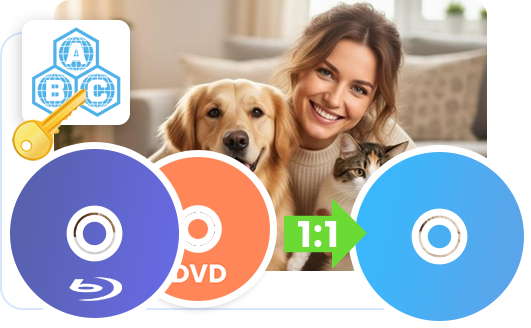
Outfitted with advanced, regularly updated internal media-reading engine and block-level copying technology, Leawo Blu-ray Copy smoothly handles complex disc configurations, encryption setups, and regional restrictions (Region A/B/C) and ensures you to copy any Blu-ray/DVD (including 3D and homemade Blu-ray and DVD movie) in 1:1, without altering the native video frame rate, original aspect ratio, or contrast, ensures cloned backup is a flawless digital twin, visually identical to the original studio release with zero quality loss.
Other Features
Other High-tech Features
Three Professional Copy Modes
Choose Full Movie mode to copy entire source Blu-ray, Main Movie mode to back up the main movie (by default the longest title), or Custom Mode to freely select titles for backup.
Effortless ISO to Disc Burning
Leawo Blu-ray Copy offers one-stop operation to copy ISO image file to playable Blu-ray/DVD disc, allowing you to freely select which to copy under different copy modes.
Retain Subtitles & Audio Tracks
Leawo Blu-ray Copy allows you to freely select subtitles and audio tracks. Retain all subtitles and audio tracks under Full Movie mode, or select desired ones under other modes.
How Does Leawo Blu-ray Copy Work
How Does It Work
 1
1Step 1 : Import Blu-ray/DVD movies
2Step 2 : Choose copy mode and set output disc type
3Step 3 : Complete backup settings
4Step 4 : Start to copy Blu-ray/DVD files


Pricing Plans of Blu-ray Copy
Pricing Plans of Blu-ray Copy for Mac
Choose Your Pricing Plan
Windows
Mac
Basic Plan
One Year
$44.95
- 1 License for 1 PC
- All Features of 4 ModulesLeawo Blu-ray Copy, Leawo DVD Copy, Leawo Blu-ray Recorder Copy, Leawo Blu-ray to DVD Converterfor 1 Year
- Auto-renewal. Cancel Anytime
- 5 Days Money Back Guarantee
- Unlimited Free Upgrades
Professional Plan
Lifetime
$99.95
- 1 License for 1 PC
- All Features of 4 ModulesLeawo Blu-ray Copy, Leawo DVD Copy, Leawo Blu-ray Recorder Copy, Leawo Blu-ray to DVD Converterfor Lifetime
- One-time Payment
- 14 Days Money Back Guarantee
- Unlimited Free Upgrades
40% OFF
Blu-ray Ripper + Blu-ray Copy (Lifetime)
$199.9
$119.94
- 1 License for 1 PC
- All Features of 7 ModulesLeawo Blu-ray Ripper, Leawo DVD Ripper, Leawo Blu-ray Recorder Ripper, Leawo Blu-ray Copy, Leawo DVD Copy, Leawo Blu-ray Recorder Copy, Leawo Blu-ray to DVD Converterfor Lifetime
- One-time Payment
- 14 Days Money Back Guarantee
- Unlimited Free Upgrades
Tech Specs
Supported OS :Microsoft® Windows 7, Windows 8, Windows 8.1, Windows 10, Windows 11
Processor :1GHz Intel or AMD CPU
RAM :512MB RAM (1024MB or above recommended)
Free Hard Disk :5GB+ (DVD) / 25GB+ (Blu-ray Disc) hard disk space
Graphic Card :NVIDIA GeForce GTX 260 and above
Others :Recordable Blu-ray drive, Internet Connection
Supported OS :macOS High Sierra (10.13), macOS Majave (10.14), macOS Catalina (10.15), macOS Big Sur (11),
macOS Monterey (12), macOS Ventura(13), macOS Sonoma (14), macOS Sequoia (15), macOS Tahoe (26), macOS Golden Gate(27)
Processor :1 GHz or above Intel Processor and Apple M1/M2 chip
RAM :512MB RAM (1024MB or above recommended)
Free Hard Disk :5GB+ (DVD) / 25GB+ (Blu-ray Disc) Free Hard Disk Space
Others :Recordable Blu-ray drive, Internet Connection
Testimonials
FAQS
Frequently Asked Questions
Is Leawo Blu-ray Copy free?
No, Leawo Blu-ray Copy is not free software. But it offers a free trial version.

Is there a free trial version of Leawo Blu-ray Copy?
Yes, Leawo Blu-ray Copy provides a free trial version. The free trial version could handle the first 5-minute content of source Blu-ray/DVD content for backup. Meanwhile, the free trial version of Leawo Blu-ray Copy could copy and back up commercial Blu-ray/DVD discs for 30 days. To unblock these limitations, you need to activate and register Leawo Blu-ray Copy with a license.

Is it safe to use Leawo Blu-ray Copy?
Yes, it is safe to use Leawo Blu-ray Copy for Blu-ray/DVD backup. From the download and installation, to the entire Blu-ray/DVD copy process, Leawo Blu-ray Copy brings no harm to computer and collects no personal information.
Is it legal to copy Blu-ray or DVD disc?
The Blu-ray or DVD copy itself doesn't involve any legality issue. Instead, how you use the copies of Blu-ray/DVD content might be illegal. If you copy Blu-ray/DVD disc for personal use only, it is definitely not illegal to remove copy protection from Blu-ray/DVD disc and get a copy of Blu-ray/DVD disc. However, if you remove Blu-ray disc copy protection and copy Blu-ray disc for business or profit purpose without permission, it would be illegal.
Does copying Blu-ray damage source Blu-ray disc?
No, copying Blu-ray/DVD disc does not damage source Blu-ray/DVD disc. Leawo Blu-ray Copy will only read and load contents and data from source Blu-ray disc for copy and backup. There will be neither physical damage nor data loss for source Blu-ray disc.
Can Leawo Blu-ray Copy remove copy protection from Blu-ray disc?
Yes, Leawo Blu-ray Copy could remove Blu-ray disc copy protection from commerical Blu-ray discs. It could remove copy protection from Blu-ray discs with AACS, BD+ and the latest MKB protection, and CSS protection from DVD discs.
Can Leawo Blu-ray Copy remove disc region restrictions?
Yes, Leawo Blu-ray Copy could unblock the region restrictions from Blu-ray and DVD discs to let you get region-free Blu-ray and DVD content. It could handle Blu-ray discs in region A, B or C, and DVD discs from region 0 to 6.
Can I copy entire Blu-ray disc to computer or blank disc?
Yes. Leawo Blu-ray Copy provides Full Movie mode to let you 1:1 copy entire source Blu-ray disc to computer hard drive or another blank Blu-ray disc.
Can I copy main movie only from Blu-ray disc?
Yes. Leawo Blu-ray Copy provides Main Movie copy mode to copy the main movie (the longest title by default) only. You could decide which title to copy under the Main Movie mode.
Is there any quality loss in copying Blu-ray?
Leawo Blu-ray Copy supports quality lossless Blu-ray backup for BD50 to BD50 and BD25 to BD25 backup. To ensure quality lossless backup, it is highly recommended you use Full Movie mode.
Can Leawo Blu-ray Copy copy 3D Blu-ray movies?
Yes, Leawo Blu-ray Copy supports 3D Blu-ray copy and backup to copy Blu-ray 3D disc in 1:1 disc to disc duplication. Under 1:1 disc to disc Blu-ray shrink mode, all 3D effect would be maintained.
Can Leawo Blu-ray Copy copy 4K Blu-ray discs?
No, Leawo Blu-ray Copy works only for Blu-ray and DVD backup. To Copy and back up 4K/UHD Blu-ray disc, you could make use of Leawo UHD Copy.
Can Leawo Blu-ray Copy copy DVD discs?
Yes, Leawo Blu-ray Copy is downward compatible with DVD disc backup. It could copy DVD disc, folder, and ISO image file between computer hard drive and blank disc.
 How to Back Up Copy Protected Blu-ray and DVD Dis...2026-09-19
 Everything About DVD Formats & FAQs2025-03-19
 7 Ways to Store Your DVD/Blu-ray Collection with ...2025-03-12
 5 Ways to Digitize DVDs for Free2025-02-26
 AnyMP4 Blu-ray Copy Platinum Review: Features, Pr...2025-01-21
 VideoByte Blu-ray Copy Review: Is it Worth Trying?2025-01-15
 How to Remove DVD Copy Protection for Free2024-12-29
 DVDFab Blu-ray Copy Review: Features, Price and t...2024-12-29
 3 Best Free Blu-ray Copy Software to Copy Blu-ray...2024-12-19
![[2026 Latest] How to Copy 3D Blu-ray Movies](https://www.leawo.com/knowledge/wp-content/uploads/2024/11/copy-3d-bd-movies-featured-image-2.png) [2026 Latest] How to Copy 3D Blu-ray Movies2024-11-22
[2026 Latest] How to Copy 3D Blu-ray Movies2024-11-22 Latest Articles


What Client Say About Leawo Blu-ray Copy
It is very seldom that I give any product a five star review, but in the case of Leawo Blu-ray copy, I am very happy to do so. Ease of use, consistency of copied media and ongoing development and improvements, make this a must have for anyone archiving a movie collection.
This software is the best I have used to copy blu-ray and dvd movies movies. I have used it for several years and I rate it a 5 stars!
The 90 second tutorial is excellent. It took me less than 90 seconds and it was easy reading. The software interface is so intuitive to use that it is pleasure. The software is powerful and does exactly what it is supposed to do. To me, that is worth 5 stars.