
Leawo DVD Copy for Mac
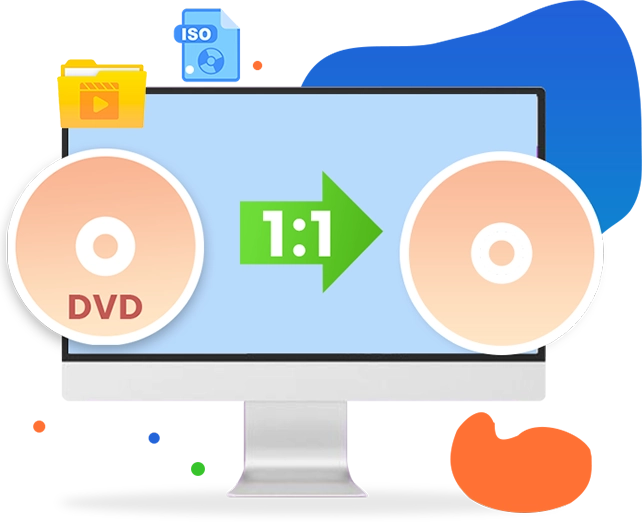
The Ultimate 1:1 DVD Copy Software for Lossless DVD Backup
Seamlessly Copy and Clone Any DVD Discs, Folders, and ISO/IFO Image Files With 100% Original Quality or Compress DVD-9 to DVD-5 at Blazing Hardware Acceleration.

Works on:

Why Do You Need an Exact DVD Copy
Protect Your DVD Collection from Unpredictable Hardware Damages
While physical DVDs help you hold precious movie collections and irreplaceable home memories, they often face constant silent risks. A single scratch or optical degradation can wipe out your data forever. Creating a 1:1 physical or digital backup is the ultimate solution to secure your media assets.
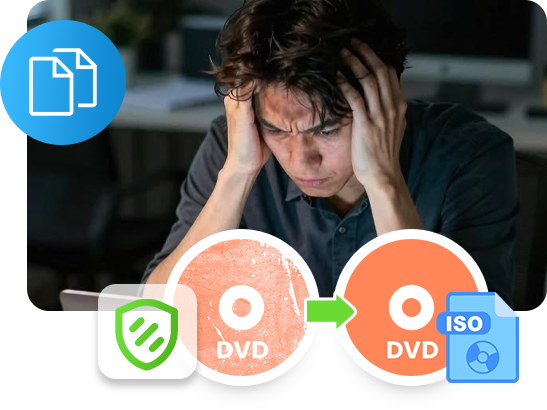
The Scratch & Rot Trap

DVDs are highly vulnerable to surface scratches and irreversible "disc rot" (optical layer oxidation). Cloning your DVD to an exact backup disc or local ISO file is the only permanent insurance policy against media decay.
The DVD-9 to DVD-5 Dilemma

Drive-Free Media Virtualization
Core Features
Flawless Cloning, Intelligent Compression, and Blazing GPU Acceleration
Universal Media Ingestion: Smoothly Process Any DVD Architecture
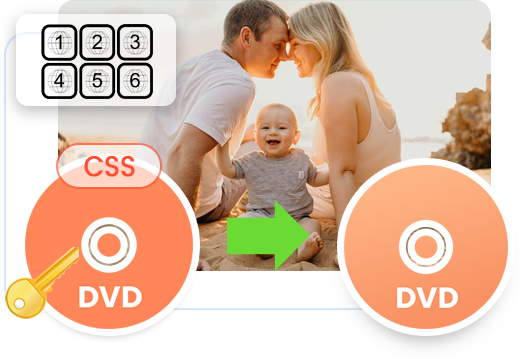
Break through the barriers of fragile physical storage and regional hardware limitations. Leawo DVD Copy integrates an advanced, auto-updating data-reading kernel that brings absolute ingestion stability right to your desktop. It can smoothly processes retail DVDs, homemade recordings, multi-angle setups, complex commercial disc structures, and geographical region codes across Regions 0 through 6, completely eliminating read failures, bad sector crashes, and playback freezes, allowing your optical drive to ingest any DVD content on the first try.
Other Features
Other Highlight Features
Built-in player
The built-in region-free DVD player enables you to freely play back loaded DVD titles without a hassle.
Effortless ISO to Disc Burning
Copy ISO image file to blank writable DVD-9/DVD-5 disc in just a few simple clicks.
Retain Subtitles & Audio Tracks
Freely select subtitles and audio tracks from source DVD titles for backup with ease.
How Does Leawo DVD Copy Work
How to Copy DVD for Backup
 1
1Step 1: Load Source DVD
Click "Add UHD/Blu-ray/DVD" to add source DVD content
2Step 2: Set output DVD details
Choose output DVD type, subtitles and audio tracks
3Step 3: Complete DVD copy settings
Set "Copy to", "Disc Label" and "Save as" options
4Step 4: Start copying DVD
Click the "Copy" button to start copying DVD


Pricing Plans of DVD Copy
Pricing Plans of DVD Copy for Mac
Choose Your Pricing Plan
Windows
Mac
Basic Plan
One Year
$29.95
- 1 License for 1 PC
- All Features for 1 Year
- Auto-renewal. Cancel Anytime
- 5 Days Money Back Guarantee
- Unlimited Free Upgrades
Professional Plan
Lifetime
$39.95
- 1 License for 1 PC
- All Features for Lifetime
- One-time Payment
- 14 Days Money Back Guarantee
- Unlimited Free Upgrades
Blu-ray Copy (Lifetime)
$99.95
- 1 License for 1 PC
- All Features of 4 ModulesLeawo Blu-ray Copy, Leawo DVD Copy, Leawo Blu-ray Recorder Copy, Leawo Blu-ray to DVD Converterfor Lifetime
- One-time Payment
- 14 Days Money Back Guarantee
- Unlimited Free Upgrades
Tech Specs
Supported OS :Microsoft® Windows 7, Windows 8, Windows 8.1, Windows 10, Windows 11
Processor :1 GHz or above Intel/AMD Processor
RAM :512MB RAM (1024MB or above recommended)
Free Hard Disk :5GB+ (DVD) / 25GB+ (Blu-ray Disc) hard disk space
Graphics Card :NVIDIA GeForce GTX 260 and above
Others :Recordable DVD drive, Internet Connection
Supported OS :macOS High Sierra (10.13), macOS Majave (10.14), macOS Catalina (10.15), macOS Big Sur (11),
macOS Monterey (12), macOS Ventura(13), macOS Sonoma (14), macOS Sequoia (15), macOS Tahoe (26), macOS Golden Gate(27)
Processor :1 GHz or above Intel Processor
RAM :512MB RAM (1024MB or above recommended)
Others :Recordable DVD drive for DVD features, Internet Connection
Testimonials
FAQS
Frequently Asked Questions
Can Leawo DVD Copy bypass region codes and CSS copy protections?
Yes. One of the program's core features is its built-in decryption engine. It automatically strips away common commercial protections, including CSS (Content Scramble System), MKB, and Region Codes (0 to 6). This means Leawo DVD Copy could help you get standard, protection-free and region-free DVD backups.
Fair Use Notice: Decryption should only be used to create personal archival backups of physical media you legally own. Commercial distribution or redistribution of copyrighted material is illegal.
Can I use Leawo DVD Copy to back up Blu-ray or 4K UHD discs?
No. The standard Leawo DVD Copy module is strictly engineered for standard DVD architectures (DVD-5 and DVD-9). Use Leawo Blu-ray Copy to copy and back up Blu-ray, or Leawo UHD Copy to copy and back up UHD Blu-ray.

Is Leawo DVD Copy compatible with Windows 11 and the latest macOS?
Yes. Leawo DVD Copy is fully compatible with Windows (7, 8, 8.1, 10, and 11) and Mac (macOS 10.13 to the latest current versions, fully supporting both Intel processors and Apple Silicon).
How do I make a 1:1 backup of a DVD with all interactive menus and subtitles included?
To create an exact replica of your media, choose the Full Movie backup mode in Leawo DVD Copy. This mode captures a sector-by-sector clone of the physical disc, ensuring that all interactive studio menus, bonus features, original audio tracks (like Dolby 5.1/DTS), and multilingual subtitles are preserved with 100% original quality in the output DVD backup.
Can I compress a large dual-layer DVD-9 movie into a standard single-layer DVD-5 blank disc?
Yes. Leawo DVD Copy features an advanced proportional ratio compression engine. When you set your target output to DVD-5, the software automatically scales down heavy 8.5GB DVD-9 files to fit a cost-effective 4.7GB blank disc. The intelligent algorithm optimizes color data and frame paths to prevent pixelation, distortion, or audio-video sync lag.
Will a DVD copied with Leawo play smoothly on region-locked home DVD players?
Yes. Leawo DVD Copy is built with a universal data-reading kernel that reads across Regions 0 through 6. When it creates a backup DVD disc, folder, or ISO image file, it bypasses regional playability boundaries. This gives your cloned backup full global compatibility, allowing it to play smoothly on any standard home DVD player or television console regardless of country restrictions.
How do I create a virtual ISO image file from a physical disc to stream on Plex or a NAS?
Simply insert your physical disc, select your preferred copy mode (such as Full Movie or Main Movie), and set your target output destination to "ISO Image File" under the "Copy to" setting. Leawo will compile a perfect virtual replica of your disc into an ISO format. This file can be securely archived on external hard drives or mounted to feed media servers like Plex, Emby, and NAS architectures drive-free.
Can I copy a physical DVD disc to another blank writable DVD disc if my computer only has one optical drive?
Yes, Leawo DVD Copy could let you copy DVD disc to disc even if your computer has only one disc drive, as long as your disc drive is a writable one. In setting the "Copy to" option, choose your disc drive as target. After getting your DVD disc copied in the work space, Leawo DVD Copy will automatically eject your disc and ask you to insert a blank writable DVD disc to continue copying DVD disc to blank disc.
Does the hardware acceleration feature work with any graphics card to speed up DVD copying?
Leawo DVD Copy fully exploits multi-threaded processing by leveraging dedicated graphics hardware frameworks. It is highly optimized for NVIDIA CUDA/NVENC, AMD APP, and Intel Quick Sync Video. By shifting data-heavy compilation tasks away from your CPU, it achieves up to 50X faster processing speeds, completing full-length backups in just mere minutes.
Is Leawo DVD Copy free?
No, Leawo DVD Copy is a paid software tool. It offers 1-year license for annual renewal and lifetime license. But it offers free trial version for you to experience all of its features with certain restriction.
What are the restrictions of the Leawo DVD Copy free trial?
The free trial version is designed strictly for testing compatibility with your optical drive hardware and operating system. It restricts processing to only the first 5 minutes of the DVD movie content. To back up full-length feature films or use unlimited compression features, a premium registration license key is required.
 How to Copy DVD to DVD: Tools, Tips & Methods2026-05-10
 WinX DVD Copy Pro Review: All Details Explianed2026-02-10
 RedFox CloneCD Is Down? CloneCD Alternatives You ...2025-12-11
 How to Remove DVD Copy Protection for Free2024-12-29
 How to Transfer DVD to Computer?2016-07-07
 How to compress DVD content from DVD-9 to DVD-5 w...2013-01-06
 Latest Articles


What Client Say About Leawo DVD Copy
I have a massive DVD collection, and I've been looking for the best DVD copy software to back them up to my hard drive for years. Leawo DVD Copy is incredibly stable and user-friendly. It handles copy-protected discs without any fuss, and the Main Movie disc backup feature is a lifesaver. Highly recommended for anyone wanting to preserve their home movie library!
I've tried several free DVD backup tools, but none of them could handle my older discs properly. Leawo DVD Copy is brilliant. It makes it so easy to copy DVD to ISO files for digital streaming later. The interface is intuitive, and I didn't experience any quality loss during the process. It's definitely worth the investment for the peace of mind.
Living in a house with kids, our DVDs get scratched constantly. I needed a reliable way to create DVD backups. Leawo DVD Copy is fast and reliable. I've used it to copy my favorite DVDs to blank discs. The DVD backup speed is impressive. It's a must-have tool for any parent who wants to save their precious memories of their kids from being destroyed.