

RedFox CloneCD Is Down? CloneCD Alternatives You Should Try

Summary:
With RedFox down, its disc copying tool CloneCD is no longer officially available. This article confirms its latest status, reviews its limitations, and introduces five top alternatives to CloneCD.
After RedFox closed up shop in 2024, their popular disc-copying software CloneCD pretty much vanished. You can’t visit the site anymore, buy a license, or grab updates – so lots of people are now hunting for solid DVD backup tools. Here’s what’s going on with CloneCD right now, why it won’t work well these days, yet also five strong substitutes that tackle new anti-piracy locks while giving smooth, clear copies.
OutlineCLOSE
1. Is CloneCD Really Down?
CloneCD is down. As of June 2024, CloneCD’s parent company, RedFox, went unexpectedly defunct, leaving all its products, including this CD & DVD copying tool, officially unavailable. If you visit RedFox CloneCD’s official website, you’ll find that it has completely shut down. As of the article, there are still no updates about its return.

For those who already have CloneCD installed and activated, here’s what to expect. For the time being, it continues to handle CD/DVD copying tasks, but there won’t be any updates to this software. That means as new Windows systems and disc protection schemes roll out, it may become unstable, fail to read discs, and eventually become unusable.
2. Quick Review of CloneCD – Why It Should Be Replaced
Before getting to alternatives to the abandoned CloneCD, let’s review what made this software a go-to solution for a long time for those who need to copy DVDs. They are also what you should look for in its alternatives.
Pros:
- It can bypass copy protection and rip protected DVDs.
- It works with common DVD formats, including DVD-R, DVD-RW, DVD+R, DVD+RW, DVD+R Dual Layer, and DVD-RAM.
- It supports bit-by-bit copying, keeping the original disc structure.
Powerful as CloneCD has been, several limitations existed all along, with new ones coming due to its shutdown.
Cons:
- It failed to handle new copy protection, since CloneCD stopped launching new versions in 2016.
- No support for Blu-rays or newer disc formats.
- No versions available for Mac or Linux users.
- No more software updates or technical support, vulnerable to potential security risks.
How to Download CloneCD
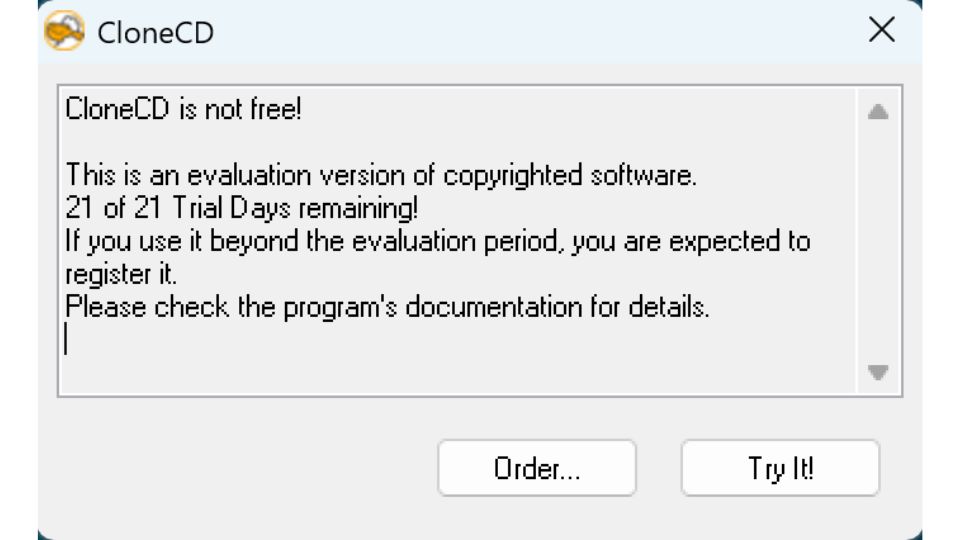
The CloneCD official website is down, but you can still download its trial version (V 5.3.4.0) from third-party sites like Softonic. However, since it’s a paid software, this version won’t function properly after the 21-day free trial. You can’t purchase the full version due to the server shutdown. For your DVD copying needs, replacing CloneCD with reliable alternatives is the only way.
3. 5 Best CloneCD Alternatives to Copy DVD
Nowadays, most commercial DVDs are protected by various schemes such as region codes, CSS, AACS, and more to come. What you need is a tool that can continuously update its decryption service to keep the backup working properly. Below are the top five DVD Copy tools that can bypass these protections and make high-quality backups.
|
|
Leawo DVD Copy |
WinX DVD Copy Pro |
VideoByte DVD Copy |
DVDFab DVD Copy |
MakeMKV |
|
Supoprted DVD types |
DVD-9, DVD-5, DVD folder, ISO image folder |
DVD-9, DVD-5, DVD-R, DVD+R, DVD-RW, DVD+RW, DVD-R DL, DVD+R DL DVD folder, ISO image folder |
DVD-9, DVD-5, DVD-R, DVD+R, DVD-RW, DVD+RW, DVD-R DL, DVD+R DL DVD folder, ISO image folder |
DVD-9, DVD-5, DVD-R, DVD+R, DVD-RW, DVD+RW, DVD-R DL, DVD+R DL DVD folder, ISO image folder |
Standard DVD, DVD folder, ISO image folder |
|
DVD-9 to DVD-5 compression |
YES |
NO |
YES |
YES |
NO |
|
Output format |
DVD disc, ISO image file, DVD folder |
DVD disc, ISO image file, ViDEO_TS folder, MPEG-2 file |
DVD disc, ISO image file, DVD folder |
DVD disc, ISO image file, DVD folder |
MKV only |
|
Lossless quality |
YES |
YES |
YES |
YES |
YES |
|
Supported OS |
Windows, macOS |
Windows |
Windows, macOS |
Windows, macOS |
Windows, macOS, Linux |
1. Leawo DVD Copy
Supported OS: Windows, macO
As one of the top CloneCD alternatives, Leawo DVD Copy stands out for its superior DVD copy capability among Mac and Windows users. It can duplicate your DVD collections while maintaining the original disc quality.

-
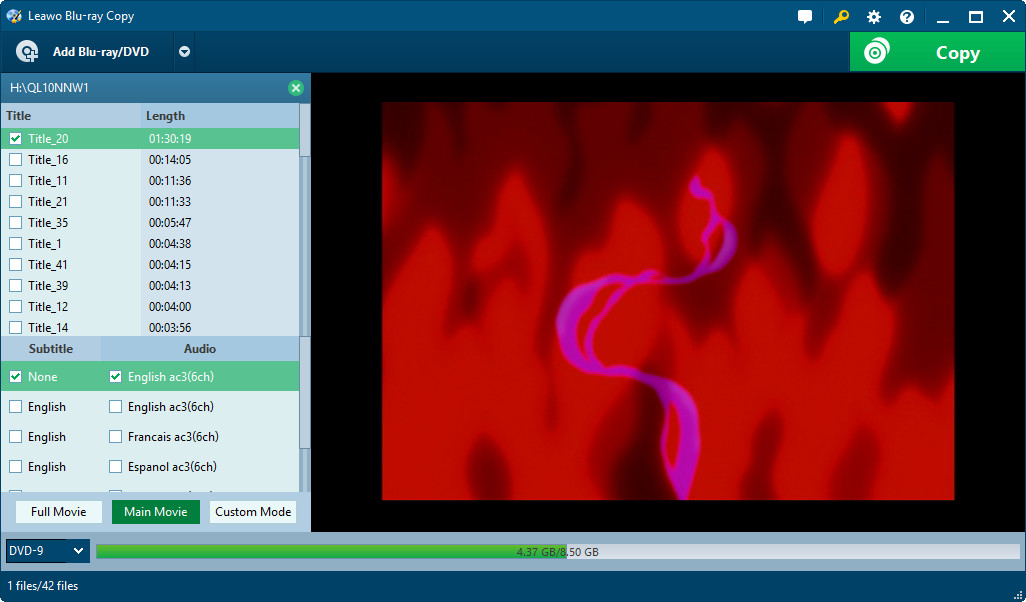
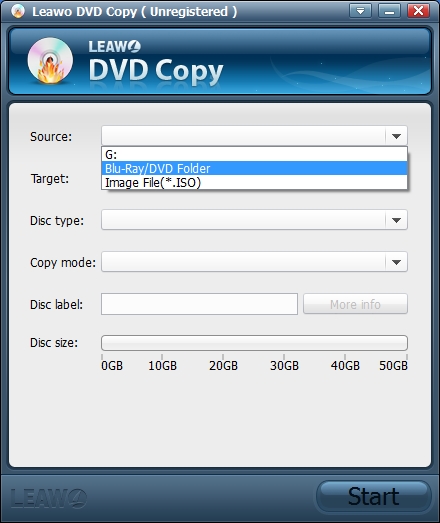
Best DVD copy software to copy DVD9/DVD5 to blank DVD disc or computer hard drive with 6X higher speed and 1:1 output quality. Decrypt and remove DVD disc protection and region restriction to get protection-free DVD backups in different DVD copy modes.

Features:
- Supports 1:1 disc cloning with sector-by-sector copying.
- Copies DVD to blank discs and hard drives, or burns ISO image files to blank discs.
- Compresses DVD-9 to DVD-5 format.
- Offers multiple copy modes (full disc, main movie, and custom).
- Bypasses CSS protections and removes region code restriction.
- Built-in player for preview.
Pros:
- Makes true 1:1 copies without quality loss.
- Removes region restriction to get region-free DVD backups.
- 6x faster processing speed saves time on large libraries.
Cons:
- Its free version adds a watermark to copied content.
2. WinX DVD Copy Pro
Supported OS: Windows
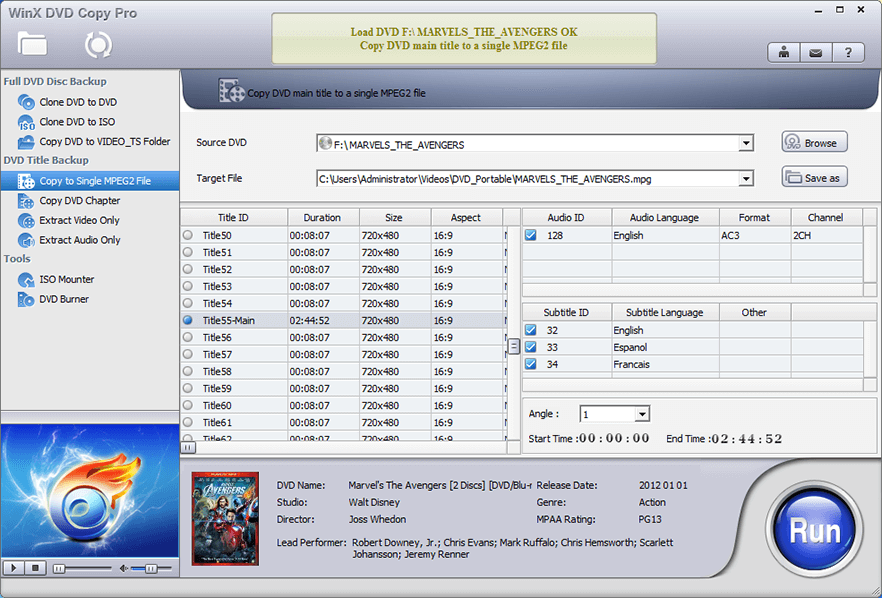
WinX DVD Copy Pro is a professional DVD copier for Windows users. It works with all kinds of DVDs, even old and damaged ones. The bad sector recovery engine can read and fix them.
Features:
- Offers 9 flexible copy modes, such as copy DVD to DVD, backup movie title or chapter, extract audio/video only.
- Handles well with most DRM schemes, including region codes, RCE, CSS, UOPs, APS, Sony ArccOS, and Disney X-Project.
- Supports 1:1 DVD backup, preserving all disc details.
Pros:
- Reads and copies damaged or scratched DVDs.
- Bypasses most commercial DVD protections.
Cons:
- No support for DVD-9 to DVD-5 compression.
- No macOS support.
3. VideoByte DVD Copy
Supported OS: Windows, macOS
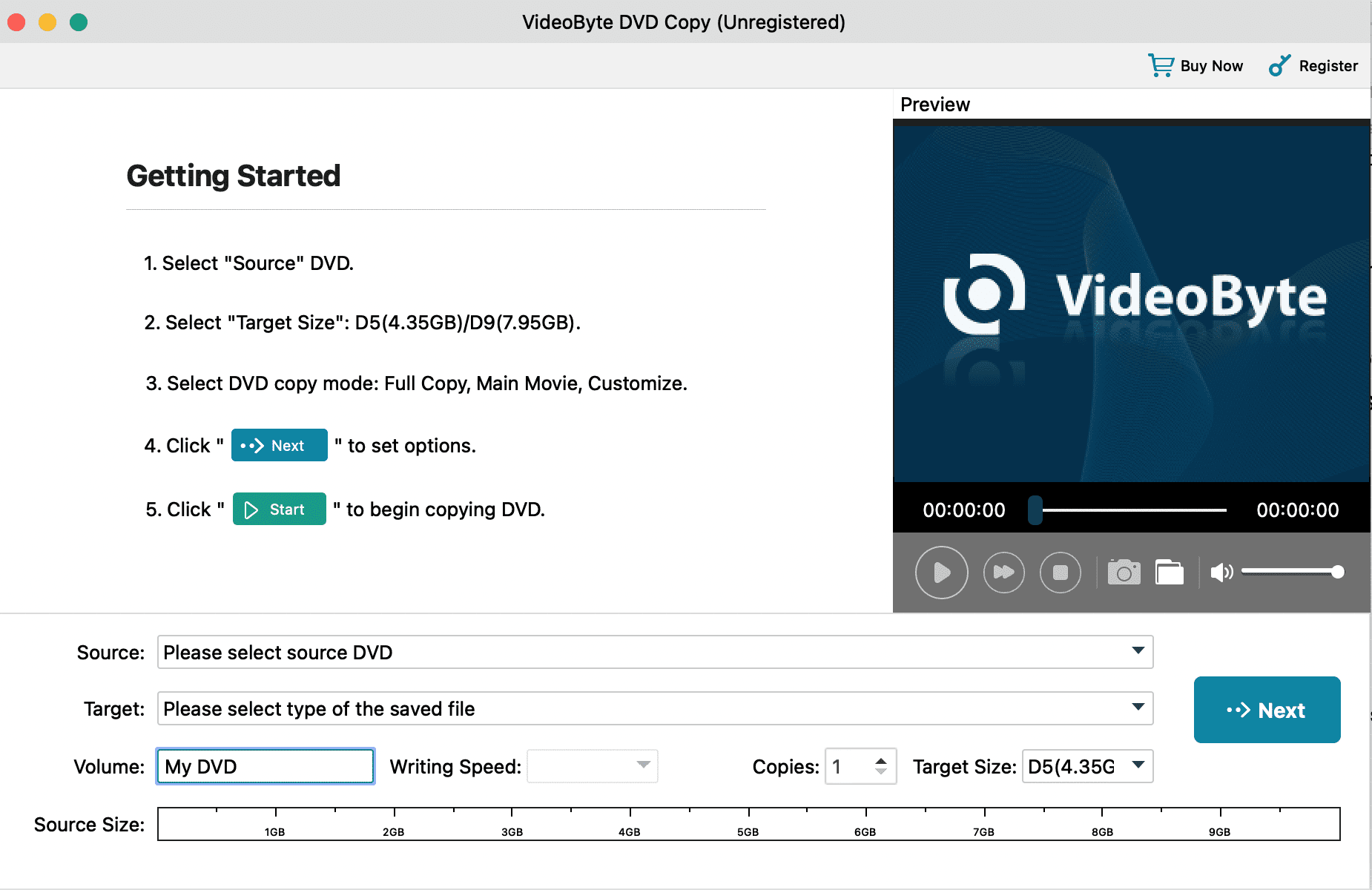
VideoByte DVD Copy excels in copying and burning protected DVDs for digital and physical backups. It can deal with protections like CSS and AACS, and make copies of commercial DVDs easily.
Features:
- It can burn DVD folders or ISO images to discs.
- Offers three copy modes (full copy, main movie, and customize).
- Built-in player to check the content before copying.
Pros:
- Offers multiple output formats and device presets, allowing you to digitize media for playback on any device.
- User-friendly interface.
Cons:
- Its Mac version updates lag behind Windows.
- Poor customer support, according to user feedback.
4. DVDFab DVD Copy
Supported OS: Windows, macOS
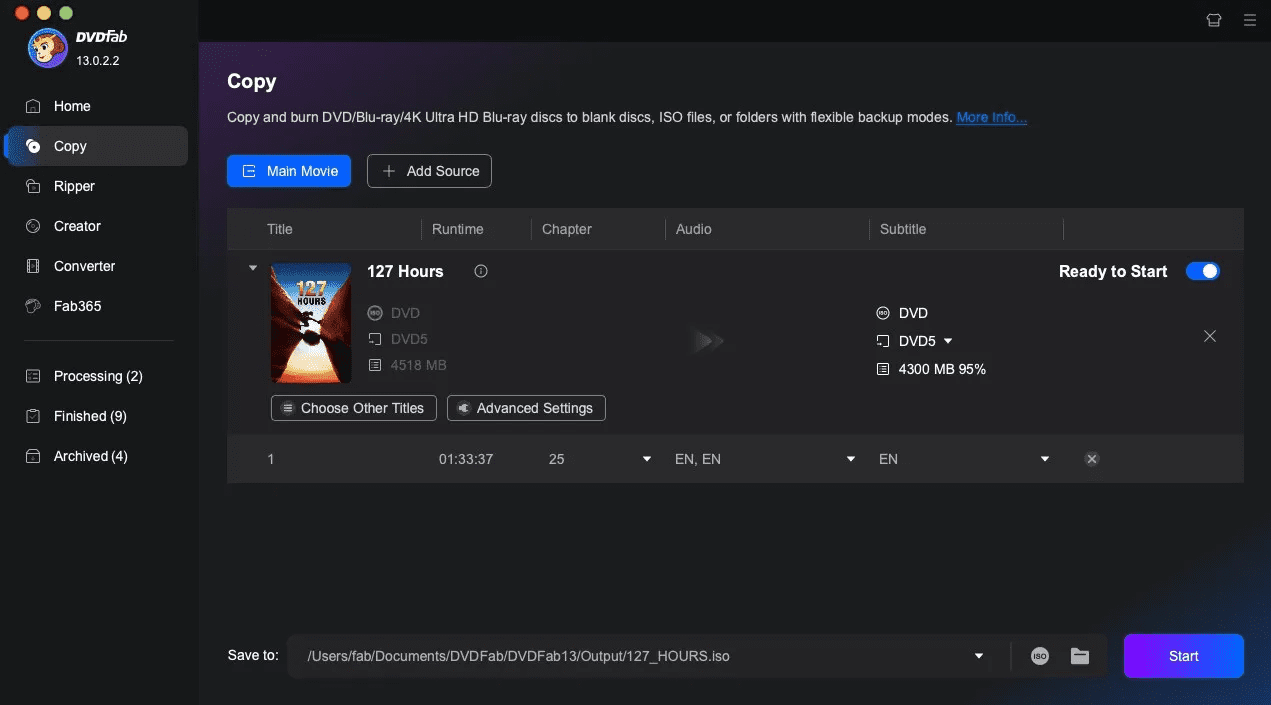
DVDFab DVD Copy is designed for users with professional DVD backup needs. It supports most commercial, rental, recorded, and adult DVDs.
Features:
- 6 copy modes: Full Disc, Main Movie, Clone/Burn, Merge, Split, and Customize.
- DVD-9 to DVD-5 compression.
- Supports cloning DVDs in batches.
- The Cloud decryption service can bypass most protections.
Pros:
- Regular updates ensure compatibility with the latest protections.
- Batch processing saves time when backing up multiple DVDs.
Cons:
- The interface can be a bit complex.
5. MakeMKV
Supported OS: Windows, macOS, Linux
If you want to convert DVD to MKV format files directly, MakeMKV is an ideal tool. Essentially, it is a format converter; with one click, you get your DVD collections saved in MKV on your computer.
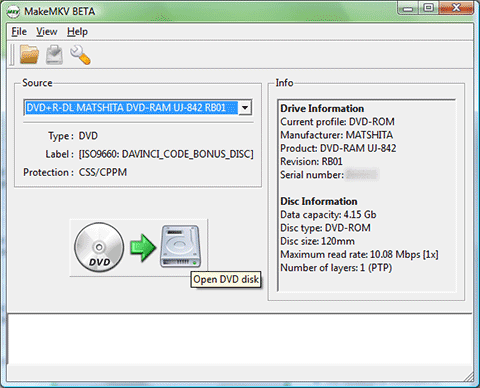
Features:
- Fast ripping speed without quality loss.
- Handles the latest versions of AACS.
- Preserves all disc details: video and audio tracks, chapter information, and metadata.
Pros:
- One-click ripping.
- Free to use.
- Works on all platforms.
Pros:
- Output format limited to MKV.
- Outdated interface.
Conclusion
With the RedFox CloneCD down, it is best to switch to other DVD copying tools for your backup needs. Alternatives like Leawo DVD Copy fill the gap while offering richer features that CloneCD fails to provide, such as superior copy protection removal and DVD-9 to DVD-5 compression. Select one that best fits your budget and needs, and enjoy smooth DVD backups.
Share this post








 العربية
 繁體中文
繁體中文 Dansk
Dansk Nederlands
 Suomi
Suomi Français
 Deutsch
 Italiano
 한국어
한국어 Norsk bokmål
 Português
 Русский
 Español
 Svenska