
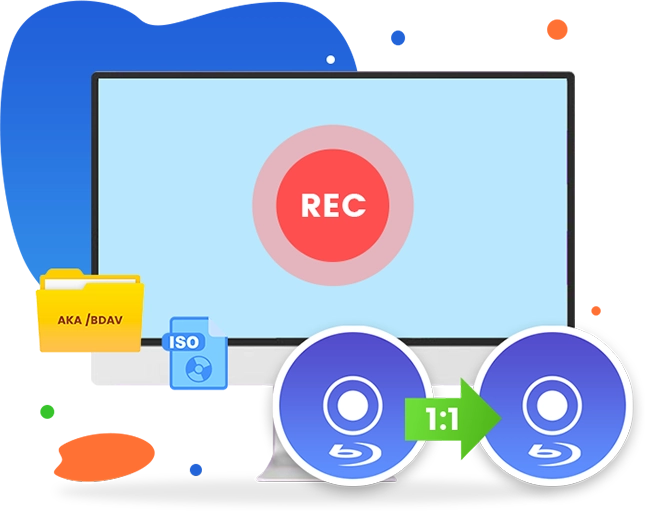
Leawo Blu-ray Recorder Copy
1:1 Clone Homemade Blu-ray (AKA BDAV) Movie to Blank Blu-ray Disc, Folder or ISO Image File for Backup at 6X Higher Speed

Works on:

Core Features
Decrypt and Copy Blu-ray Movies Recorded by Various Blu-ray Recorders
Leawo Blu-ray Recorder Copy is a professional tool specifically designed to copy homemade Blu-ray as backup. It supports high-speed decryption and 1:1 copying of BDAV movies recorded with Blu-ray recorders from various brands like Panasonic, Sony, Samsung, LG, Sharp, etc., regardless of encryption and whether the content is BD25 or BD50. You can copy recorded Blu-ray BDAV to blank Blu-ray discs, folders, or ISO image files.
Key Features
Comparison of Leawo Blu-ray Copy Products
Original Quality
High Compatibility
6X Higher Speed
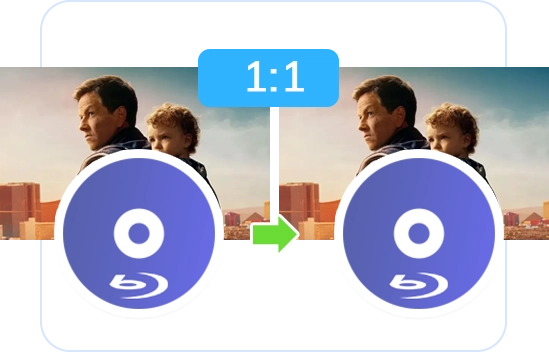
1:1 Copy Homemade Blu-rays with the Original Quality and Video Parameters Kept
As a professional recorded Blu-ray backup tool, Leawo Blu-ray Recorder Copy enables 1:1 full movie copying of BDAV Blu-ray content. This ensures that the output video retains the original quality, structure, and all other elements, including video frames, subtitles, and audio channels, providing a perfect BDAV Blu-ray backup.
High Compatible with Blu-ray Player Devices and Software
Leawo Blu-ray Recorder Copy ensures that the backed-up copies of homemade recorded Blu-ray movies play seamlessly on the original Blu-ray recorder. With its built-in decryption feature, the backup is free from encryption, allowing playback on any Blu-ray player that supports BDAV content, like Leawo Free Blu-ray Player.
6X Copying Speed with Hardware Acceleration
Leawo Blu-ray Recorder Copy utilizes advanced GPU acceleration technologies, including NVIDIA CUDA, AMD APP, and Intel Quick Sync, enabling up to 6X faster BDAV content copying for quick and efficient backups.
Comparison of Leawo Blu-ray Copy Products
| Features | Free Blu-ray Recorder Copy | Blu-ray Recorder Copy | Blu-ray Copy | Blu-ray to DVD Converter | UHD Copy |
|---|---|---|---|---|---|
| Supported Discs | Homemade blu ray (Valid for 30 days only) | Homemade blu ray | Commercial blu-ray/DVD, homemade blu ray/DVD | Commercial blu-ray, homemade blu ray | Commercial 4K blu-ray |
| Input File Supported | BD50/BD25 BDAV disc, folder and ISO image file | BD50/BD25 BDAV disc, folder and ISO image file | Blu-ray/DVD disc, folder and ISO image file | Blu-ray disc, folder and ISO image file | 4K Ultra HD Blu-ray disc, ISO image file and folder |
| BD100-BD100 | ✘ | ✘ | ✘ | ✘ | ✔ |
| BD66-BD66 | ✘ | ✘ | ✘ | ✘ | ✔ |
| BD50-BD50 | ✘ | ✘ | ✔ | ✘ | ✘ |
| BD25-BD25 | ✘ | ✘ | ✔ | ✘ | ✘ |
| BD50-BD25 | ✘ | ✘ | ✔ | ✘ | ✘ |
| BDAV50-BDAV50 | ✔ | ✔ | ✔ | ✘ | ✘ |
| BDAV25-BDAV25 | ✔ | ✔ | ✔ | ✘ | ✘ |
| BD50/BD25-DVD9/DVD5 | ✘ | ✘ | ✔ | ✔ | ✘ |
| BDAV25/BDAV25-DVD9/DVD5 | ✘ | ✘ | ✔ | ✔ | ✘ |
| DVD9-DVD9 | ✘ | ✘ | ✔ | ✘ | ✘ |
| DVD5-DVD5 | ✘ | ✘ | ✔ | ✘ | ✘ |
| DVD9-DVD5 | ✘ | ✘ | ✔ | ✘ | ✘ |
| DVD5-DVD9 | ✘ | ✘ | ✔ | ✘ | ✘ |
| Copying Duration | The first 5-minute content | Unlimited | Unlimited | Unlimited | Unlimited |
| Retain Multiple Subtitles and Audio Tracks | ✔ | ✔ | ✔ | ✘ | ✔ |
| Retain Subtitle and Audio Track | ✔ | ✔ | ✔ | ✔ | ✔ |
| Supported Copy Modes | Full Movie | Full Movie | Full Movie / Main Movie | Main Movie / Custom Mode | Full Movie / Main Movie |
How Does Leawo Blu-ray Recorder Copy Work
 1
1Step 1: Install and open the software. Then, go to Copy>Blu-ray Recorder Copy.
2Step 2: Click Add UHD/Blu-ray/DVD to add the source files.
3Step 3: Choose the disc type and copy mode. Then, adjust the output settings.
4Step 4: Start copying your recorded Blu-ray content.


Pricing Plans of Blu-ray Recorder Copy
Pricing Plans of Blu-ray Recorder Copy for Mac
Choose Your Pricing Plan
Windows
Mac
Basic Plan
One Year
$44.95
- 1 License for 1 PC
- All Features for 1 Year
- Auto-renewal. Cancel Anytime
- 5 Days Money Back Guarantee
- Unlimited Free Upgrades
Professional Plan
Lifetime
$99.95
- 1 License for 1 PC
- All Features for Lifetime
- One-time Payment
- 14 Days Money Back Guarantee
- Unlimited Free Upgrades
40% OFF
Blu-ray Ripper + Blu-ray Copy (Lifetime)
$199.9
$119.94
- 1 License for 1 PC
- All Features of 7 ModulesLeawo Blu-ray Ripper, Leawo DVD Ripper, Leawo Blu-ray Recorder Ripper, Leawo Blu-ray Copy, Leawo DVD Copy, Leawo Blu-ray Recorder Copy, Leawo Blu-ray to DVD Converterfor Lifetime
- One-time Payment
- 14 Days Money Back Guarantee
- Unlimited Free Upgrades
Tech Specs
Supported OS :Microsoft® Windows 7, Windows 8, Windows 8.1, Windows 10, Windows 11
Processor :1GHz Intel or AMD CPU
RAM :512MB RAM (1024MB or above recommended)
Free Hard Disk :25GB+ (Blu-ray Disc) hard disk space
Graphic Card :NVIDIA GeForce GTX 260 and above
Others :Blu-ray drive, Internet Connection
Supported OS :macOS High Sierra (10.13), macOS Majave (10.14), macOS Catalina (10.15), macOS Big Sur (11),
macOS Monterey (12), macOS Ventura(13), macOS Sonoma (14), macOS Sequoia (15), macOS Tahoe (26), macOS Golden Gate(27)
Processor :1 GHz or above Intel Processor and Apple M1/M2 chip
RAM :512MB RAM (1024MB or above recommended)
Free Hard Disk :25GB+ (Blu-ray Disc) Free Hard Disk Space
Others :Recordable Blu-ray drive, Internet Connection
Testimonials
Latest Articles


What Client Say About Leawo Blu-ray Recorder Copy
Had to say this Blu-ray Recorder Copy worked exactly as expected. Made quite a few backups of my recorded Blu-ray discs. Save my happy moments even better.
This tool is easy to use. Only a few clicks could complete the BDAV file backup issue. No loss in image and audio quality. The whole backup procedure is quite fast. An effecient but simple tool.
What a wonderful Blu-ray copy software tool. I was able to transfer my recorded Blu-ray discs to an old and scratched disc to a new blank Blu-ray disc. No quality loss. That's awesome.
I had a bunch of Blu-ray discs recorded from my Panasonic camcorder, but I was worried about losing them over time. This software made it super easy to copy them to my computer and even burn new discs. No hassle, no quality loss — it just works! Definitely worth it if you want to back up your recordings.
I recorded a lot of home videos on Blu-ray over the years, but my old recorder started acting up. I used this program to copy everything to my PC, and now I have backups I can watch anytime. I didn’t have to mess with complicated settings — just a few clicks, and it did the job. Very happy with it.
I was looking for a way to make copies of my recorded Blu-ray discs before they got scratched or lost. This software was easy to use, and it copied everything quickly without any issues. Now I can watch my recordings on my computer or any Blu-ray player without worrying about the original discs.