
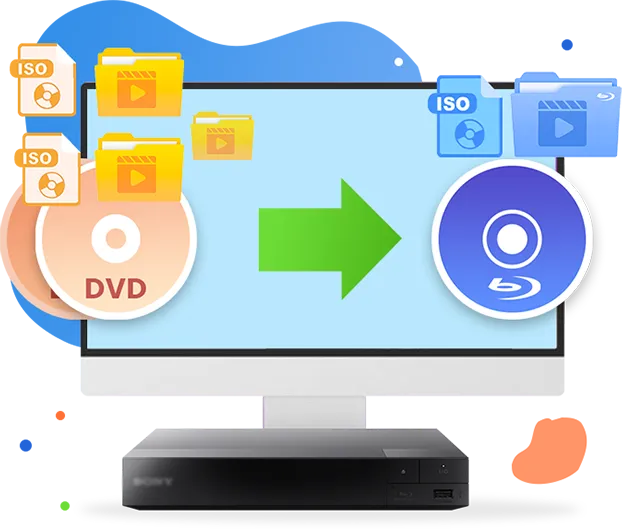
Leawo DVD to Blu-ray Converter
Convert DVD content to Blu-ray disc, folder, or ISO image files with original quality retention. Supports multi-disc consolidation by merging multiple DVD sources into a single Blu-ray for streamlined storage and distribution.

Works on:

Core Features
Decrypt and Convert DVD to Blu-ray Disc, Folder and/or ISO Images Files for Media Processing and Archival Workflows
Leveraging advanced decryption technologies, Leawo DVD to Blu-ray Converter processes DVD content protected by CSS, X-Protect, AACS, ARccOS, and region restrictions. (Use Leawo DVD Cinavia Removal to remove Cinavia watermark before converting to Blu-ray if source DVD contents come with Cinavia watermark). It enables conversion of DVD sources to Blu-ray (BD25 or BD50) disc, folder, or ISO image files with original quality retention. The resulting Blu-ray output is compatible with standard Blu-ray playback systems and software, supporting consistent media access, storage, and distribution across different environments.
Key Features
Convert DVD to Blu-ray without Quality and Effect Loss
DVDs to Blu-ray
Original Quality
Desired Titles
Subtitles & Audio Tracks
Convert Multiple DVD Files to One Blu-ray File for Backup
Leawo DVD to Blu-ray Converter enables consolidation of multiple DVD sources, including discs, folders, and ISO image files, into a single Blu-ray disc, folder, or ISO file. This supports efficient storage optimization and reduces reliance on physical DVD media, making it suitable for media archiving, content migration, and streamlined asset management workflows.
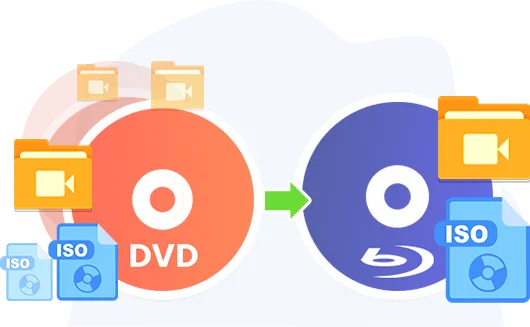
Convert DVD to Blu-ray without Any Quality Loss
As a professional DVD to Blu-ray burner, Leawo DVD to Blu-ray Converter could 100% preserve the image and audio element from source DVD contents into output Blu-ray disc, folder and ISO image file. There will be no quality loss during DVD to Blu-ray backup process.
Convert All or Selected Titles from DVD/DVDs to Blu-ray
Leawo DVD to Blu-ray Converter offers 3 different DVD content loading modes. Full Movie mode loads entire source DVD contents, Main Movie mode loads the longest title, while Custom Mode allows loading multiple selected titles from source DVD content for burning to Blu-ray.
All Subtitles and Audio Tracks Preserved for Output
Leawo DVD to Blu-ray Converter allows you to preserve all subtitles and audio tracks from source DVD content for burning to Blu-ray disc, folder and/or ISO image file, so as to let you watch DVD movies on Blu-ray player with desired subtitle and audio track.
Key Features
Comparison of Leawo Blu-ray Burning Products
| Features | Free DVD to Blu-ray Converter | DVD to Blu-ray Converter | UHD Creator | Blu-ray Creator |
|---|---|---|---|---|
| Input File Format Supported | ||||
| Video in Any Format | ✘ | ✘ | ✔ | ✔ |
| Image in Any Format | ✘ | ✘ | ✔ | ✔ |
| Blu-ray ISO image File | ✘ | ✘ | ✘ | ✔ |
| 4K Blu-ray ISO image File | ✘ | ✘ | ✔ | ✘ |
| DVD disc, folder or ISO image file | ✔ | ✔ | ✘ | ✘ |
| Output File Format Supported | ||||
| 4K Blu-ray Disc | ✘ | ✘ | ✔ | ✘ |
| 4K Blu-ray Folder | ✘ | ✘ | ✔ | ✘ |
| 4K Blu-ray ISO image File | ✘ | ✘ | ✔ | ✘ |
| Blu-ray Disc | ✔ | ✔ | ✘ | ✔ |
| Blu-ray Folder | ✔ | ✔ | ✘ | ✔ |
| Blu-ray ISO image File | ✔ | ✔ | ✘ | ✔ |
| Burning Duration | The first 5-minute content | Unlimited | Unlimited | Unlimited |
How Does Leawo DVD to Blu-ray Converter Work
 1
1Step 1: Add source DVD content
2Step 2: Apply and design disc menu
3Step 3: Set DVD to Blu-ray burning preferences
4Step 4: Start burning DVD to Blu-ray


Pricing Plans of DVD to Blu-ray Converter
Pricing Plans of DVD to Blu-ray Converter for Mac
Choose Your Pricing Plan
Windows
Mac
Basic Plan
One Year
$44.95
- 1 License for 1 PC
- All Features for 1 Year
- Auto-renewal. Cancel Anytime
- 5 Days Money Back Guarantee
- Unlimited Free Upgrades
Professional Plan
Lifetime
$69.95
- 1 License for 1 PC
- All Features for Lifetime
- One-time Payment
- 14 Days Money Back Guarantee
- Unlimited Free Upgrades
Blu-ray Ripper + Blu-ray Copy + DVD to Blu-ray Converter (Lifetime)
$269.85
$129.94
- 1 License for 1 PC
- All Features of 8 ModulesLeawo Blu-ray Ripper, Leawo DVD Ripper, Leawo Blu-ray Recorder Ripper, Leawo Blu-ray Copy, Leawo DVD Copy, Leawo Blu-ray Recorder Copy, Leawo Blu-ray to DVD Converter, Leawo DVD to Blu-ray Converterfor Lifetime
- One-time Payment
- 14 Days Money Back Guarantee
- Unlimited Free Upgrades
Tech Specs
Supported OS :Microsoft® Windows 7, Windows 8, Windows 8.1, Windows 10, Windows 11
Processor :1 GHz or above Intel/AMD Processor
RAM :512MB RAM (1024MB or above recommended)
Free Hard Disk :5GB+ (DVD) / 25GB+ (Blu-ray Disc) hard disk space
Graphic Card :NVIDIA GeForce GTX 260 and above
Others :Recordable Blu-ray drive, Internet Connection
Supported OS :macOS High Sierra(10.13), macOS Mojave (10.14), macOS Catalina (10.15), mac OS Big Sur (11), macOS Monterey (12), macOS Ventura(13), macOS Sonoma (14), macOS Sequoia(15), macOS Tahoe(26), macOS Golden Gate(27)
Processor :1 GHz or above Intel Processor and Apple M1/M2 chip
RAM :512MB RAM (1024MB or above recommended)
Free Hard Disk :5GB+ (DVD) / 25GB+ (Blu-ray Disc) hard disk space
Others :Recordable Blu-ray drive, Internet Connection
Testimonials
What Client Say About Leawo DVD to Blu-ray Converter
The best DVD tool I have ever used for merging my many DVDs to Blu-ray discs. Greatly saved my time and space. Now my old DVD collections could be much better backed up and saved.
A very smart tool for backing up DVD contents. The movie-only DVD to Blu-ray conversion mode is especially useful.
This DVD to Blu-ray converter really meets what I need. I was able to successfully storage my DVD collections into Blu-ray discs. No quality loss happened and the DVD to Blu-ray backup process is simple and straightforward.
This powerful DVD to Blu-ray copy works exactly what it claims to. I have used it to merge some of my favorite movies from DVD discs to a single BD50 disc with a customized disc menu. Now I could freely watch all these DVD movies on my Blu-ray player with a smart navigation menu. It's perfect.
If you have a big bunch of DVD discs and would like to transfer these DVD discs to a Blu-ray disc that stores all your DVD discs, Leawo DVD to Blu-ray Converter is what you need. It helps you convert, copy, burn and merge many DVD discs into one Blu-ray disc. Very convenient solution for storing and managing your DVD movie collections.
I like this DVD to Blu-ray burner software. It allows me to load only what I want to preserve from source DVD contents in the Custom Mode. There is no need to save the trailers and clips, which greatly saves storage and time for DVD to Blu-ray burning. Would recommend it to my friends.
Latest Articles


Burn DVD to Blu-ray with Preset Disc Menu Templates or Even DIY Disc Menu for Structured Navigation and Content Presentation
Leawo DVD to Blu-ray Converter provides multiple preset disc menu templates across various themes for structured Blu-ray authoring. It also includes a built-in menu editor that enables customization of menu layouts based on preset designs, including background media, title positioning, and text formatting. Customized menu configurations can be saved for reuse, and additional templates are available through an online library, supporting consistent content presentation and scalable media production workflows.