3 Best Ways to Download All Videos from YouTube Channel

Summary:
- This article explains three simple ways to download all videos from a YouTube channel. It also compares the tools and shows why CleverGet Video Downloader is one of the easiest options for downloading videos in high quality
You can easily download a single video from YouTube, but the trouble starts if you want to download an entire YouTube channel’s video. Some YouTube downloaders are unavailable since YouTube and browsers have updated their terms of service. That’s why a lot of people look for better ways to download all of the videos from a YouTube channel at once. Some users want to save the educational content or the tutorial videos to learn offline. This post will provides three ways to download all videos from a YouTube channel, including dedicated software for the fastest way to download in batches and online tools that run within your web browser. At the end of this article, you will have an idea about which one best fits your needs.
Quick AccessCLOSE
How to Download All Videos from a YouTube Channel with CleverGet Video Downloader
CleverGet Video Downloader is our first recommended option for users who want to download all the videos from a YouTube channel at once. It can download videos from over 1000+ different sites, including but not limited to, YouTube, Facebook, Vimeo, Twitter, and Instagram. It also has the ability to download videos in high quality and a variety of common formats such as MP4, MKV, and WebM.
One of the most appealing features of CleverGet Video Downloader is the ability to download playlists and channels at once. Instead of copying and pasting each video URL to download, CleverGet Video Downloader’s built-in browser allows you to surf YouTube directly through the software, navigate to a channel, and begin downloading videos without having to switch back and forth between different tabs or applications. Additionally, you can download multiple audio tracks with subtitles. Here is how to use CleverGet to download YouTube videos at once.

-
- Download online videos, movies, TV shows, live streams, etc. from 1000+ websites.
- Download up to 8K video and 320 kbps audio without quality loss.
- Download online video to MP4/MKV/WEBM or other available popular formats.
- Batch download online videos and remove ads for ad-free offline viewing.
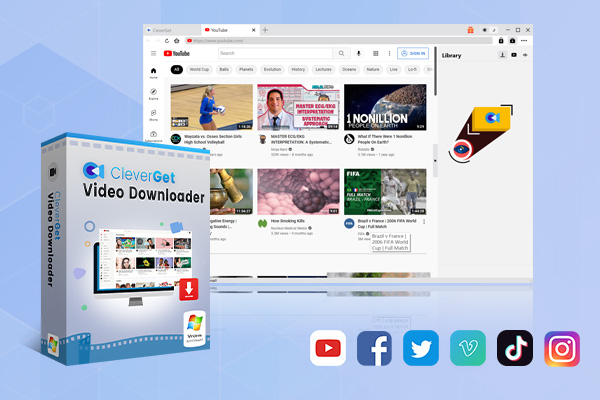
Step 1: Download and Install CleverGet: Download CleverGet from its official website. CleverGet Video Downloader will already be included in the toolkit, so you can begin using it right away.
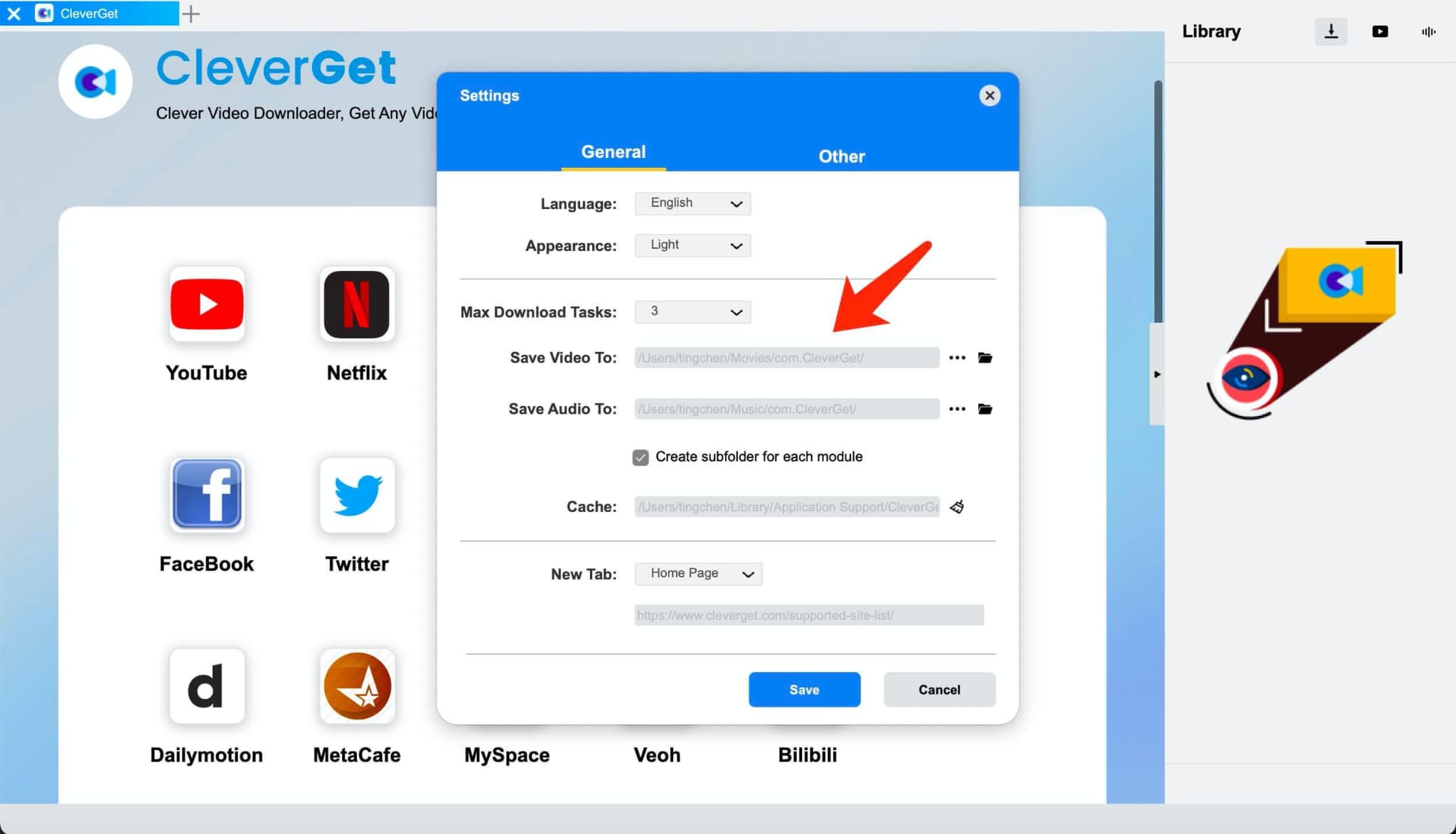
Step 2: Set the Output Folder: Before downloading videos, it’s a good idea to choose where they will be saved. Click the Settings icon in the upper right corner, then open the General tab. From there, select the folder where you want your downloaded videos to be stored and save the changes.
Step 3: Open the YouTube Channel: After you have selected where to save your downloaded videos, use the browser application included in CleverGet to access YouTube and go directly to the Channel from which you want to download video files. Or you can directly go to YouTube and copy its URL, and then paste it into the CleverGet web browser screen.
Step 4: Select and Download the Videos: Once you open your desired YouTube channel page, CleverGet will automatically detect all videos and here you can choose from all available videos or select only the individual videos that you would like to download. Also, you can choose a resolution and then click the Download button. All selected videos will start downloading on your device right away.
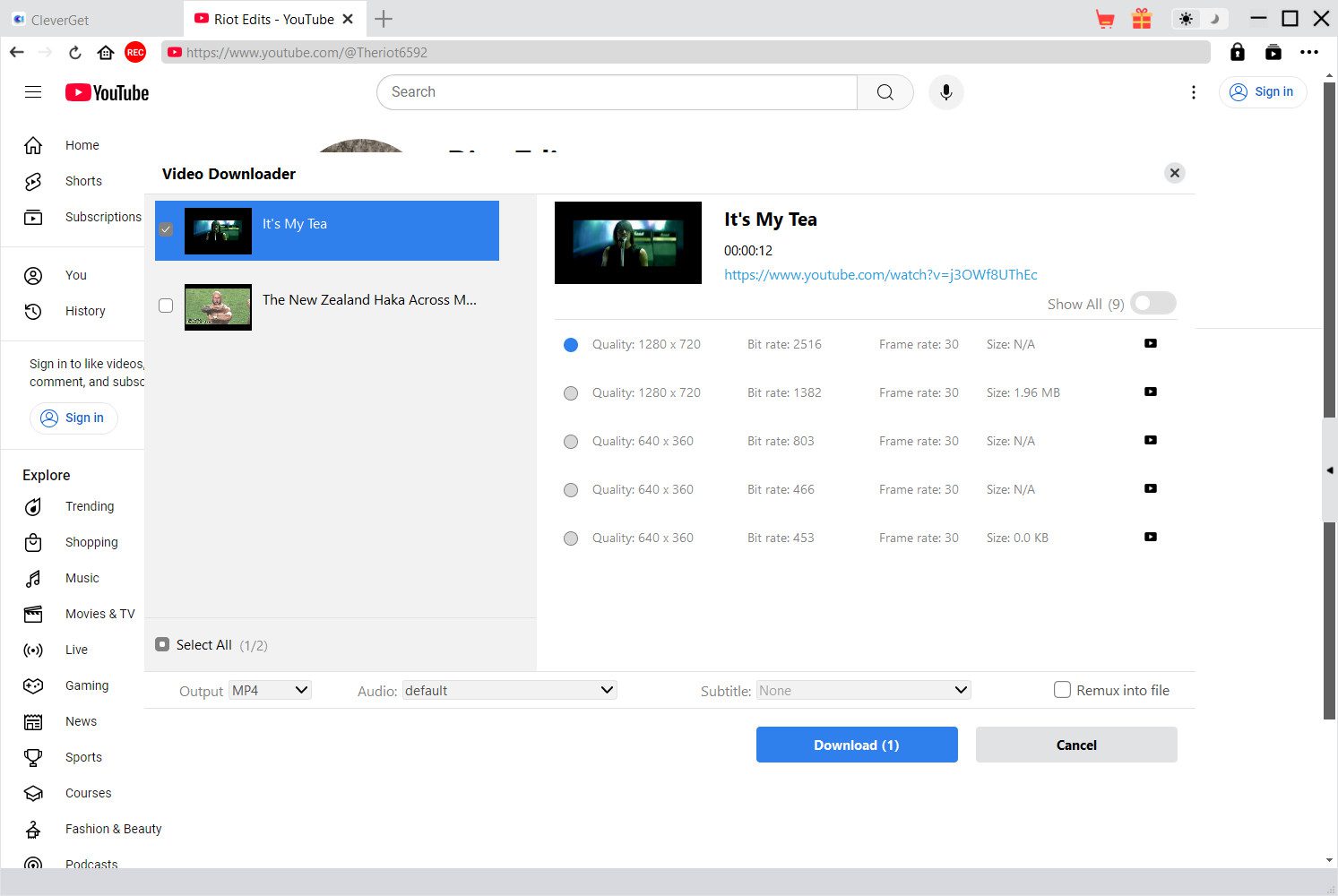
This is the simplest way to download multiple videos from YouTube at once with CleverGet Video Downloader.
How to Download All Videos from a YouTube Channel with YTMP3 Playlist Downloader
Downloading videos is now possible without having to install any software; however, if you don’t want to install anything on your computer, then an alternative would be using an online YouTube playlist downloader such as YTMP3 Playlist Downloader to download videos directly from your web browser. YTMP3 is a free, web-based application that converts YouTube videos and/or playlists into downloadable files without needing to download any programs onto your computer or mobile device. Below are the basic steps needed to download videos with YTMP3 Playlist Downloader.
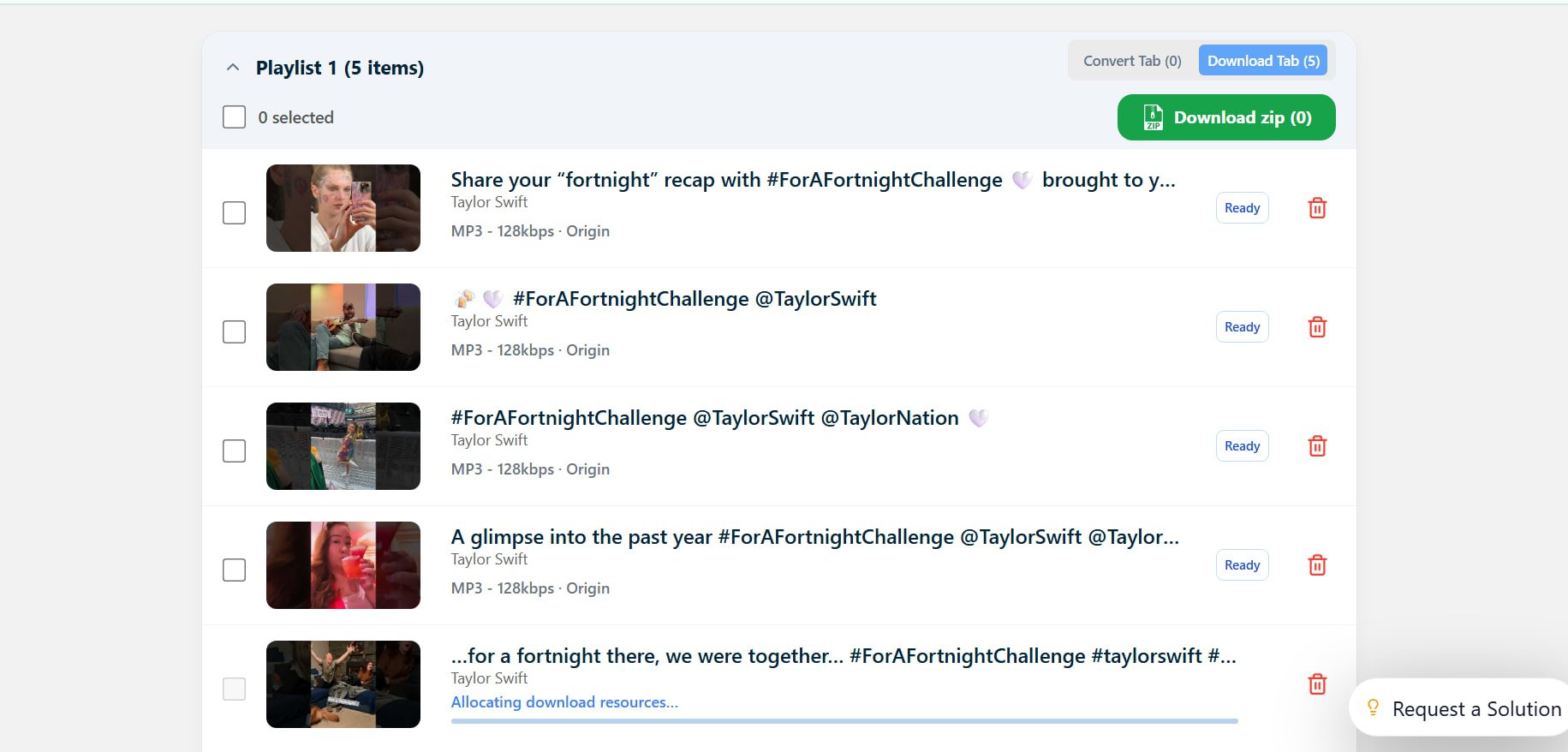
Step 1: Visit the YTMP3 playlist downloader website in your browser.
Step 2: Go to YouTube, open the channel that contains the videos you want, and copy the URL from the address bar. Return to the YTMP3 website and paste the copied link into the input box on the page.
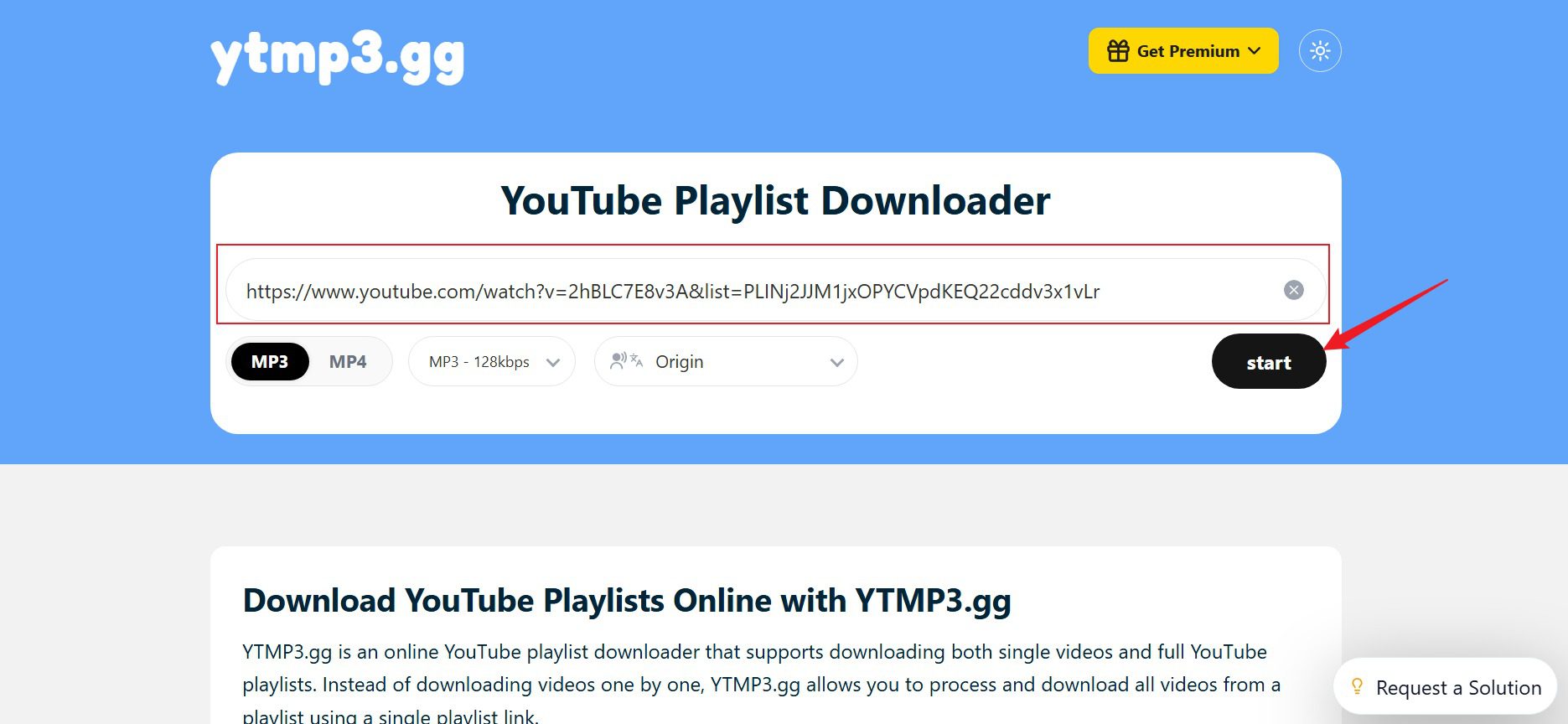
Step 3: Click the MP4 button and then click the Start button. The tool will process the playlist or channel videos and provide download options that you can save to your device. You need to select the videos that you want to download and then click the Convert Selected button.
Step 4: Next, click Download Zip. Your videos will start downloading immediately.
How to Download Videos from a YouTube Channel with JDownloader
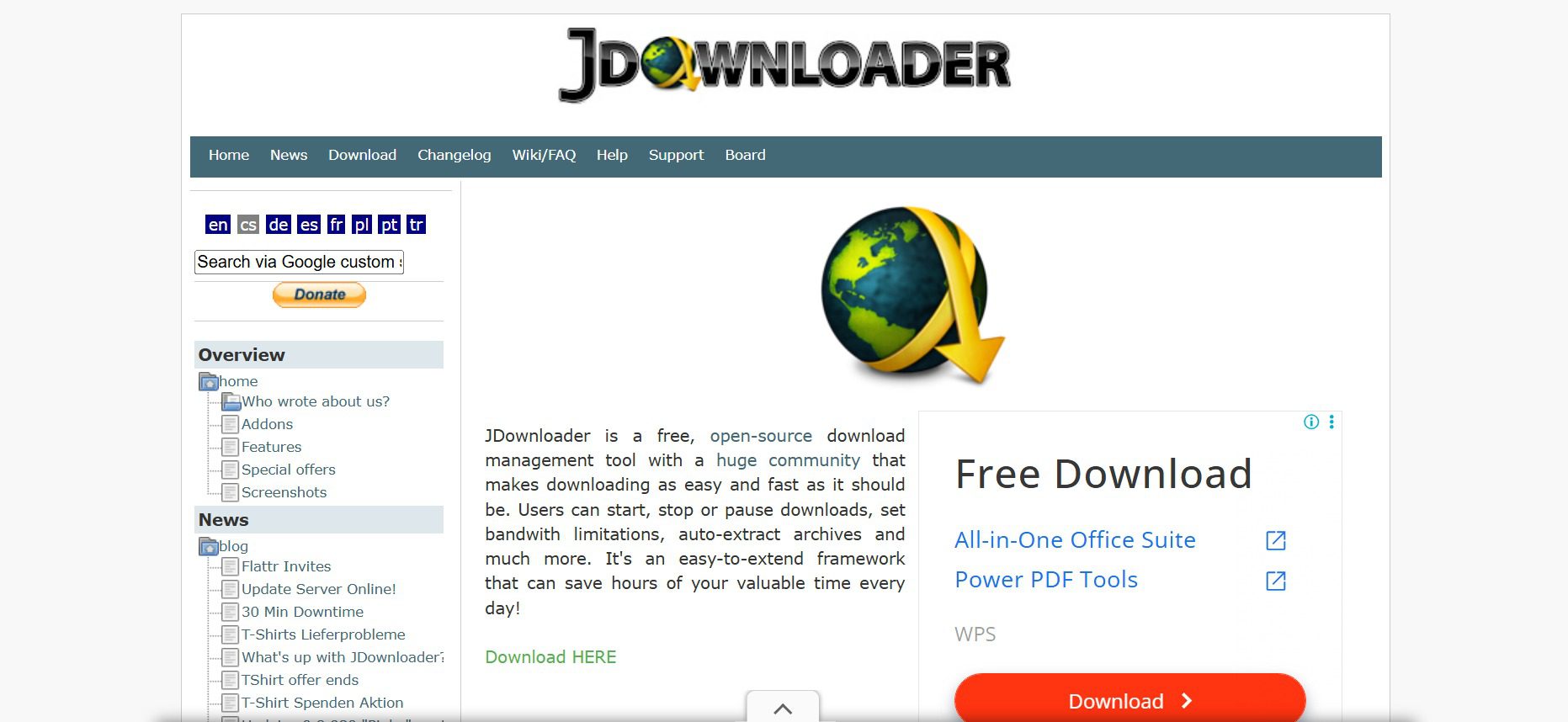
Another great way to download videos from a YouTube channel is JDownloader, which is a free, open-source download manager that can also be used for various file hosting and video sites (including YouTube). Many people use JDownloader because it automatically detects if the URL that you copy is a downloadable piece of content as well as handles large file downloads with minimal effort on your part. Below are the basic steps to download videos from a YouTube channel using JDownloader.
Step 1: Firstly, go to JDownloader’s official site, download, install, and set it up on your computer. After installation, run the app.
Step 2: After installation, go to the YouTube video you want to download.
Step 3: Go to JDownloader client and paste the earlier copied URL of YouTube video.
Step 4: Click on the Linkgrabber’ tab on JDownloader to view the downloadable formats of this YouTube Video.
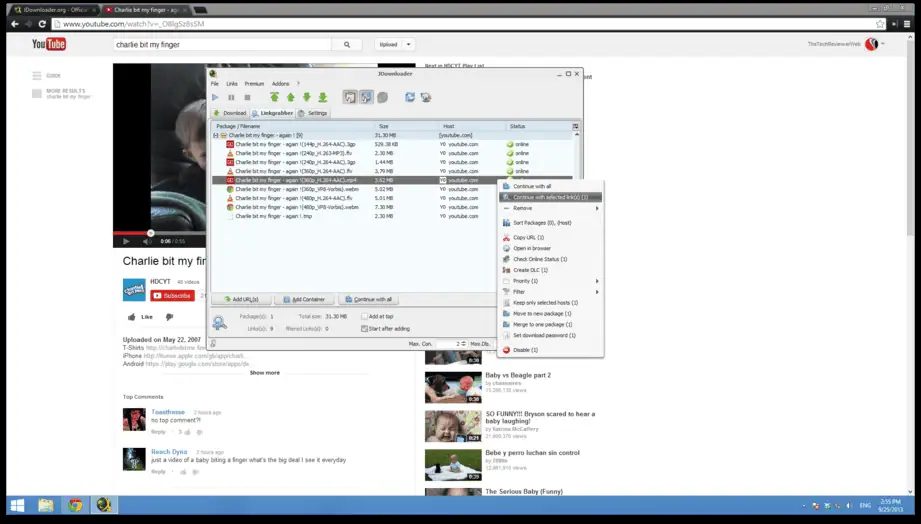
Step 5: Right-click on your desired format (select the .MP4 if you are not sure) and click “Continue with selected link(s)”. The download of your video will begin.
Comparison of Three Tools for YouTube Channel Download
The 3 tools that we discussed work a little differently. Some aim for speed and advanced features but others go for simplicity. The table below compares CleverGet Video Downloader, YTMP3 Playlist Downloader and JDownloader across various important parameters.
| Features | CleverGet Video Downloader | YTMP3 Playlist Downloader | JDownloader |
| Supported Sites | 1000+ video websites | Mainly YouTube | Many hosting & video sites |
| Batch Download | Yes | Limited | Yes |
| Download Speed | Fast | Medium | Medium–Fast |
| Max Quality | Up to 8K | Up to 1080p | Up to source quality |
| Ads | No | Yes | No |
| Success Rate | High | Medium | High |
Knowing which option is best for your needs can save you a lot of time.
FAQs
1. Can you download private videos from a YouTube channel?
Downloading private YouTube videos requires special permission, which most downloading tools lack because only the video uploader and their chosen viewers can access private videos.
2. Can you download all videos from a YouTube channel at once?
Yes, there are tools you can use to batch and channel download videos. The CleverGet Video Downloader tool detects multiple-channel videos that users can download together through a single download process instead of downloading each video individually.
3. Is it legal to download YouTube videos?
Most situations allow people to download videos for personal offline viewing, but downloading a video without permission to use it for redistribution or commercial purposes will likely breach copyright law. Respecting creator rights and following YouTube Terms of Service requires everyone to do so.
4. What is the easiest way to download an entire YouTube channel?
CleverGet Video Downloader works as an effective solution because it simplifies video downloading tasks. This downloader enables users to download all videos from a channel through automatic detection while offering simple batch download options with minimal effort.
Conclusion
People who want to save tutorials, learning videos, or their favorite videos to watch later without the internet can download videos from a YouTube channel. This helps save a lot of time. Some online tools can download videos quickly. But they often have many ads, and they do not let you use all the features. If someone wants a tool that is easy to use, gives good video quality, and can download many videos at the same time, CleverGet Video Downloader is a good choice. The program enables users to download complete playlists and channels while delivering high-definition video content across various video platforms. The software provides for users who regularly download YouTube content, it’s one of the most practical solutions available.
Share this post












 العربية
 繁體中文
繁體中文 Dansk
Dansk Nederlands
 Suomi
Suomi Français
 Deutsch
 Italiano
 한국어
한국어 Norsk bokmål
 Português
 Русский
 Español
 Svenska