4K Video Downloader Not Working? Try These Fixes

Note:
- 4K Video Downloader not working happens now and then. When 4K Video Downloader failed to download, you could refer to this post for practical and tested fixes.
As a popular video download solution, 4K Video Downloader enables you to download videos from YouTube, TikTok, Vimeo and other popular sites at up to 8K resolution. It provides both free version and paid version. However, even with the 4K Video Downloader Plus, you might come across notifications like "can’t parse this link", "video unavailable", etc. 4K Video Downloader failed to download issue happens, regardless of the version you get. What should you do when you found that 4K Video Downloader stuck on parsing? How to fix the 4K Video Downloader not working issue? This post will show you detailed fixes and solutions.
Quick AccessCLOSE
- How to Fix 4K Video Downloader Is Not Working
- Outdated Downloader Version
- Free Version Limitations Causing Failures
- "Can’t Parse This Link" Error
- Stuck at "Analyzing" or "Fetching Info"
- Download Failed or Speed Drops to Zero
- 4K Video Downloader Not Working on YouTube
- 4K Video Downloader Not Working on Windows or Mac
- Best Alternative If 4K Video Downloader Keeps Failing
- FAQs
How to Fix 4K Video Downloader Is Not Working
4K Video Downloader not working issue happens for different causes. Based on the potential causes, we have summarized the below solutions and fixes for 4K Video Downloader not working issue.
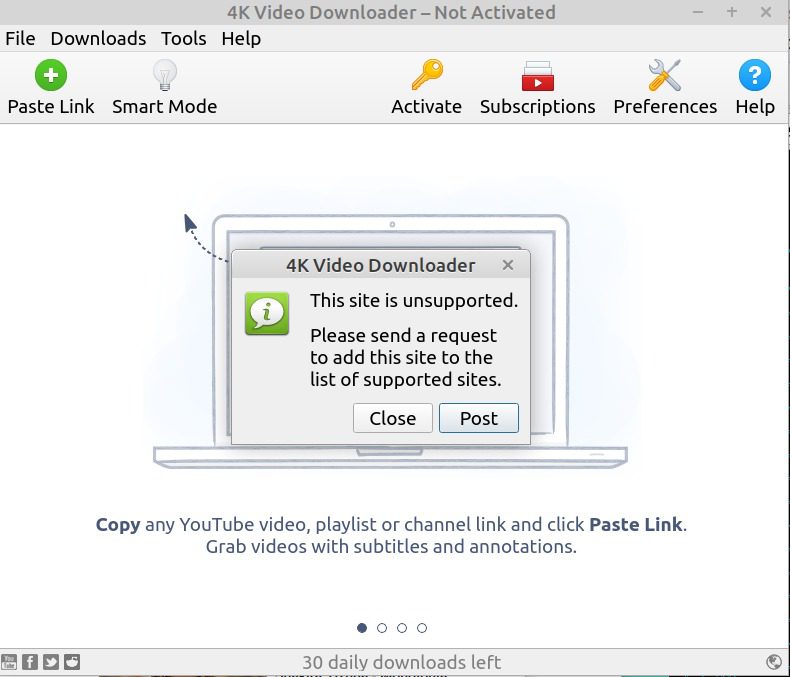
1. Outdated Downloader Version
The classic version of 4K Video Downloader was phased out in early 2026. Though it might still kick off and function, the older and outdated 4K Video Downloader versions would fail to parse video link or download videos due to unpatched changes in platform algorithms. In such case, you need to update 4K Video Downloader software to the latest version, which solves parsing link errors and avoid download failure issues to the max.
It is easy to update 4K Video Downloader software: either go to the 4K Download official website to download and install the latest version, or open the "Tools" menu and then choose "Check for Updates" option on 4K Video Downloader program interface.
2. Free Version Limitations Causing Failures
The 4K Video Downloader free version has multiple limitations that could cause parsing link errors or download failures, such as its daily download quantity limitations. In such case, you could upgrade to the Plus version of 4K Video Downloader or turn to 4K Video Downloader alternatives. Upgrading to 4K Video Downloader Plus requires you to download and install 4K Video Downloader Plus installation from its official website, since it is a separate application from 4K Video Downloader, and then purchase a license for activation.
3. "Can’t Parse This Link" Error
Upon how the video data is embedded or protected, sometimes you could come across notifications like "Can’t parse this link", "Failed to get Info", and other errors. You might get an error code of 30, 63, 1 or others. This happens due to the video data structure update. When YouTube and other video streaming services update its JavaScript to block video download, these errors might pop up. In such case, you have to update your 4K Video Downloader to the Plus version to see if the Plus version has successfully fixed this, make use of external video file extraction methods, or turn to other video downloaders.
4. Stuck at "Analyzing" or "Fetching Info"
Sometimes 4K Video Downloader stuck on parsing issue happens and you might get notifications like "Analyzing" or "Fetching Info". This happens due to YouTube or website API changes, network issues, region restriction, invalid or restricted video links. Therefore, you could try to check update and network performance, make using of VPN proxy tools, check whether the target website is listed on the support sites of 4K Video Downloader.
5. Download Failed or Speed Drops to Zero
This happens mostly due to network issue. Your internet connection might get broken or VPN proxy tool stops working, which result in download failure or speed drops to zero. In such case, check your internet connection to make sure your computer is well connected to the internet. If your network works normal, try to restart 4K Video Downloader software and re-download target videos, update software, turn off VPN and then turn it on again, disable antivirus & firewall temporarily.
6. 4K Video Downloader Not Working on YouTube
The most common reason for this is that YouTube has changed its video data structure and extraction. In such case, you could upgrade your 4K Video Downloader (to Plus version if possible), try to quit 4K Video Downloader and then relaunch it for downloading YouTube videos, sign into YouTube website, test with another YouTube video page, clear 4K Video Downloader app cache (Press "Windows + R" and then delete the 4Kdownload.com folder).
7. 4K Video Downloader Not Working on Windows or Mac
4K Video Downloader runs on Windows 10 or later, macOS 12 or newer, Linux 22.04 64-bit or newer, and selected Android devices. Therefore, if your Windows or Mac computer doesn’t run these OS, 4K Video Downloader won’t work on your Windows or Mac computer. Meanwhile, if your computer OS meets requirements, this error could happen due to outdated 4K Video Downloader program, firewall or antivirus blocking, corrupted cache or config files, network issue (internet connection, VPN, proxy, ad-block DNS, etc.) Therefore, you could fix 4K Video Downloader not working on Windows or Mac by fixing these.
Best Alternative If 4K Video Downloader Keeps Failing
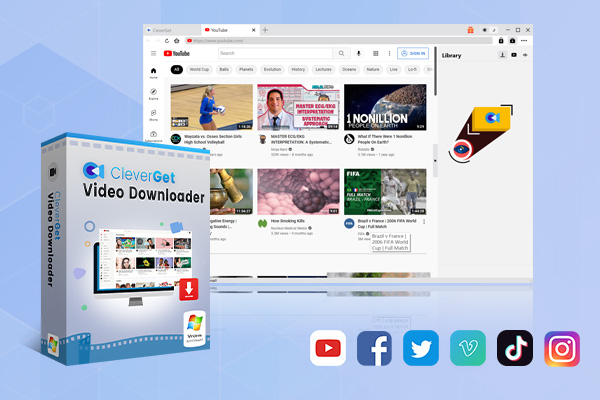
If your 4K Video Downloader keeps failing after you have tried all possible fixes, like restarting program, updating it, adjusting VPN/proxy/antivirus/firewall settings, clearing cache, etc., try 4K Video Downloader alternatives. CleverGet Video Downloader is the best alternative to 4K Video Downloader.
As a professional video downloader, similar to 4K Video Downloader, CleverGet Video Downloader could download videos from YouTube, TikTok, Twitter, Facebook, Vimeo, Instagram, and 1000+ streaming services at up to 8K resolution for ad-free offline watching. Better than 4K Video Downloader, CleverGet Video Downloader could batch download playlist and channels from YouTube and other sites, and download even live streaming videos from YouTube Live and other live streaming platforms.

-
- Download online videos, movies, TV shows, live streams, etc. from 1000+ websites.
- Download up to 8K video and 320 kbps audio without quality loss.
- Download online video to MP4/MKV/WEBM or other available popular formats.
- Batch download online videos and remove ads for ad-free offline viewing.
It is extremely easy to download videos within CleverGet Video Downloader, as listed in the guide below:
Step 1. Download, install and kick off CleverGet on your computer.
Step 2. Open target website within CleverGet and play back the video you want to download.
Step 3. CleverGet Video Downloader would start parsing target video automatically.
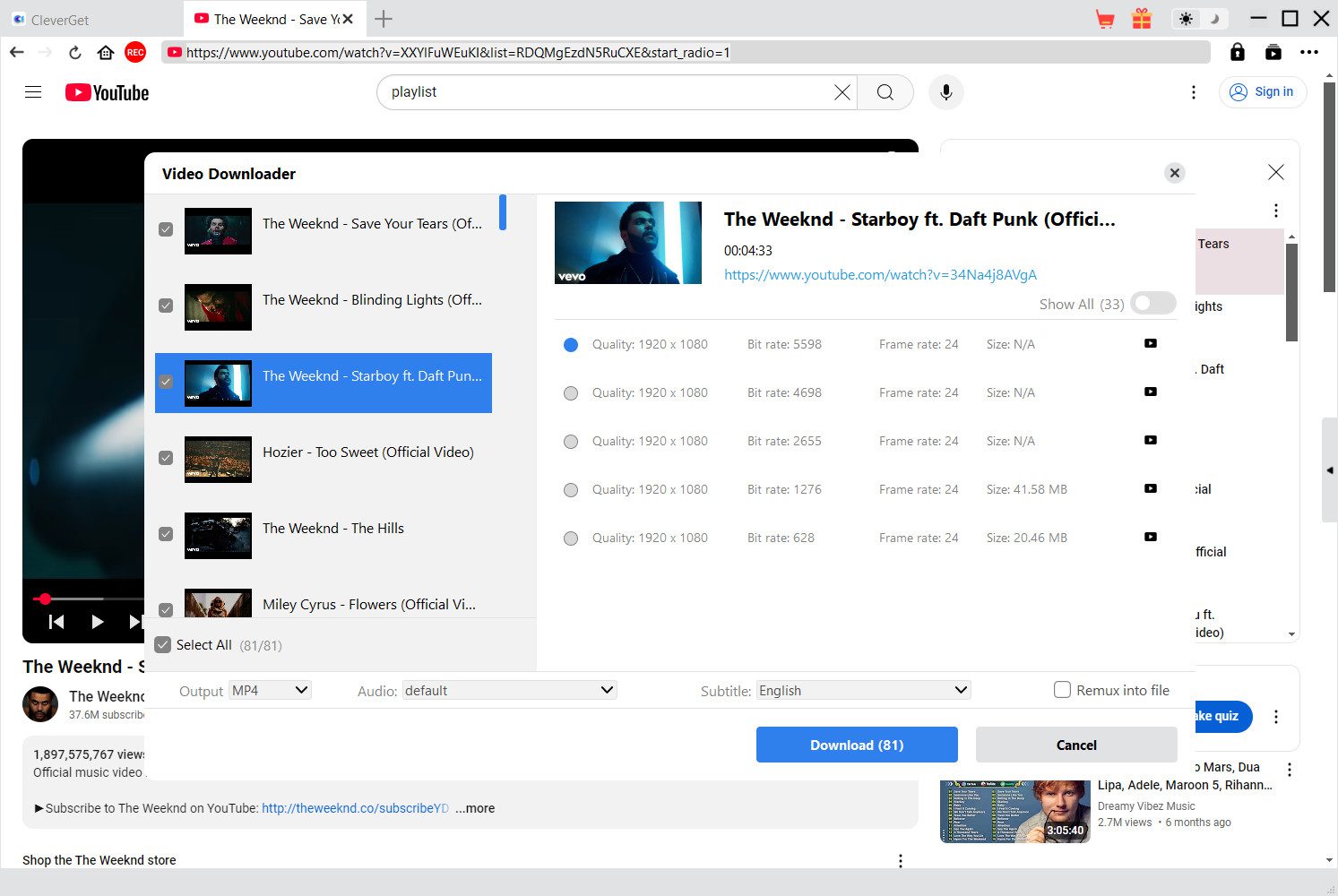
Step 4. Choose download options on the parsing result panel.
Step 5. Start downloading target video and view the downloading process.
CleverGet Video Downloader works on Windows 7 or later, and macOS 10.15 or newer. It comes with multiple other video download modules like Amazon Downloader, Netflix Downloader, Disney+ Downloader, TikTok Downloader, etc. to let you download videos from nearly all streaming services for unlimited offline watching.
FAQs
1. Is 4K Video Downloader safe to use?
Yes, the 4K Video Downloader is safe to use, as long as you download and install it from the official website. The installer and program contain no spyware, malware, or virus, and collect no personal information.
2. What are the 4K Video Downloader free version limitations?
There are multiple 4K Video Downloader free version limitations, including: daily download quantity, video quality for downloading, limited support for downloading playlist/channel, no support for private download, in-app advertisements included, no support to download multiple subtitles, etc.
3. Can I request a site support for 4K Video Downloader?
Yes, 4K Video Downloader team provides 2 ways to submit site support request through Reddit and customer service.
Conclusion
Generally, you could fix 4K Video Downloader not working issue by upgrading the program to the latest version, updating to 4K Video Downloader Plus, checking internet connection and proxy settings, disabling antivirus or firewall temporarily, clearing app cache, shutting it down and then re-launching it, changing download path, restarting computer, etc. Switching to 4K Video Downloader alternative is also a top choice if you find it really complicated to get all errors solved.
Share this post












 العربية
 繁體中文
繁體中文 Dansk
Dansk Nederlands
 Suomi
Suomi Français
 Deutsch
 Italiano
 한국어
한국어 Norsk bokmål
 Português
 Русский
 Español
 Svenska