


Summary:
- In this article, we will share 5 practical ways to watch videos on YouTube without ads. There are options like downloads, ad‑blockers, alternative browsers, VPN tricks, and the official way.
Quick AccessCLOSE
Method 1. Use CleverGet YouTube Downloader Ultimate
The simplest way to watch YouTube videos without ads is to download the videos for offline viewing. That’s exactly what CleverGet YouTube Downloader Ultimate does. The software can download YouTube videos in MP4, MKV, or MP3, keeping the original quality. It supports standard videos, playlists, free movies, and even members-only content. As for resolution, it supports up to 8K depending on the video itself. Another important feature is versatility; CleverGet comes in different modules such as Video Downloader, YouTube Movies Downloader, and YouTube to MP3 Converter.

-
CleverGet YouTube Downloader Ultimate
- Download videos, playlists, movies, TV shows, members-only videos, etc. from YouTube.
- Download up to 8K YouTube video and 320 kbps audio without quality loss.
- Convert YouTube video to MP3/MP4/MKV formats.
- Remove ads for ad-free offline viewing.
- Support downloading videos from 1000+ online websites.
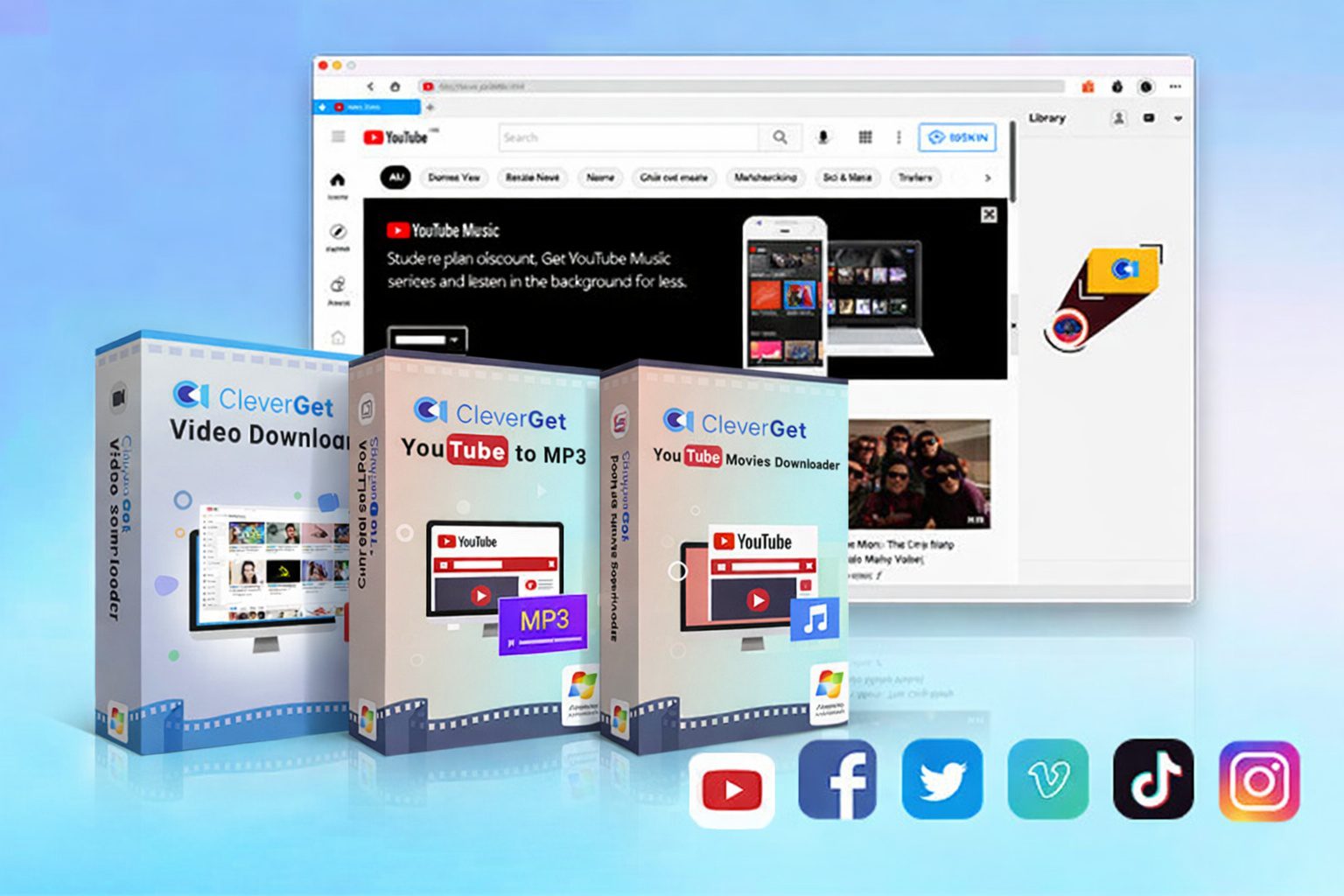
I need basic downloads, so I can simply use the Video Downloader module without the other tools.
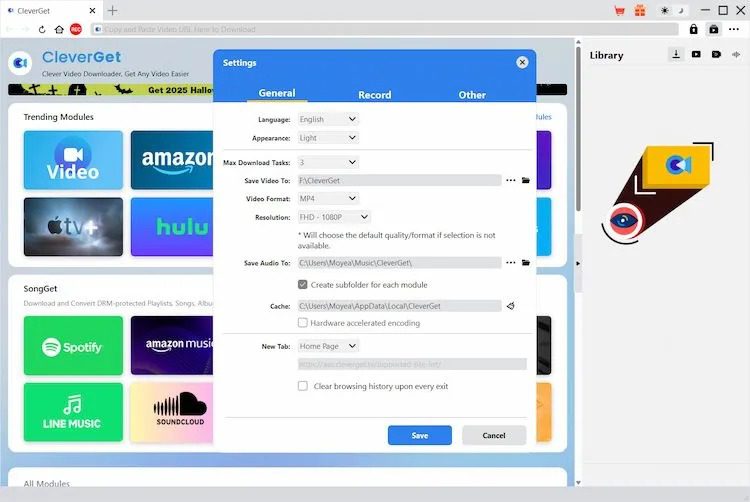
Step 1: Start CleverGet and specify where to save your videos on your PC.
Step 2: Use the integrated browser to visit the YouTube website and stream the video you wish to download.
Step 3: CleverGet will analyze the video and give you various downloading options.
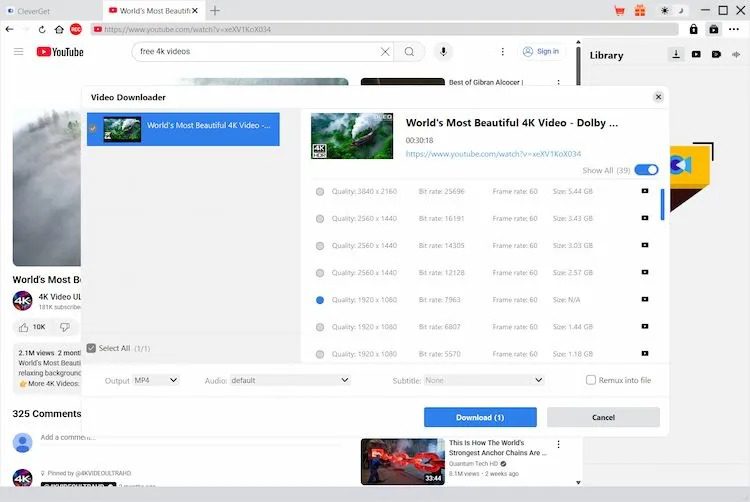
Step 4: Choose the quality and format, then click download. After saving it, you can watch the video offline without any ads.
| Pros | Cons |
|---|---|
|
|
Method 2. Use Ad-Blocker Chrome Extension
Using a browser extension is another approach to cut adverts on YouTube. AdBlock for YouTube, is a popular extension that I can find on Google Chrome Web Store. This extension indeed blocks ad requests before they appear in the website player. Most of the time, videos begin playing right away without the typical pre-roll ads. Looks perfect to watch YouTube videos without ads. However, I remember that Google often targets ad-blocking software, hence long-term dependability on such extensions may not be a very good option. This tool is easy to use:
Step 1: Open the Chrome Web Store first and download AdBlock for YouTube to your browser.
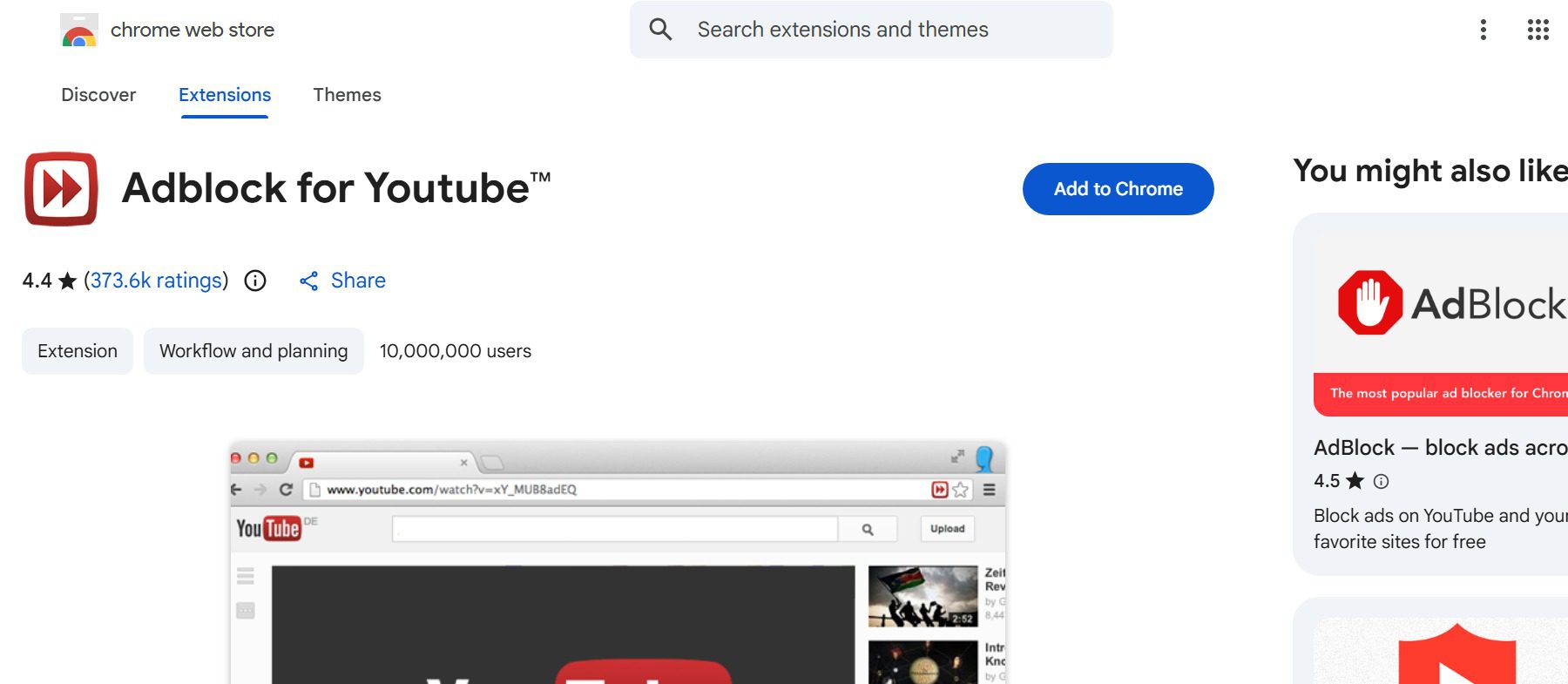
Step 2: Make sure the extension is active in your Chrome extensions panel once installed.
Step 3: Visit YouTube and begin playing any movie as usual.
Step 4: The extension allows the video to begin straight by automatically blocking most adverts before they load.
| Pros | Cons |
|---|---|
|
|
Method 3. Use Brave Browser with Built-in Ad Blocking
Using Brave Browser is another easy way to limit commercials when viewing YouTube. Brave provides built-in ad blocking unlike regular browsers; thus, no additional extensions are necessary. Brave usually stops commercials seen before or during YouTube videos. Below are steps to watch YouTube without ads using Brave browser:
Step 1: Download and install Brave Browser on your computer or mobile device.
Step 2: Next, open the browser and go to the YouTube website.
Step 3: You can play any video you want to watch. Here, I search for movies and randomly click on one to play.
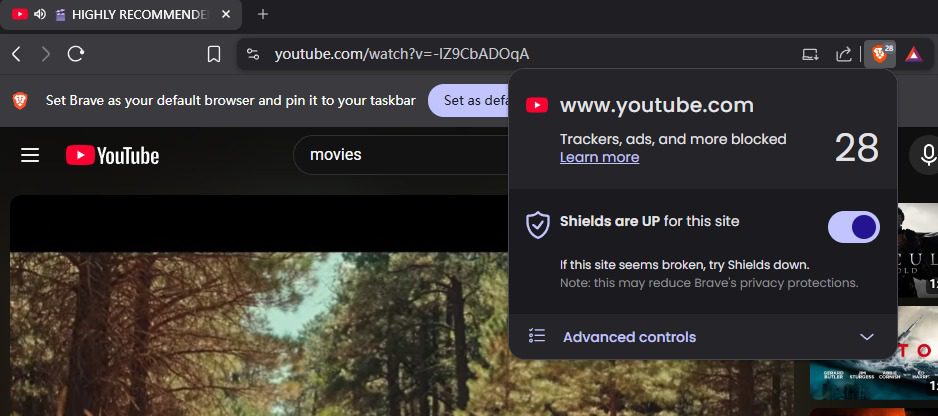
Step 4: During playback, the browser’s built-in blocking technology eliminates most advertisements.
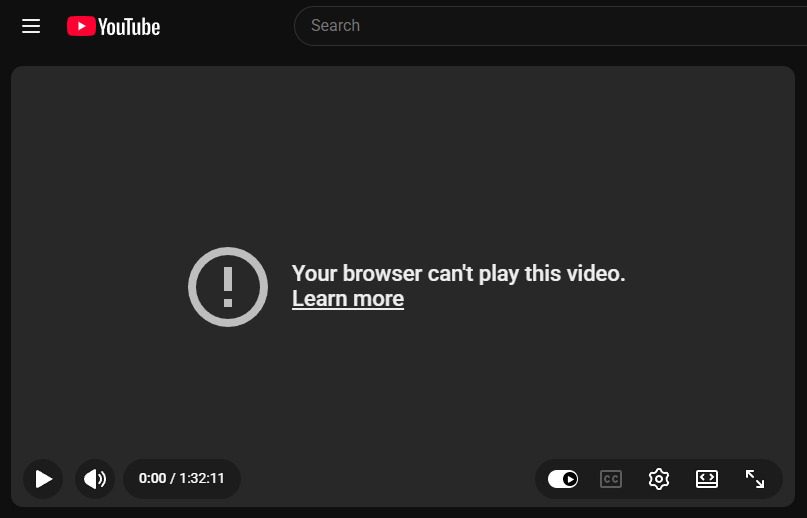
Still, I’ve found a few drawbacks during testing. For instance, its online mode does not prohibit YouTube advertisements, and if I want to block YouTube ads, I have to install the real Brave browser. Furthermore, some material including videos from the official YouTube Movies channels might not play normally.
| Pros | Cons |
|---|---|
|
|
Method 4. Use VPN to Reduce YouTube Ads

Another technique individuals often refer to on the internet is changing your location to view YouTube by using a VPN. Discussions on Reddit often bring up this topic. Because of underdeveloped advertising revenue systems, YouTube usually does not now show video advertisements in some regions, such as Albania and Myanmar. During my testing, switching to an Albanian server proved to be an effective solution, allowing videos to run without any advertising interruptions. Just a hint: you can only try this way when streaming YouTube alone, as certain services may block access if they detect VPN traffic.
| Pros | Cons |
|---|---|
|
|
Method 5. Subscribe to YouTube Premium
Alright, the most direct way to see YouTube videos without ads is by joining YouTube Premium. When I subscribe, I am not shown ads. That covers banners, mid-roll commercials, and pre-roll ads. Apart from ad-free viewing, the subscription enables other bonus capabilities. For offline viewing, I can download videos inside the YouTube app; play movies in the background with other apps running; and listen with the screen turned off. All these features are benefits of premium subscription.
| Pros | Cons |
|---|---|
|
|
Comparison of 5 Methods for Watching YouTube Without Ads
Each method works differently based on my experience. Some remove ads completely, while others simply reduce interruptions. The best option depends on how you usually watch YouTube and whether you prefer convenience, flexibility, or a free solution.
| Method | Cost | Ads Removed | Stability | Best For |
|---|---|---|---|---|
| CleverGet YouTube Downloader | Paid (trial available) | Completely removed (offline playback) | Very High | Users who want offline videos and high-quality downloads |
| AdBlock Chrome Extension | Free | Most ads blocked | Medium | Desktop users watching in Chrome |
| Brave Browser | Free | Some ads blocked | Medium | Users who want a browser with built-in ad blocking |
| VPN Location Switch | Paid | Often removes ads | Low–Medium | Users experimenting with region-based ad limits |
| YouTube Premium | Monthly subscription | Completely removed | Very High | Daily YouTube viewers wanting the official solution |
Conclusion
So, as we saw there are several practical ways to watch YouTube videos without ads. Some people prefer simple browser solutions like ad-blocking extensions or privacy-focused browsers, while others try VPN location switching to reduce ads. The most stable option is still subscribing to YouTube Premium which officially removes ads across the platform. Another reliable option is download content and then watch your YouTube videos without an internet connection. CleverGet Video Downloade Ultimate provides users with the ability to download YouTube videos, which they can later watch at any time without experiencing ad interruptions. The ultimate solution for YouTube viewing needs depends on your watching frequency and your choice between free methods and permanent solutions. In the end, the best method depends on how often you watch YouTube and whether you prefer a free workaround or a long-term solution.
-
5 Proven Methods to Watch YouTube Without Ads
-
How Long Do Recordings Stay on YouTube TV? Full Breakdown
-
AnyBurn Review: Is This Free Burner Enough
-
3 Best Ways to Download All Videos from YouTube Channel
-
DVDFab DVD Creator Review: Read Before Buying
-
Windows Media Player Review: Is It Working on Windows 11?
-
6 Best Tools to Download YouTube Playlist Fast
-
Detailed Review: Is KeepStreams Safe? Is it Worth Trying?
-
How to Record a YouTube Live Stream on Any Device (Step-by-Step Guide)
-
Disney Plus HDCP Issue: Complete Troubleshooting & Fix Guide











-
Best Twitter Porn Accounts You Shouldn’t Miss
-
How to Download Pornhub Videos? Ways to Download from Pornhub
-
Top 5 OnlyFans Viewer Tools to View OnlyFans Content for Free
-
Full Review of Savethevideo: Is Savethevideo Safe & How to Use it?
-
How to Download MissAV Porn Videos in HD for Offline Viewing?
-
Netflix Download Limit: What it is & How to Avoid
-
How to Import Bookmarks from Safari to Chrome
-
Full Guide to YouTube Members Only Videos: Watch, Download
-
How to Download Videos from Fansly with Fansly Downloader
-
4 Methods to Burn ISO Files to Blu-ray Discs Easily









 العربية
 繁體中文
繁體中文 Dansk
Dansk Nederlands
 Suomi
Suomi Français
 Deutsch
 Italiano
 한국어
한국어 Norsk bokmål
 Português
 Русский
 Español
 Svenska