How Many People Can Share a Netflix Account?

What This Guide Covers
- Though Netflix has released some new rules and limits, Netflix account sharing is still possible. In this guide, I’ll explain exactly how many people can share a Netflix account and how to do it the right way.
"How many people can share a Netflix account?" If you are also trying to find the answer to this question, you will find that you are not alone. You could see quite a lot of similar questions online. With Netflix tightening its Netflix password sharing policies, a lot of things have changed recently in using Netflix account. From my experience, Netflix account sharing is still very doable, as long as you know Netflix’s household rules and understand how Netflix plans, profiles, and locations work together in sharing Netflix account. In this guide, I will walk you through the detailed operation in sharing Netflix account access smoothly without interruption.
Quick AccessCLOSE
How Many People Can Share a Netflix Account?
The answer to the question "How many people can share a Netflix account" is up to 4 people for simultaneous streaming but up to 5 individual profiles within one Netflix account. It depends on your Netflix subscription plan type and Netflix’s household rules. You can share Netflix account with multiple people within the same household. But once you are outside of the same household, Netflix applies multiple limitations on Netflix account sharing.
1. Netflix Household Rules You Should Know First
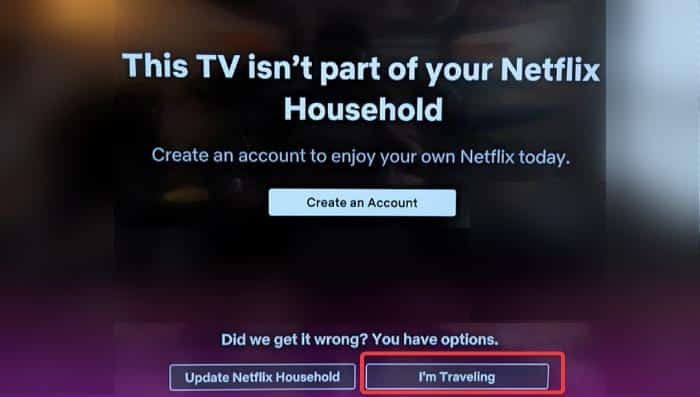
So, the very first thing you need to know is to get to know the Netflix household rules. But before that, it is necessary to get to know the definition of Netflix’s Household. Netflix describes Household as the place where you and others live in and connect to the same internet connection. Within a household, all your devices connect to the same internet in the same house.
Netflix household rules
- Within the same household, you can directly share Netflix account with others by logging into the same Netflix account but using different profiles.
- If you and your friends are not living in the same household, you may need to create your own Netflix account or add extra member to the existing Netflix account for sharing Netflix account.
Then, you may wonder how Netflix can tell if you are living in the same place and connect to the same internet. Actually, Netflix can track:
- Your devices’ IP addresses.
- Device activity.
- Network usage.
From the analysis of these, Netflix knows whether or not you are within the household. So, if you frequently switch locations, Netflix may flag your account. This is the biggest change that affects Netflix account sharing today.
2. Simultaneous Streams and Profiles Explained
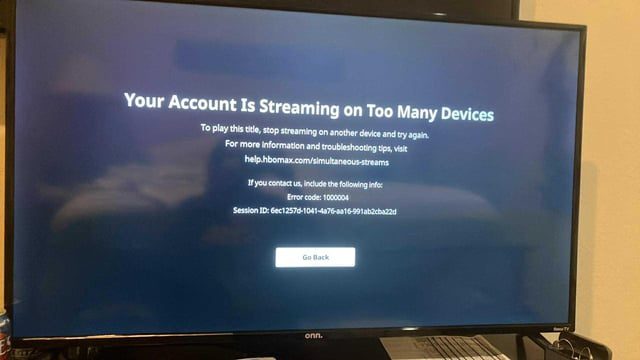
It should be noted that even all of your devices are logged in within the same household circumstance, there are still some Netflix account sharing limitations you need to know, respectively simultaneous streams and profiles.
Netflix simultaneous streams rules
- Standard plan: up to 2 screens for simultaneous streaming.
- Premium plan: up to 4 screens for simultaneous streaming.
Please note that here "simultaneous streaming" means devices that are currently streaming Netflix contents, but not devices that have the same Netflix account logged in.
As to the profiles, Netflix allows up to 5 profiles within the same Netflix account, while extra member accounts can only have 1 profile. You can set a maturity rating level on each profile so as to control the recommendations.
Also read: How to Watch Netflix Together Remotely
How to Share Netflix Account with Family Members?
After learning about the household rules and limitations upon Netflix account sharing, the problem now is – how to share Netflix account with family members? Check the below methods, which cover nearly all situations you might meet.
1. Share Within the Same Household
If all of your family members are living within the same household, things are much easier. You can follow the below guide to learn how to make Netflix password sharing smooth:
Step 1: Connect all the devices to your home Wi-Fi network.
Step 2: Log into the Netflix account on your primary device.
Step 3: Create separate profiles.
Step 4: Then, log into Netflix with the same Netflix account and then choose signed profile on corresponding device.
It’s done. Quite easy to share Netflix account with your family members, right?
2. Connect a Secondary Location
If your family members are not living within the same household, or you are traveling to the same place frequently, things would become a little bit complicated. You will need to create a secondary location on Netflix to set the secondary household. Follow the below guide to set a second home or location that you frequently go to there:
- From the main place you stream Netflix, open Netflix app or website and then log in once a month, and then stream a video for a few seconds.
- Then, on your second home or frequently visiting location, open Netflix app or website and log in with the same account, and then continue watching Netflix without interruption.
3. Temporary Travel Access
It is quite common that you might travel to a place and want to watch Netflix there temporarily. In such case, how to share Netflix account? And how to watch Netflix videos?
Actually, Netflix understands your travel needs. When you open Netflix app or website on your device, Netflix may ask for verification. You then only need to complete the Netflix verification through email or phone number.
However, it should be noted that when you are outside of the household or the country, the Netflix contents might vary upon regions and countries. And the Netflix profile’s maturity ratings are different between countries and regions. What’s more, previous Netflix downloads on your mobile devices may not be available while you are traveling in another country.
Also read: 3 Best Ways to Watch Netflix on a Plane
4. Use Extra Member Slots
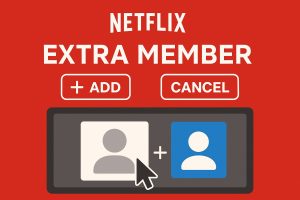
Another official solution for sharing Netflix account outside of your household is by adding extra member slots at lower price. You can buy an extra Netflix member on official website with ease.
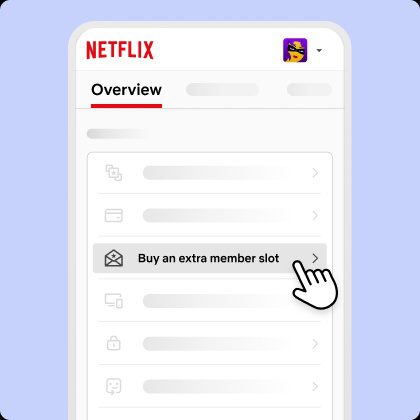
Follow the below guide to learn how to buy and add extra member slot for Netflix account.
Step 1: Open Netflix website, sign in and go to the "Account" section.
Step 2: Choose the "Buy an extra member slot" option.
Step 3: Choose "Next" button to purchase an ad-supported extra member, or click the "Or pay for no ads" option to buy ad-free extra member.
Step 4: Click the "Continue" button.
Step 5: Preview and then confirm your payment amount.
Step 6: Click the "Buy Now" button.
Step 7: Enter the extra member’s name, email address and your own name.
Step 8: Click "Next" button.
Step 9: You can choose to transfer existing Netflix profile or let the extra member create a new profile.
Step 10: Netflix will send email to the extra member to activate the extra member account.
The extra member contains both ad-free and ad-support plans. Just choose one according to your own budget. There are some tips for purchasing extra member slot for you:
- The account owner pays for the extra member’s slot.
- Extra members should be in the same country as that of the account owner.
- The main account and extra account are 2 independent Netflix accounts. there is no influence between these 2 accounts.
- Creating an extra member for Netflix won’t influence profiles on the main account.
Smart Tips for Netflix Family Sharing
The below are some tips for you to make how to share Netflix account easier and smoother.
1. Organize Profiles Strategically
Netflix enables profiles for not only simultaneous streaming. The profiles have their own convenience and help prevent conflicts. You can organize profiles strategically to make every profile has its own content recommendations. This is especially useful for kids. To help use profiles more efficiently, I would like to suggest you:
- Assign one profile per person.
- Use Kids profiles for children.
- Avoid sharing the same profile with different people.
By following these tips, you can easily manage profiles, get different recommendations, and watch history. The overall experience will be greatly improved.
2. Monitor Active Devices
If you have logged into Netflix on too many devices, sometimes you might get the error notification "You have logged in Netflix on too many devices". This will cause playback errors. Therefore, you are suggested to monitor devices and remove inactive devices. To remove inactive devices, you could:
Step 1: Open Netflix and go to the Settings.
Step 2: Open "Manage Devices" option.
Step 3: Remove inactive or old devices, or log out of unknown devices.
This will help you prevent unauthorized Netflix access and stream interruptions.
3. Download Netflix Videos to Local Files
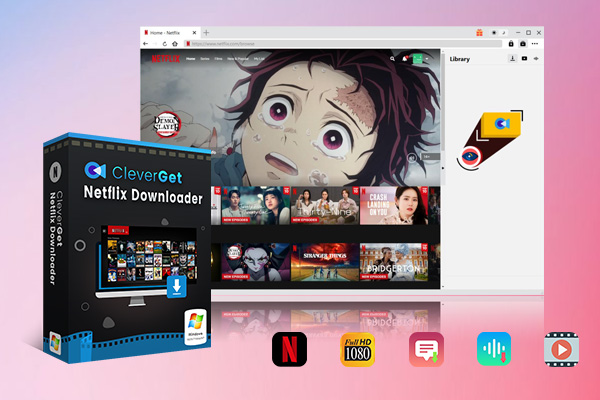
As mentioned above, Netflix downloads might not be available when you are traveling outside of the country. In such case, you could try to download Netflix videos as local files with some 3rd-party Netflix video downloader tools such as CleverGet Netflix Downloader, which is a professional Netflix video downloader that could help you batch download Netflix on-demand movies and TV shows to standalone MKV/MKP4 files at up to 1080P quality, then let you watch the downloaded Netflix videos on any MP4/MKV compatible devices offline without any limit.

-
- Convert Netflix video to MKP4/MKV files for smoothly playback.
- Download Netflix videos at up to 1080P quality.
- Download Netflix episodes across seasons in batch.
- Remove ads from downloaded Netflix videos.
- Reserve multiple subtitles and audio tracks.
FAQs
1. Can you still share a Netflix account?
Yes, but mainly within one household. Sharing outside requires extra operations or paid options.
2. How many devices can use Netflix at once?
For simultaneous streaming, Standard plan allows up to 2 devices while Premium plan allows up to 4 devices.
3. Is Netflix password sharing illegal?
No, but it may violate Netflix’s terms.
4. Can I share Netflix with family in another house?
Yes. But you need to set the other house as secondary location or purchase an extra member slot.
5. What happens if Netflix detects unusual activity?
You might come across Netflix verification request, playback error, or even temporary access block.
Conclusion
So, from this post, we have introduced what are the Netflix rules upon Netflix account sharing, how to share Netflix account in different ways, and multiple bonus tips and FAQs about Netflix account sharing. The conclusion is quite clear: you can still enable Netflix account sharing, but under the Netflix terms of use and rules. For more convenient Netflix streaming experience, it’s better you share Netflix account within the same household. If you get the need to share Netflix account outside of your household, buying an extra member slot is recommended.
Share this post










 العربية
 繁體中文
繁體中文 Dansk
Dansk Nederlands
 Suomi
Suomi Français
 Deutsch
 Italiano
 한국어
한국어 Norsk bokmål
 Português
 Русский
 Español
 Svenska