VLC Media Player Review: How VLC Performs In Modern Days?

Summary:
This comprehensive VLC media player review will introduce the main features of the software and the latest real feedback on its performance.
VLC comes from a group called VideoLAN, and it plays nearly every kind of video without trouble. People often turn to it when they want to watch videos stored on their device or stream online. What does it actually offer though, and how fast or smooth is it? Every detail you might care about shows up in this look at the app. There’s also another option mentioned here that handles some tasks more easily.
OutlineCLOSE
1. What Is VLC Media Player?
Free to use, VLC Media Player runs on open-source code while handling nearly every kind of media file. It plays DVDs, Audio CDs, even Blu-rays – alongside support for various streaming methods. Most tools demand payment or permissions; this one doesn’t cost anything at all.

A question I often see is: Is VLC Media Player safe? YES! As long as you download it from its official website(videolan.org). Based on user feedback from various websites and VLC’s long-standing reputation, there is no need to worry about the security of the software.
So, how to use VLC Media Player?? I have always thought that an intuitive interface is easy. Video files of pretty much all formats can be played directly by drag and drop. The basic video playback function is no doubt very easy to use. Just download and install it, then drag and drop the file onto the interface to play it instantly. You can also adjust subtitles and even use it to convert files.
Bonus: VLC not working? Check out these VLC Alternatives here!
2. Breaking Down: Features of VLC Media Player
After years of use, I think VLC is a feature-rich program that supports flexibility, reliability, and broad compatibility. Here are the standout functionalities I enjoy the most!
Broad compatibility
What keeps me coming back to VLC? It just works when others do not. Most players choke on strange files – this one handles them quietly. Files like MKV, MP4, even rare WebM ones run smooth here, no add-ons needed. Older formats such as WMV or audio in FLAC pose no issue either. Over time, especially by 2026, it grew sharper at dealing with H.264 tricks. Watching 4K clips feels easier now than before. That quiet reliability sticks with you after repeated use.
Running on Windows, then jumping to macOS, even landing on Linux – VLC handles them all without missing a beat. What stands out most is how consistent it feels everywhere. Switch systems, but the way it works stays familiar. Older machines? Playback keeps moving like nothing slowed down.
DVD and Blu-ray Disc Playback
For DVDs, VLC has always worked well for me. No extra tweaks are needed; I just insert the disc, click Media > Open Disc, and it plays smoothly with full menu support and stable playback.
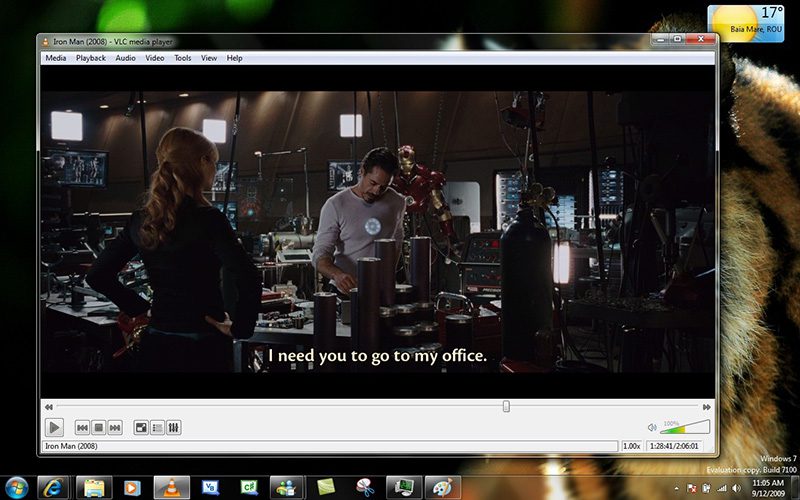
As for Blu-ray playback, however, can be a mixed experience. To play Blu-ray with VLC, I have to manually install files like KEYDB.cfg and the AACS library(need to download from a third-party website). Sounds too complicated, right? That’s not just it, I have to place files into certain folders correctly to make VLC play Blu-rays. So much effort.
While I eventually got it working, I wouldn’t say it was user-friendly. It took time and trial and error, which is definitely challenging for average computer users. What’s worse, not every Blu-ray disc played successfully after effort. This is one area where VLC clearly falls short, especially compared to players that handle encrypted discs out of the box.
Open Source and Free
No one can say no to FREE stuff, and VLC proves why. The producer of VLC announced that it will always remain free. I guess that’s the main reason it stays popular with users around the world. In 2026, when so many apps are filled with ads or “freemium” restrictions, VLC’s completely free model is valuable.
VLC being open source is also something I genuinely respect. Open-source software allows transparent code review, faster security fixes, and great community-driven improvements. Meanwhile, it ensures VLC’s long-term independence from commercial pressure and hidden data collection.
3. How VLC Performs These Days? Real Feedback
With impressive features, VLC is truly a great tool for media playback. But what about the performance these days? I have also dived into platforms like Trustpilot, Reddit, and some tech sites, just to give you a balanced look.
Complex Operations Needed
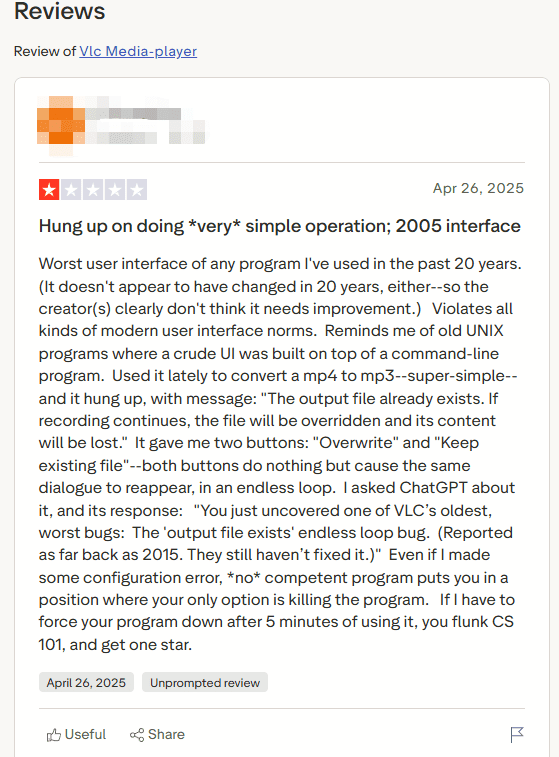
One VLC Media Player review on Trustpilot described VLC as “clunky” and “overcomplicated,” and I can see why.? VLC often assumes you already know what you are doing and places useful features behind layers of menus. Some simple tasks, like video file conversion and output settings, are too complicated compared to Windows Media Player or modern mobile apps.
Outdated User Interface
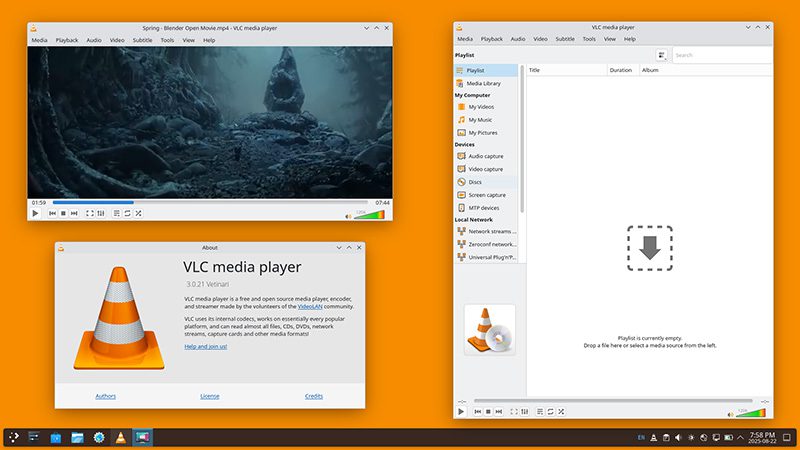
A 2026 Trustpilot review summed it up well. It says that VLC Media Player looks like software from “20 years ago,” and I 100% agree with it. In my daily experience for years, VLC’s UI has never changed. It looks like old UNIX-style programs and doesn’t align with current design standards.
Lacking Impetus to Update
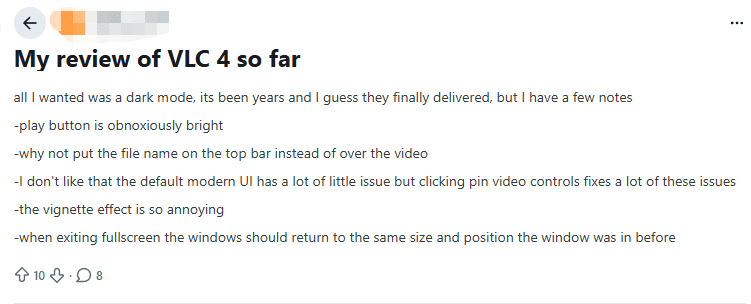
On Reddit, a VLC Media Player review of the VLC 4.0 beta pointed out a clear lack of urgency in modernizing the app and issues like bright overlays, UI glitches, etc. This also seems true from my perspective. Overall, VLC feels very stable but also very conservative. Most updates focus on bug fixes and format compatibility rather than interface or usability improvements.
4. How VLC Performs These Days? Real Feedback
Finding VLC too clunky these days? Try Leawo Blu-ray Player instead. This one does not cost anything at all. Even so, it runs smoothly on most machines. A fresh-looking layout greets you right away. No need to dig through menus just to start a disc. Most tasks feel natural once you begin. Surprisingly simple for what it handles behind the scenes.

-
A 100% free Blu-ray media player combo that offers totally free media playback solutions for 4K Blu-ray, Blu-ray, DVD, video and audio playback. It could play back 4K Blu-ray, Blu-ray and DVD discs regardless of disc protection and region restrictions, without any quality loss and subscription required.
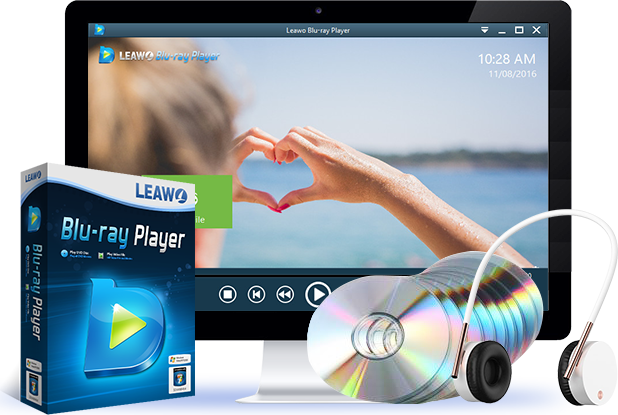
One time I gave it a go. Setup happens without any extra steps. Watching DVDs or Blu-rays just works, thanks to Leawo. Beyond that, it plays many file types – HD and 4K clips included – even protected discs, no matter the region. Whether you are on Windows or Mac, this player fits right in. If VLC has ever let you down, here is something worth trying.
Conclusion
One thing stands out about VLC: it plays nearly every file type you throw at it. Free and built on open code, it still runs without hiccups years later. Still, people keep pointing out where it falls short – and honestly, after using it for ages, I see their point. So I switched. Now I reach for Leawo Blu-ray Player instead. No cost, smooth controls, handles daily viewing without fuss. For me, that shift just made sense.
Share this post










 العربية
 繁體中文
繁體中文 Dansk
Dansk Nederlands
 Suomi
Suomi Français
 Deutsch
 Italiano
 한국어
한국어 Norsk bokmål
 Português
 Русский
 Español
 Svenska