


Summary:
You can watch movies with friends online using watch party tools, Discord streaming, or simple apps without needing complicated setup. If you want a smoother, no-lag experience, downloading movies and watching them offline together is the most reliable option.
You can watch your favorite movie with your loved ones, even if they’re not sitting next to you. You just need to know the right methods to make it happen. The process requires less effort to complete than people typically believe. Simple content requires only basic equipment without any advanced technological requirements. People need three things to watch together: a stable internet connection and appropriate streaming platform, and a system that enables them to watch the same scenes simultaneously. The article will show you the right method of how you can watch movies with friends online together without experiencing any interruptions.
MenuCLOSE
1. Watch Movies with Friends Online via Watch Party
If you want to hold a movie viewing party with friends online, using watch party tools is probably the easiest way to do this. These tools sync the movie between all participants, so you’re all starting and stopping the movie at the same time; this creates the illusion of being together while you watch. People use many different third-party services when using these tools. You will see names like Hulu Watch Together, TeleParty, Scener, TwoSeven, Metastream, and Kast. Each of these services has different features, but they all work on the same principle: create a room, invite friends into that room to watch together in real-time.
Some streaming sites offer this feature natively through the site’s interface. A good example would be Hulu Watch Party. When you use Hulu Watch Party, all you do is use the Hulu website, and you can watch your show together with your friends in the same room. To set up and use Hulu Watch Party, follow the steps below:
Step 1: Begin a new session by launching the movie or TV show on the Hulu website and using the Watch Party feature on the show’s information page to invite friends with a link.
Step 2: Then, when your friends enter the session, you can all co-watch while chatting about the shows and movies you’re watching. It has a few conditions, such as you have to use a supported browser and be 18 or older.

For mobile devices such as iOS and tvOS, Hulu offers SharePlay via FaceTime. This means you can Watch Together on a video call rather than through the browser. It is worth mentioning that not all platforms maintain this feature. For example, Amazon’s Watch Party was also available, but it has been discontinued. So to keep it simple, you now have only 2 choices: utilize built-in Watch Party functionalities such as Hulu or use 3rd party options which are cross-platform.
2. Watch Movies Together on Discord
Discord is a simple platform for watching movies with friends. In a matter of minutes, you can turn Discord into something like the movie. You can easily stream your screen and have everyone present in a single voice channel. Let’s go through all steps one by one to simplify the process.
Step 1: Add Your Browser as a Game
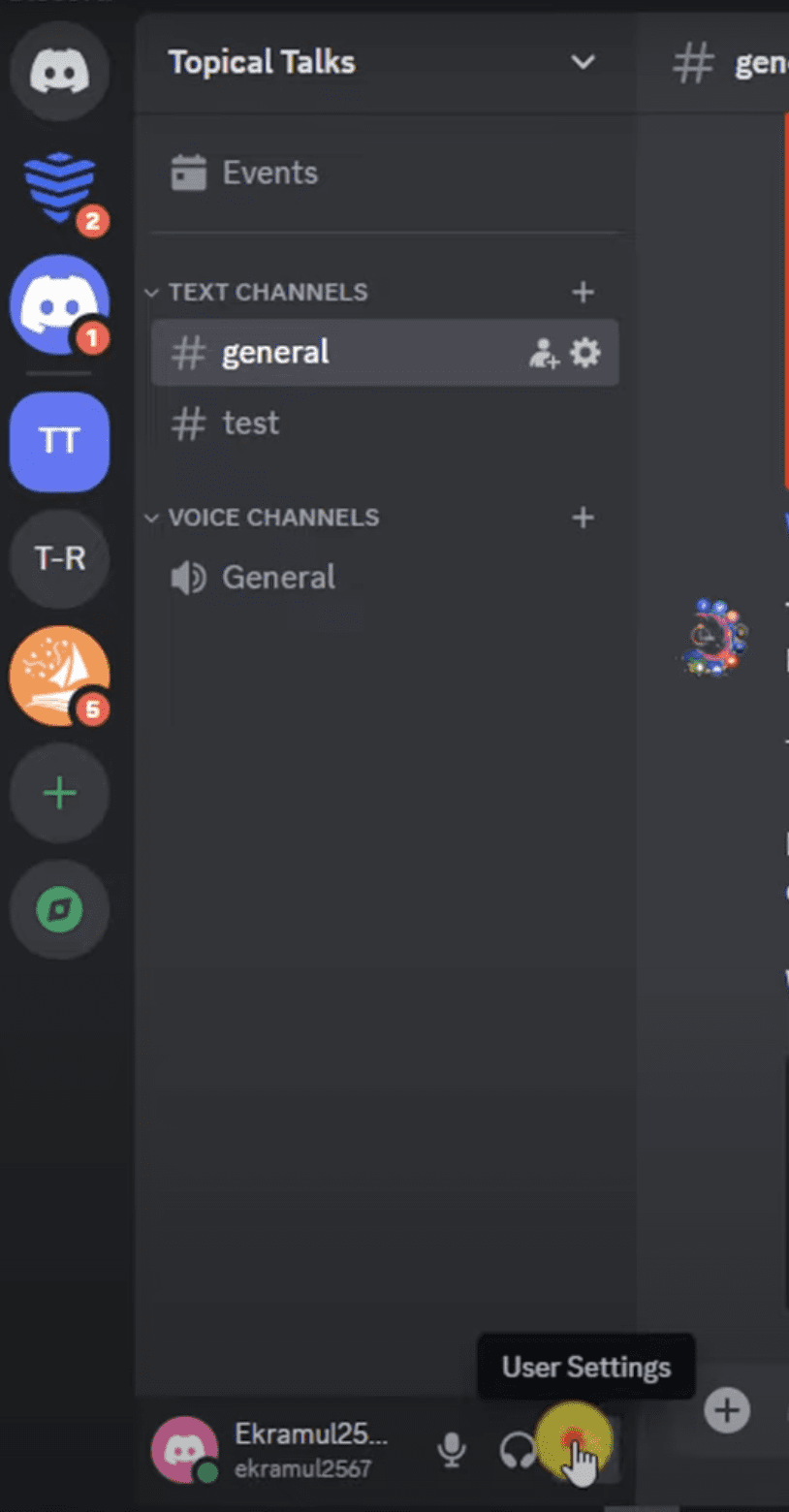
Discord needs to be configured to recognize your browser for proper streaming. Navigate to the YouTube video you intend to view. You can then log into Discord and access. The gear icon on the left side of the screen will take you to User Settings. The “Activity Settings” section contains the list of Registered Games. Click the add button next to "No seeing your game" and then choose Chrome or Firefox. In case it isn’t showing up, restart your browser and try again. Upon selection, select Add Game and then exit the settings.
Step 2: Turn Off Hardware Acceleration
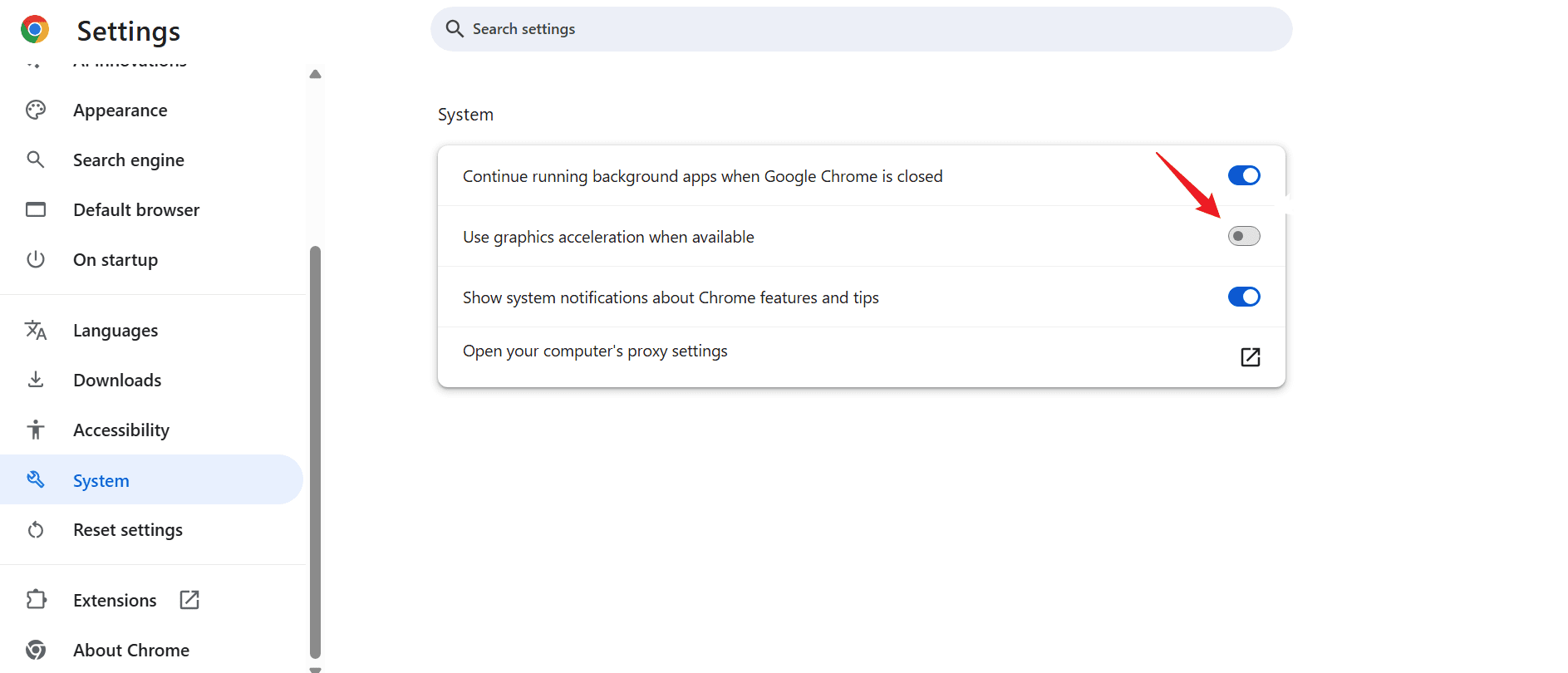
This step helps to prevent the black screen problem while streaming. Look for hardware acceleration in your browser settings. In Chrome, visit System and disable "Use hardware acceleration". Go to Performance settings in Firefox and turn off the same option. You will locate it under System and Performance in Edge. Restart your browser after turning it off for the modifications to take effect.
Step 3: Start Streaming Your Movie
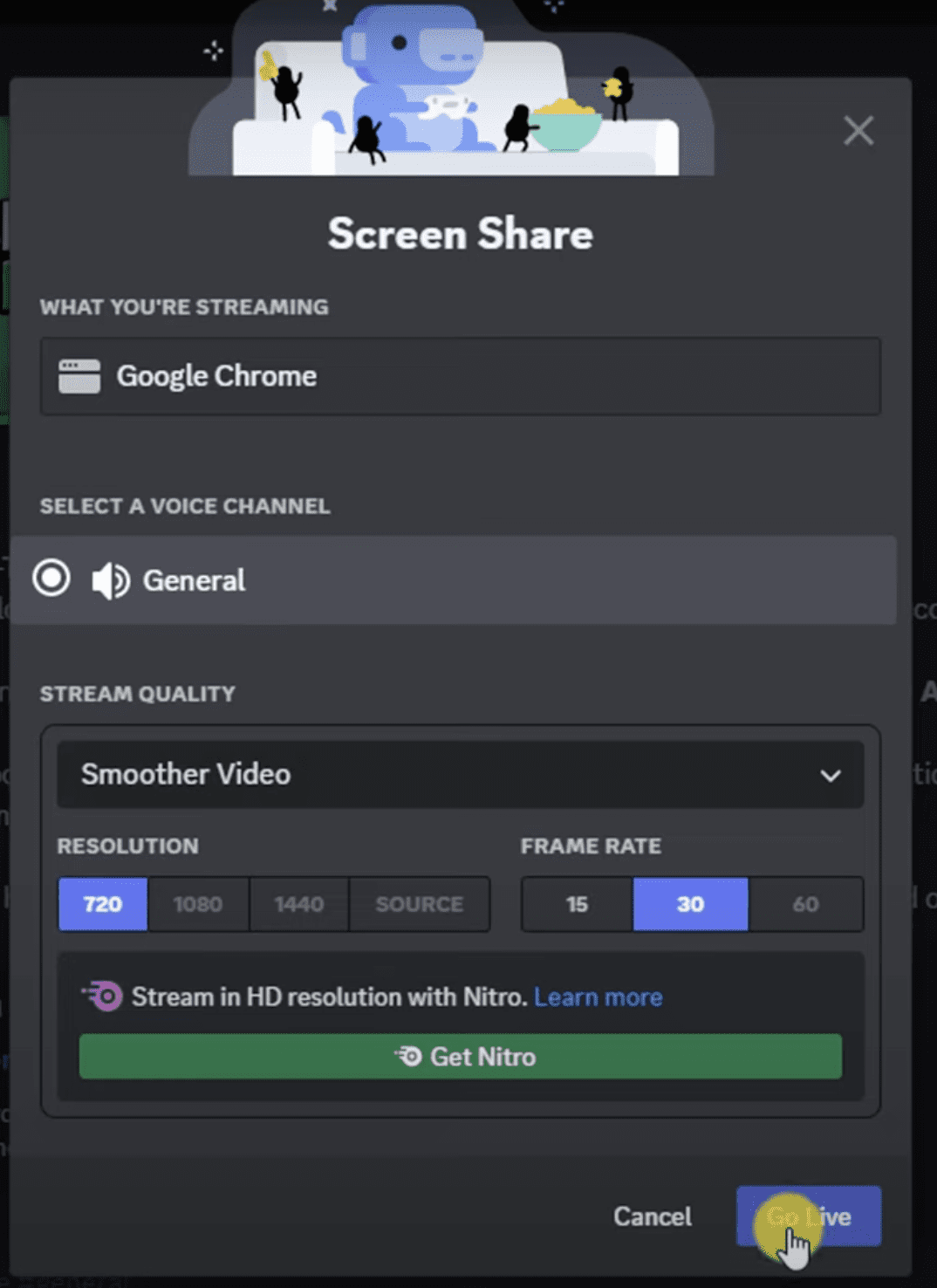
Open the movie in the same browser now and click play on the movie you want. Head back to Discord and join a voice channel (not a text channel). There should now be an option to share your screen. Choose the browser window, select your stream quality and click Go Live. By default, Discord streams at 720p and 30fps, however if you want better quality, you’ll need to purchase Discord Nitro. Once you do this, it will start streaming and everyone in the channel can watch it all together live.
Bonus: Watch Movies with Friends at Your Own Home Theater
Watching movies online with friends is fun, but it doesn’t always stay smooth. One weak internet connection or slight delay can break the whole experience. If you want something more stable, going offline is honestly the better option. You download the movie once, then play it locally on a TV, laptop, or projector while your friends are with you. No buffering, no sync issues, no interruptions in the middle of a scene.
For this, CleverGet All-In-One Video Downloader is a strong option. It’s built to download videos from 1000+ websites and save them in formats like MP4 or MKV. It also supports up to 8K resolution, so you don’t lose picture quality when switching from streaming to offline viewing.

-
An all-in-one video downloader toolkit that can save online videos including live streams and premium OTT content from over 1,000 sites at up to 8K resolution with an ad filter.
- Batch download movies, TV episodes of certain or all seasons, playlists, etc.
- Support multiple subtitle and audio tracks download selection.
- Record videos in the background at up to 5× speed and 4K resolution.
- Convert videos to MP4, MKV, MP3 or other formats.
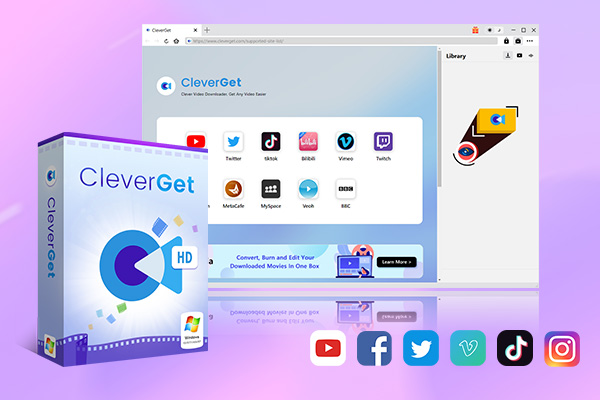
What makes it more useful is control over the viewing experience. You can keep high-definition picture quality, choose between different resolution options, and even download subtitles separately or embedded, depending on what’s available. That matters a lot if you’re watching foreign films or just want a better viewing experience with proper captions.
Conclusion
Distance doesn’t have to put an end to your movie nights. Whether you use synchronized watch party tools, stream casually via Discord, or choose the buffer-free reliability of offline downloads with CleverGet, there’s a perfect solution for every group. Just pick the method that fits your setup, invite your friends, grab some snacks, and enjoy the show together!
-
YouTube TV DVR Explained: How It Works, Limits, and Tips
-
4 Easy Methods: How to Download Reddit Videos?
-
How to Watch Movies with Friends Online Together?
-
Cyberlink PowerDVD Review: Best Paid Media Player?
-
ScreenRec Review: Real Performance Test
-
Best Ways to Watch YouTube Videos Offline Without Internet
-
How Many People Can Share a Netflix Account?
-
5 Proven Methods to Watch YouTube Without Ads
-
How Long Do Recordings Stay on YouTube TV? Full Breakdown
-
AnyBurn Review: Is This Free Burner Enough







-
Best Twitter Porn Accounts You Shouldn’t Miss
-
How to Download Pornhub Videos? Ways to Download from Pornhub
-
Top 5 OnlyFans Viewer Tools to View OnlyFans Content for Free
-
Full Review of Savethevideo: Is Savethevideo Safe & How to Use it?
-
How to Download MissAV Porn Videos in HD for Offline Viewing?
-
Netflix Download Limit: What it is & How to Avoid
-
Full Guide to YouTube Members Only Videos: Watch, Download
-
How to Import Bookmarks from Safari to Chrome
-
How to Download Videos from Fansly with Fansly Downloader
-
4 Methods to Burn ISO Files to Blu-ray Discs Easily













 العربية
 繁體中文
繁體中文 Dansk
Dansk Nederlands
 Suomi
Suomi Français
 Deutsch
 Italiano
 한국어
한국어 Norsk bokmål
 Português
 Русский
 Español
 Svenska