


What This Guide Covers
- If you download online videos frequently, you might have heard of StreamFab. What is StreamFab? Is StreamFab the best streaming video downloader? This StreamFab review will provide an overall review to StreamFab including features, performance, drawbacks, etc. Also, you could find the the best alternative to StreamFab.
What is StreamFab? Is StreamFab safe to use? If you are looking for a complete review of StreamFab to help you create your offline movie library, you have come to the right place. This post will guide you through a detailed StreamFab review to show you the core features, advantages and disadvantages, real testing and using experience of StreamFab, as well as recommended StreamFab alternative.
Quick AccessCLOSE
What Is StreamFab? A Quick Overview
StreamFab, a sub-brand from DVDFab, is a combination of online video streaming tool and streaming video downloader to help you directly stream online videos like a browser and download streaming videos directly from various streaming services for unlimited offline watching. It’s not a screen recorder that saves online videos via recording. It directly detects, scans and downloads streaming contents, to save as standalone MP4/MKV files at high quality.
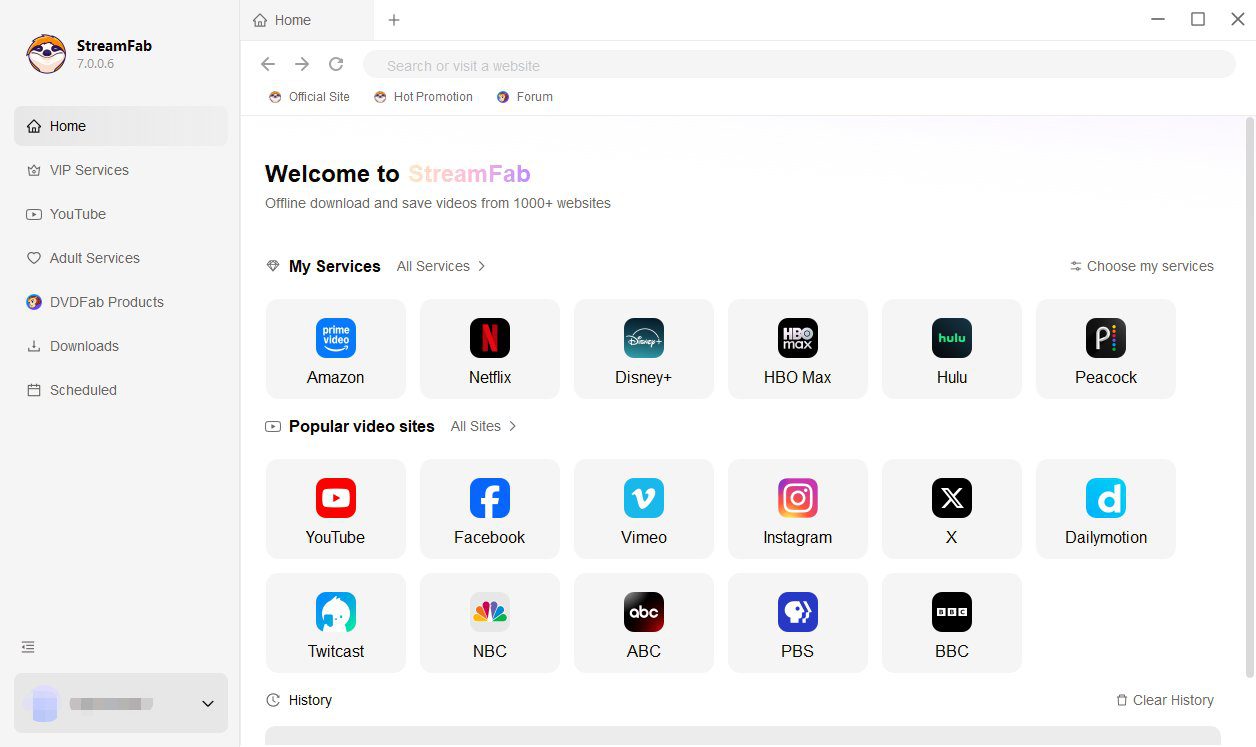
StreamFab offers versatile streaming video download solution to let you get online streaming videos offline, for watching during travel, archiving for personal library, or creating your own digital library of your favorite movies and shows. It is effective, straightforward and user friendly. However, whatever your purpose is, StreamFab should be used in compliance with your local law upon copyright protection and terms of platform service.
Core Features of StreamFab Explained
StreamFab actually gets high fame and popularity worldwide with its outstanding features and performance. To help you easily learn what StreamFab could achieve, here we have collected multiple core features of StreamFab, as listed below:
- Wide support of streaming services: Support to download videos from 1000+ streaming services, including the mainstream services in the US like YouTube, Amazon, Netflix, Disney+, Hulu, Apple TV, OnlyFans, etc., as well as many major streaming services in other countries like DMM, FANZA, MyFans, ABEMA, Joyn, Canal+, etc. Currently in the market, few streaming video downloader tools could achieve this.
- High-quality video download: StreamFab could download online videos at HD quality, including 720P, 1080P and even 2160P (4K). It could even download videos at 8K resolution from certain streaming service.
- Batch download feature: StreamFab could detect, scan and download an entire TV season, all TV seasons, or even selected TV show episodes in batch.
- Subtitle and audio track selection: All available subtitles and audio tracks could be automatically detected, and then be chosen by user for downloading. StreamFab could save subtitles as independent SRT/SUP files or pack subtitles into video downloads as internal subtitle.
- Download video to MP4/MKV: StreamFab allows users to download and save online videos as MP4/MKV files, which could then be played back on nearly all media players and devices.
- Ad-free download: Automatically detect and remove all available ads during video download process.
Of course, besides these core features, StreamFab also comes with other important features like the built-in browser, direct login/playback/download, etc.
Real-World Performance & Issues You Should Know
While the official StreamFab descriptions might lie, the actual download performance won’t. It’s not complicated to use StreamFab to see its real performance.
How to Use StreamFab?
No matter you want to download one single movie or multiple TV show episodes, StreamFab makes it easy and simple. Make use of the internal browser and then download your desired video in clicks.
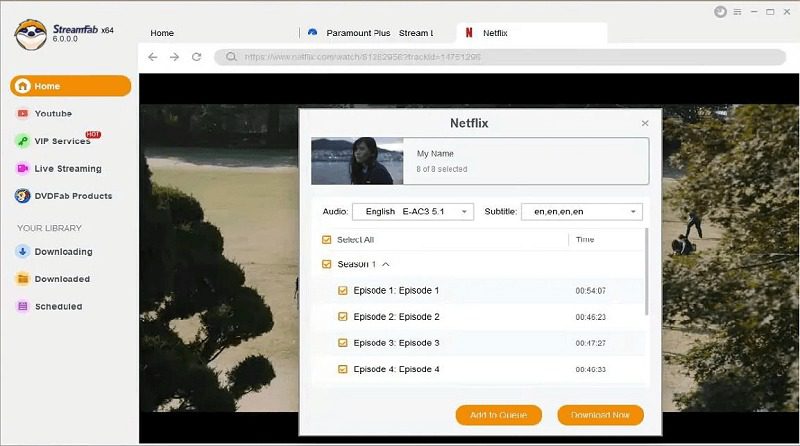
The below steps would show you how simple and straightforward to use StreamFab for video downloading:
Step 1. Download, install and kick off StreamFab on your computer.
Step 2. Set the download settings in the “Settings” panel, which is available by clicking the menu button at the top-right corner.
Step 3. Open the “VIP Services” tab and then click the streaming service you want to download video from.
Step 4. Log in if needed, and then play back the target video.
Step 5. StreamFab will automatically analyze target video page.
Step 6. Choose the download options on the analysis result window.
Step 7. Finally, click the “Download Now” button to start downloading online videos.
Testing & User Experience Walkthrough
After using and testing StreamFab, as well as collecting user reviews from professional review sites and forums, you could get a brief walkthrough about StreamFab. There are quite a few outstanding features that deliver superb video download performance, including:
Benefits:
- Fast, stable and high-quality download.
- User friendly interface via the internal browser.
- Straightforward, simple and effective program UI for easier access.
- Efficient batch download and no influence upon on-going tasks.
- Bypass of DRM protections and download on-demand videos without blackscreen.
However, there are also multiple negative feedback from users, who have used StreamFab and come across multiple issues, including:
Drawbacks:
- Pricy subscription plans: The overall cost of StreamFab is $299.99, which is much beyond users’ paying capacity and willingness.
- Instable and slow video analyzing: Sometimes take a very long time to analyze video pages or even get stuck trying to detect downloadable streams.
- Occasional bugs and crashes: Program occasionally crashes, freezes, and becomes instable in certain versions. Even frequent updates don’t fix these errors and bugs.
- Wider support of streaming services required: Though claiming to support 1000+ streaming services, StreamFab is still far from enough to meet all users’ needs, especially some Chinese streaming services, according feedback on Videohelp.com.
- Mixed customer support experiences: Slow or unhelpful customer support, especially on the refund requests or some complex issues, have been reported.
Best StreamFab Alternative for Videos Downloading: CleverGet
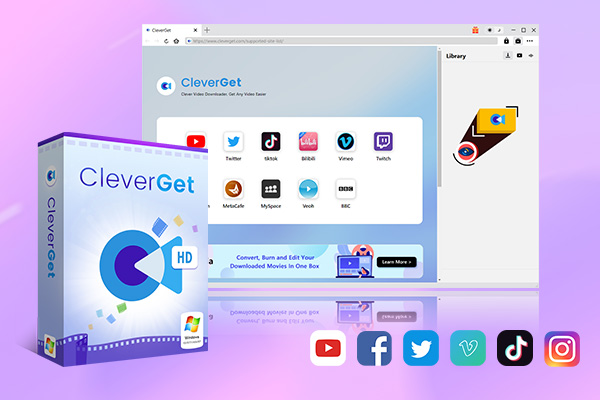
There are quite a few alternatives to StreamFab, which could help customers achieve what StreamFab could do but avoid the shortages of StreamFab. Among these StreamFab alternatives, CleverGet All-in-One is without the best. As a comprehensive streaming video converter, CleverGet is an all-inclusive streaming video saver that currently includes 60+ modules into one toolkit to help download online videos from 1000+ streaming services like YouTube, Facebook, Amazon, Netflix, Disney+, etc. for unlimited ad-free offline watching. It could do all things StreamFab could do, and even offers extra feature that is not available within StreamFab.
How to Use CleverGet
Similar to StreamFab, CleverGet employs a built-in browser to let you directly log into streaming service, download video in simple clicks. The different thing is CleverGet allows you to search, browse and play back video on target streaming service, like a normal browser. The download is simple and easy:
Step 1. Download, install and kick off CleverGet on your computer.
Step 2. Click the “More” button at the top-right corner and then choose “Settings” to specify download settings.
Step 3. Open the target streaming service within CleverGet, log in, search/browse and play back target video.
Step 4. Click to analyze target video, and then choose download options (episode, output, subtitle and audio track).
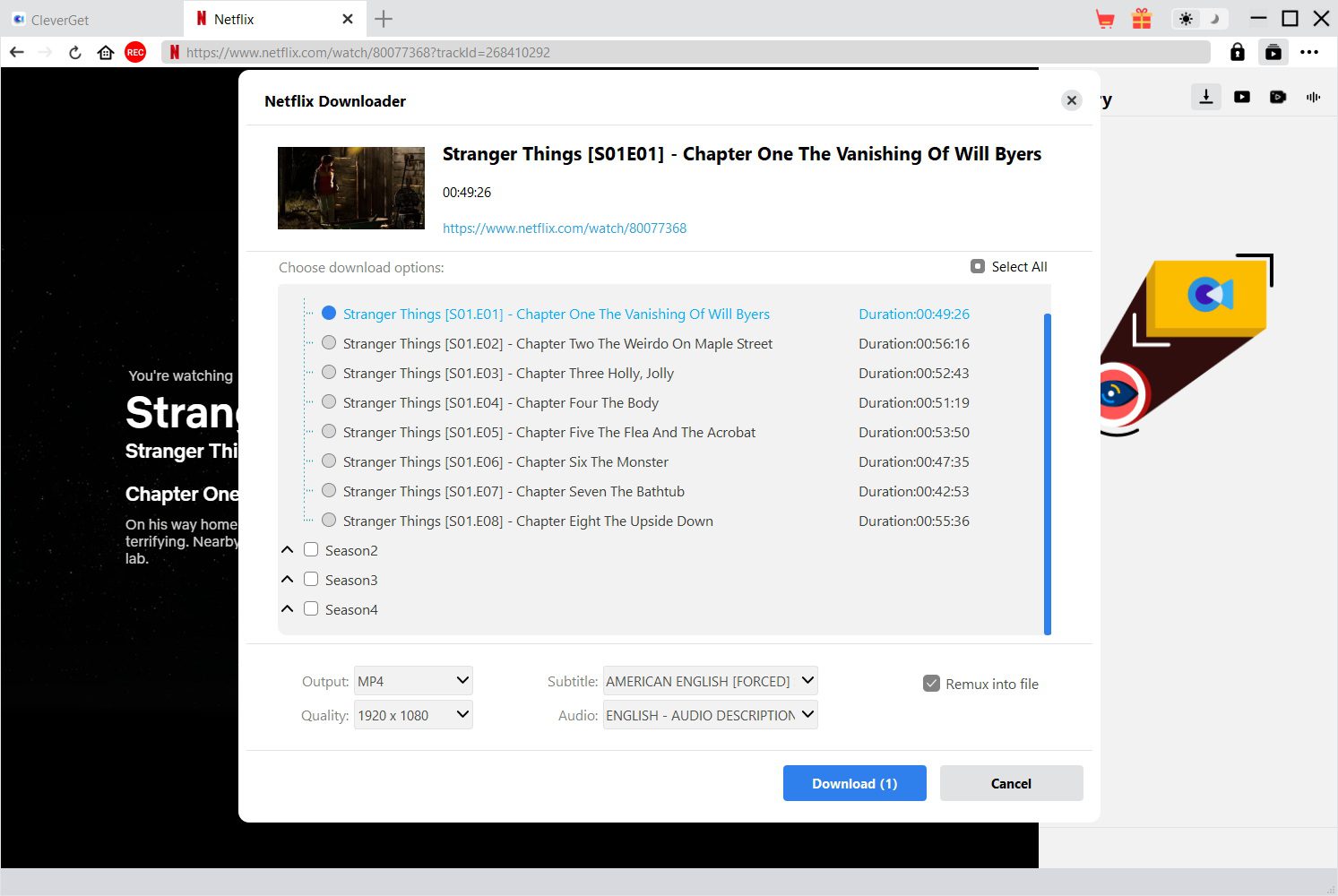
Step 5. Click the “Download” button to start downloading online videos.
Then you only need to wait for the download to complete. Once the download completes, you get standalone and ad-free MP4/MKV files for unlimited offline playback.
StreamFab vs. CleverGet: Features That Matter
The below comparison table will show you the key differences between StreamFab vs. CleverGet.
| Features | StreamFab | CleverGet |
| Supported websites | About 60 main OTT streaming services and 1000+ video sharing sites | 60+ main OTT streaming services and 1000+ video sharing sites |
| Highest video quality for downloading | Up to 8K | Up to 8K |
| Highest audio quality for downloading | 320 kbps | 320 kbps |
| Supported output formats | MP4, MKV | MP4, MKV, MP3, WEBM, 3GP, M4A |
| Batch download video | Yes | Yes |
| Record online video | No | Yes |
| Free trial | Registration required | Yes, no registration required. |
| Subtitle and audio track download | Yes | Yes |
| Download stability | Medium | High |
| Download speed | Medium, and occasionally interrupted | High and smooth |
| Total video download quantity | limited downloads allowed per week. | No limit. |
| Cost | $299.99 | $259.95 |
Compared to StreamFab, the most advantageous feature of CleverGet is that it contains a Streaming Video Recorder module, which could help you save videos via recording once the target video couldn’t be directly downloaded. The internal Streaming Video Recorder enables you to use CleverGet to get online videos from nearly all sites.
FAQs
1. Is StreamFab safe to use?
Yes, StreamFab as a desktop is safe and secure to use. By far there has no malware or virus report on installing it. And it collects no personal information during using. However, remember to download and install StreamFab from the official website.
2. Is StreamFab legal to use?
As a video downloader tool, it highly depends on how you use StreamFab as to the legality. Using StreamFab to download online videos for personal purpose should be not illegal. Business or profit purpose is not encouraged.
3. Is there any StreamFab crack? Is StreamFab crack safe?
There are multiple cracked versions of StreamFab online. However, StreamFab cracks are not guaranteed for its safety.
4. Is there any video download limit of StreamFab?
Yes, for different streaming services and modules, StreamFab applies different video download quantity per week.
Conclusion
StreamFab is a useful tool to download online videos for personal use. It’s highly recommended for its powerful features, high-quality and batch download, stable and smooth performance. However, there are also quite a few limitations in total video download quantity and after-download options. What’s more, though StreamFab offers a wide range of user-friendly functions, both the all-in-one package and its independent modules are expensive. If you can’t afford the high price, you might get cost-effective alternatives, such as CleverGet, which offers similar features but costs less.
-

TunePat VideoGo All-In-One Review: Really of Great Value?
-
YouTube TV DVR Explained: How It Works, Limits, and Tips
-
4 Easy Methods: How to Download Reddit Videos?
-
How to Watch Movies with Friends Online Together?
-
Cyberlink PowerDVD Review: Best Paid Media Player?
-
ScreenRec Review: Real Performance Test
-
Best Ways to Watch YouTube Videos Offline Without Internet
-
How Many People Can Share a Netflix Account?
-
5 Proven Methods to Watch YouTube Without Ads
-
How Long Do Recordings Stay on YouTube TV? Full Breakdown








-
Best Twitter Porn Accounts You Shouldn’t Miss
-
How to Download Pornhub Videos? Ways to Download from Pornhub
-
Top 5 OnlyFans Viewer Tools to View OnlyFans Content for Free
-
Full Review of Savethevideo: Is Savethevideo Safe & How to Use it?
-
How to Download MissAV Porn Videos in HD for Offline Viewing?
-
Netflix Download Limit: What it is & How to Avoid
-
Full Guide to YouTube Members Only Videos: Watch, Download
-
How to Import Bookmarks from Safari to Chrome
-
How to Download Videos from Fansly with Fansly Downloader
-
4 Methods to Burn ISO Files to Blu-ray Discs Easily













 العربية
 繁體中文
繁體中文 Dansk
Dansk Nederlands
 Suomi
Suomi Français
 Deutsch
 Italiano
 한국어
한국어 Norsk bokmål
 Português
 Русский
 Español
 Svenska