Kigo Video Downloader Review: Features, Performance & More

Summary: In this article, we will do a complete Kigo Video Downloader review covering features, performance, safety tips, and the best alternatives. Compare the best alternatives before choosing!
The search for a reliable video downloader is the most difficult task to accomplish. Almost all tools come with different issues, like slow download speeds, lower video quality, and not all downloaders adapt quickly enough to DRM protocol updates. Kigo Video Downloader is one of the video downloaders that is popular because it allows users to download streaming content from websites like Netflix, Disney+, and Amazon Prime Video.
But is Kigo actually good in 2026? In this Kigo Video Downloader review, we’ll look at its features, download quality, speed, safety, pricing, and overall experience. Let’s begin.
1. What Is Kigo Video Downloader?
Kigo Video Downloader is a desktop application that allows users to download movies or television episodes from streaming services in offline mode. Kigo Video Downloader can be used with a wide variety of streaming services, including Netflix, Disney+, Amazon Prime Video, and Hulu. The tool tries to make it as easy as possible to download videos in the highest quality possible for the user.

Downloaded videos will typically be in 1080p with the option to download audio in more advanced formats such as Dolby Atmos and 5.1 surround sound (if the video supports that format). Also, you can use the batch download feature and can use GPU acceleration, which helps users with speed when downloading multiple episodes or full seasons of a show.
Also, it has an extremely user-friendly interface. Kigo also supports newer codecs like H.265, which help reduce file size while keeping video quality high. That can be useful if you download a lot of HD videos and want to save storage space.
2. Kigo Video Downloader Features Preview
Kigo Video Downloader basically works to make streaming downloads easy and simple for any user. Although it’s not the best downloader, it has all the features that are practical enough for people who simply want to download videos in offline mode reliably.

HD Video Downloads
Kigo supports a maximum resolution of 1080p to download videos from supported services. This quality is very reliable for downloading and viewing your favorites on a laptop, TV, and phone in good quality.
High-Quality Audio Support
The program supports high-quality audio formats, including Dolby Atmos, EAC3, and AC3 5.1, depending upon available content. With this feature you can get a better sound quality when downloading videos to watch offline.
Fast Download Speed
Also, the tool has GPU acceleration and batch downloading support. Both of these features means you can download faster than other regular downloading tools. You will get better speed when you will download more than one episode at once.
H.265 Video Codec Support
The tool also supports new codecs such as H.265. This feature will help reduce file size while keeping video quality relatively crisp. It’s a really nice deal for those who love to download but don’t have enough storage space.
Built-in Streaming Integration
Another best thing about this tool is its beginner-friendly built-in streaming interface. You can browse supported streaming services directly inside the software and there is no need to constantly copy and paste video links manually.
User-Friendly Interface
Kigo also has a user interface that is relatively clean and easy to navigate. This feature of Kigo makes it a good option, even for those with very little technical knowledge.
3. Real-World Performance Tests
Kigo Video Downloader is fairly reliable for personal use. As a user, you can download movies and TV shows with minimal trouble overall. Also, most of the time the tool is very easy to use, and downloading of content will be a smooth process.
However, some users have reported that they have experienced issues with logging into their Kigo account. I read almost all reviews on Trustpilot, overall it has a 4.5 rating, many reviews are positive. However, you will see reviews about slower download speeds, lower download quality and other temporary issues associated with Kigo after streaming services upgrade their DRM protection. This is not uncommon for this type of application. Most of online downloaders face trouble in keeping in its DRM protection upgrading as giant streaming platforms do not allow complete offline control of content.

4. Pros & Cons of Kigo Video Downloader
Like most streaming downloaders, Kigo Video Downloader has some genuinely useful strengths, but there are also a few limitations. We will look at its pros and cons in detail below.
- User-friendly and simple user interface
- Ability to download from many different streaming services
- Videos can be downloaded in 1080p or higher
- Compatible with Dolby Atmos and 5.1 surround in some instances
- The ability to batch download saves time
- The ability to use H.265 allows large file sizes to be reduced efficiently
- Built-in browser for streaming services makes it easier to locate content
- Limitations in the free version: download 3 full videos free
- There are limited controls for customization
- Only some titles are guaranteed to download in their highest quality
- Some users believe that the pricing could be considered high
- The ability to download at full speed may be limited based on platform restrictions
- The only two supported operating systems are Windows and Mac
5. Best Alternative to Kigo Video Downloader
While Kigo Video Downloader works reasonably well for basic streaming downloads, it can feel limited if you regularly download content from multiple platforms or want more flexibility in terms of supported websites, free trial access, and recording features. That’s where CleverGet All-In-One stands out as a stronger all-around alternative.
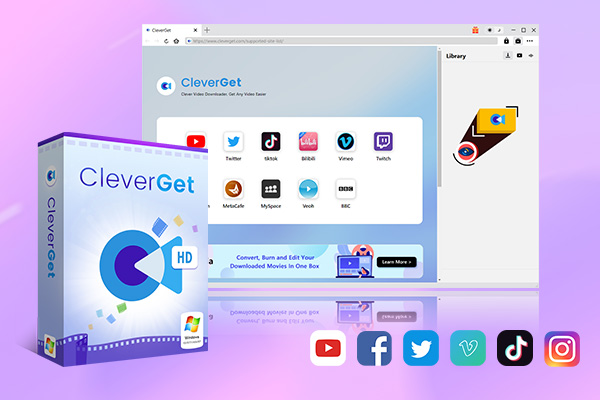
- Batch download movies, TV episodes of certain or all seasons, playlists, etc.
- Support multiple subtitle and audio tracks download selection.
- Record videos in the background at up to 5× speed and 4K resolution.
- Convert videos to MP4, MKV, MP3 or other formats.
One thing that stands out about CleverGet is the number of supported services that users can use to download from. In addition to the major streaming services such as Netflix, Disney+, Hulu, and Amazon Prime, you can also download from sites like TikTok, Facebook, YouTube, etc. If you download from multiple sources on a regular basis, the increased compatibility of CleverGet will be very beneficial to you. Below, we will share the main differences between the two tools.
| Features | Kigo Video Downloader | CleverGet All-In-One |
|---|---|---|
Supported Streaming Platforms |
Around 7 major platforms |
61+ streaming platforms |
Website Support |
Limited |
1000+ websites |
Max Download Quality |
Up to 1080p |
Up to 8K |
Live Stream Support |
Limited |
 |
Batch Downloads |
|
|
Built-in Browser |
|
|
DRM Video Downloads |
Supported |
Supported |
Video Recording Feature |
 |
|
Free Trial Limitation |
Only the first 5 minutes are downloadable |
Download 3 full videos free |
Output Formats |
MP4/MKV |
MP4/MKV |
System Support |
Windows & Mac |
Windows & Mac |
Best For |
Casual streaming downloads |
Heavy streaming & multi-platform downloading |
Part 6. FAQs
-
Is Kigo Video Downloader Safe to Use?
Yes, Kigo Video Downloader is safe. Just remember to download the software from its official website. However, unofficial cracked versions shared on third-party websites can be risky so avoid them.
Why are some downloads limited to 720p?
This usually happens because of streaming platform restrictions or DRM limitations. Many files from streaming services you can only download in lower resolutions depending on the user’s subscription plan, device compatibility, or regional limitations.
Why does Kigo fail to analyze some videos?
Streaming platforms regularly update their security and DRM systems. And this update can temporarily break video analysis or downloading functions. Also sometimes the issue could be around login issues, outdated software versions, or unsupported content etc.
Does Kigo work on Mac?
Yes, Kigo Video Downloader provides both Windows and Mac versions.
Share this post













 العربية
 繁體中文
繁體中文 Dansk
Dansk Nederlands
 Suomi
Suomi Français
 Deutsch
 Italiano
 한국어
한국어 Norsk bokmål
 Português
 Русский
 Español
 Svenska