What Are HBO Max Download Limits? The Truth About Offline Viewing

Summary: This article breaks down the limits of HBO Max’s official offline viewing feature, shares practical optimization tips, and introduces two feasible ways to bypass the limits, helping viewers get rid of many of the inconveniences of offline viewing.
What Are the HBO Max Download Limits?
Based on my personal experience, HBO Max offline download feature has very strict restrictions, covering almost every aspect of use. Here are the specific limitations of HBO Max offline download:
1. Subscription Restrictions
Only those who subscribe to the ad-free subscription or the premium ultimate subscription can unlock the offline download function. If you choose the basic subscription with ads, you will lose the offline download privileges.
2. Download Limits
A regular ad-free account can only save 30 offline content items, while the premium subscription increases this to 100. HBO Max also separately limits the number of movies and TV series that can be downloaded. Many popular TV series can only have a maximum of 25 episodes per season available for download, and some films have their download access closed due to copyright issues.
3. Device Restrictions
Official offline download functionality is only available for mobile devices. Therefore, my daily work computer cannot cache videos through official channels. Additionally, a single account can only be linked to a maximum of five devices. Therefore, after I switched phones and tablets to log in to my account, the new devices frequently and unexpectedly occupied my account slots, triggering the device limit early.
4. Validity Period Restrictions
The HBO Max content I downloaded was only saved for thirty days when not in use. Furthermore, once I opened it to watch, I had to finish it within forty-eight hours. Otherwise, it would automatically expire.
How to Make the Most of HBO Max Offline Viewing?
To improve my viewing experience within HBO Max’s official rules, I’ve discovered a few useful tips:
- First, promptly clear out unused content to free up download credits. I regularly check my download list, delete watched content, and remove expired downloads to prevent invalid content from consuming my credits.
- Second, plan download times according to your needs to avoid premature expiration. I only download shows on HBO Max before traveling or when disconnected from the internet, minimizing the hassle of expired offline downloads.
- Third, regularly sync account data and fix device credit issues. I periodically log out of my HBO Max account on all devices and then re-authorize the login.
- Fourth, choose a suitable plan based on your viewing needs. If you only occasionally watch offline shows, the standard ad-free plan is sufficient. If you frequently use the offline feature and log in to multiple devices, upgrading to a higher-tier plan will be more convenient.
Can You Get Around HBO Max Download Limits?
If you can’t tolerate HBO Max’s download restrictions and want to permanently save your HBO Max content, you can try these two established third-party methods. They can effectively get around HBO Max download limits.
1. Use CleverGet Max Downloader
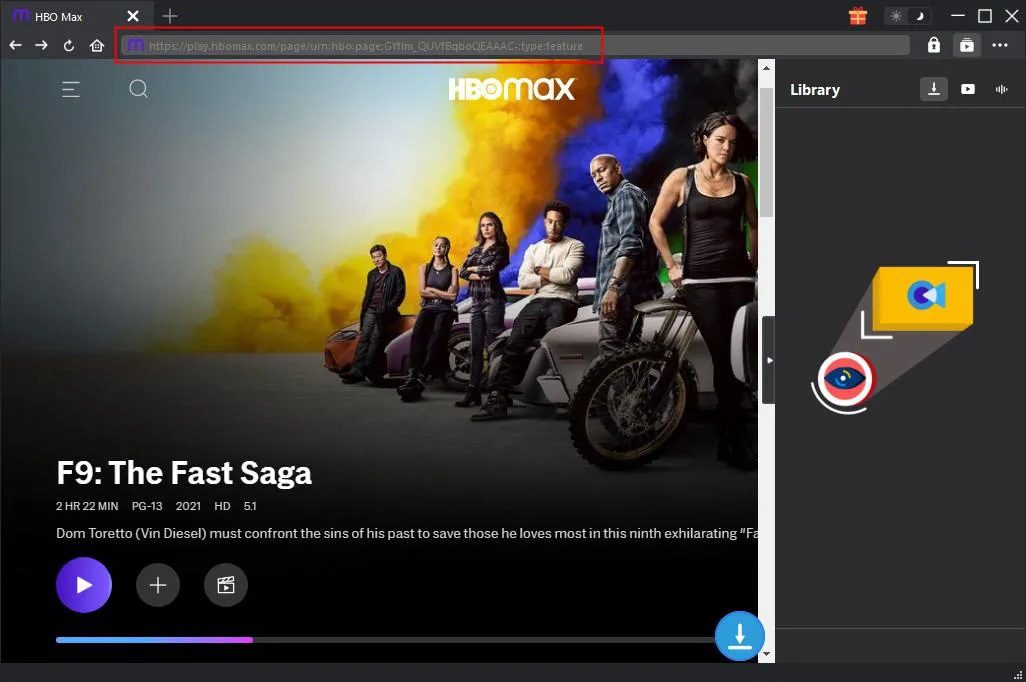
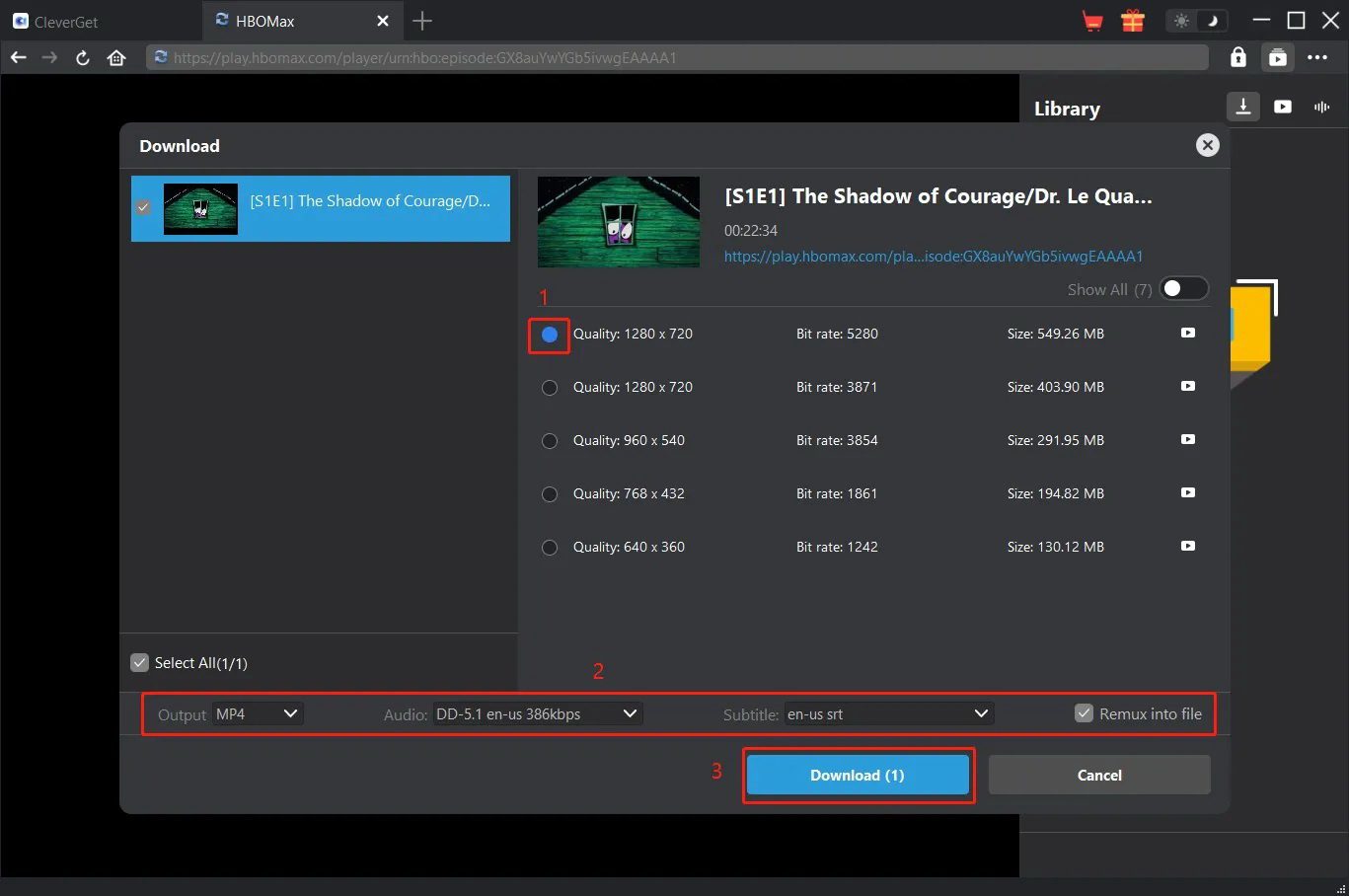
Of the many HBO Max downloaders I’ve tested, Cleverget Max Downloader is the most compatible and easiest to use. This software is specifically designed for HBO Max, overcoming platform and device limitations, download quantity restrictions, and time limits. Cleverget Max Downloader supports downloading HBO Max HD videos on a computer. More importantly, videos downloaded by Cleverget Max Downloader are primarily in MP4 or MKV format. Therefore, they can be permanently saved and freely played by users. Below are the specific steps for downloading videos on HBO Max by using Cleverget Max Downloader:
- Breaks HBO Max download limitations.
- Output videos are in MP4 and MKV formats, compatible with various devices.
- Output videos can be permanently saved.
- Supports 1080p HD quality, retaining multilingual subtitles and audio tracks.
- Features batch download capabilities for more efficient viewing and bookmarking.
- Requires a paid subscription.
- Requires a valid HBO Max subscription account to use.
- Some niche film and television resources may experience parsing failures.
2. Use Screen Recording
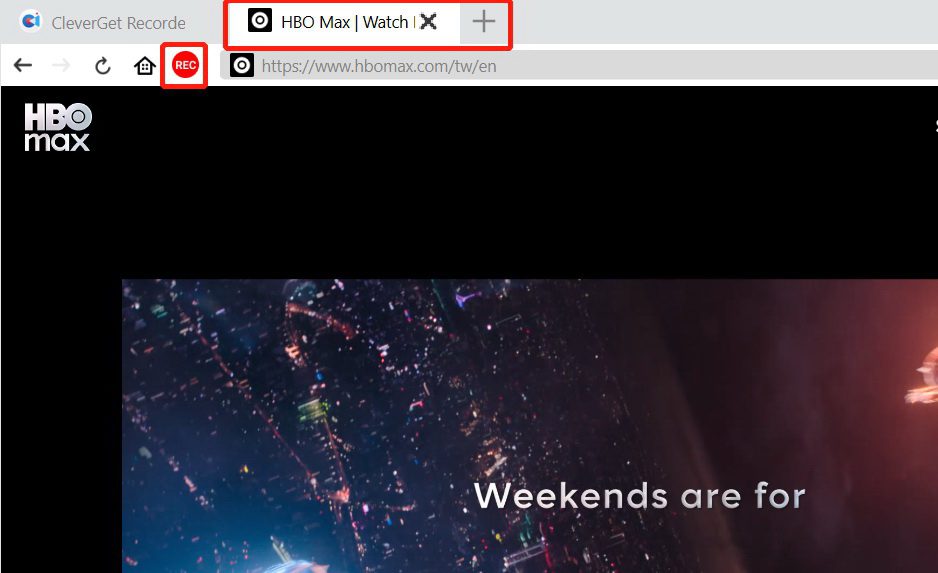
CleverGet Recorder is a versatile and professional high-definition screen recording tool specifically designed for recording DRM-encrypted video content that cannot be directly downloaded. Compared to dedicated downloaders, CleverGet Recorder has a wider range of compatibility and is not restricted by video copyrights. More importantly, CleverGet Recorder has a lower learning curve, making it my preferred choice for supplementing the recording of scarce video resources. Below are the specific steps for recording HBO Max videos using CleverGet Recorder:
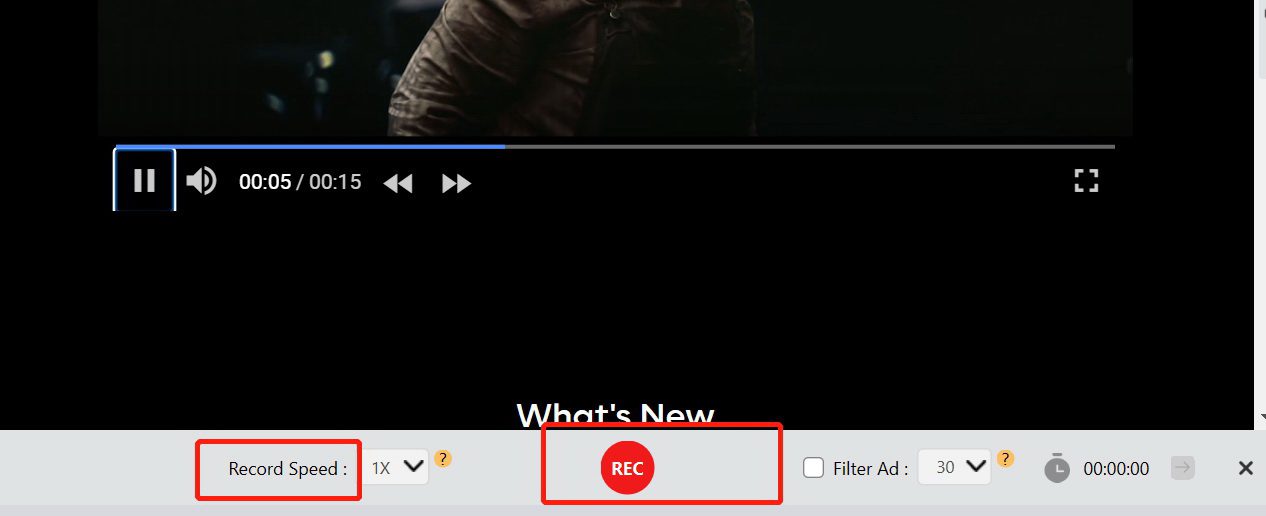
- Core recording functions are free to use.
- Output videos are watermark-free.
- Pure recording mode bypasses platform risk control.
- No account ban risk.
- Can record DRM-encrypted videos, not subject to content copyright download restrictions.
- Requires real-time, complete playback of the video for recording, which is time-consuming.
- Batch recording of multiple episodes is inefficient.
- High-definition recording requires specific computer hardware specifications.
- Low-spec devices are prone to stuttering and audio-visual desynchronization issues.
Conclusion
HBO Max imposes various download restrictions, essentially to balance copyright protection and user experience. However, for users who need to watch movies offline for extended periods or want to permanently collect HBO Max content, relying solely on the official offline download function is far from sufficient. Cleverget Max Downloader is efficient and convenient, suitable for batch downloads; Cleverget Recorder is free and secure, suitable for content recording and infrequent use. Both methods have their advantages and disadvantages, and you can choose flexibly based on your device and viewing needs. Finally, it’s important to note that all third-party tools are only for personal offline viewing and should not be used for content distribution or commercial purposes.
Share this post










 العربية
 繁體中文
繁體中文 Dansk
Dansk Nederlands
 Suomi
Suomi Français
 Deutsch
 Italiano
 한국어
한국어 Norsk bokmål
 Português
 Русский
 Español
 Svenska