


Summary:
StreamRecorder makes saving live streams easy, but limits free users to cloud-only storage, with downloads requiring payment. Alternatives like CleverGet recorder offer faster, higher-quality recording with full offline access and more control.
If you’ve been looking for a tool to download or record streaming videos, you might have come across Streamrecorder. At first glance, it promises a lot of easy downloads, fast performance, and support for multiple platforms. But once you start using it, reality doesn’t always match the hype. Bugs, limited features, and sometimes hidden costs can turn what should be a simple task into a frustrating experience.
In this Streamrecorder review, we’ll take a close look at what Streamrecorder really offers, what it struggles with, and why there are better alternatives out there that won’t waste your time or money. No fluff, just the facts so you can make a smart choice.
OutlineCLOSE
1. What is Streamrecorder and Is It Safe to Use?
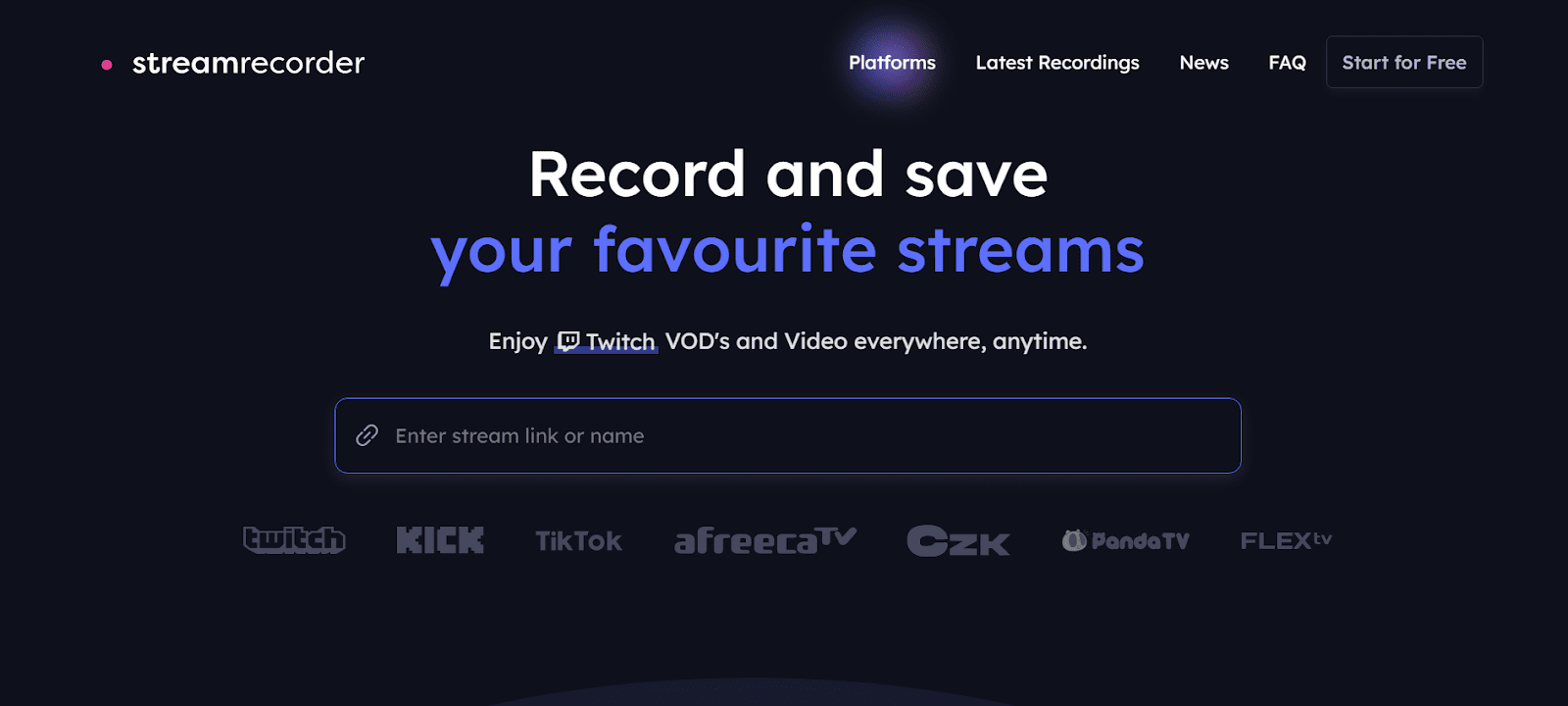
Streamrecorder is an application that allows you to record, save streams from sites like Twitch, Kick, TikTok, AfreecaTV, Pandalive, or Flextv. It allows you to record live broadcasts, VODs, and clips and store them safely online, where you can watch them later without the fear of losing your records. Streams are also automatically saved in the platform, and it is easy to create your own library of favorite content.
Although Streamrecorder advertises itself as a simple and free solution, there the safety and reliability concerns to consider. On the good side, it keeps your recordings safe in its servers and does not charge you for basic access. However, downloading or recording streams via third-party tools may be risky, potentially due to privacy violations, possible malware, or the prohibition of an account, based on the terms of service of the platform. If you need a stress-free experience, consider these factors and explore alternatives that could prove to be a safer or more secure setup.
2. How to Use Streamrecorder to Record Live from Twitch/Kick?
Live streaming on Twitch or Kick can be a complicated task when you attempt to do it manually. StreamRecorder.io makes the process easier, as it takes care of the recording, and you can focus on watching your favorite streamers without missing anything. The following are some of the simple steps that you can follow to set it up.
Step 1: Register on StreamRecorder.io with Google or a new email. Enter a username and a password.
Step 2: Select a free plan (up to 720p, 3 streamers) or a premium plan (greater resolution, additional streamers, more storage).
Step 3: Type in the name or the link of the streamers you wish to record and press Start Recording.
Step 4: StreamRecorder.io records the streams automatically; thus, you do not have to watch or operate your computer during the process.
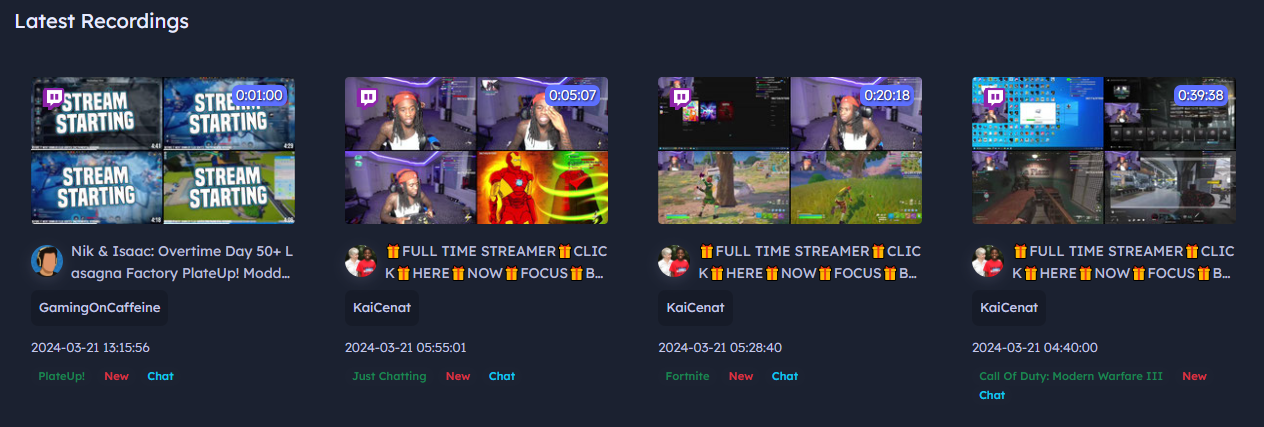
Step 5: Log in and go to the “Recordings” section to watch your saved streams anytime using the built-in player.
3. Is Streamrecorder Free as It Claims? Real Feedback
If you download a live stream using StreamRecorder, you will immediately see something annoying: instead of saving the video on your device, the platform will redirect you to a payment page. You can see this in the image below.
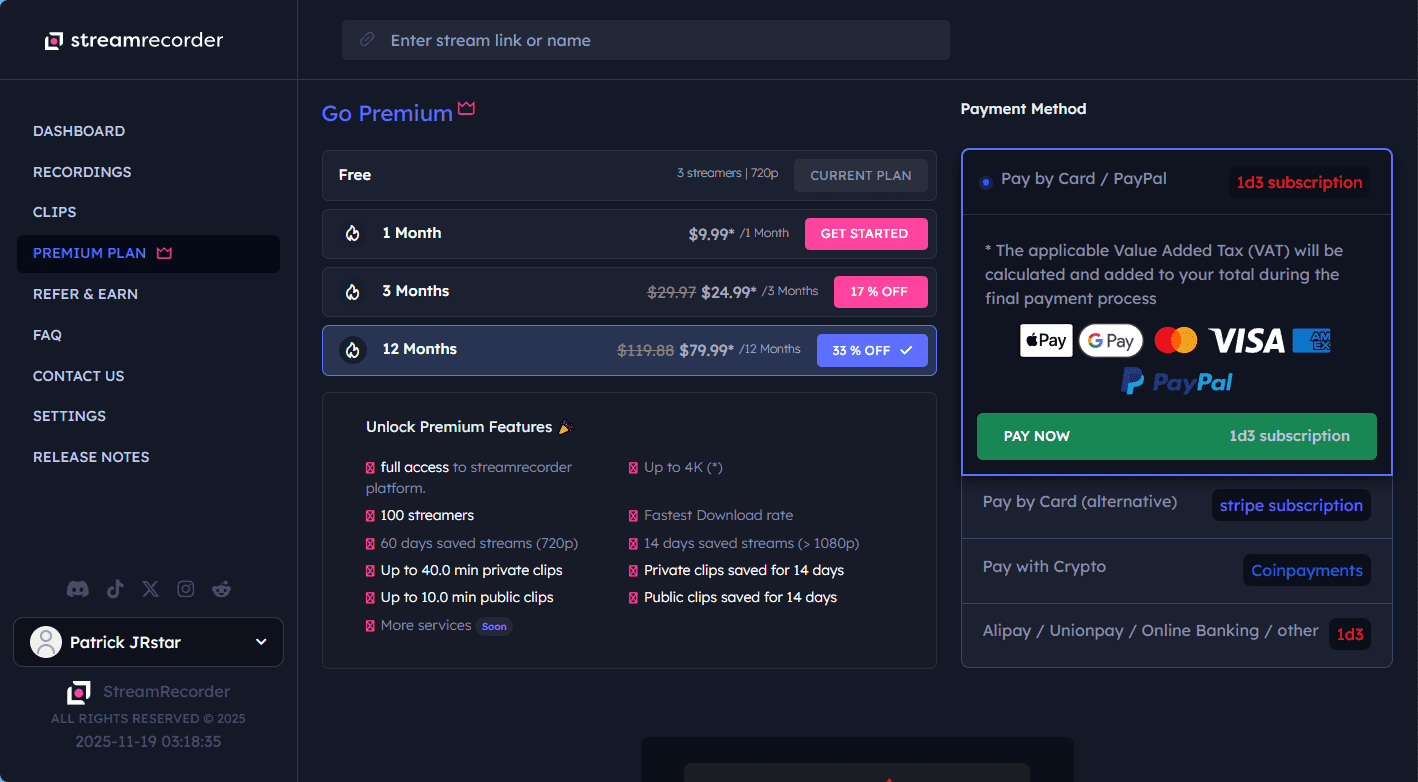
This is where the claim of a Free Plan misleads. Although the free version does enable you to record and store up to three streams on the cloud of StreamRecorder, it does not provide you with the option of downloading those videos to your computer.
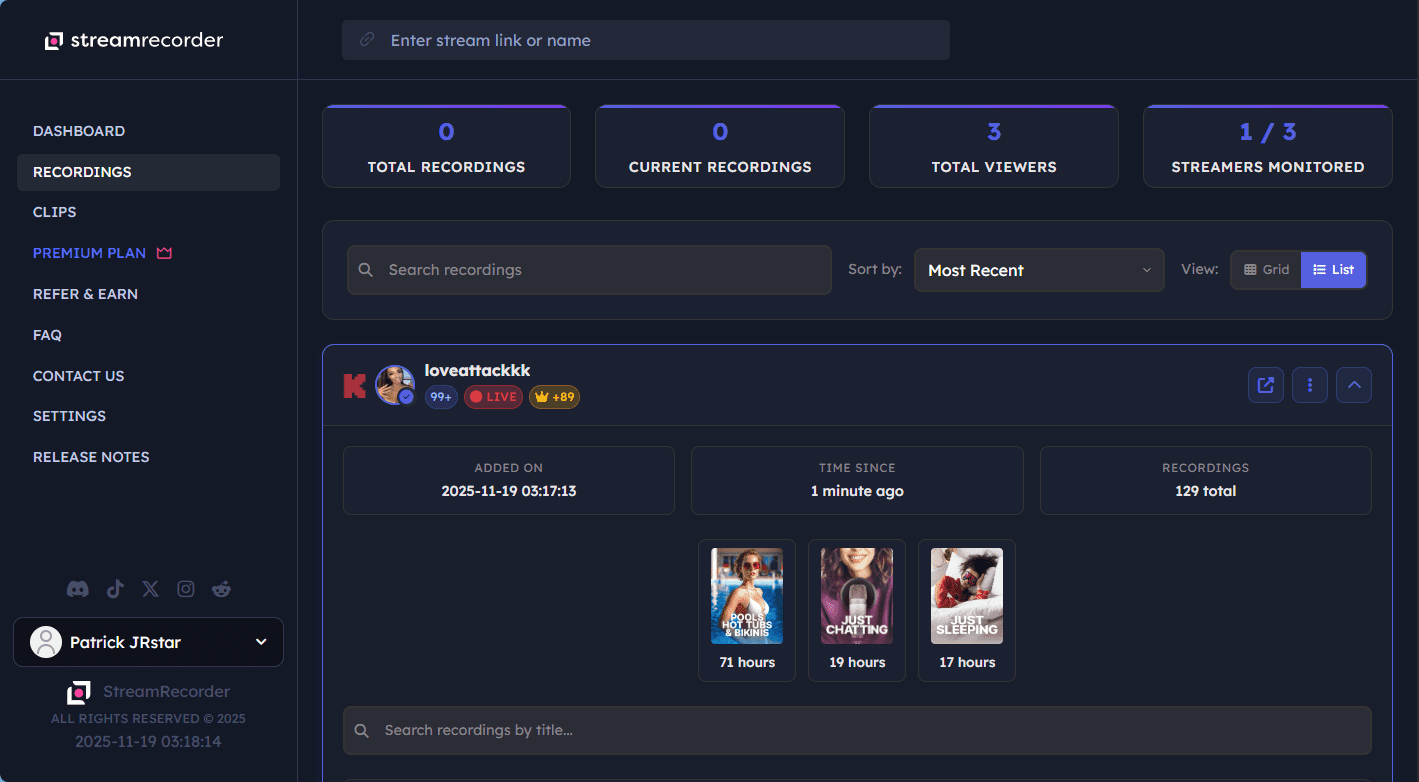
In practice, this means you can watch your saved streams online using StreamRecorder’s built-in player, but you would not be able to view them permanently on your PC or on your phone unless you pay. The restriction can be particularly irritating when you want to create a personal library of your favorite streamers, save videos to watch offline, or share clips outside the platform.
Furthermore, it is risky to use cloud storage alone. Most of the time, free recordings last only a few weeks before being deleted, and in case of any service downtime or any technical difficulties, you might lose all the streams you recorded. Hence, the Free Plan may appear attractive at first, but it is actually a trial, as good to watch occasionally, but not as an option to record the content or to watch offline.
4. What You Should Consider Replacing Streamrecorder
If you have been annoyed by the limitations of StreamRecorder, it is worth considering something that provides a lot more control, superior quality, and faster speed. That’s where CleverGet Recorder comes in. It is one of the most effective tools to record online videos from almost any streaming service. CleverGet doesn’t just record in real time; it also allows you to record videos at up to 5X the speed, and thus, you can save full-length content in no time. It also supports 4K resolution at 60FPS, so that your offline videos will be in the same quality as the original stream. It also has a beta ad-removal feature to remove ads during recording so you can watch uninterrupted when offline.

-
- 100% free streaming video recorder.
- Record both online on-demand and live streaming videos.
- Record up to 4K 60 FPS video to MP4 or MKV.
- Schedule recording on preset recording length.
- No watermark, no time limit, and ad-skipping (beta).
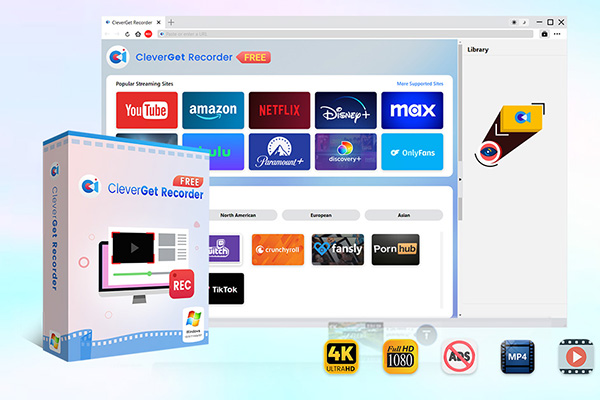
The most convenient thing about CleverGet Recorder is its all-in-one functionality. You can capture on-demand videos such as TV shows, movies, and documentaries, and live streams, even DRM-protected content. The built-in browser will enable you to be able to log in, browse, search, and play the content all within the app; thus, no high-tech abilities are required.
Conclusion
StreamRecorder is an easy-to-use service that allows recording and viewing live streams over the internet, though its free version has a lot of restrictions. You can save a couple of streams to the cloud, but to download the videos locally or watch high-quality content, you need a paid subscription. To the casual user, this may be acceptable, however, to anyone who wants to build their own personal library or wants to enjoy offline viewing, these limitations can be irritating.This is where better solutions, such as CleverGet Recorder, come in to save your life, go and check it out!
-
Is HandBrake Safe and Good? An In-Depth HandBrake Review
-
Does Sling TV Have a Free Trial? How to Watch It Free?
-
Is Snagit Worth Buying? Price, Features & Alternatives
-
How to Record Your Screen Using PowerPoint
-
Camtasia Review: Is It Worth the Investment?
-
Crunchyroll Free Trial Breakdown for Beginners
-
Best ISO Mounting Software for Windows & Mac
-
VLC Media Player Review: How VLC Performs In Modern Days?
-
StreamFab Review: Is It the Best Streaming Downloader?
-
How to Activate Disney Plus with Disneyplus.com Login/Begin 8-Digit Code




-
Best Twitter Porn Accounts You Shouldn’t Miss
-
How to Download Pornhub Videos? Ways to Download from Pornhub
-
Full Review of Savethevideo: Is Savethevideo Safe & How to Use it?
-
Top 5 OnlyFans Viewer Tools to View OnlyFans Content for Free
-
Netflix Download Limit: What it is & How to Avoid
-
How to Import Bookmarks from Safari to Chrome
-
Full Guide to YouTube Members Only Videos: Watch, Download
-
How to Download MissAV Porn Videos in HD for Offline Viewing?
-
4 Methods to Burn ISO Files to Blu-ray Discs Easily
-
How to Download Videos from Fansly with Fansly Downloader














 العربية
 繁體中文
繁體中文 Dansk
Dansk Nederlands
 Suomi
Suomi Français
 Deutsch
 Italiano
 한국어
한국어 Norsk bokmål
 Português
 Русский
 Español
 Svenska