

MOV vs MP4: Which Video Format Should You Use

Summary:
Do you know when to choose MOV or MP4 when dealing your video? Discover the differences between MOV and MP4 to decide when you should use the format for your needs.
Outline
You just finished a video project and clicked on Export. Suddenly, you face a dilemma to choose from various formats, such as MP4 and MOV. Everybody knows about MP4, but what about MOV? Many people still do not know what it is. In this post, I will give detailed explanations about it, so you will know when to choose MOV and MP4, whether you are working on video production or downloading videos.
What Are MOV and MP4? — Basic Definitions
It’s important to know that MOV and MP4 are only containers. They are just like boxes, and we put everything in them (like video, audio, subtitles, etc.) and encode with a codec. When we play the video, the player decodes it to present you with the image, sound, and subtitles etc.
MP4 (MPEG-4 Part 14)
MP4 is the universal standard by ISO. It achieves the best efficiency and compatibility. It is famous for its small size among formats, thus making it a good choice for online streaming, downloading videos, sharing videos, etc.
MOV (Metal Oxide Varistor)
It is called the editor’s container, supporting advanced codecs like ProRes. At the beginning, it was developed by Apple for its software QuickTime. So, MOV is highly compatible with the Apple ecosystem (Mac, Final Cut Pro).
Key Differences Between MOV and MP4
Both MOV and MP4 have advantages, but choosing the wrong one may impact your workflow and your using experience. Let’s take a look at their differences across key areas below.

1. File Size & Compression
In most situations, the file size of MOV is usually bigger than MP4. That’s the biggest difference between MOV and MP4. MP4 uses efficient codecs like H.264/H.265(HEVC), so it has a better ability to make the file size smaller. For example, a 1-minute 1080P MP4 video at standard bitrate is about 50 MB, and that is nearly 200 MB or more for a MOV video in the same specification. MOV is mainly used to handle low-compression codecs like ProRes, which give up the file size to make out the best editing flexibility and data storage.
2. Video Quality & Fidelity
MOV is no doubt the best choice out of the two, in terms of maintaining the original quality and details. As mentioned in the last part, MOV applies low-compression codecs so it can keep more visual data and provide more colour depth. This is very important for professional work related to the visual performances.
MP4, by contrast, is designed for delivery efficiency. Its high compression strategy sacrifices some video data to achieve smaller file sizes. While MP4 provides excellent quality for playback in most everyday viewing scenarios, this data loss makes it less ideal for extensive editing.
3. Compatibility & Device/Platform Support.
MP4 is compatible with all mainstream systems (Windows, macOS, Android, iOS), web browsers, and platforms. As an international standard, it can be played on any device without installing a third-party player or extra codecs.
For MOV, the compatibility is much smaller. Although it is excellent on the Apple ecosystem, like Mac and iOS, and is the native format of Final Cut Pro, it’s not that versatile outside Apple. When using MOV on Windows or Android, you may need to install third-party players or extra codecs to view the file.
4. Editing, Post-Production & Workflow Flexibility
As for editing, post-production, and workflow, MP4 is less flexible. MP4’s high compression makes it not a good choice for footage. In addition, MP4 cannot handle multiple audio tracks and complex elements. Hence, it’s better used for simple cuts or as the final exported video for smoother playback.
MOV is built for this purpose. MOV files can store multiple video and audio tracks, which is crucial for complex editing tasks like multi-camera shoots or advanced sound design. Additionally, MOV is the standard format for many professional video editing software tools that handle the footage quickly and smoothly, ensuring a lag-free experience for the editor. All in all, for editing and post-production, MOV is better than MP4.
Use Cases: When to Use Which Format
Strictly, there is no "better" format between MOV and MP4 since they are for different uses. When to use them totally depends on your needs.
When to choose MOV
Professional editing and post-production: MOV is good at keeping the original footage, color, and multi-camera edits.
Archiving masters: MOV may be one of the best formats to store high-quality projects, and they can be repurposed or reedited even years later.
Apple ecosystem workflow: If you work on Mac and Final Pro or any other Apple devices and edit software, MOV is no better than the best.
When to choose MP4
Stream and social media: For platforms like YouTube, Facebook, and Instagram, etc. Always choose MP4 since the platforms require high compression to upload.
Download and share videos: Many users like to download streaming videos for offline viewing, such as Disney Plus, Netflix, HBO Max, etc. You can download Disney Plus videos to MP4 because MP4 allows you to watch the downloads on any device, and the format is easy to transfer on the internet.
How to Convert MOV to MP4 or MP4 to MOV
Although they are different, you can convert them when there is necessary. For instance, you can convert the MP4 to MOV format for better editing on your Mac, and convert MOV to MP4 to play on your Android phone.
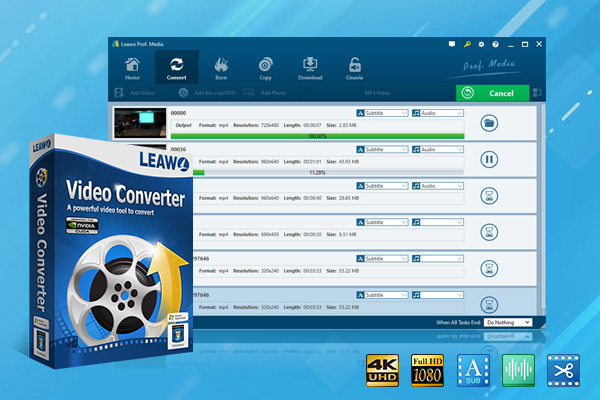
To convert MOV to MP4, vice versa, without losing the quality, a professional video converter is usually a better option. Tools like Leawo Video Converter are a good choice to do that. It offers 6X converting speed, supports videos and audios in 180+ formats to convert, and keeps the original quality. If you need to convert any video or audio format, you may just give it a try.

-
- Convert video/audio between 180+ formats.
- Convert video/audio with 100% quality reserved in 6x higher speed.
- Turn photos (folders) into photo slideshows video.
- Convert 2D to 3D video via editting 3D depth range and 6 different 3D modes.
Conclusion
MOV vs MP4 is not about which one is better. It is about which one is suitable for you to use. MOV focuses on higher quality and editing flexibility, and MP4 is more of a tool for daily use with a smaller file size and greater compatibility. After you know each other’s advantages, you can use them both in the right situations.
Share this post










 العربية
 繁體中文
繁體中文 Dansk
Dansk Nederlands
 Suomi
Suomi Français
 Deutsch
 Italiano
 한국어
한국어 Norsk bokmål
 Português
 Русский
 Español
 Svenska