


Anime, gaming, tutorials, and creative community content can all be found on the Bilibili video platform. Many users watch videos created by creators worldwide on the platform’s millions of high-quality videos that are posted daily. To download Bilibili videos and watch them offline, users find that it may be difficult due to an inherent limitation on the platform; however, multiple tools can help them do so safely and quickly.
In this article, we provide tips on how to download Bilibili videos. We look at downloading software, online web tools that are free of charge, and browser extensions. Each way of downloading works in a little different way, so you can pick whatever feels right for you.
Part 1: Why You Can’t Download Bilibili Video Directly
Bilibili primarily serves as an online streaming service for viewing videos instead of downloading them to your device. Because of this, most videos on Bilibili cannot be universally downloaded from the website.
Copyright protection is one of the main reasons; many of the videos on Bilibili are owned by their creators, studios and/or media companies. Therefore, Bilibili makes it harder to directly download videos to prevent them from being inappropriately distributed for free.
Another reason for the lack of universal downloads is that Bilibili maintains control over how creators license their content through the platform. Some licences associated with certain videos allow them to only be streamed via Bilibili and do not allow downloading.
Finally, there are limits to the native download feature that Bilibili has included within their mobile app. When a video is available for download, the videos will typically be downloaded to the Bilibili app itself, not to your device’s storage and therefore can’t be found as a typical video file on your device.
Part 2: How to Download Bilibili Videos?
Now, let’s look at some of the common methods to download Bilibili videos.
2.1. Method 1: Professional Desktop Software
CleverGet Video Downloader is an excellent program for anyone who wishes to download videos from Bilibili and other online videos from over 1000+ different websites, including the top platforms such as YouTube and Vimeo. You can also download video with very high resolutions (up to 8K) without losing the quality of the original video, and you can use batch download to save multiple videos (e.g. playlists or video channels) at one time.

-
Batch download online videos at up to 8K resolution like Shorts videos, playlist, channel, music videos, movies, TV shows, and even Live streaming videos to MP4 files from YouTube, TikTok, Instagram, Facebook, Pinterest and 1000+ other websites. Download videos with selected subtitles and audio tracks, and ads removed.
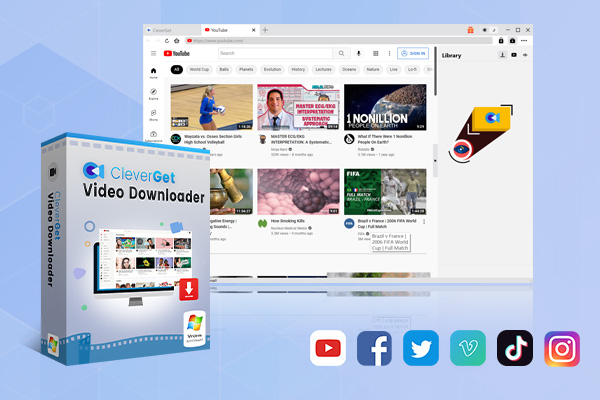
You also have the ability to automatically detect streaming links by CleverGet and convert them to popular formats such as MP4, MKV or WebM for easy playback on all of your various devices. So if you’re looking to download videos from Bilibili for offline viewing, then CleverGet Video Downloader is the perfect solution because it is proven to be stable and reliable for both downloading and converting Bilibili videos to your computer.
Pros:
- Supports downloads from 1000+ video websites
- High-quality downloads up to 8K resolution
- Batch download for playlists or multiple videos
- Saves videos in common formats like MP4 and MKV
Cons:
- Requires software installation
Now look at steps to download Bilibili videos with Cleverget Video Downloader;
Step 1: Download and Install CleverGet
To download CleverGet, go to the main website for the downloader, and follow the directions to download and install it on your computer. It is entirely free for you to download. After downloading, open the program that you just downloaded. CleverGet Video Downloader will be automatically included in the software, along with a number of other included tools.
Step 2: Set the Output Folder
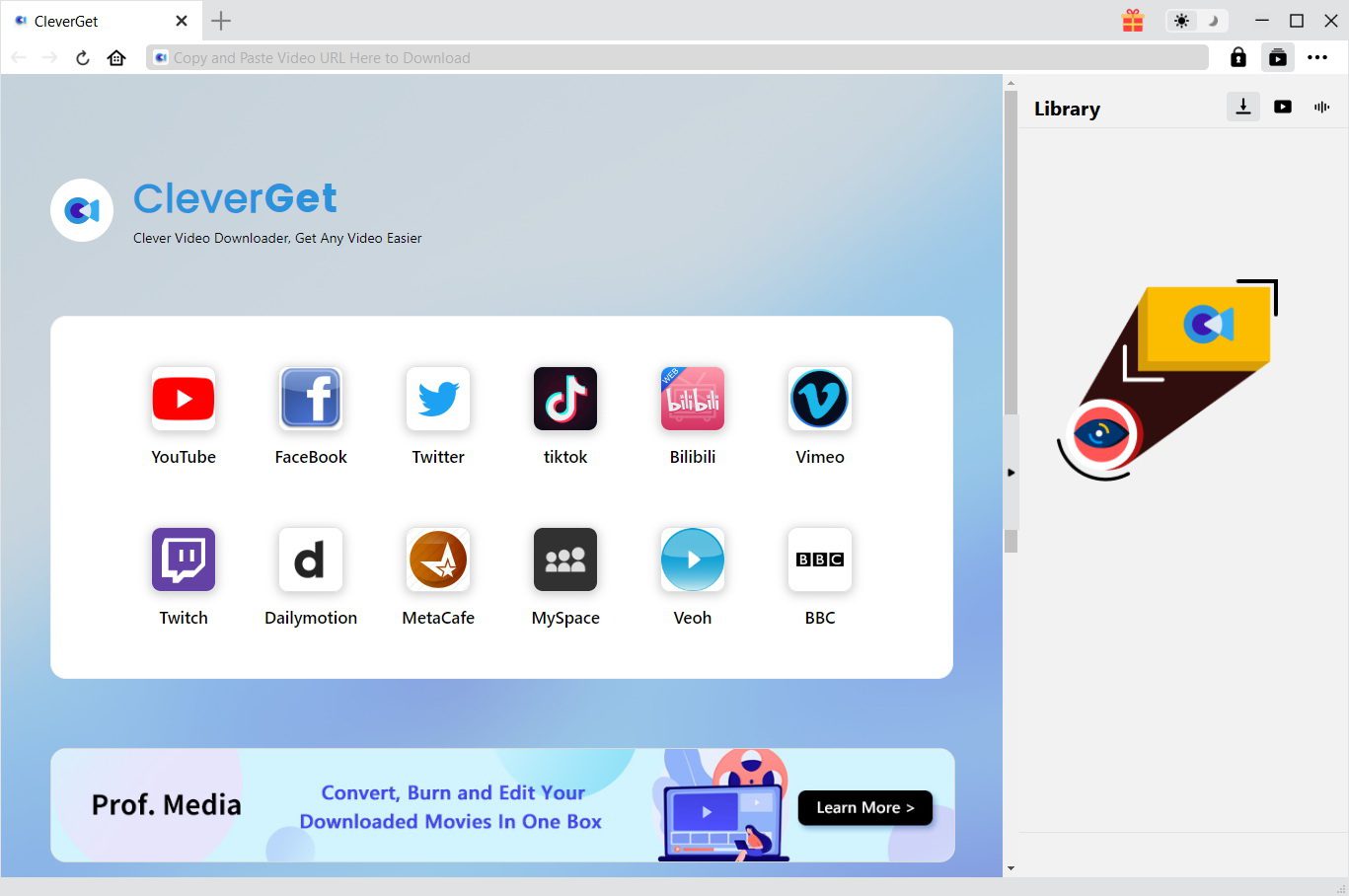
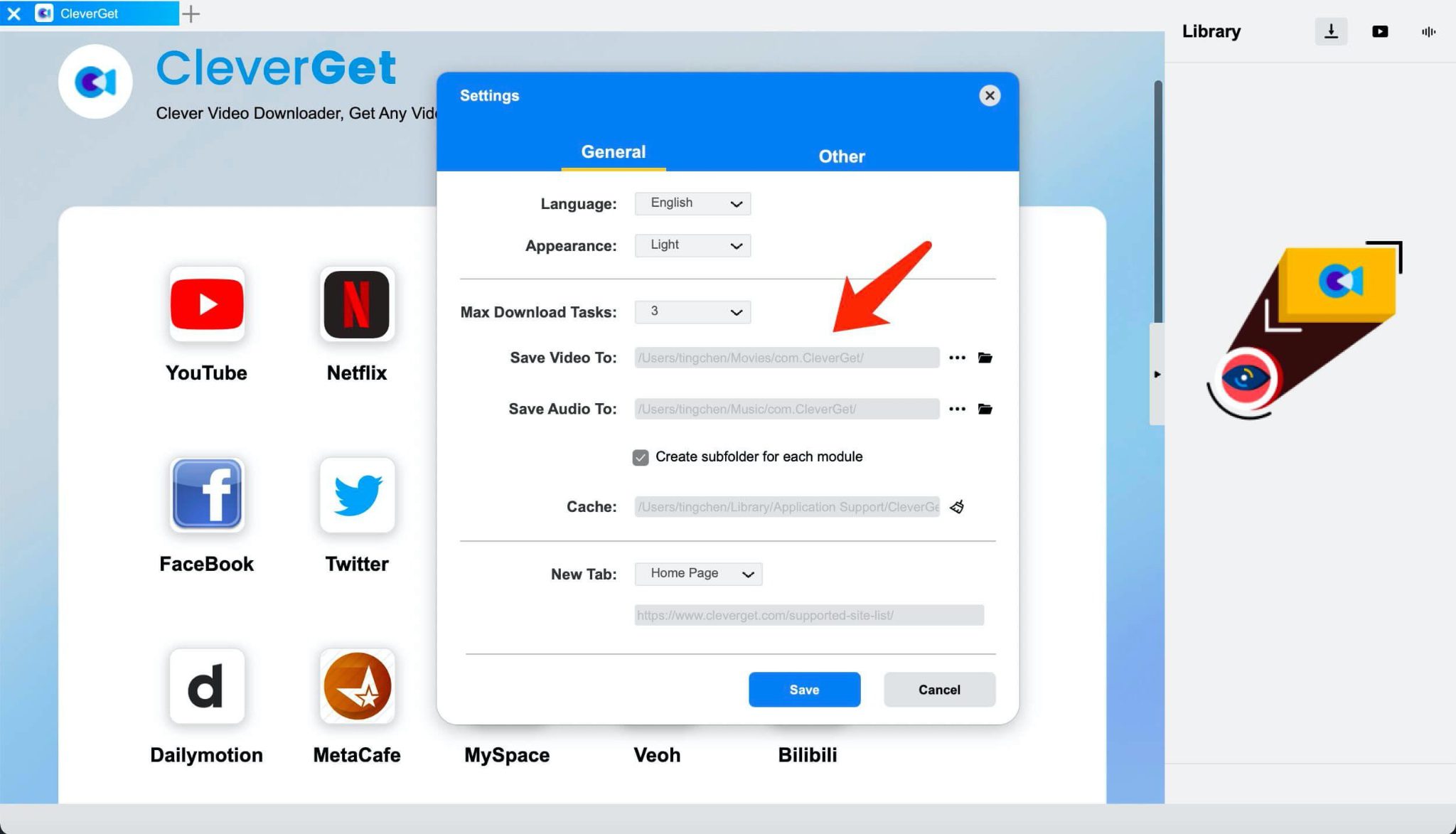
The folder in which downloaded videos will be saved can be set in the CleverGet settings by selecting the ‘General’ tab. This can be done by selecting the settings icon at the upper right of the screen. Remember to save your new output folder once completed. Now you can access the specific video you wish to save. In the main interface just click the Bilibili icon to open the built-in browser.
Step 3: Open the Video You Want to Download
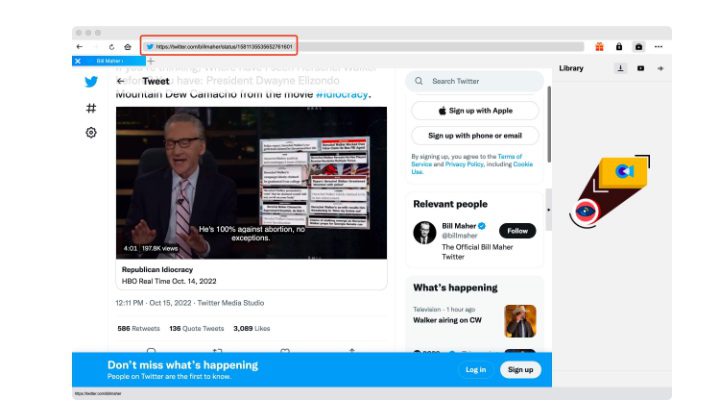
Visit the detail page which contains the Bilibili videos. You can also input the URL of Bilibili video in the search bar in the CleverGet application.
Step 4: Choose and Download the Video
Once the video loads, you will have an audio/visual file to save. CleverGet provides you a number of options to download the video, including MP4 up to 720p or 1080p, simply click the ‘Download’ button, and the video downloads right away!
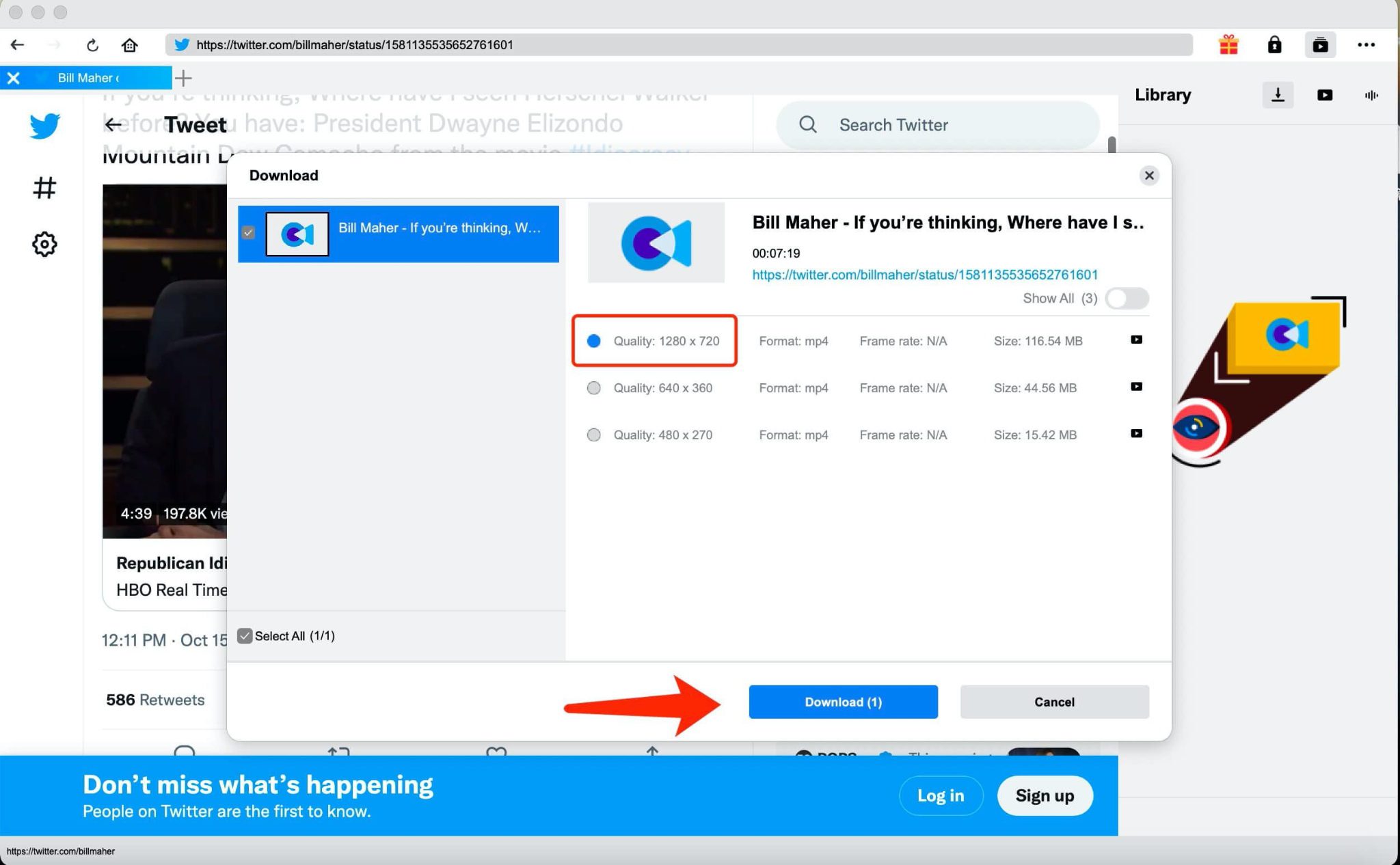
With CleverGet Video Downloader, any user can now save their favourite videos while saving time and avoiding the extra steps that you might experience with Bilibili videos. You are now able to easily store your favourite humorous videos, work-related clips and your favourite’s performances from Bilibili in the quality you expect.
2.2 Online Downloaders
Downloading Bilibili videos through an online downloader is another easiest way to save them because there is no need to install extra applications. You can use an online downloader from within your web browser. The benefit of this type of downloader is how easy it is to quickly download small videos.
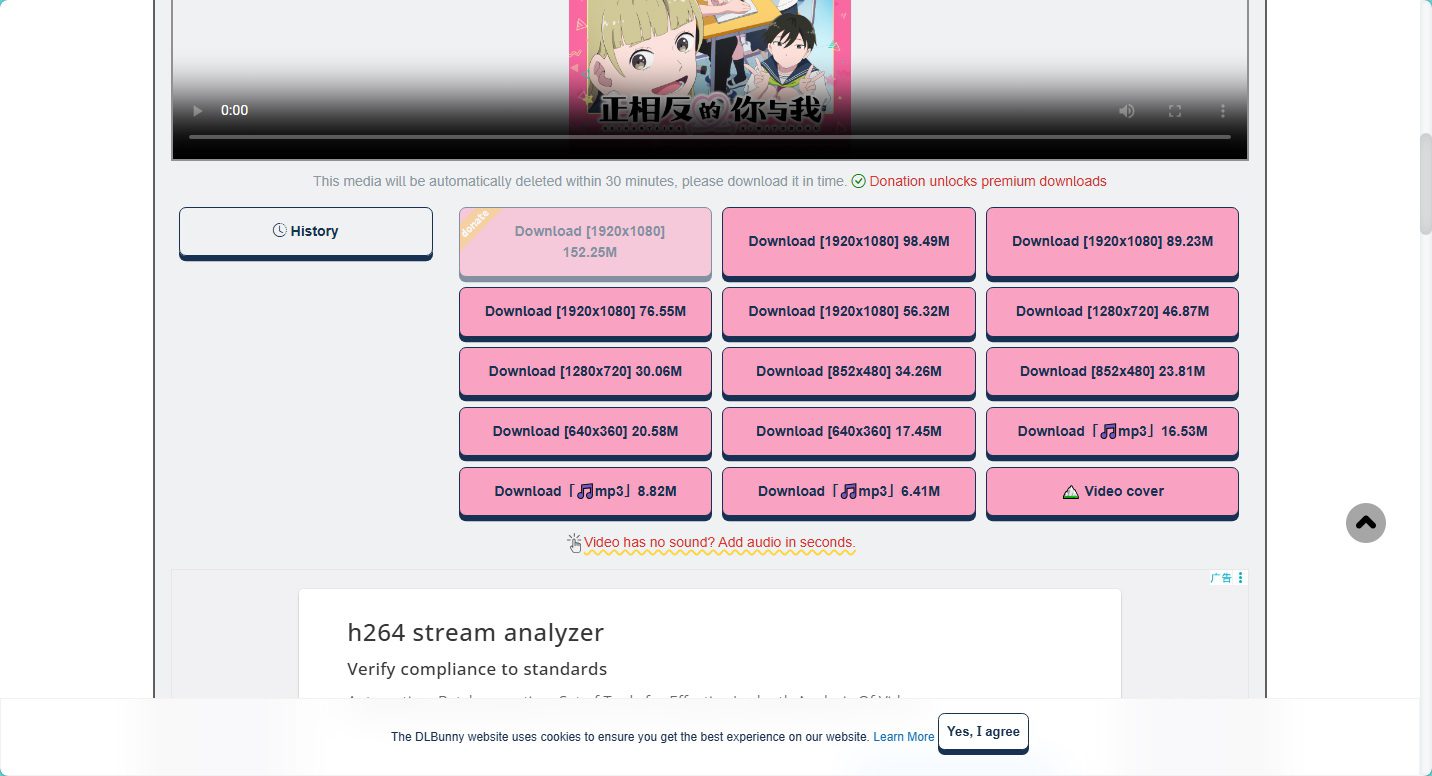
An example of an online downloader is DLbunny. Dlbunny allows you to process and download Bilibili videos directly through their online interface. However, Dlbunny does have some limitations on the size of the download created by their service. Most of the downloadable files created by this service are under 100MB, which usually means the quality of the downloaded video will be limited. Also, to access higher resolutions there is typically a requirement to donate money before the person can receive access to the higher quality video. Lastly, even after a user has donated money, there is no guarantee that the final download will have the same quality as the Bilibili video itself.
Pros:
- No installation required
- Easy to use with simple link pasting
- Works on desktop and mobile browsers
Cons:
- Most downloadable files are under 100MB
- High resolution downloads may require donation
- Download quality may be inconsistent
- Download quality may be inconsistent
Steps To Download Bilibili Videos With Dlbunny:
Step 1: Copy the Bilibili link you would like to download.
Step 2: Navigate to the dlbunny downloader in your browser.
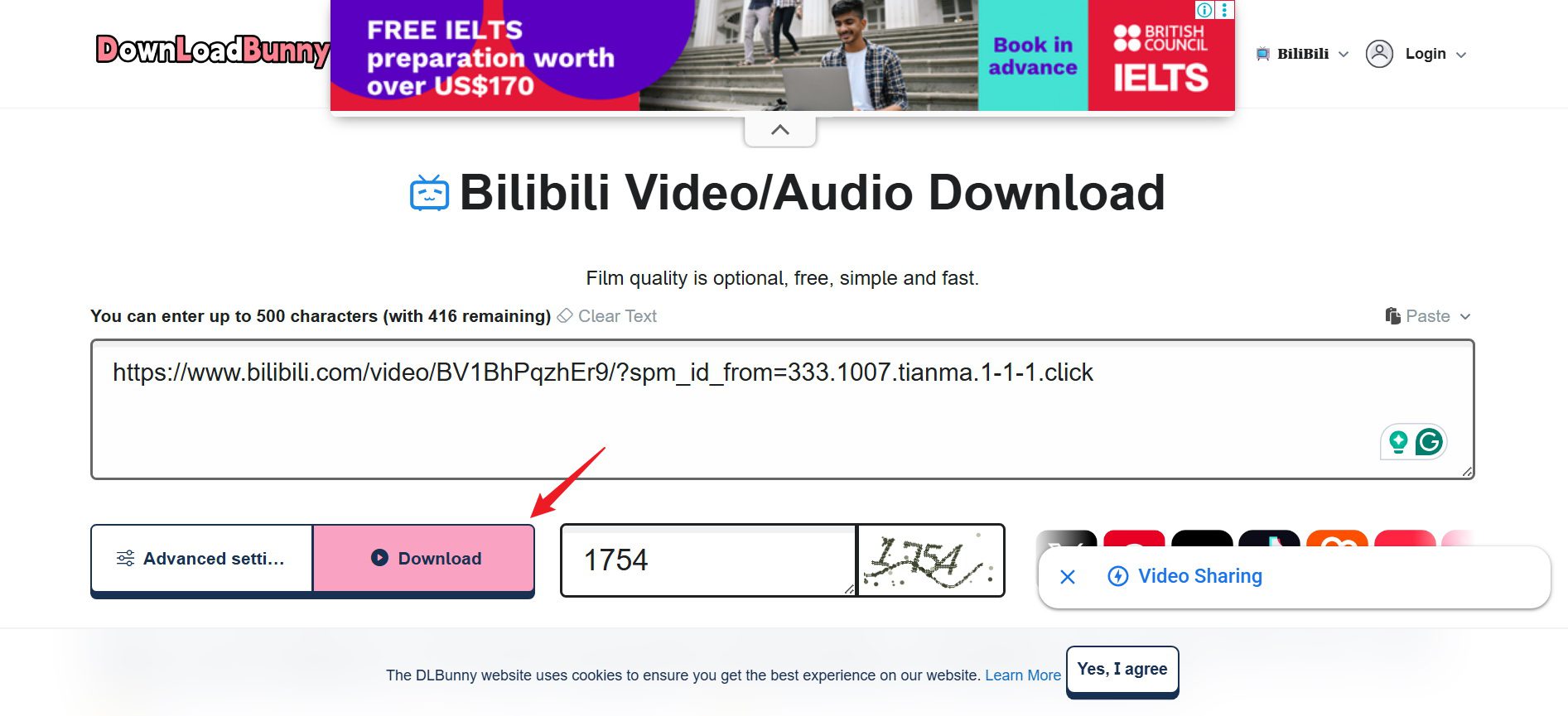
Step 3: Copy the Bilibili link you secured into the input box at the dlbunny website and fill out the captcha. Next, click the download button to process the video.
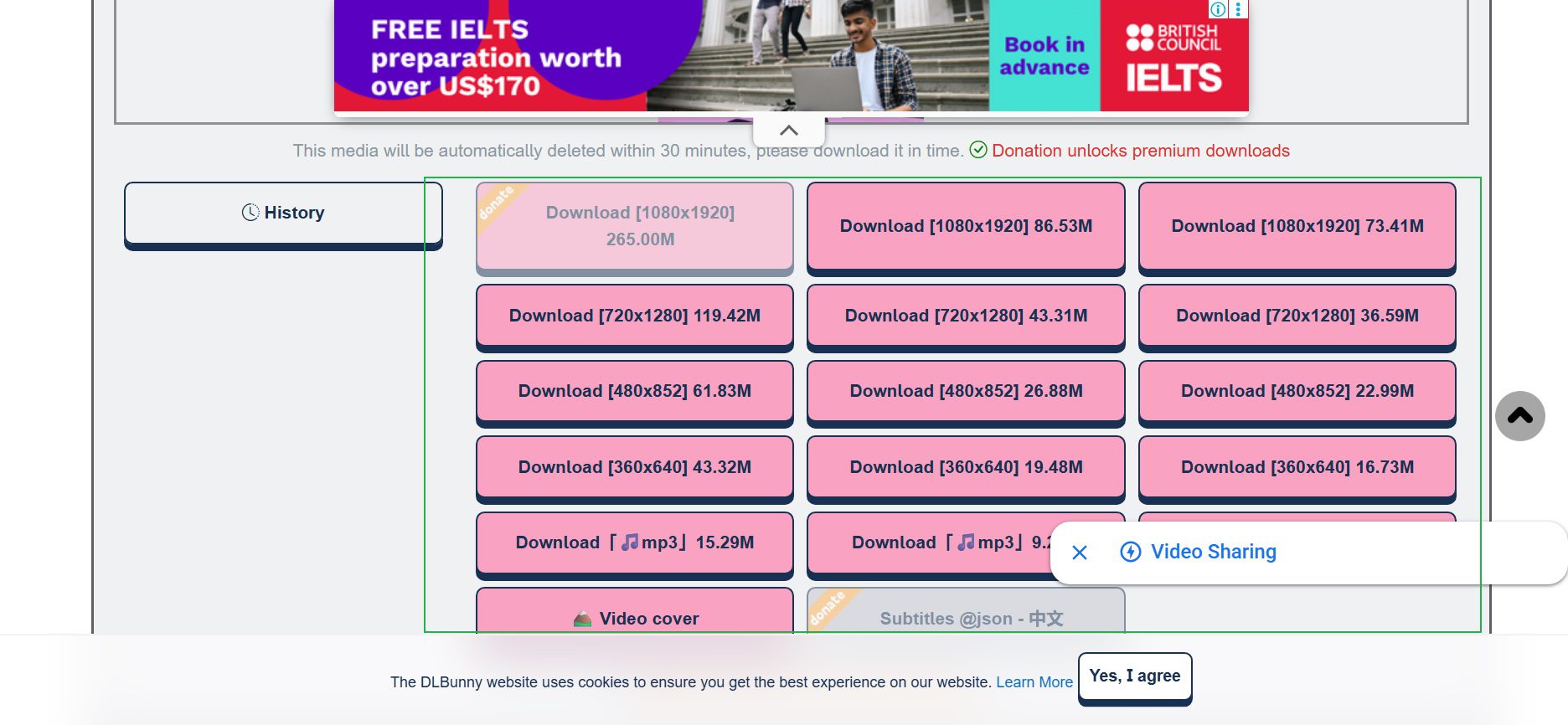
Step 4: Choose the available file and save it to your device.
2.3 Browser Extensions
If you’re using your web browser to look for videos you can download, browser add-ons are available that can be used to download videos directly while you browse. These add-ons are installed within your web browser’s interface, and most of the time, they will automatically identify any videos playing on the web pages you are currently visiting.
However, if you try to use a third-party add-on on Bilibili, there may be some limitations. Some of the more popular tools such as Video DownloadHelper Extension will not be able to identify a stream from Bilibili. You can look at the screenshot below.
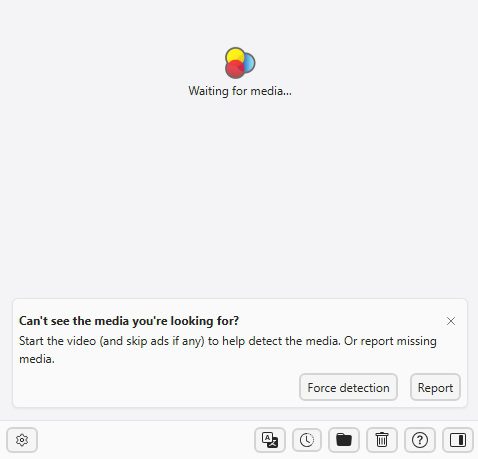
For other videos this extension can help you download Bilibili videos, like videos uploaded by individuals only. If you insist to download Bilibili videos through browser extention, then those are your only choices.
Pros:
Cons:
- Some extensions cannot detect Bilibili videos
- Limited support for certain types of content
- Download success rate can be inconsistent
Part 3: FAQs
3.1. What’s the Difference Between BiliBili.com and BiliBili.tv?
BiliBili.com is a Chinese-language only version of BiliBili. It is designed for use only by users within China. This version has a very large number of different types of content. However, all content is in the Chinese language and the user interface is only offered in Chinese as well.
BiliBili.tv, or Bstation, is the international version of the BiliBili platform. This version of the platform primarily consists of licensed anime and a limited amount of internationally available shows. The content on the international site is much less than the Chinese version but the user interface is much easier to use for users who are outside of China.
3.2. Can I Download Anime from Bilibili?
BiliBili users can download anime from the platform. The BiliBili mobile app allows the downloading of limited quantities of licensed anime for viewing without an internet connection. Anime downloaded via the BiliBili mobile app is stored within the app and is not downloadable as standard video files.However, you can download videos from BiliBili videos by using third party software like CleverGet Video Downloader in MP4 or MKV format and keep it for forever.
3.3. Is it Legal to Download Bilibili Videos?
Downloading Bilibili videos for personal offline viewing is generally acceptable in many regions. However, redistributing, uploading, or using downloaded content for commercial purposes may violate copyright laws or the platform’s terms of service. It’s always best to respect the rights of the original creators and only use downloaded videos for personal use.
3.4. Why Is My Downloaded Video Silent or of low quality on Bilibili?
This issue usually happens because BiliBili often separates video and audio streams. Some download tools only capture the video file without properly merging the audio track, which results in silent videos. Low-quality downloads can also occur if the downloader only supports limited resolutions or if the highest quality version is restricted. Using a more advanced downloader like CleverGet Video Downloader that merges audio and video streams properly can help solve this problem.
3.5. Can I Download 4K Videos Without a Premium Account on Bilibili?
In many cases, high-resolution options like 1080p or 4K are limited to premium users or depend on the uploader’s settings. Without a premium account, the platform may restrict access to the highest quality streams. However, some professional video download tools like CleverGet Video Downloader can still detect higher quality streams if they are publicly available on the video page.
-
How to Download Bilibili Videos? All Methods Explained
-
How to Fix OBS Not Capturing Game on Windows
-
Wondershare UniConverter Review: Answers to All Your Doubts
-
OBS Studio Review: How Good Is It for Recording Your Screen?
-
Is SameMovie Safe to Use? Honest Review
-
How to Save Videos from Facebook on Any Device
-
Sling TV vs YouTube TV: Cost Breakdown and Hidden Differences
-
BurnAware Review: Pricing, Features & Limits
-
How to Record the Last 30 Seconds on PC (Quick & Easy Methods)
-
DVDFab Review 2026: Is It Worth the Money?



-
Best Twitter Porn Accounts You Shouldn’t Miss
-
How to Download Pornhub Videos? Ways to Download from Pornhub
-
Top 5 OnlyFans Viewer Tools to View OnlyFans Content for Free
-
Full Review of Savethevideo: Is Savethevideo Safe & How to Use it?
-
Netflix Download Limit: What it is & How to Avoid
-
How to Import Bookmarks from Safari to Chrome
-
Full Guide to YouTube Members Only Videos: Watch, Download
-
How to Download MissAV Porn Videos in HD for Offline Viewing?
-
How to Download Videos from Fansly with Fansly Downloader
-
4 Methods to Burn ISO Files to Blu-ray Discs Easily














 العربية
 繁體中文
繁體中文 Dansk
Dansk Nederlands
 Suomi
Suomi Français
 Deutsch
 Italiano
 한국어
한국어 Norsk bokmål
 Português
 Русский
 Español
 Svenska