


Summary:
Although expensive, DVDFab is a good solution to rip and copy DVDs/Blu-rays and offers advanced AI upscaling. However, for those who want cheaper and powerful tools as well, Leawo Prof. Media offers excellent value.
Outline
Where a media library backup was once straightforward, today’s collector is confronted with a complex of 4K UHD encryption, HDR information, and the need for AI-assisted upscaling. DVDFab is still a familiar brand in the home theatre community for navigating such complexities, but as the list of features expands, so too does the price tag.
How well does the top-of-the-line brand address the needs now? This in-depth DVDFab review will examine DVDFab’s key features, test performance, and pros and cons, as well as examine whether a more budget-friendly solution might be the best value for your home theatre system.
Key Features of DVDFab
DVDFab is the flagship of the brand, and it comes with an enormous ecosystem of 26 different products under one license (DVDFab All-In-One). It is not just a utility but a complete multimedia solution for DVDs, Blu-ray, 4K Ultra HD, and even recorded (4K) BDAV. Here are the features of DVDFab.
Full Disc Copying & Compression: The tool is able to copy DVDs, Blu-rays, and 4K UHD together with lossless quality, on blank discs, ISO files, or folders. You can even use this program to compress large discs (like BD-100 to BD-50/25) without reducing the quality to save a lot of space.
Supports Ripping: Support for over 1,000 video & audio formats (Including MP4, MKV, and MP3). They’re optimized for 200+ preset devices from manufacturers.
AI Enhancement: DVDFab comes with three cutting-edge AI modules that enhance low-resolution image quality to 4K or 8K.
Copy Protection Removal: With the Cloud Decryption Service, this software removes all types of copy protections, including region protection and Cinavia.
Fast Speed: The software uses GPU hardware acceleration (NVIDIA CUDA, AMD, Intel Quick Sync) to rip discs 50 times faster than the normal process.
Video Editing: DVDFab has a built-in editor that you can use to crop, trim, merge videos, add external subtitles and personalize watermarks.
DVDFab Pricing & License Options
DVDFab is modularly priced so that you can buy its suite with all the tools at a price, or you can buy separate individual tools that you only need. Here are the price details.
- The price on its official page regularly changes due to seasonal events, like Valentine’s or Black Friday deals. So, to get the best price, you can regularly check the final price.
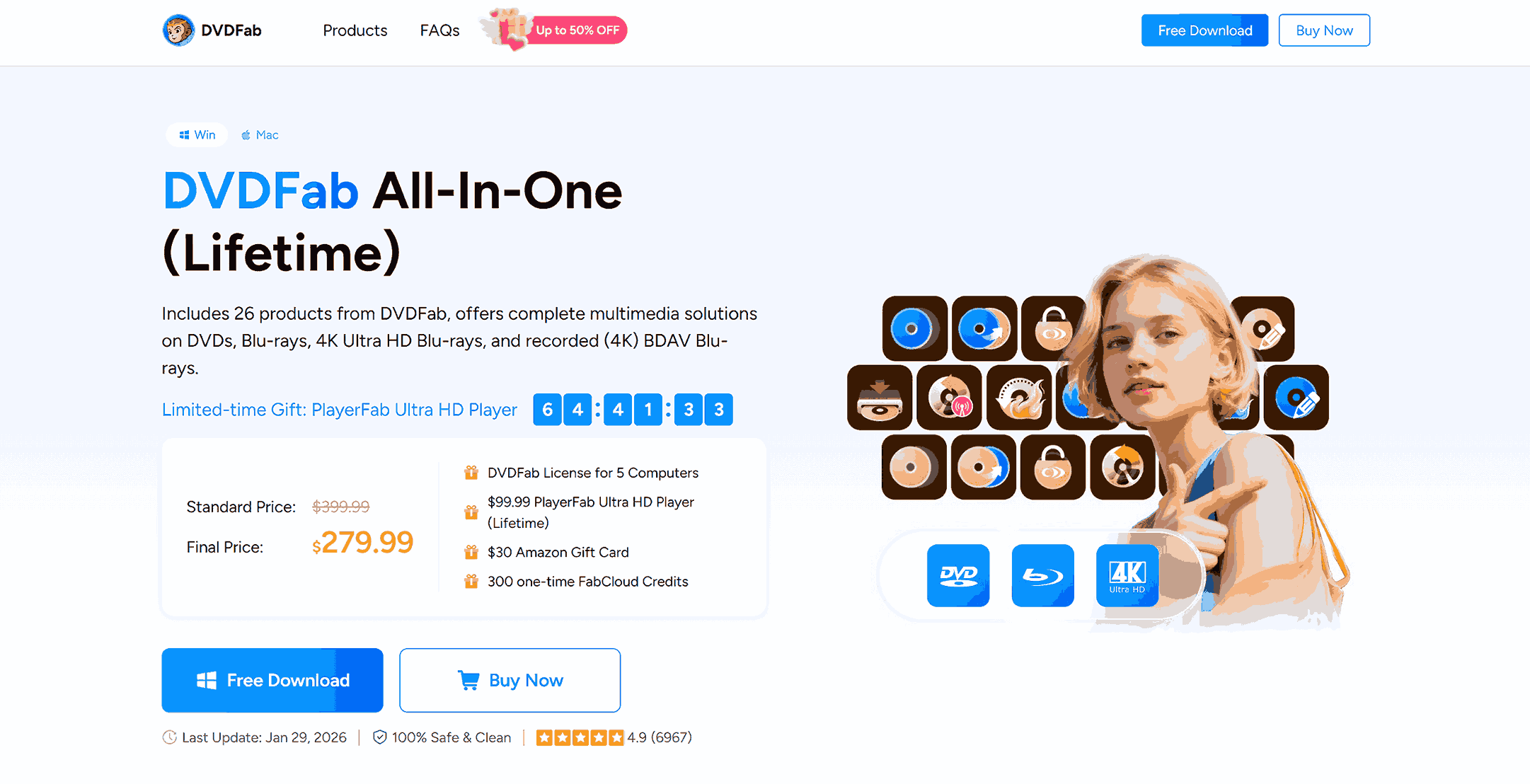
1. DVDFab All–In–One (Lifetime)
DVDFab All-in-One is a centralized hub with 26 modules that you can use as a multiple media solution.
Standard Price: $399.99
Final Sale Price Now: $279.99 (please verify price if the discount date expires)
Includes: All Copy, Ripper, Creator, and AI modules.
Current Bonus Gifts:
5-Computer License
$99.99 PlayerFab Ultra HD Player (Lifetime)
$30 Amazon Gift Card: Provided as a rebate after purchase.
300 FabCloud Credits: For one-time use of cloud-based features.
2. Individual Module Pricing (Lifetime)
If you only need a special tool, you can also buy the individual module. But note, just buying three or four individuals often costs more than the whole All-in-One suite. Here are the individual prices.
|
Module Category |
Selected Products |
Price (Lifetime) |
|
Copy Tools |
DVD Copy / Blu-ray Copy / UHD Copy |
$84.99 – $99.99 |
|
Ripper Tools |
DVD Ripper / Blu-ray Ripper / UHD Ripper |
$84.99 – $99.99 |
|
Creator Tools |
DVD Creator / Blu-ray Creator / UHD Creator |
$59.99 – $94.99 |
|
AI Enhancers |
NVIDIA AI Enhancer / AI Upscale |
$129.99 – $139.99 |
|
Specialized |
UHD Drive Tool / Cinavia Removal |
$63.99 – $129.99 |
Ease of Use & User Interface
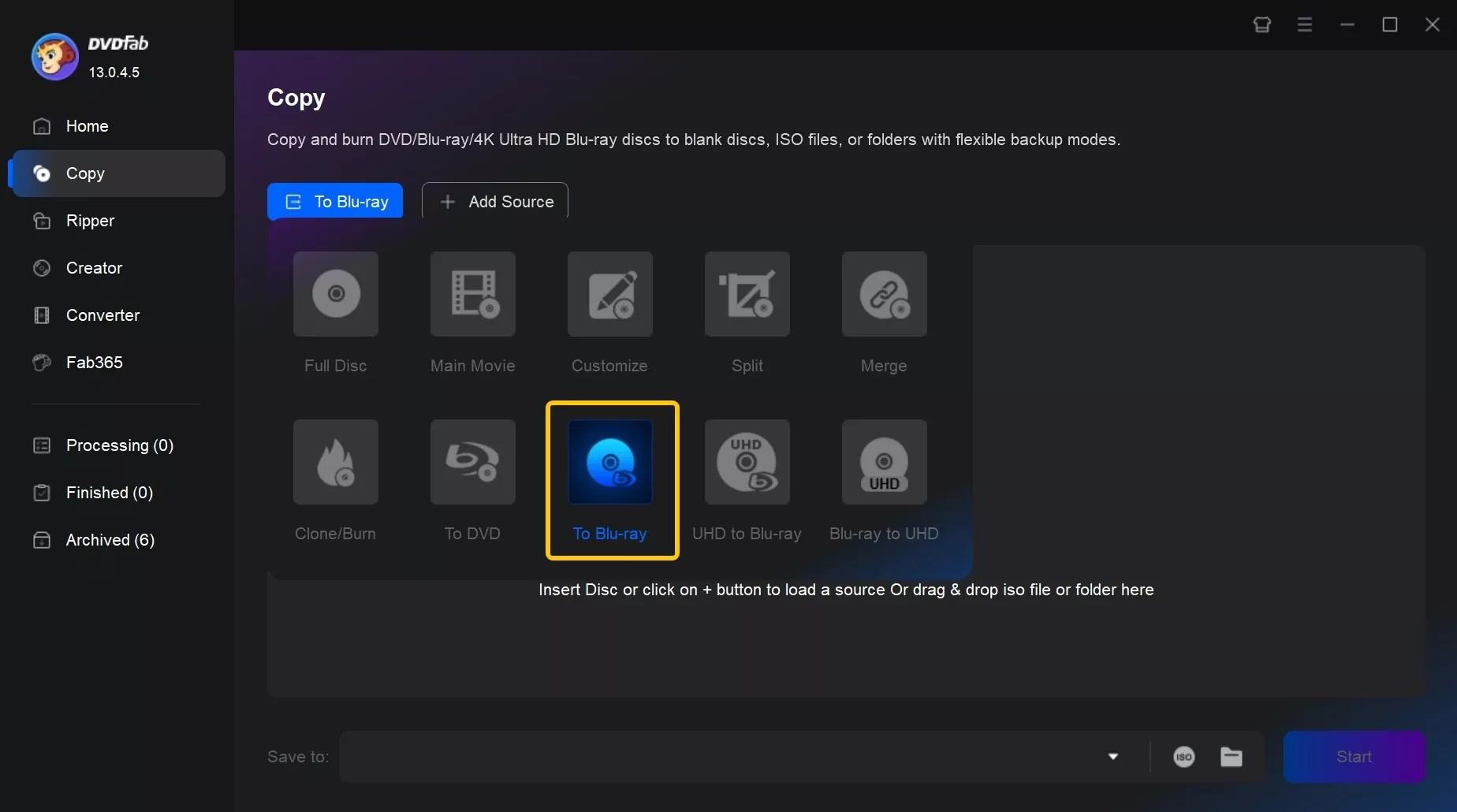
The interface of DVDFab is intuitive and showcases various modules visually, in the left panel, such as Home, Copy, Ripper, Creator, etc. This makes users target the objectives without feeling confused. If you buy the whole suite, you get all the modules active, and as said previously, if you buy separate module, only click on the one you need.
However, although the beginning work is simple, when you enter the specific page for your task, the advanced settings may be overwhelming for some non-tech users, which requires some learning curve to be fluent users.
Performance & Speed Test Results
To truly see what the DVDFab All-In-One can do, I conducted a series of real-world benchmark tests on a top-of-the-line PC featuring an Intel Core i9-14900K processor, an NVIDIA RTX 4080 (16GB), and 64GB of DDR5 RAM. Through the classic films with differing levels of visual complexity, I was able to push the software’s GPU acceleration and AI processing to their limits.
DVD Test (The Godfather): The speed to digitize this cinematic masterpiece into a high-quality MP4 was incredibly fast. With the powerful RTX 4080 and NVIDIA CUDA, the whole ripping costs less than 6 minutes. So, for those who own hundreds of DVDs, this kind of speed makes bulk digitization effortless.
Blu-ray Test (Mad Max: Fury Road): I chose this film because of its intense colour palette and high bitrate, which showcases DVDFab’s true capability for holding a complex movie. It only took 25 minutes to rip the main movie (around 50 GB), which I think is enough for average users.
4K UHD Test (Dune: Part Two): This is the definitive stress test for DVDFab. Dealing with one UHD disc that is over 100GB, while preserving HDR10+ metadata and Dolby Atmos tracks, is a hard task. DVDFab took about 58 minutes to finish the 4K digital backups, with GPU acceleration. Although the result is a bit time-consuming, for this quality, the speed is a significant improvement.
It is also worth noting that the processing time of UHD videos will increase exponentially if hardware acceleration is turned off, from under an hour to over 2 hours. I think the biggest ability of this program is to make full use of the video card to reduce a great deal of processing time. This is especially important to collectors who do not wish to wait an entire day for the conversion to complete.
However, getting the best performance from DVDFab is highly dependent on your computer hardware. While the program has been developed to optimize efficiency to its fullest potential, it is still limited by your computer hardware. This means if you are working from an older computer or a laptop, expect to spend a lot of time waiting for your videos to convert, especially if they are 4K UHD. To get your money’s worth, suggest having relatively new computer hardware.
Pros and Cons of DVDFab
It is clear that DVDFab All-In-One is a giant in the industry. It offers a lot of tools for serious collectors, but there are definitely some trade-offs you should consider before spending your money.
Pros:
The features are multiple, that includes everything from copying, ripping, to AI upscale.
The speed is excellent. Sometimes you only need a few minutes to copy/rip a movie.
The update is frequent.
The customer service responds quickly.
Cons:
The biggest downside is the high price, especially for occasional users.
The settings are overwhelming for beginners in the first place that may take some time.
Sometimes the sound and the video don’t line up perfectly after a conversion.
The software sometimes shows pop-up ads for their other products.
You need to stay connected to the internet for the software to check your license and unlock discs.
Is DVDFab Safe and Legal to Use?
In reality, you can consider the safety and legal aspects of DVDFab to be a “yes, but” situation. It is absolutely clean as long as you download it from the official website. You won’t have to worry about any viruses or malware messing up your computer.
As for the legal issues, copying a movie that you actually bought for yourself is considered to be a fair use under the law, the act of bypassing the digital lock on the DVD is actually illegal in countries such as the U.S. The thing to remember is that as long as you are only using it for organizing your own home collection and not distributing it online or selling it, you are probably staying in the clear. But it’s always smart to double-check the rules in your own country.
DVDFab Alternatives
Although DVDFab is an extremely powerful tool, the high price is a big deterrent for many users. If you are looking for a tool that provides similar features at a lower cost, then Leawo could be a good choice for you. Leawo Prof. Media provides 16 modules that cover almost all the features that DVDFab provides, and you can buy individual tools too, if you want to, at a much lower price. For example:
Leawo Blu-ray Ripper ($44.95/year)
Leawo Blu-ray Ripper is one of the best Blu-ray rippers in the industry, which can convert Blu-ray and DVD into 180+ formats (including MP4, MKV, WMV, etc). Also, it can easily handle strong protections like AACS, BD+, etc., with regular updates for dealing with the newest protections. By the way, the biggest highlight is that it can convert a 2D movie to 3D, with 6 3D effects to choose from. For those serious collections, this is the first choice.

-
Comprehensive Blu-ray ripping and converting software to decrypt, rip and convert Blu-ray/DVD disc, folder and ISO image file.
- Remove multiple Blu-ray/DVD disc protections and region restrictions.
- Convert Blu-ray/DVD to video/audio in 180+ different formats.

Leawo Blu-ray Copy ($44.95/year)
If you want to make a 1:1 lossless Blu-ray copy, I think Leawo Blu-ray Copy is the tool that you don’t want to miss. It can help you to remove disc protections, and even shrink BD50 to BD25, saving space to keep more information. If you don’t want to copy the whole plot, you have the choice to copy certain clips in three modes.
-
1:1 Copy Blu-ray & DVD Movies in forms of Disc, Folder, and ISO Image file at 6X higher Speed
- Copy Blu-ray/DVD discs in lossless quality.
- Remove Blu-ray/DVD disc protection and region restriction.
- Copy Blu-ray/DVD contents to computer or blank disc.
- Copy and back up both 2D and 3D Blu-ray/DVD movies with ease.
- 3 different copy modes for multiple Blu-ray/DVD copy purposes.

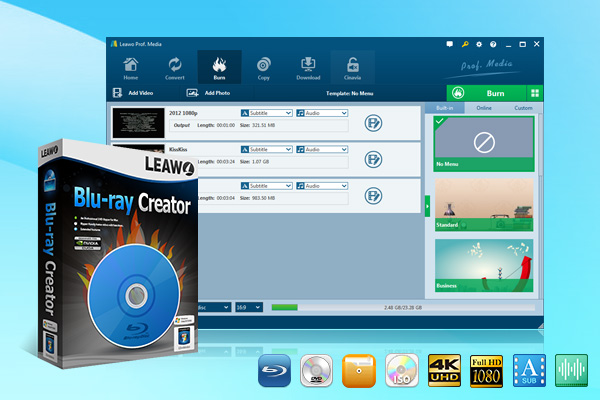
Leawo Blu-ray Creator ($39.95/year)
Compared with DVDFab, Leawo Blu-ray Creator offers more creative freedom when creating discs. You have 180_+ formats to choose from, create ISO files, and use 40+ menu Presets to personalize your discs. No matter whether it is a personal project or a home video, this is a decent tool for this purpose.
-
A comprehensive disc authoring solution that burns videos/images to Blu-ray/DVD discs, folders or ISO files, offering a built-in editor, 40+ menu templates and 6 different 3D effect choices.
- Support videos and images in 180+ formats.
- Burn multiple media files to one Blu-ray/DVD file in batch with 100% quality.
- Fast processing via GPU graphics card acceleration.
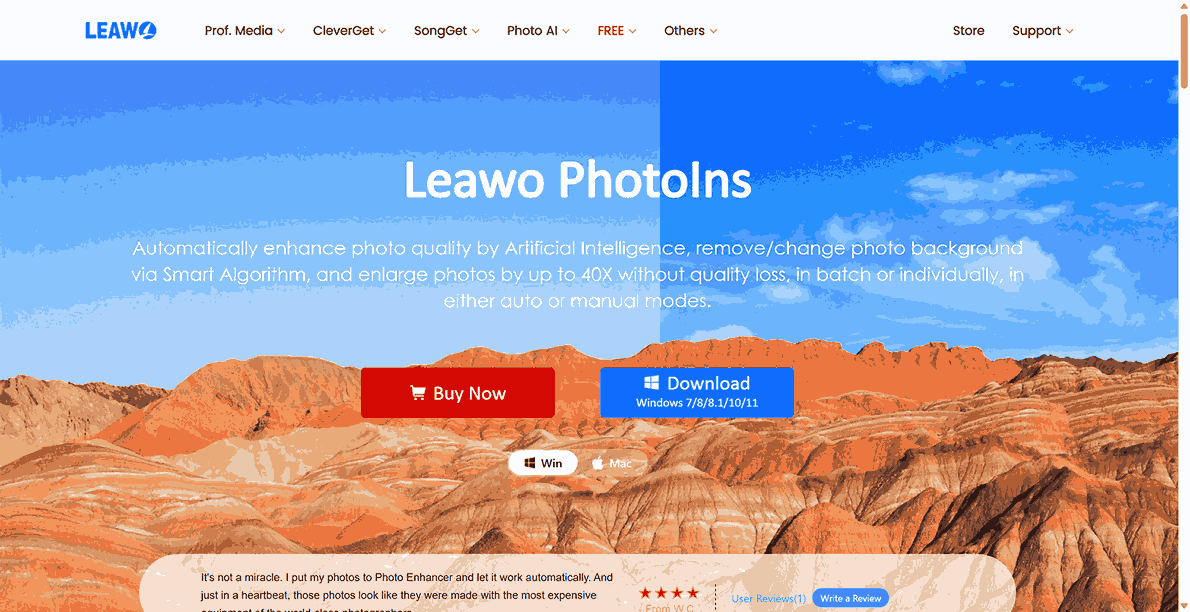
Leawo PhotoIns ($79.95/year)
Like DVDFab’s AI upscaling tool, Leawo PhotoIns is Leawo’s AI module that uses advanced AI to enhance your image. It can correct blur, exposure, and colour, and is also packed with additional tools like Photo Enhancer, Photo BG Remover, and Photo Enlarger. You can even enlarge your image by up to 40X to convert a low-quality image to a high-quality print.
FAQs
1. Can I use DVDFab for use?
There is a free DVDFab version named DVDFab HD Decrypter. It is a permanent free version with limited features. You can use it for 30 days of premium functions. Then, the software will automatically turn to the free version that you can copy, rip, and decrypt DVD/Blu-ray, in limited mode.
2. Can DVDFab keep the original disc menu when copying?
Yes. When you copy the disc, choose the Full Disc mode, then everything will be kept, including the original menu, trailer, bonus content, and all audio tracks, just like the original disc.
3. Can I rip a movie and play it on my iPhone or Android tablet?
Yes. Both DVDFab and Leawo Blu-ray Ripper come with "Device Presets". You can choose the model of your device (for example, iPhone 15 or Galaxy S24), and the software will automatically set the best settings for you.
Conclusion
DVDFab is one of the best solutions for premium users to handle disc usage. However, the price is truly high for some users. If you prefer cost-effective products with good performance, Leawo is definitely a good choice. It offers all the features of copying, ripping, creating discs, and AI upscaling at a lower price. But, all in all, no matter what you choose, I think both tools are great to use.
-
YouTube TV DVR Explained: How It Works, Limits, and Tips
-
4 Easy Methods: How to Download Reddit Videos?
-
How to Watch Movies with Friends Online Together?
-
Cyberlink PowerDVD Review: Best Paid Media Player?
-
ScreenRec Review: Real Performance Test
-
Best Ways to Watch YouTube Videos Offline Without Internet
-
How Many People Can Share a Netflix Account?
-
5 Proven Methods to Watch YouTube Without Ads
-
How Long Do Recordings Stay on YouTube TV? Full Breakdown
-
AnyBurn Review: Is This Free Burner Enough









-
Best Twitter Porn Accounts You Shouldn’t Miss
-
How to Download Pornhub Videos? Ways to Download from Pornhub
-
Top 5 OnlyFans Viewer Tools to View OnlyFans Content for Free
-
Full Review of Savethevideo: Is Savethevideo Safe & How to Use it?
-
How to Download MissAV Porn Videos in HD for Offline Viewing?
-
Netflix Download Limit: What it is & How to Avoid
-
Full Guide to YouTube Members Only Videos: Watch, Download
-
How to Import Bookmarks from Safari to Chrome
-
How to Download Videos from Fansly with Fansly Downloader
-
4 Methods to Burn ISO Files to Blu-ray Discs Easily












 العربية
 繁體中文
繁體中文 Dansk
Dansk Nederlands
 Suomi
Suomi Français
 Deutsch
 Italiano
 한국어
한국어 Norsk bokmål
 Português
 Русский
 Español
 Svenska