


Summary:
YT-DLP is a free, versatile tool for downloading videos from sites like YouTube, Vimeo, and Twitch. But it can’t handle Amazon Prime Video, use CleverGet Amazon Downloader for that instead.
YT-DLP is a tool that you may have heard of, in case you have ever wished to save online videos to watch offline. It is a free, lightweight tool, and it can easily download videos from sites like YouTube, Vimeo, and Twitch. However, what about subscription-based services such as Amazon Prime Video? It becomes a little complicated. In this article, we will explain what YT-DLP is and how you can install it. Plus, we’ll also discuss whether YT-DLP can handle Amazon Prime Video content.
Also Read: FlixGrabapp Review | streamrecorder Review | Videoproc Converter Review | PlayerFab Review
1. What Is YT-DLP?
YT-DLP is a command-line application and a project of the well-known YouTube-DL project. It brings in new features, bug-fixes, and better support of the current streaming sites. It is compatible with a variety of platforms, including YouTube, Vimeo, Twitter, Facebook, and others. YT-DLP allows its users to download videos of all kinds and resolutions and extract audio. Since it is a command-line tool, YT-DLP makes most sense to those users who can comfortably type in commands or write scripts. All in all, YouTube-dl is a reliable tool for those who need a simple and versatile downloader that is compatible with a wide variety of sites.
2. How to Install YT-DLP
If you know the right method, you can easily install YT-DLP. Here is how you can do it easily.
Step 1: Prepare Your System
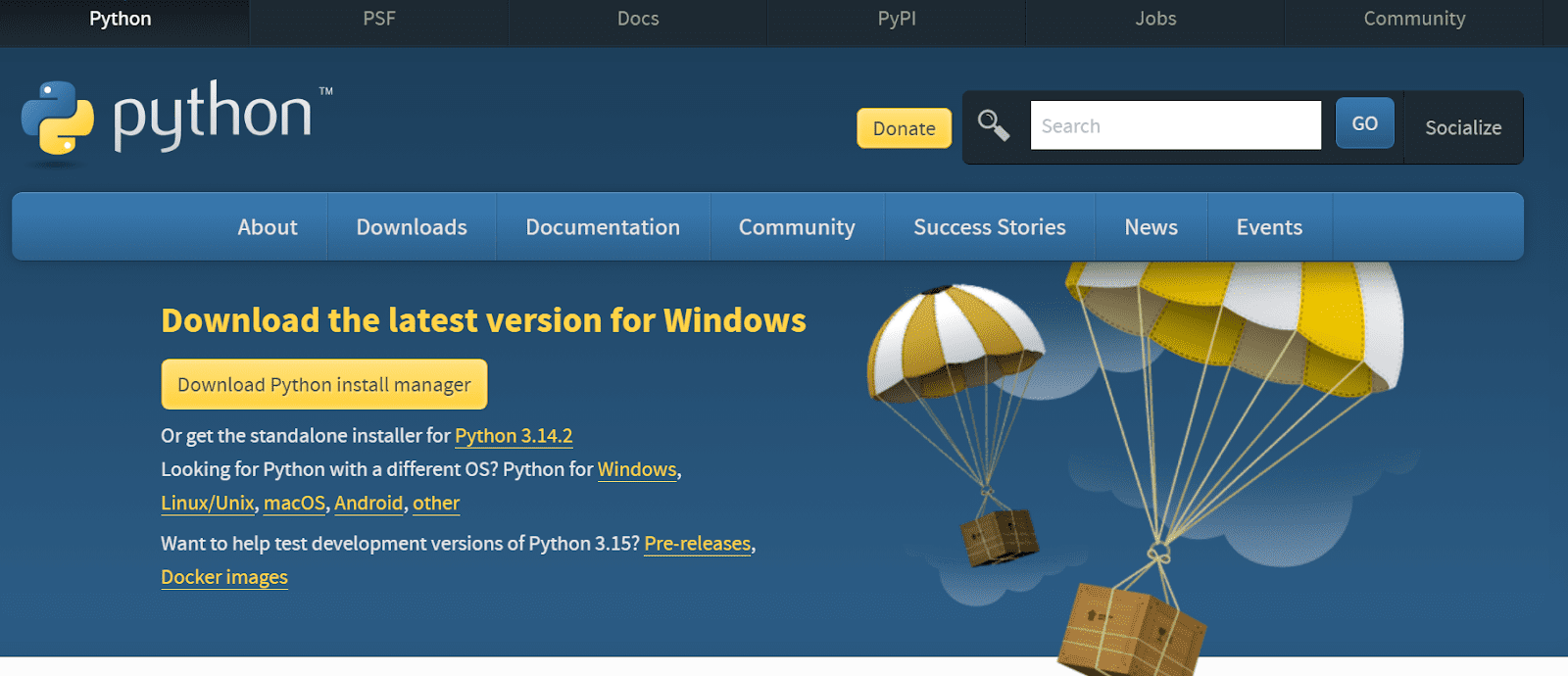
Before getting YT-DLP, make sure Python sits on your machine. Without Python, YT-DLP cannot run at all. Open Command Prompt if using Windows, or Terminal on Mac or Linux, then type python –version and press enter. A version number appearing means Python already exists here. Missing that? Head to the real Python site to grab and set up Python first.
Step 2: Download YT-DLP
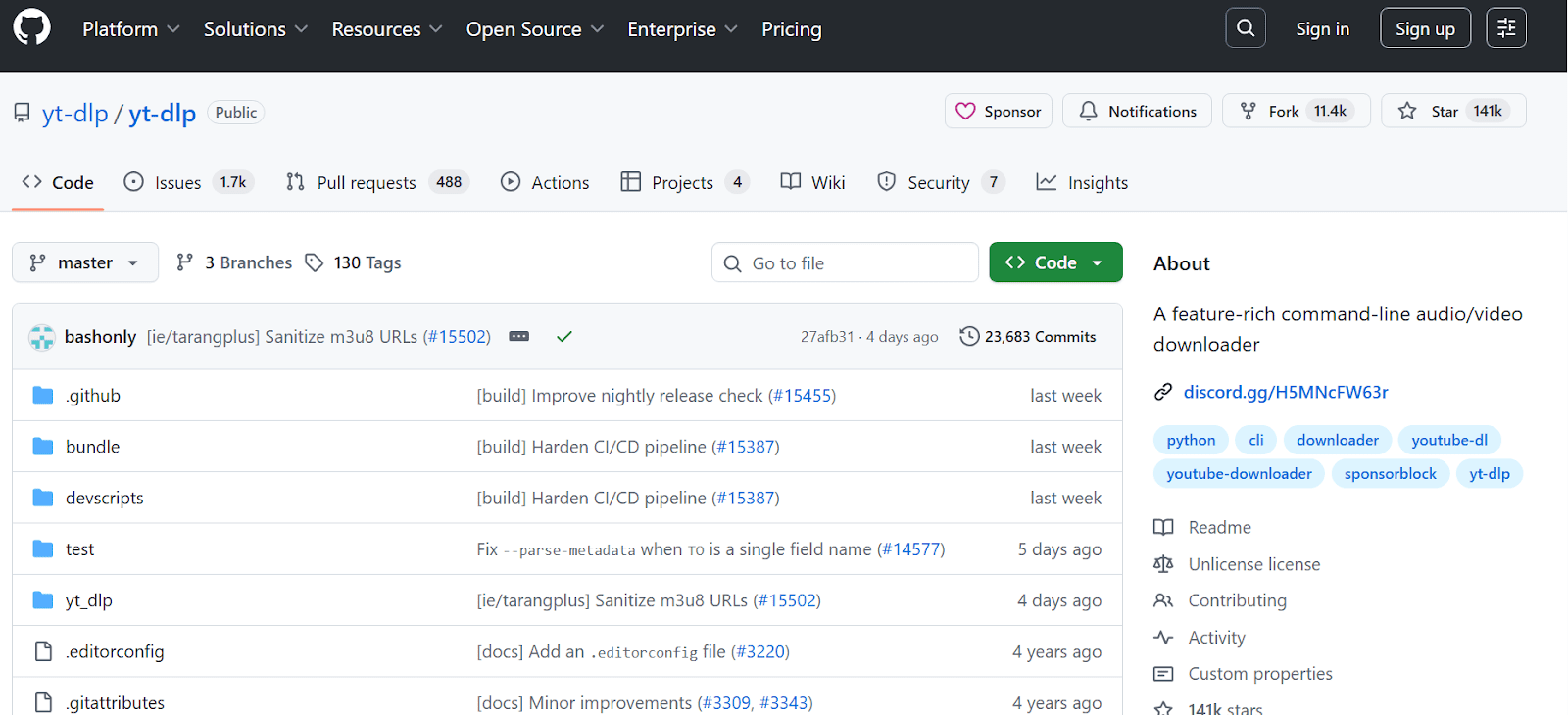
Start by going to the official YT-DLP GitHub site, then grab the correct build based on your OS. Once done, look inside the destination folder where the file landed after downloading.
Step 3: Install YT-DLP
Start at your saved file location using Command Prompt or Terminal. Move into that folder before anything else happens. Execute pip install yt-dlp then press Enter without delay. That process brings YT-DLP along with needed parts to your system. Once done, test if it worked correctly just by entering yt-dlp–version. What appears next must include a clear version number shown on screen.
Step 4: Download Your First Video
Ready to pull down videos? Head over to wherever the video lives – maybe YouTube or Vimeo – and copy its address. Fire up your computer’s command line tool, like Command Prompt or Terminal. Type yt-dlp followed by a space and then paste the link you saved. That pasted web address takes the spot of in the example. The moment you press enter, downloading begins. Hit enter once you’re at the prompt, then YT-DLP starts pulling the video. Usually, it lands in the directory the command came from.

Step 5: Customize Settings
YT-DLP also provides customization of downloads. You have a choice of the video quality, audio only, capture subtitles, or download a whole playlist.
YT-DLP can work with hundreds of platforms, such as YouTube, Vimeo, Dailymotion, Twitch, Twitter, Facebook, etc. It also supports streaming protocols such as HTTP, HTTPS, HLS, DASH, and FTP. always follow the copyright rules as well as the terms of service of the sites you are downloading from.
Part 3: Can YT-DLP Download Amazon Prime Videos?
No. YT-DLP cannot download videos from Amazon Prime Video. It is only compatible with Amazon MiniTV, a free service with limited content that is available only in India. To download Prime Video content, you need a dedicated downloader. If you are in search of a reliable donwloader then you can use CleverGet Amazon Downloader.
You can save Amazon Prime movies and TV episodes directly to your device using this tool. Stored as MP4 files, the content keeps its crisp look, going all the way up to 1080p clarity. With CleverGet Amazon Downloader, speed matters – full shows or whole seasons finish downloading fast, often within minutes. Multiple downloads happen together, meaning entire episode runs come through without waiting between each one.

-
- Download Amazon Prime Videos at up to 1080P.
- Batch download TV series from Amazon Prime Video.
- Download multiple subtitles and audio tracks.
- Save subtitles as SRT/SUP file or pack into video.
- Remove ads for ad-free offline viewing.
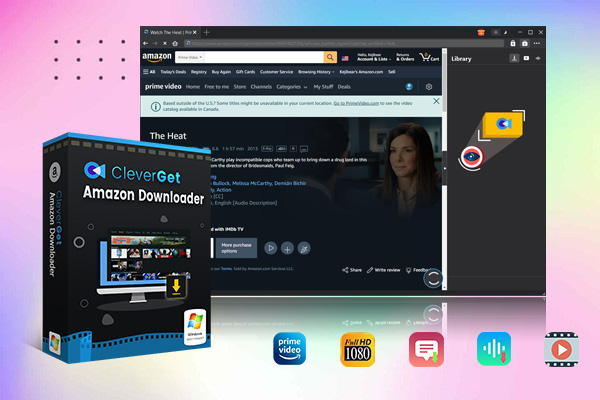
With CleverGet Amazon Downloader, pick your preferred audio and choose subtitle languages – they’re baked right into the video. While Amazon’s own tool sets limits and time restrictions, this one doesn’t hold you back. After saving files, view them whenever needed, whether on phone, tablet, or computer. Because it skips expiry dates and gives full control over playback options, going offline with Prime Video becomes smooth without extra steps. Below are the simple steps to download Amazon Prime Video with CleverGet Amazon Downloader.
Step 1: Get CleverGet Amazon Downloader
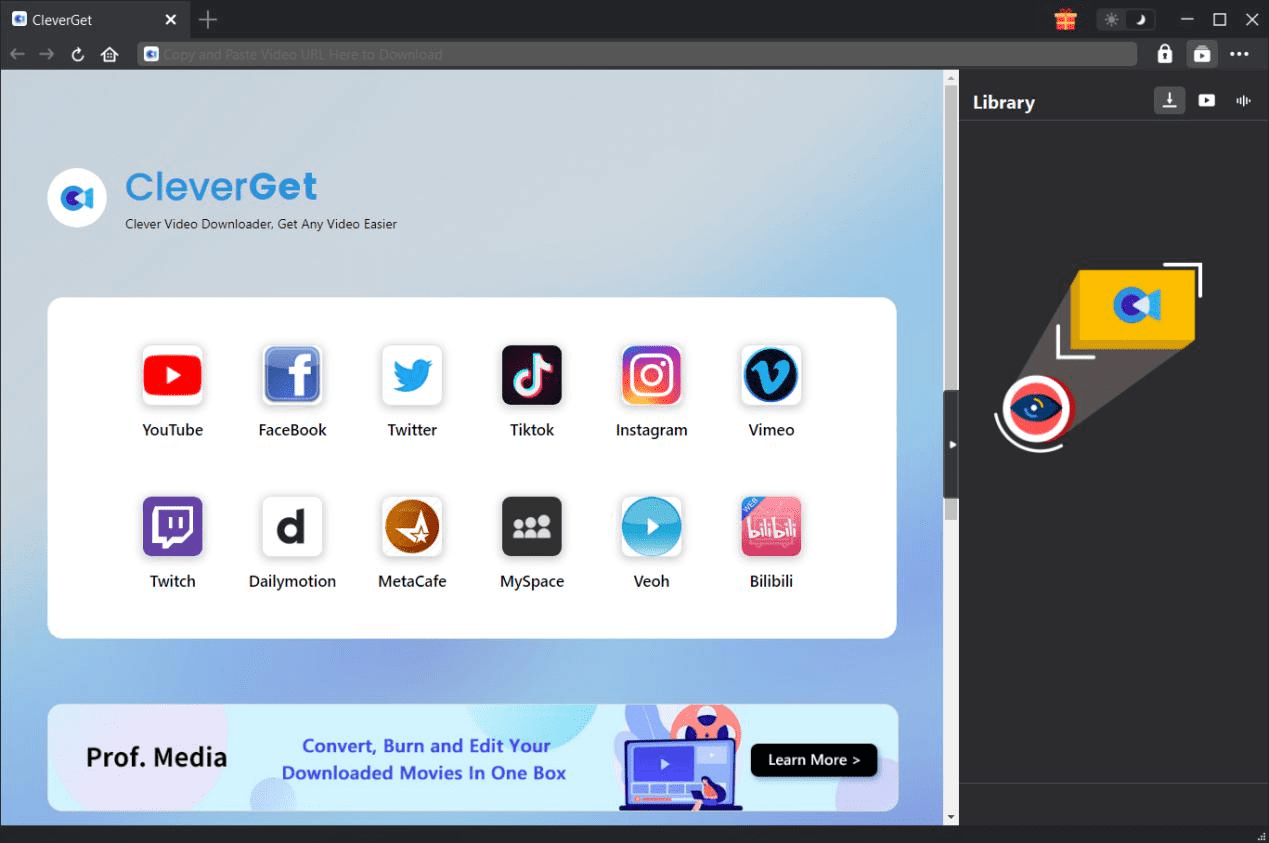
Go to the official CleverGet Amazon Downloader website and install it on your computer. Log in to your Amazon Prime account.
Step 2: Locate Amazon Prime Video
After logging in, search through movies, TV shows, and other Amazon Prime. The search bar can also be used to search for a particular title. Once you find the video you want to download, you just need to click on the video and then the arrow-down button to initiate CleverGet video analysis.

Step 3: Chooose Video Settings
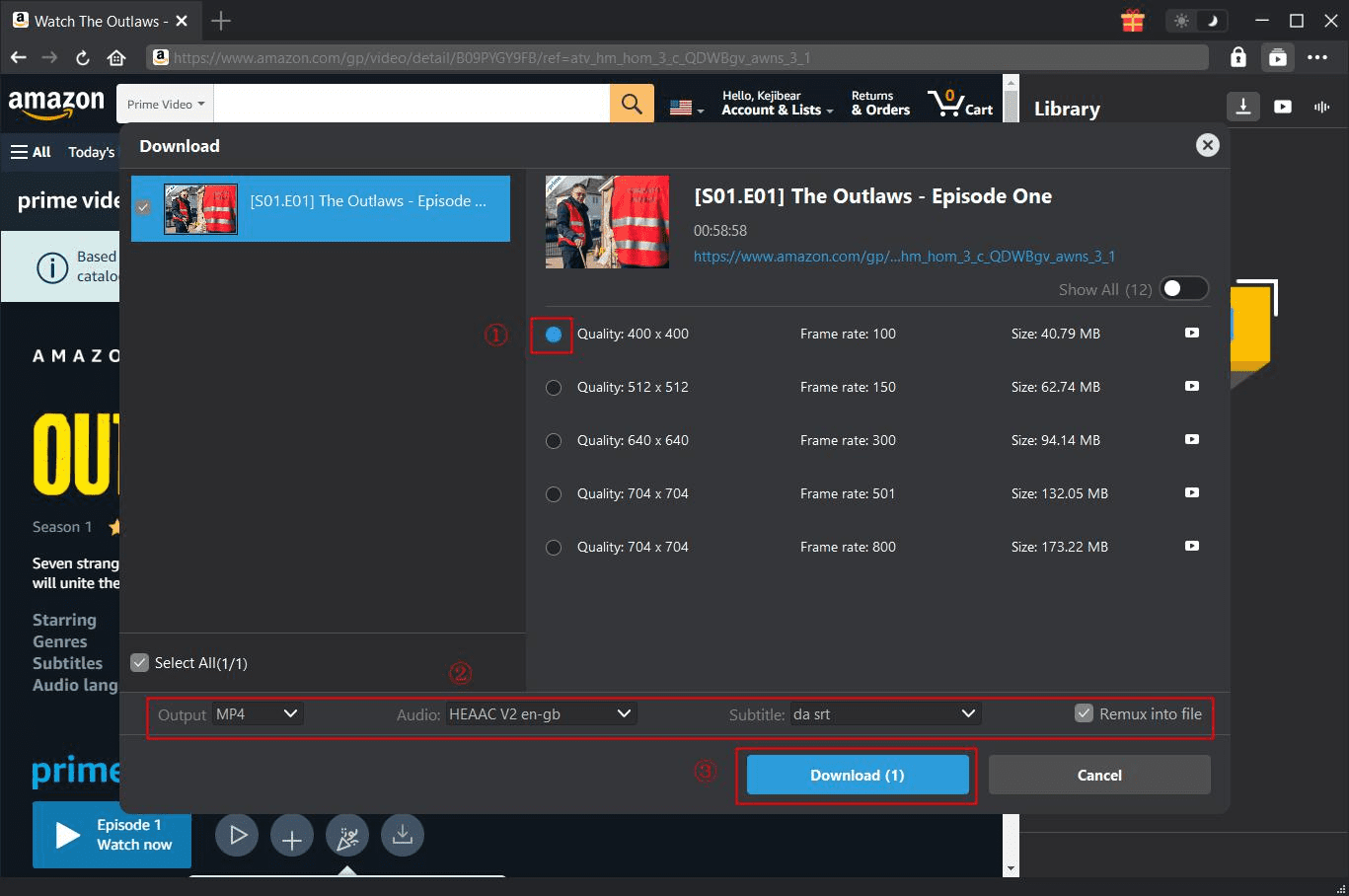
Here you will see the download option once CleverGet has analyzed the video. Before starting the download, you can choose the resolution, audio track, subtitle language, etc.
Step 4: Begin Downloading
Click the download button. The video will start downloading. Within just a few minutes, your video will be ready to watch offline. It’s that simple to download Amazon Prime videos with CleverGet Amazon Downloader. It is quick, trustworthy, and retains the original quality of video and audio.
Conclusion
No doubt, YT-DLP is a multifunctional video downloading tool that can be used to save videos from a huge range of websites, such as YouTube, Vimeo, Twitch, and many more. Yet, it lacks the feature of Amazon Prime Video downloads, reducing its value for those users who want to be able to stream the entire subscription-based library. Hence, if you prefer to download Amazon Prime Videos, CleverGet Amazon Downloader is the best alternative. It has a simple interface and batch downloads videos in high quality. In short, YT, YT is great for handling your everyday video downloading needs, while CleverGet Amazon Downloader is the perfect tool to save and watch Amazon Prime content offline.
-
YouTube TV DVR Explained: How It Works, Limits, and Tips
-
4 Easy Methods: How to Download Reddit Videos?
-
How to Watch Movies with Friends Online Together?
-
Cyberlink PowerDVD Review: Best Paid Media Player?
-
ScreenRec Review: Real Performance Test
-
Best Ways to Watch YouTube Videos Offline Without Internet
-
How Many People Can Share a Netflix Account?
-
5 Proven Methods to Watch YouTube Without Ads
-
How Long Do Recordings Stay on YouTube TV? Full Breakdown
-
AnyBurn Review: Is This Free Burner Enough


-
Best Twitter Porn Accounts You Shouldn’t Miss
-
How to Download Pornhub Videos? Ways to Download from Pornhub
-
Top 5 OnlyFans Viewer Tools to View OnlyFans Content for Free
-
Full Review of Savethevideo: Is Savethevideo Safe & How to Use it?
-
How to Download MissAV Porn Videos in HD for Offline Viewing?
-
Netflix Download Limit: What it is & How to Avoid
-
Full Guide to YouTube Members Only Videos: Watch, Download
-
How to Import Bookmarks from Safari to Chrome
-
How to Download Videos from Fansly with Fansly Downloader
-
4 Methods to Burn ISO Files to Blu-ray Discs Easily












 العربية
 繁體中文
繁體中文 Dansk
Dansk Nederlands
 Suomi
Suomi Français
 Deutsch
 Italiano
 한국어
한국어 Norsk bokmål
 Português
 Русский
 Español
 Svenska