
Leawo PhotoIns
All-in-one AI Photo Tool Pack for E-commerce Operations, Marketing Departments, and Creative Content Teams and Individuals to Enhance Image Quality and Enlarge Photos with AI, And Remove/Change Photo Background in Batch or Individually.

Works on:

AI Photo Enhancer
before
after
Photo BG Remover


before
after
Automatically or Manually Delete and Change Background from Image
With photo background remover module, Leawo PhotoIns could batch remove image background via smart algorithm. It could automatically delete background from images, or manually change photo background by replacing background with pure color or desired picture in various details. The background removal supports clean product presentation, transparent visual assets, and fast preparation of images used in catalogs, promotions, and professional design output.
AI Photo Enlarger
Enlarge Images with Image Enhanced and Resolution Upscaled Up to 40X by AI
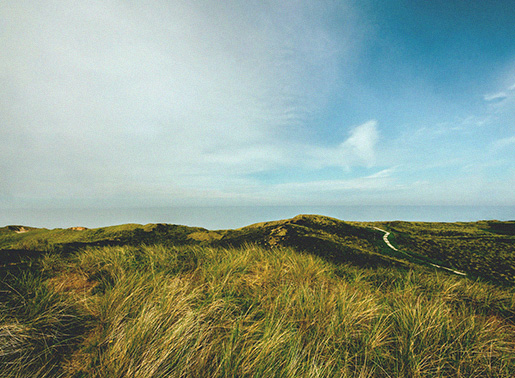
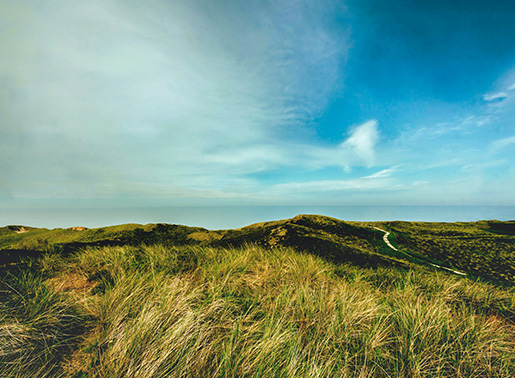
With AI photo enlarger module, Leawo PhotoIns could enlarge photos in batch by up to 40 times without quality loss. The AI photo enlarging tech will automatically compensate photo resolution to improve photo quality by removing noise and mist, fixing resolution loss and blurred images, adjusting photo contrast, saturation, exposure, etc. Image enlargement helps teams preserve quality when adapting visuals for large-format display, printed materials, presentation screens, and digital publishing.


before
after
Key Features
High Efficiency with AI, Batch Processing and 5X Hardware Acceleration
Powered by advanced AI technology, batch processing, and GPU hardware acceleration support, Leawo PhotoIns not only improves photo quality with high efficiency but also handles photo enhancing at higher speed. No matter you are going to enhance photos, remove or change photo background, or upscale images, Leawo PhotoIns ensures you with high quality results.
Application Scenarios
Designed for Both Personal and Professional Image Productions
Handle photos for personal uses like SNS sharing, old or low-quality photo enhancing, etc.
Improve product images for e-commerce listings and marketplace catalogs.
Remove backgrounds for branded visuals and advertising assets.
Upscale low-resolution files for print materials and digital publishing.
Enhance campaign images for social media, paid ads, and client presentations.
Prepare high-volume visual content for internal and commercial delivery.
Why Choose Leawo PhotoIns?
1. Advanced AI tech ensures photo output with high quality and at high efficiency.
2. Batch processing and GPU hardware acceleration deliver faster photo processing.
3. Powerful functions come with easy to use interface.
How Does Leawo PhotoIns Work
How Does It Work
 1
1Step 1 : Import Source Photos
2Step 2 : Enhance Photos
3Step 3 : Output Settings


Tech Specs
Supported OS :Microsoft Windows 7, 8,10 (64-bit)
Graphics card :Open GL 3.3 or later compatible Graphics Cards
Processor :Intel® Core i3 or AMD Athlon® 64 processor; 2 GHz or faster processor
RAM :4 GB of RAM (8 GB recommended)
Screen display :1024 x 768 display (1280x800 recommended)
Hard drive space :4 GB of available hard-disk space, SSD for best performance
Adapter :DirectX 10-capable video adapter
Others :Internet connection and registration are necessary for required software activation, validation of subscriptions, and access to online services.
Supported OS :macOS Yosemite (10.10), macOS X El Capitan (10.11), macOS Sierra (10.12), macOS High Sierra (10.13), macOS Majave (10.14), macOS Catalina (10.15), macOS Big Sur (11), macOS Monterey(12), macOS Ventura(13), macOS Sonoma (14), macOS Sequoia (15), macOS Tahoe (26), macOS Golden Gate(27)
CPU :1 GHz or above Intel Processor and Apple M1/M2 chip(Rosetta required)
RAM :4GB RAM or more (8GB is recommended)
Hard drive space :4GB of available hard-disk space, SSD for best performance
Display :1440x900 pixels resolution (1920x1080 or better is recommended)
Adapter :DirectX 10-capable video adapter
Others :Internet connection and registration are necessary for required software activation, validation of subscriptions, and access to online services.
Testimonials
What Client Say About Leawo PhotoIns
Leawo PhotoIns reduced our product image preparation time across 300+ listings. It saved my time in processing a big amount of listing photos for adding to my store.
I didn't really expect much from the free version I got from "Giveaway of the Day", but I am positively stunned by the quality of the output. A nice picture of an Item I put on Ebay was enhanced to professional quality.
I have to be honest, I never write reviews. I just don't have the time. But this app is amazing. I don't do a lot of photo editing, but if you do, this app is for you. I don't even know how it works. I just used it and it made my photos look amazingly better, and it's soooo much faster than Lightroom. I don't even know how they did it, but it's not even expensive! I don't usually give reviews, but it's worth it. So check it out and thank me later; )
I use google picasa frequently but it isn't available for mac. This Photo app has provided the functionality I really liked. (I'm feeling lucky filter)
Leawo PhotoIns

 How to Back Up Copy Protected Blu-ray and DVD Dis...2026-09-19
 KMPlayer Review: Is KMPlayer the Best Free Media ...2026-05-17
 Kigo Video Downloader Review: Features, Performan...2026-05-14
 8 Best Movie Night Movies of 2026 Releases for Ho...2026-05-12
 How to Copy DVD to DVD: Tools, Tips & Methods2026-05-10
 How to Screen Record HBO Max Without Black Screen...2026-05-06
 What Are HBO Max Download Limits? The Truth About...2026-05-06
 Crunchyroll Free Trial: How to Get Crunchyroll fo...2026-05-06
 TunePat VideoGo All-In-One Review: Really of Grea...2026-04-15
 YouTube TV DVR Explained: How It Works, Limits, a...2026-04-14
 Latest Articles


Improve Image Quality Automatically with Cutting-Edge AI Enhancement
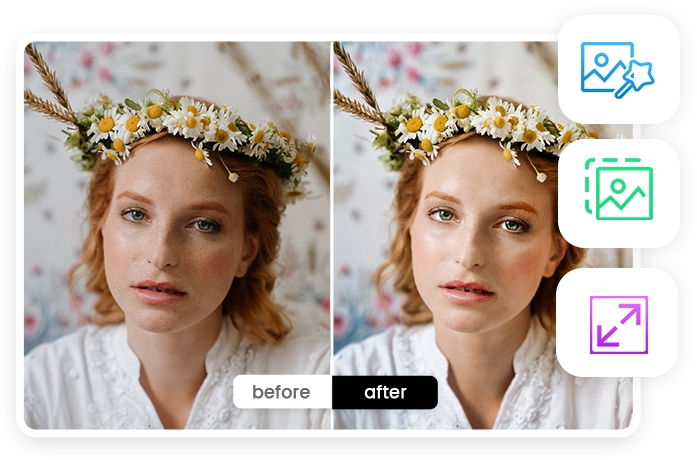
Featuring the best AI photo enhancer software, Leawo PhotoIns helps both businesses and individuals increase picture resolution, adjust picture white balance and exposure, optimize color, contrast, saturation and effect, remove noise and mist, process RAW photos and enhance JPG pictures, retouch skin, remove freckles, enlarge eyes, etc. It supports faster image preparation for online stores, marketing campaigns, branded presentations, product catalogs, and daily creative workflows handled by internal teams or external agencies.