


Summary:
This TunePat VideoGo All-In-One review covers the features, legality & safety, and usage based on personal experience.
As a leader in music conversion, TunePat expanded into the video space with the release of VideoGo All-In-One. But does it deliver great value? In this TunePat VideoGo All-In-One review, I’ll take you through my hands-on experience with the program, breaking down its features, performance, and both legality and safety considerations.
MenuCLOSE
1. What Is TunePat VideoGo All-In-One
TunePat VideoGo All-In-One is a versatile video downloader that allows you to save videos from multiple streaming services, such as Netflix and Prime Video, in MP4 or MKV format for offline viewing. It also has a recorder module for capturing online videos and live streams. As of 2026, the TunePat VideoGo All-In-One price for a lifetime license is $149.90 for a single computer.

Support for 1000+ video streaming sites:
The software allows you to download from not only paid streaming platforms like Hulu and Netflix, but also many video-sharing platforms like YouTube. It worked perfectly on the ten sites I randomly tested. It’s worth noting that while it supports 1080p for most streaming sites, it can download YouTube videos in up to 8K resolution.
Fast Download Speeds and Batch Downloading:
In my test, a 5-minute 1080p video took only 2 minutes to download. Compared to the industry’s average, where the download often takes as long as the video’s runtime (a 1:1 ratio), TunePat’s performance is way faster. Additionally, if you’re looking to save an entire season of a TV show, the program offers a batch download option.
Save Multilingual Audio Tracks and Subtitles:
If a video has audio tracks and subtitles in different languages, you can select your preferences in advanced download settings. I tested both English and Spanish, and found that the audio and subtitles were perfectly synced both times.
Ad-free Viewing:
The annoying ads on Prime Video were all removed from my downloaded files. Honestly, this offline viewing experience was way better than watching online, plus I didn’t have to deal with any buffering.
2. How to Use TunePat Video Go All-In-One
The interface is clean and simple, and you won’t need any technical skills to use this software. Here’s how I saved an online video for offline viewing using TunePat VideoGo All-in-One.
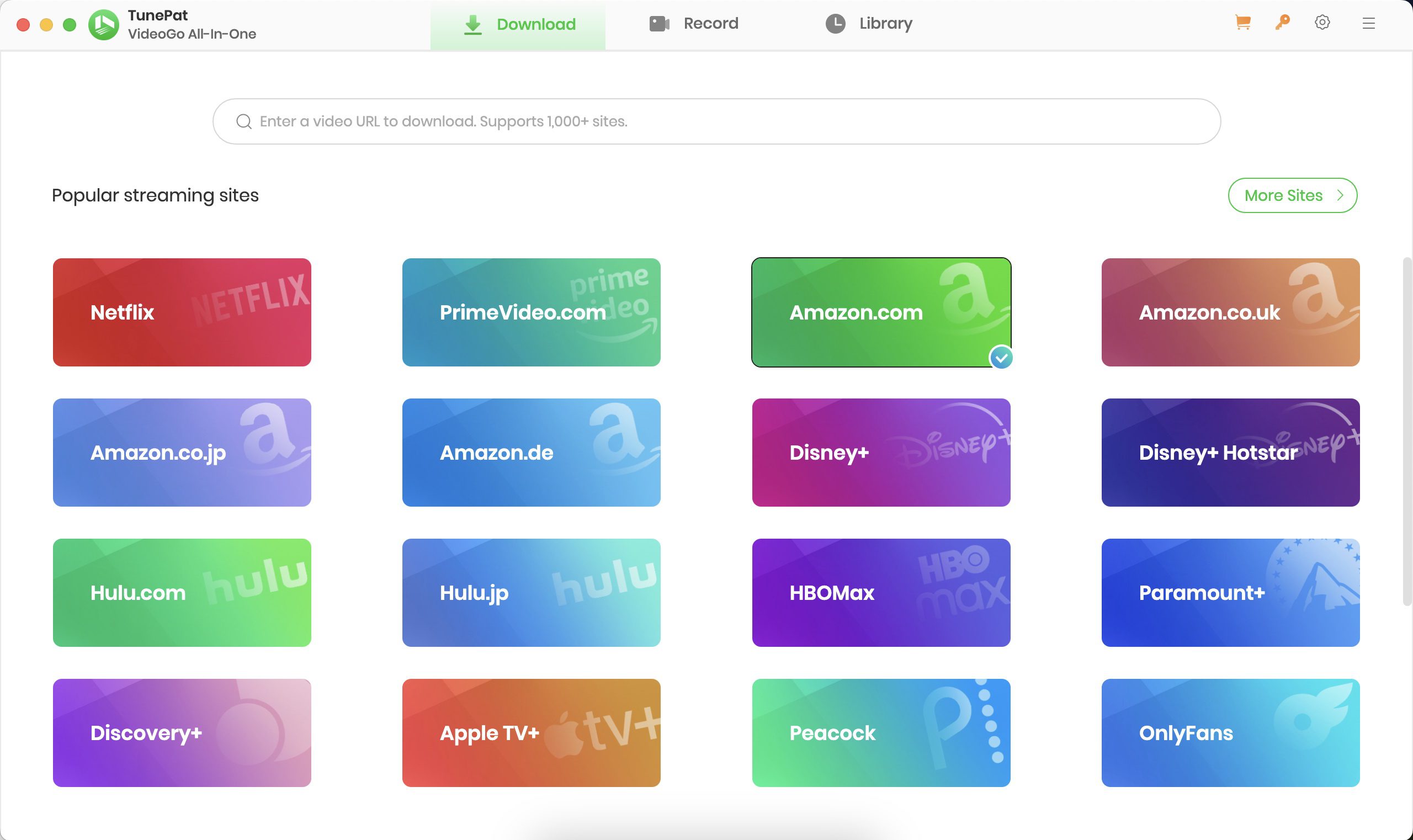
Step 1: I downloaded the Mac version of TunePat VideoGo All-In-One from its official site and installed it. After launching the program, I visited Prime Video from the list and logged in to my account.
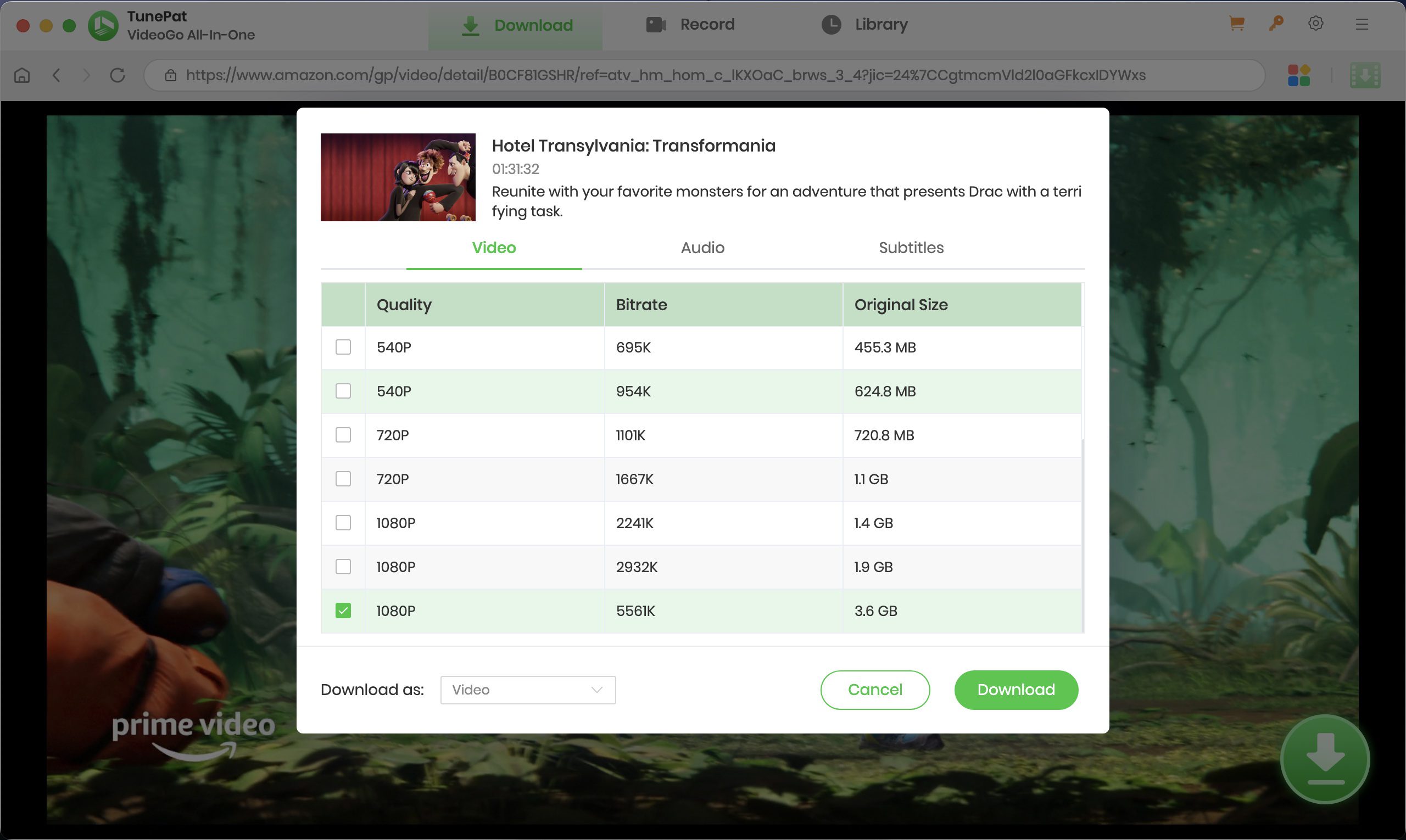
Step 2: On Prime Video main page, I searched for a title and visited the detail page. The arrow icon in the bottom right corner turned green, and I clicked on it.

Step 3: On the download settings, I chose a preferred episode, video quality, audio track, and subtitle, and clicked Download.
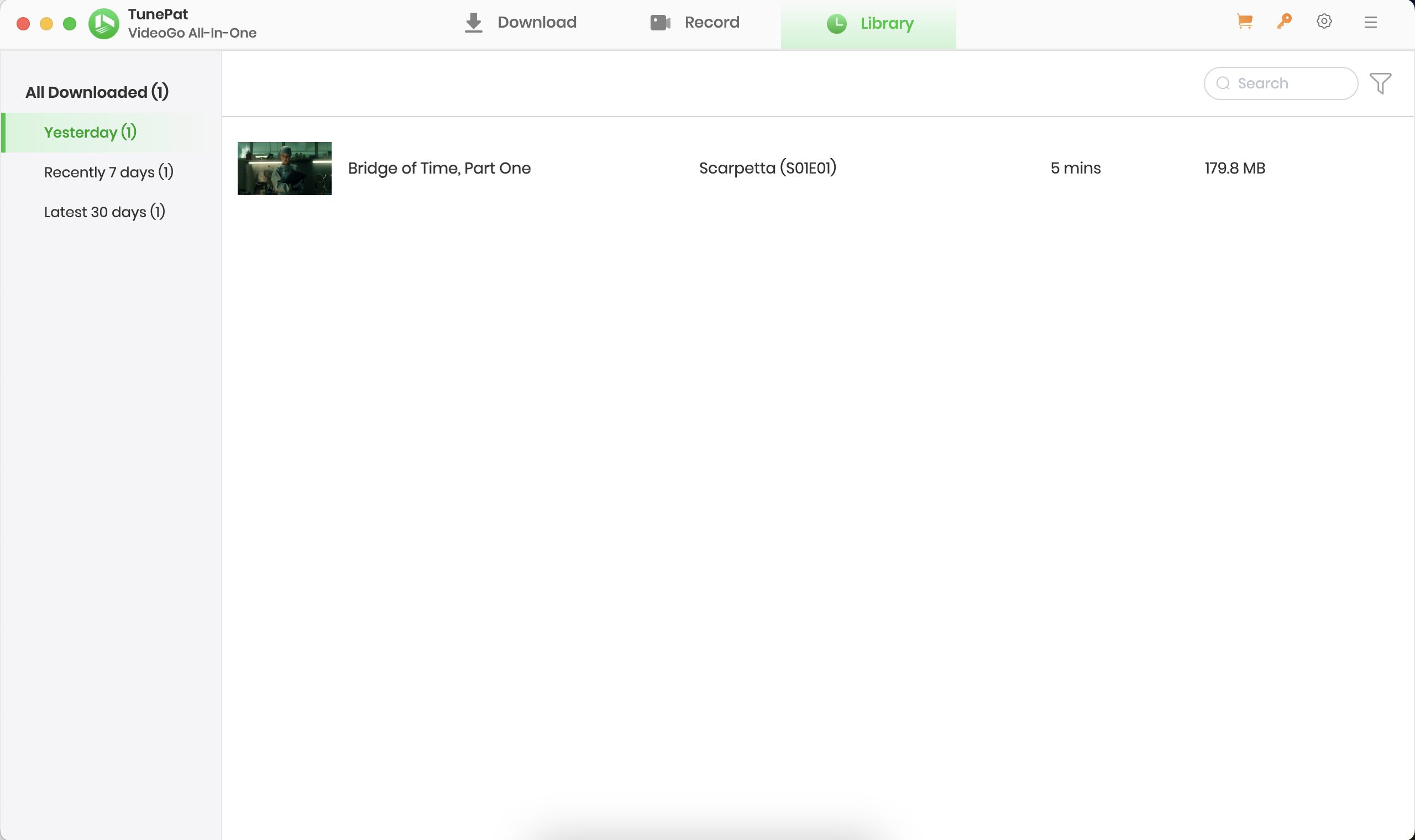
Step 4: The download process was in the right column. Once done, I clicked the Library section to view the downloaded file.
3. Is TunePat VideoGo All-in-One Safe and Legal?
I’ve broken down the overall concerns about this software into three areas:
Is the software safe to download?
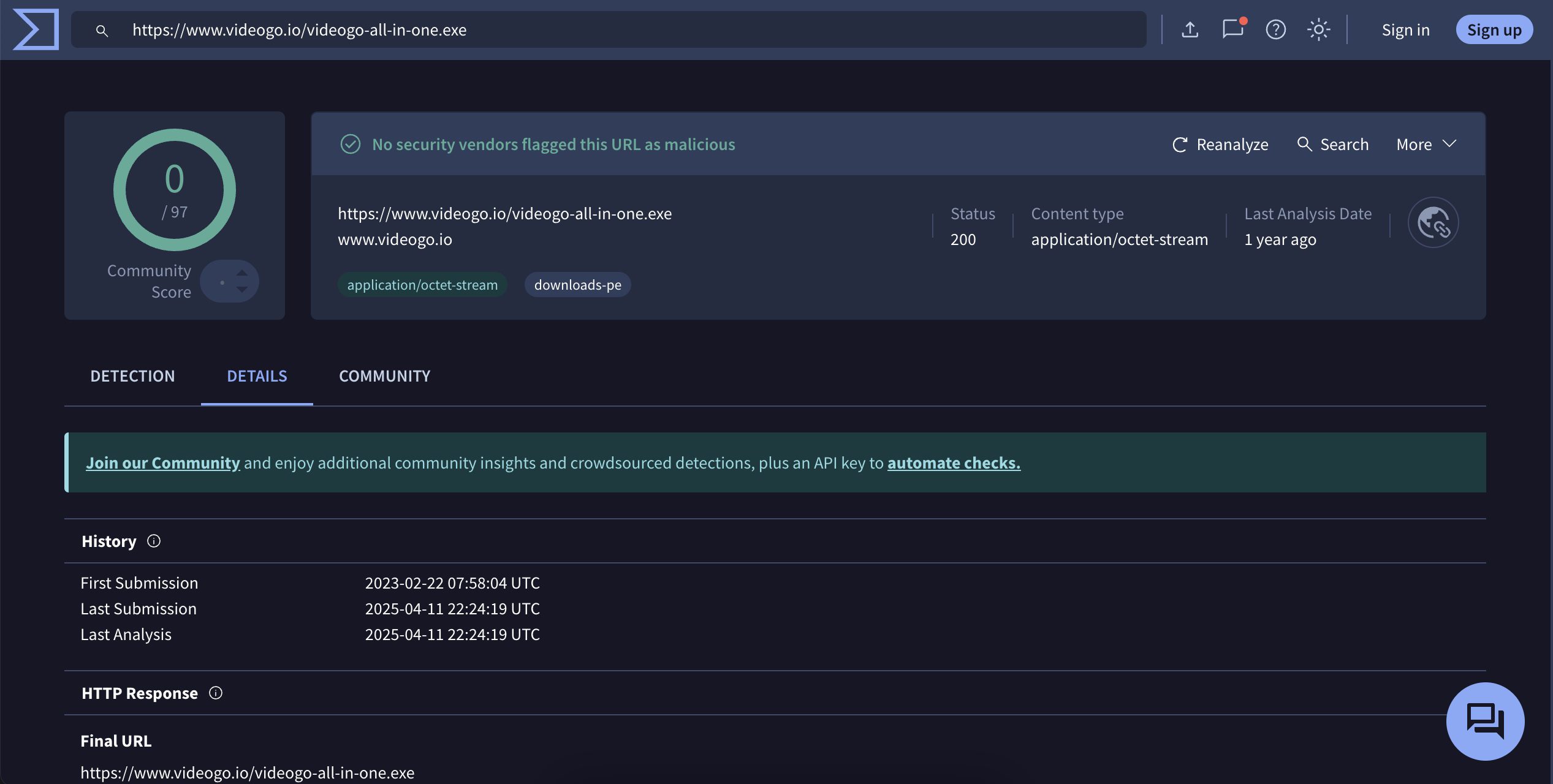
The answer is YES. I ran the installer through VirusTotal, and the software passed with zero flags for malware or viruses. As long as you download directly from the TunePat official website, you won’t have any security issues.
Is it safe to use?
Since TunePat requires you to sign in to your streaming account within the program, privacy is a valid concern as well. TrustPilot reviews show no reports of credentials leaks or data breaches. Most user complaints focus on occasional download failures on Netflix, not security-related issues, though.
Is it legal?
The software itself is completely legal to own and install. Using it to download videos for personal use is fine. I generally save my favorite and unwatched movies and shows from streaming sites on my computer before my subscription expires. This is simply a tool to help you enjoy the content you already pay for.
4. Best TunePat Alternative: CleverGet All-In-One
At this point, TunePat seems like a fair choice, but don’t miss out on others that give a real all-in-one experience like CleverGet All-In-One Downloader. As a latecomer, it not only closes the gap but excels in certain ways.

-
An all-in-one video downloader toolkit that can save online videos including live streams and premium OTT content from over 1,000 sites at up to 8K resolution with an ad filter.
- Batch download movies, TV episodes of certain or all seasons, playlists, etc.
- Support multiple subtitle and audio tracks download selection.
- Record videos in the background at up to 5× speed and 4K resolution.
- Convert videos to MP4, MKV, MP3 or other formats.
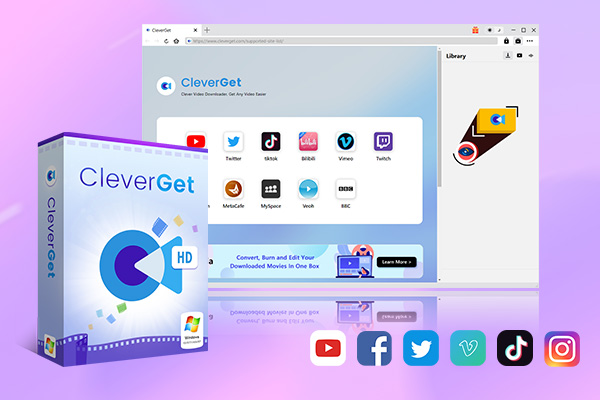
While both claim to have a built-in web browser, only CleverGet truly delivers on this feature. On TunePat, opening a new site automatically overrides the current one, and there is no ‘back’ button to return to the previous page. I had to create a list of the video sites in advance before downloading. In contrast, CleverGet allows you to open as many pages as you like, just like Google Chrome.
One thing I love about CleverGet is its trial policy. It offers a free trial of three full video downloads, so I can verify the final file quality, audio synchronization, and ad-removal capabilities.
CleverGet also deserves credit for not leaving older tech behind. Not just TunePat, but many other downloaders now require Windows 10 or 11. If you are still running Windows 7/8/8.1, CleverGet is likely your best and most stable option for high-quality downloads.
|
Features |
TunePat Videogo All-In-One |
CleverGet All-In-One |
|
Supported Sties |
1000+ |
1000+ |
|
Supported Platforms |
|
|
|
Free Trial |
5 mins (Download) / 3 mins (Record) |
3 full videos (Download) / 3 mins (Record) |
|
Lifetime License Price |
$149.90 |
$259.95 |
|
Video Quality |
1080p (Download/Record) |
1080p (Download) / 4K (Record) |
|
Audio Quality |
Up to 5.1 Surround Sound |
Up to 5.1 Surround Sound + High-Bitrate Recording (320kbps) |
|
Batch Download |
YES |
YES |
|
Ad Removal |
YES |
YES |
Final Verdict
From this TunePat VideoGo All-In-One review, it is safe to conclude that it is a solid choice for basic, casual offline viewing. However, the occasional stability issues and single-tab interface may be a drawback for power users. If you’re looking for a more reliable all-in-one downloader, CleverGet All-In-One makes a superior alternative. With CleverGet, you can seamlessly grab your favorite content and build a high-quality permanent library for offline viewing.
-
TunePat VideoGo All-In-One Review: Really of Great Value?
-
YouTube TV DVR Explained: How It Works, Limits, and Tips
-
4 Easy Methods: How to Download Reddit Videos?
-
How to Watch Movies with Friends Online Together?
-
Cyberlink PowerDVD Review: Best Paid Media Player?
-
ScreenRec Review: Real Performance Test
-
Best Ways to Watch YouTube Videos Offline Without Internet
-
How Many People Can Share a Netflix Account?
-
5 Proven Methods to Watch YouTube Without Ads
-
How Long Do Recordings Stay on YouTube TV? Full Breakdown











-
Best Twitter Porn Accounts You Shouldn’t Miss
-
How to Download Pornhub Videos? Ways to Download from Pornhub
-
Top 5 OnlyFans Viewer Tools to View OnlyFans Content for Free
-
Full Review of Savethevideo: Is Savethevideo Safe & How to Use it?
-
How to Download MissAV Porn Videos in HD for Offline Viewing?
-
Netflix Download Limit: What it is & How to Avoid
-
Full Guide to YouTube Members Only Videos: Watch, Download
-
How to Import Bookmarks from Safari to Chrome
-
How to Download Videos from Fansly with Fansly Downloader
-
4 Methods to Burn ISO Files to Blu-ray Discs Easily















 العربية
 繁體中文
繁體中文 Dansk
Dansk Nederlands
 Suomi
Suomi Français
 Deutsch
 Italiano
 한국어
한국어 Norsk bokmål
 Português
 Русский
 Español
 Svenska