

Blu-ray Player Battle: VideoByte vs. Leawo – Who Is Better?

Summary:
VideoByte Blu-ray Player vs. Leawo Blu-ray Player, which one is better? I compare their features and pricing from my hands-on tests. So you know which player fits you best.
VideoByte Blu-ray Player and Leawo Blu-ray Player are both powerful and popular software for Blu-ray playback. But which one is better? As someone who has tried both tools, I will share my real hands-on experience here. In this VideoByte Blu-ray player review, I will introduce features, tutorials, and pricing of both tools to help you decide clearly.
OutlineCLOSE
1. What Can Users Expect from VideoByte Player?
I’ve been testing Blu-ray players for a while, and VideoByte has been on my radar for its promise of seamless playback. In this section, I will introduce what I appreciated about it, how to use it, and the pricing. So you can see if it suits your needs.
What Are the Main Features of VideoByte Player
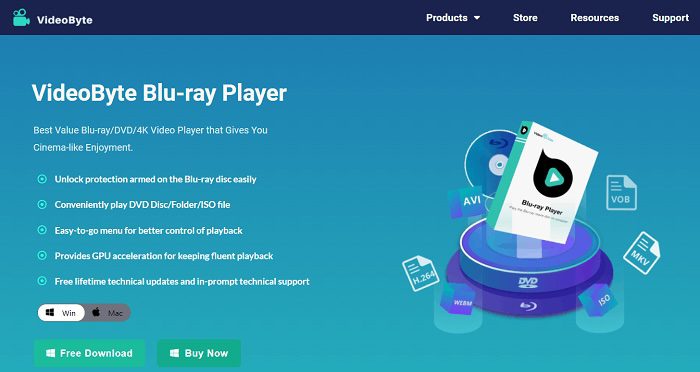
Based on my trials, VideoByte stands out for its robust capabilities. Here’s what I love.
Region-Free Playback:
I tested Blu-ray discs from Regions A, B, and C, along with DVDs from Regions 1-6. They all play flawlessly. This makes the player an excellent choice for someone who has a lot of international collections, just like me.
Advanced Protection Removal:
It effortlessly bypassed common Blu-ray protections such as AACS, BD+, Cinavia, and more. I don’t see many playback restrictions, at least to me.
Menu Navigation & Customization:
I can access disc menus, switch chapters, change audio tracks, and adjust subtitles easily. The entire user experience is pretty smooth to me.
High-Quality Video & Audio Output:
With support for 1080p HD and 4K resolution, plus DTS and Dolby audio, VideoByte Player offers crisp and detailed video quality.
Versatile Format Support:
Beyond Blu-ray discs, folders, and ISO files, the player supports MP4, MKV, AVI, and many other formats.
How to Play Blu-ray with VideoByte Blu-ray Player
I found the playback process with VideoByte Blu-ray Player pretty straightforward. Here’s exactly how I played my Blu-ray in 4 steps:
Step 1. I downloaded and installed VideoByte on my Windows PC using the free trial for testing.
Step 2. I placed my Blu-ray disc into the drive. Then I opened the software, clicked “Open Disc.”

Step 3. VideoByte Blu-ray Player quickly scanned and loaded my movie from the disc.
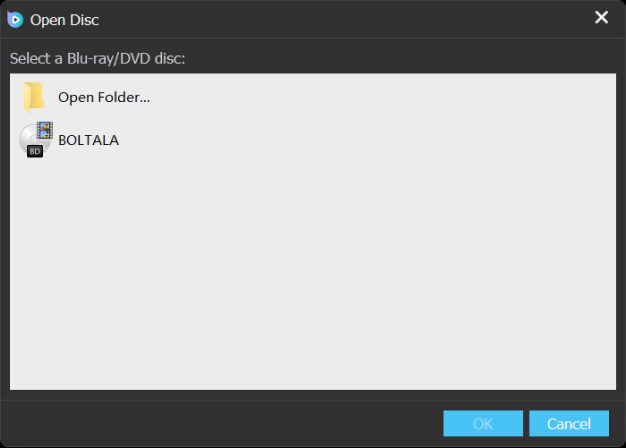
Step 4. I also used the menu to switch chapters, adjust audio tracks and subtitles, and control playback options. For advanced settings like brightness, just use the preferences in settings.
Price of VideoByte Blu-ray Player
VideoByte offers a few licensing plans. Here I have concluded the pricing and plans for your reference.
|
Plan |
Price |
Details |
|
1-Month License |
$29.95 |
For 1 PC, full features |
|
Single License |
$44.95 |
Lifetime for 1 PC |
|
BD-DVD Ripper + Player Bundle |
$94.43 |
Combo for ripping and playing on 1 PC |
Note: If you want more detailed review of VideoByte Blu-ray Player you can go find it here: VideoByte Blu-ray Player Review
2. How Leawo Blu-ray Player exceeds those expectations for Absolutely Free
The previous VideoByte Blu-ray player review should cover the things you want to know about the software. After spending some time with VideoByte, I switched over to Leawo Blu-ray Player. Honestly, I was completely surprised. Not only did it meet my expectations, but it exceeded them in many cases, and all for FREE. Let’s delve into this powerful tool now.

-
A 100% free Blu-ray media player combo that offers totally free media playback solutions for 4K Blu-ray, Blu-ray, DVD, video and audio playback. It could play back 4K Blu-ray, Blu-ray and DVD discs regardless of disc protection and region restrictions, without any quality loss and subscription required.

Powerful Features
From my experience, I found Leawo’s features stood out immediately, making VideoByte seem a bit limited.
Region-Free Playback & Protection Bypass:
Like VideoByte, Leawo supports all disc regions and removes AACS, BD+, and Cinavia protections. But Leawo Blu-ray Player offers such features for completely free. So, this gives it a huge edge over VideoByte.
High-Resolution Playback:
While VideoByte caps at 4K, Leawo supports up to 4K and even 8K video. According to my test, I feel Leawo delivers sharper detail on my higher-end display without extra strain for my CPU.
Menu Navigation & Customization:
I could easily switch subtitles, audio tracks, and chapters on both players, but Leawo’s right-click menu feels more intuitive for quick adjustments.
Versatile Media Support:
In terms of formats, both players support a wide range of digital files, but I find Leawo far more flexible. Beyond Blu-ray, DVD, and ISO files, Leawo handles MP4, MKV, MOV, and 180+ formats effortlessly.
Excellent Audio Quality:
Leawo also impressed me with its advanced audio support. The latest version (v1.9.5 and above) includes DTS 5.1, which can decode Dolby, AAC, TrueHD, DTS-HD, etc. I believe this can give users a richer and more immersive movie experience.
Additional Perks:
I find Leawo more stable for me than VideoByte, with zero crashes. And, in my testing, Leawo loaded discs a bit faster, which cut down my wait time before playback.
Ease-to-Use Interface
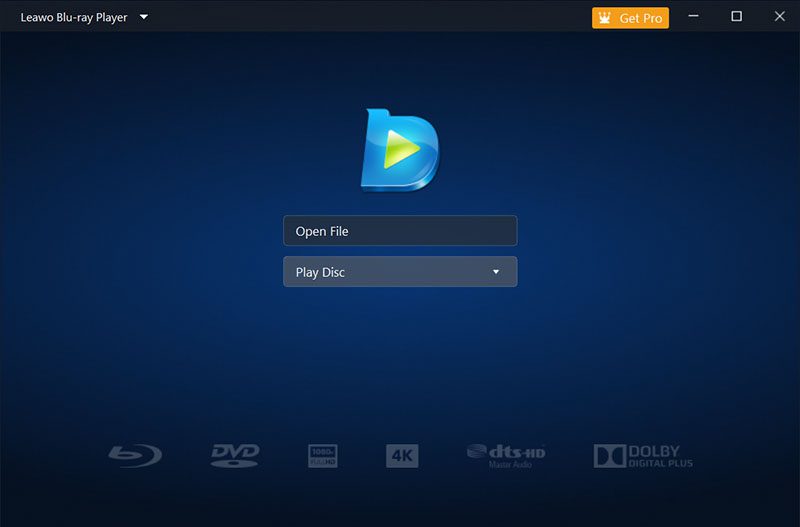
I prefer simplicity when it comes to media players, and Leawo’s interface immediately won me over. It has a clean layout and keeps most menus hidden. Compared to VideoByte’s visible menus, Leawo’s screen is less cluttered. In addition, I feel Leawo is quite lightweight for my OS. If you don’t want to deal with complexity, just like me, Leawo clearly offers a smoother learning curve.
Why Leawo Blu-ray Player Slay over VideoByte Blu-ray Player
When it comes to pricing, Leawo truly pulls ahead. I get full Blu-ray playback without spending a dime, while VideoByte requires a paid plan(starting at $29.95) for core features. Leawo offers completely unrestricted access for absolutely free, giving it a significant advantage over VideoByte’s premium model. For me, that means saving a lot of money without sacrificing performance.
Conclusion
You can change your Prime Video password or PIN once you know the exact method of doing it. Your password is the one that regulates your whole Amazon account, so changing it regularly secures not only your purchases but also your personal information. The PIN operation is a little different. Basically, it is applied to limit access, prevent accidental purchases, and ensure the app is safe with children. The two updates mean that you can save things in a way that is best for you and then continue with your viewing without any form of interruption. Happy watching!
Share this post












 العربية
 繁體中文
繁體中文 Dansk
Dansk Nederlands
 Suomi
Suomi Français
 Deutsch
 Italiano
 한국어
한국어 Norsk bokmål
 Português
 Русский
 Español
 Svenska