
Leawo Blu-ray to DVD Converter
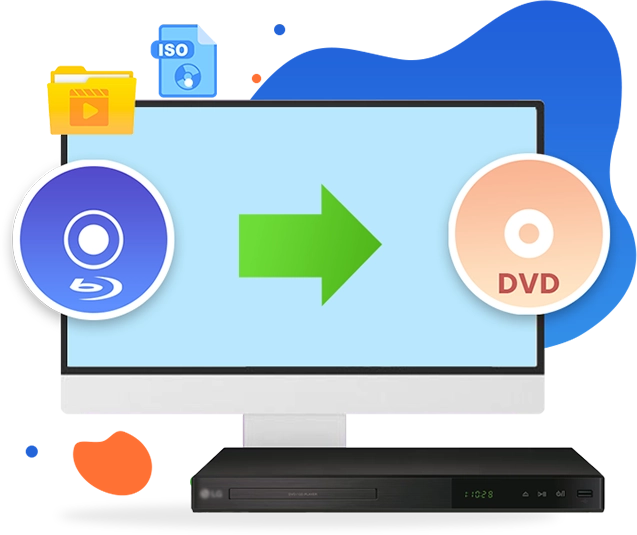
Convert Blu-ray content to DVD format with maximum quality retention for compatibility across standard DVD playback systems, with accelerated processing up to 6X speed.

Works on:

Core Features
Decrypt and Copy Blu-ray Content to DVD Disc, Folder or ISO Images Files
Leawo Blu-ray to DVD Converter incorporates advanced decryption capabilities to process Blu-ray content protected by BD+, BD-J, AACS, region codes, and related mechanisms. It enables conversion of Blu-ray discs (BD25/BD50), folders, and ISO files from all regions into DVD (DVD-5/DVD-9) discs, folders, or ISO image files with high quality retention. The resulting output ensures broad compatibility with standard DVD playback systems and software, supporting media distribution and cross-platform accessibility.
For sources with Cinavia watermark protection, the solution can be integrated with Blu-ray Cinavia Removal to eliminate watermark restrictions, ensuring uninterrupted processing and compatibility within media workflows.
Key Features
Advanced Technologies Make Blu-ray to DVD Copy as Desired
High Quality Output
High Compatibility
6X Conversion Speed
Retain Subtitle & Audio Track
Convert Blu-ray to DVD with Original Quality Maximally Kept
This Blu-ray to DVD converter adopts advanced decoding and encoding technologies. It minimizes compression loss during Blu-ray to DVD conversion, ensuring the output DVD retains almost the exact same quality as the original.
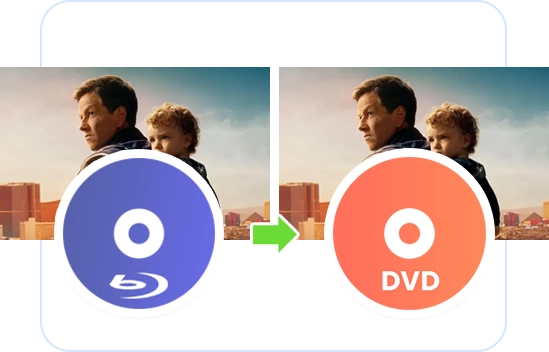
100% Compatible with DVD Players in the Market
The BD to DVD converter uses standard DVD encoding technology, ensuring the output DVDs are 100% compatible with all mainstream DVD players in the market and will play smoothly with high quality.
6X Higher Speed on Blu-ray to DVD Conversion
With advanced GPU graphics card acceleration, including NVIDIA CUDA, AMD APP and Intel Quick Sync, Leawo Blu-ray to DVD Converter can copy Blu-ray to DVD at 6X higher speed.
Output DVD with Desired Subtitle and Audio Track
Leawo Blu-ray to DVD Converter provides two processing modes, Main Movie and Custom Mode, allowing flexible selection of subtitle and audio tracks for output. This enables precise control over content configuration to meet different distribution, localization, and media workflow requirements
Comparison of Leawo Blu-ray Copy Products
| Features | Free Blu-ray to DVD Converter | Blu-ray to DVD Converter | Blu-ray Copy | UHD Copy | Blu-ray Recorder Copy |
|---|---|---|---|---|---|
| Supported Discs | Commercial blu-ray, homemade blu ray (Valid for 30 days only) | Commercial blu-ray, homemade blu ray | Commercial blu-ray/DVD, homemade blu ray/DVD | Commercial 4K blu-ray | Homemade blu ray |
| Input File Supported | Blu-ray disc, folder and ISO image file | Blu-ray disc, folder and ISO image file | Blu-ray/DVD disc, folder and ISO image file | 4K Ultra HD Blu-ray disc, ISO image file and folder | BD50/BD25 BDAV disc, folder and ISO image file |
| BD100-BD100 | ✘ | ✘ | ✘ | ✔ | ✘ |
| BD66-BD66 | ✘ | ✘ | ✘ | ✔ | ✘ |
| BD50-BD50 | ✘ | ✘ | ✔ | ✘ | ✘ |
| BD25-BD25 | ✘ | ✘ | ✔ | ✘ | ✘ |
| BD50-BD25 | ✘ | ✘ | ✔ | ✘ | ✘ |
| BDAV50-BDAV50 | ✘ | ✘ | ✔ | ✘ | ✔ |
| BDAV25-BDAV25 | ✘ | ✘ | ✔ | ✘ | ✔ |
| BD50/BD25-DVD9/DVD5 | ✔ | ✔ | ✔ | ✘ | ✘ |
| BDAV25/BDAV25-DVD9/DVD5 | ✔ | ✔ | ✔ | ✘ | ✘ |
| DVD9-DVD9 | ✘ | ✘ | ✔ | ✘ | ✘ |
| DVD5-DVD5 | ✘ | ✘ | ✔ | ✘ | ✘ |
| DVD9-DVD5 | ✘ | ✘ | ✔ | ✘ | ✘ |
| DVD5-DVD9 | ✘ | ✘ | ✔ | ✘ | ✘ |
| Copying Duration | The first 5-minute content | Unlimited | Unlimited | Unlimited | Unlimited |
| Retain Multiple Subtitles and Audio Tracks | ✘ | ✘ | ✔ | ✔ | ✔ |
| Retain Subtitle and Audio Track | ✔ | ✔ | ✔ | ✔ | ✔ |
| Supported Copy Modes | Main Movie / Custom Mode | Main Movie / Custom Mode | Full Movie / Main Movie | Full Movie / Main Movie | Full Movie |
How Does Leawo Blu-ray to DVD Converter Work
How Does It Work
 1
1Step 1: Install the software and navigate to Copy Blu-ray to DVD.
2Step 2: Click Add UHD/Blu-ray/DVD to add the source files.
3Step 3: Choose Copy Mode and adjust the output setting.
4Step 4: Start converting Blu-ray to DVD.


Pricing Plans of Blu-ray to DVD Converter
Pricing Plans of Blu-ray to DVD Converter for Mac
Choose Your Pricing Plan
Windows
Mac
Basic Plan
One Year
$44.95
- 1 License for 1 PC
- All Features for 1 Year
- Auto-renewal. Cancel Anytime
- 5 Days Money Back Guarantee
- Unlimited Free Upgrades
Professional Plan
Lifetime
$69.95
- 1 License for 1 PC
- All Features for Lifetime
- One-time Payment
- 14 Days Money Back Guarantee
- Unlimited Free Upgrades
40% OFF
Blu-ray Ripper + Blu-ray Copy (Lifetime)
$199.9
$119.94
- 1 License for 1 PC
- All Features of 7 ModulesLeawo Blu-ray Ripper, Leawo DVD Ripper, Leawo Blu-ray Recorder Ripper, Leawo Blu-ray Copy, Leawo DVD Copy, Leawo Blu-ray Recorder Copy, Leawo Blu-ray to DVD Converterfor Lifetime
- One-time Payment
- 14 Days Money Back Guarantee
- Unlimited Free Upgrades
Tech Specs
System requirements
Supported OS :Microsoft® Windows 7, Windows 8, Windows 8.1, Windows 10, Windows 11
Processor :1GHz Intel or AMD CPU
RAM :512MB RAM (1024MB or above recommended)
Free Hard Disk :25GB+ (Blu-ray Disc) hard disk space
Graphic Card :NVIDIA GeForce GTX 260 and above
Others :Blu-ray drive, DVD drive (optional), Internet Connection
References
Input File Format Supported :BD50/BD25 Blu-ray content in disc, folder and ISO image file
Output File Format Supported :DVD-9/DVD-5 content in disc, folder and ISO image file
System requirements
Supported OS :macOS High Sierra (10.13), macOS Majave (10.14), macOS Catalina (10.15), macOS Big Sur (11),
macOS Monterey (12), macOS Ventura(13), macOS Sonoma (14), macOS Sequoia (15), macOS Tahoe (26)
Processor :1 GHz or above Intel Processor and Apple M1/M2 chip
RAM :512MB RAM (1024MB or above recommended)
Free Hard Disk :25GB+ (Blu-ray Disc) Free Hard Disk Space
Others :Recordable Blu-ray drive, Internet Connection
References
Input File Format Supported :BD50/BD25 Blu-ray content in disc, folder and ISO image file
Output File Format Supported :DVD-9/DVD-5 content in disc, folder and ISO image file
Testimonials
 KMPlayer Review: Is KMPlayer the Best Free Media ...2026-05-17
 Kigo Video Downloader Review: Features, Performan...2026-05-14
 8 Best Movie Night Movies of 2026 Releases for Ho...2026-05-12
 How to Copy DVD to DVD: Tools, Tips & Methods2026-05-10
 How to Screen Record HBO Max Without Black Screen...2026-05-06
 What Are HBO Max Download Limits? The Truth About...2026-05-06
 Crunchyroll Free Trial: How to Get Crunchyroll fo...2026-05-06
 TunePat VideoGo All-In-One Review: Really of Grea...2026-04-15
 YouTube TV DVR Explained: How It Works, Limits, a...2026-04-14
 4 Easy Methods: How to Download Reddit Videos?2026-04-14
 Latest Articles


What Client Say About Leawo Blu-ray to DVD Converter
The quality is the most important thing for copying Blu-ray to DVD. This tool performs quite well in this. High quality compression with little quality loss.
Very useful tool. Saved my Blu-ray discs onto my computer in DVD folder with quite big space saved. The quality is satisfactory and the copy process completes quickly.
Leawo Blu-ray to DVD Converter does exactly what I need. It converts Blu-rays to DVDs without losing much quality, and it works with both discs and ISO files. A solid tool for any Blu-ray fan.
This tool is super easy to use and converts Blu-rays to DVDs fast. The quality is great, and I can choose subtitles and audio tracks. It’s definitely a keeper.
Leawo Blu-ray to DVD Converter is quick and easy to use. It keeps the quality of the original Blu-ray while converting it to DVD. Works perfectly for my DVD player. Highly recommend.