
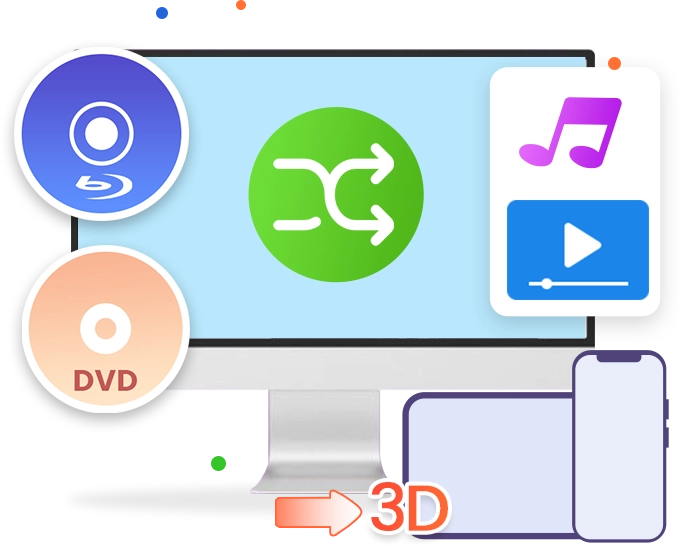
Leawo Blu-ray Ripper for Mac
The best Blu-ray ripper to help users and teams rip Blu-ray/DVD and convert Blu-ray/DVD to MP4, AVI, MKV, MOV, WMV, FLAC, MP3 or other files both professional content workflows and personal media uses
The easiest to use but best Blu-ray ripping software helps you to decrypt, rip and convert Blu-ray/DVD to video or audio files. It supports seamless playback across devices while offering advanced tools to optimize quality, streamline media workflows, and prepare content for professional distribution or personal use.
Convert Blu-ray/DVD to video/audio files in 180+ formats for flexible use across digital platforms.
Remove Blu-ray/DVD disc protection and region restrictions in the background for seamless content access and conversion.
Convert Blu-ray/DVD contents in main movie, full movie, or selected Blu-ray/DVD titles based on workflow needs
Convert Blu-ray/DVD movies with selected subtitles and audio tracks for multilingual and professional content use.
Convert 2D Blu-ray/DVD to 3D video in 6 different 3D effects, with 3D depth adjustable.
Edit Blu-ray/DVD before conversion through trimming, cropping, and customization to fit content requirements.

Works on:

Core Features
Convert and Manage Blu-ray/DVD Content for Flexible Uses
Leawo Blu-ray Ripper is a Blu-ray and DVD conversion software designed for both individual users and professional media workflows. It enables users and teams to convert Blu-ray and DVD content into over 180 video and audio formats for use across multiple devices and digital platforms. The software includes advanced decryption technology to handle protections such as AACS, BD+, the latest MKB protections, and CSS for DVDs, allowing consistent access and conversion of protected media content. In addition to conversion, it provides built-in tools for trimming, cropping, adjusting visual effects, adding watermarks, and converting 2D content into 3D video. It also supports subtitle and audio track selection for customized output. Leawo Blu-ray Ripper supports efficient content preparation for digital distribution, archiving, and playback across different environments, with a streamlined interface suitable for both professional and personal uses.
Key Features
Fashionable 2D to 3D converter
Create 3D movies in various 3D effects
Featuring an advanced 2D to 3D creator, Leawo Blu-ray Ripper could easily convert 2D Blu-ray/DVD to 3D video in 6 different 3D movie effects, including: Red/Cyan, Red/Blue, Red/Green, Blue/Yellow, Interleaved, Side by Side. You could even adjust the 3D depth manually and get instant preview.
Convert 2D Blu-ray to 3D video for various uses
Assisted by Leawo Blu-ray Ripper, you can easily convert 2D Blu-ray/DVD to 3D videos for multiple purposes, like uploading to YouTube 3D Channel, blog and other sites for sharing, playing back on some popular 3D players including like 3D TV, 3D players, 3D VR players, etc.
Key Features
Excellent user-friendly video editing features
Edit Blu-ray/DVD Content Before Conversion
It enables both single users and teams to edit Blu-ray/DVD videos before converting via internal editor: trim video length, crop video size to remove the black margin, adjust video Brightness, Saturation, Contrast and Volume, and add image or text watermark for branding and content identification. These editing features are friendly with marketing materials, presentations, digital publishing, and general media workflows.
Flexible Video and Audio Parameter Control
The software allows users to adjust both video and audio parameters for specific requirements, including video codec, bitrate, frame rate, resolution, aspect ratio, audio codec, bitrate, sample rate, and channel. This ensures optimized output quality for different devices, platforms, and professional use cases such as content distribution, internal media processing, and digital archiving.
Key Features
Other user-friendly bonus features
Freely choose subtitles and audio tracks from source Blu-ray/DVD for output to enjoy movies in desired language.
Merge multiple Blu-ray/DVD titles or chapters into one single file for continuous movie enjoying.
Built-in Blu-ray player to easily play back Blu-ray movies, preview any editing changes and snap screenshots.
Profile search bar provides easy and simple access to set output profile for different players and devices.
Top-notch NVIDIA CUDA, Intel and AMD graphics acceleration technologies ensure fast and smooth processing.
Key Features
Full Compatible with Windows and Mac
Fully support of Windows OS 7/8/8.1/10/11, or macOS 10.13 and later,delivers satisfactory user experience.
CPU Multi-Core control
The CPU multi-core control center ensures smooth going of other programs.
GPU acceleration transcoding
GPU graphic card acceleration technologies delivers faster Blu-ray/DVD conversion.
How Does Leawo Blu-ray Ripper Work
Rip Blu-ray/DVDs to Video
 1
1Step 1 : Add source Blu-ray/DVD
2Step 2 : Select Output Profile
3Step 3 : Set Output Directory
4Step 4 : Start Converting Blu-ray


Pricing Plans of Blu-ray Ripper
Pricing Plans of Blu-ray Ripper for Mac
Choose Your Pricing Plan
Windows
Mac
Basic Plan
One Year
$44.95
- 1 License for 1 PC
- All Features of 3 ModulesLeawo Blu-ray Ripper, Leawo DVD Ripper, Leawo Blu-ray Recorder Ripperfor 1 Year
- Auto-renewal. Cancel Anytime
- 5 Days Money Back Guarantee
- Unlimited Free Upgrades
Professional Plan
Lifetime
$99.95
- 1 License for 1 PC
- All Features of 3 ModulesLeawo Blu-ray Ripper, Leawo DVD Ripper, Leawo Blu-ray Recorder Ripperfor Lifetime
- One-time Payment
- 14 Days Money Back Guarantee
- Unlimited Free Upgrades
40% OFF
Blu-ray Ripper for Mac + Blu-ray Copy for Mac (Lifetime)
$199.9
$119.94
- 1 License for 1 PC
- All Features of 7 ModulesLeawo Blu-ray Ripper, Leawo DVD Ripper, Leawo Blu-ray Recorder Ripper, Leawo Blu-ray Copy, Leawo DVD Copy, Leawo Blu-ray Recorder Copy, Leawo Blu-ray to DVD Converterfor Lifetime
- One-time Payment
- 14 Days Money Back Guarantee
- Unlimited Free Upgrades
Tech Specs
Supported OS :Microsoft® Windows 7, Windows 8, Windows 8.1, Windows 10, Windows 11
Processor :1GHz Intel or AMD CPU
RAM :512MB RAM (1024MB or above recommended)
Free Hard Disk :5GB+ (DVD) / 25GB+ (Blu-ray Disc) hard disk space
Graphic Card :NVIDIA GeForce GTX 260 and above
Others :Blu-ray drive, Internet Connection
Supported OS :macOS High Sierra (10.13), macOS Majave (10.14), macOS Catalina (10.15), macOS Big Sur (11),
macOS Monterey (12), macOS Ventura(13), macOS Sonoma (14), macOS Sequoia (15), macOS Tahoe (26)
Processor :1 GHz or above Intel Processor and Apple M1/M2 chip
RAM :512 MB of RAM or above
Free Hard Disk :5GB+ (DVD) / 25GB+ (Blu-ray Disc) Free Hard Disk Space
Hardware :DVD Drive (an external Blu-ray Drive is required for ripping Blu-ray Disc)
Others :Internet Connection
Testimonials
What Client Say About Leawo Blu-ray Ripper
this is one of the best dvd/blueray digital copiers i bought. i had a few but when i found this one i really lucked out. easy to learn. lifetime warranty by far has never let me down. i have alot of movies that i bought dvd, blue ray, alot but when im stuck in a place that has no wifi or tv... just pick up my phone and im watching something till i can get out.... and be able to watch more when i have the time. fantastic
I tried two other rippers on free trials but wasn't as impressed as I was with Leawo. I have subsequently ripped my entire DVD and Bluray collection to Hard Drive and now stream them without the needed cupboard space for discs.
I have used Leawo for over 16 years! I have Nero and have used it just as long, however, when it comes to ripping and creating/converting videos, LEAWO IS AMAZING! If you are shopping around for a converter, ripper (DVD – Blu-ray), look no further, for this Professional Suite is SWEET! If one can afford the lifetime purchase any of the Leawo products, or purchase the entire suite, buying the lifetime offer is the best route. The products or Professional Leawo will update throughout one's entire use of the software.
FAQS
Frequently Asked Questions
Is Leawo Blu-ray Ripper free to use?
No, Leawo Blu-ray Ripper is a shareware. But you could use Leawo Blu-ray Ripper for free within the free trial period.

Is there a free version of Leawo Blu-ray Ripper?
Yes, Leawo Blu-ray Ripper offers free trial version, which could rip and convert the first 5-minute content for handling both encrypted and non-encrypted Blu-ray contents. Meanwhile, Leawo Blu-ray Ripper free trial handles encrypted Blu-ray content for 30 days. To unlock these limitations, you need to register and activate Leawo Blu-ray Ripper.

Is Leawo Blu-ray Ripper safe to use?
Yes, Leawo Blu-ray Ripper is safe to use. Leawo Blu-ray Ripper brings no virus and malware, and does no harm to both computer and source Blu-ray content. It is safe to download, install and use Leawo Blu-ray Ripper.
Is it legal to decrypt and rip Blu-ray disc?
This highly depends on how you use the ripped Blu-ray content. It would be not illegal if you decrypt, rip and convert Blu-ray discs for personal use only. But if you rip and convert Blu-ray disc for business or profit purpose without official authority, it is illegal.
Can Leawo Blu-ray Ripper remove Blu-ray copy protection?
Yes, Leawo Blu-ray Ripper could remove copy protection from Blu-ray discs and convert copy-protected Blu-ray discs to digital files without copy protection. It could handle Blu-ray discs with AACS, BD+ and the latest MKB protection, and DVD discs with CSS protection.
Can I just rip and convert the main movie of Blu-ray disc?
Yes, Leawo Blu-ray Ripper offers Main Movie mode for you to load the main movie (the longest title by default, but allow you to switch to other title) from source Blu-ray for ripping and converting.
Can I add watermark in converting Blu-ray?
Yes, the video editor within Leawo Blu-ray Ripper allows you to add either image or text watermark. It even allows you to edit watermark like setting transparency, color, position, etc.
Does Leawo Blu-ray Ripper support GPU hardware acceleration?
Yes. Leawo Blu-ray Ripper supports GPU hardware acceleration to make use of NVIDIA CUDA, Intel Quick Sync or AMD APP GPU hardware graphics card to increase Blu-ray ripping and converting speed.
What are the most recommended file formats for ripping Blu-ray?
MKV and MP4 are widely recommended as output format for ripping Blu-ray. Leawo Blu-ray Ripper supports lossless MKV and lossless MP4 outputs. MKV could retain the source Blu-ray quality to the most, while MP4 is most accepted by various media players and devices.
 WinX DVD Ripper Platinum Review: Is It the Right...2026-02-24
 MakeMKV Review (2026): Pros, Cons, Features2026-02-08
 The Ultimate Guide to Extract Audio from DVD2026-02-04
 Is HandBrake Safe and Good? An In-Depth HandBrake...2026-01-23
 HD DVD vs Blu-ray: What’s the Difference2026-01-09
 Can the Wii Play DVDs? Complete Explanation2026-01-04
 How to Play DVDs on Xbox 3602025-10-10
 Does Xbox 360 Play Blu-ray?2025-10-09
 How to Play Blu-ray on Xbox One2025-09-03
 Can Xbox One Play DVDs & How to2025-09-02
 Latest Articles


Enjoy Blu-ray/DVD movies without limit
Convert Blu-ray/DVD to video/audio
Convert Blu-ray/DVD for multiple uses
Decrypt and rip Blu-ray/DVD of any kind