
Leawo DVD Ripper for Mac
The Ultimate DVD Ripper Software to Rip DVD to Digital Files for Any Device
Effortlessly Convert DVD Discs, Folders, and ISO Images to MP4, MKV, AVI, FLAC, or 180+ Other Video or Audio Formats in Minutes at 50X Higher Speed. Digitize Your Entire DVD Movie Collection with 1:1 Original Quality Retention.

Works on:

Why Digitize Your DVDs
Your Physical Media Becomes Dated in the Digital Era
Physical DVD collections are a treasure trove of cinematic history and priceless home memories, but they are rapidly being left behind by the modern digital landscape. Locked inside the fragile plastic discs, your favorite movies face various potential risks like physical wear, device incompatibility, and decay. Transforming your physical collection into a premium digital library is no longer just a convenience - it is a necessity.
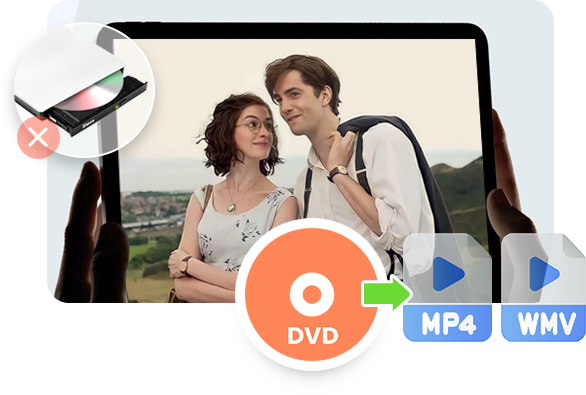
The Extinction of Disc Drives

Modern laptops, smart TVs, and gaming consoles are completely drive-free. Digitizing your DVD movies into highly compatible digital files in MP4 or MKV is the only way to keep your classic library playable on today's hardware ecosystem.
The Threat of Physical Disc Rot

Cluttered Shelves vs. Local Streaming
Core Features
Unmatched Format Freedom. Seamless Streaming Across All Your Devices.
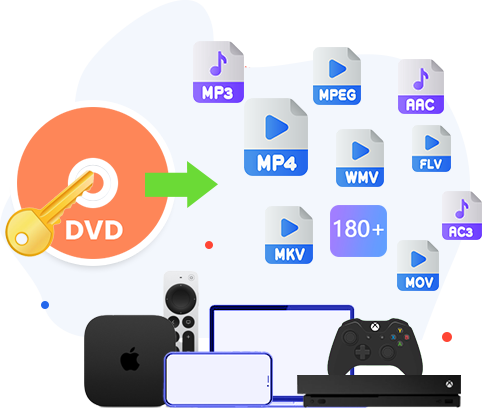
Universal Bridge: Global Disc Parsing Meets Massive Format Freedom
Break down the barriers between physical optical media and your modern digital ecosystem. Leawo DVD Ripper integrates an advanced, auto-updating data-reading kernel with a conversion engine, so as to smoothly process standard commercial DVDs, homemade records, multi-angle titles, CSS-encrypted configurations, and regional barriers. It can rip parsed DVD disc, folder or ISO/IFO files to video or audio in over 180 formats (including MP4, MKV, AVI, MOV, WMV, MP3, AAC, etc.. 1000+ in total if user-defined formats are included) with fully decoding next-generation codecs like HEVC/H.265 and H.264.
With this powerful DVD ripping software, you can effortlessly digitalize your DVD discs for backup or get tailored video&audio formatted files from DVD content for your mobile devices (iOS/Android), gaming consoles, and home streaming architectures like Plex, Emby, or NAS storage.
Key Features
Other Powerful Features
Batch conversion
Handle multiple DVD titles at the same time to help save your time and energe.
Built-in media player
Play back loaded titles, preview changes and take screenshots via internal region-free player.
Easy to use interface
Novice-friendly interface and workout makes it quite simple and easy to complete DVD digitizing.
Parameters settings
Freely adjust video and audio parameters for output like codec, bit rate, aspect ratio, etc.
How Does Leawo DVD Ripper Work
How to Rip DVD Movie to MP4
 1
1Step 1: Add source DVD
Click "Add UHD/Blu-ray/DVD" button to load source DVD content
2Step 2: Set output format
Click the "Output Profile" button to choose output format like MP4
3Step 3: Set output directory
Click the green "Convert" button to set output directory
4Step 4: Start converting DVD to MP4
Click the "Convert" button at the bottom of sidebar to start converting


Pricing Plans of DVD Ripper
Pricing Plans of DVD Ripper for Mac
Choose Your Pricing Plan
Windows
Mac
Basic Plan
One Year
$29.95
- 1 License for 1 PC
- All Features for 1 Year
- Auto-renewal. Cancel Anytime
- 5 Days Money Back Guarantee
- Unlimited Free Upgrades
Professional Plan
Lifetime
$39.95
- 1 License for 1 PC
- All Features for Lifetime
- One-time Payment
- 14 Days Money Back Guarantee
- Unlimited Free Upgrades
Blu-ray Ripper (Lifetime)
$99.95
- 1 License for 1 PC
- All Features of 3 ModulesLeawo Blu-ray Ripper, Leawo DVD Ripper, Leawo Blu-ray Recorder Ripperfor Lifetime
- One-time Payment
- 14 Days Money Back Guarantee
- Unlimited Free Upgrades
Tech Specs
Supported OS :Microsoft® Windows 7, Windows 8, Windows 8.1, Windows 10, Windows 11
Processor :1 GHz or above Intel/AMD Processor
RAM :512MB RAM (1024MB or above recommended)
Free Hard Disk :5GB+ Free hard disk space
Graphics Card :NVIDIA GeForce GTX 260 and above
Others :DVD drive, Internet Connection
Supported OS :macOS High Sierra (10.13), macOS Majave (10.14), macOS Catalina (10.15), macOS Big Sur (11),
macOS Monterey (12), macOS Ventura(13), macOS Sonoma (14), macOS Sequoia (15), macOS Tahoe (26), macOS Golden Gate(27)
Processor :1 GHz or above Intel Processor
RAM :512MB RAM (1024MB or above recommended)
Others :DVD drive, Internet Connection
Testimonials
FAQS
Frequently Asked Questions
How do I digitize my old DVD collection to play on a Plex server?
Use Leawo DVD Ripper to convert your DVD content to digital files like MP4 or MKV files, and then load the output MP4/MKV files to your Plex server for streaming.

Can Leawo DVD Ripper convert region-coded DVDs purchased overseas?
Yes, Leawo DVD Ripper supports handling region-coded DVD discs by removing region restrictions in the background and then converting DVD discs to digital files like MP4/MKV files.

Will I lose the multi-channel Dolby 5.1 audio when converting a DVD to MP4?
No, as long as you choose Lossless MP4 as output in converting DVD to MP4 with Leawo DVD Ripper. The "Lossless MP4" output profile will help you preserve all channels in source DVD content.
What is the fastest way to copy a DVD movie onto a smartphone or tablet?
The fastest way is to digitalize DVD movie to MP4 files by using DVD ripping software like Leawo DVD Ripper. Only a few simple clicks could help you complete this.
Can I keep the original subtitles and multiple language tracks when converting a DVD with Leawo?
Yes. Leawo DVD Ripper allows you to custom-select and preserve multiple audio tracks (including director commentary) and multilingual subtitles from the original DVD. The output file (like "Lossless MP4" or "Lossless MKV") will retain these tracks, allowing you to switch them freely inside players like Plex or VLC.




What Client Say About Leawo DVD Ripper
Best solution for digitalizing my DVD collection. I've been looking for a reliable way to back up my massive DVD collection to my PC, and Leawo DVD Ripper is exactly what I needed. It handles all my old discs perfectly, and the output quality is fantastic. Highly recommend for any movie buff.
Perfect for watching movies on the go. I love that I can convert my favorite DVDs into MP4 files that work seamlessly on my tablet and phone. The device-specific presets make everything so easy. Now I can watch my classics whenever I travel.
Handles protected discs without any issues. Many other rippers I've used failed when it came to copyrighted discs, but Leawo DVD Ripper breezes through them. It's consistent, reliable, and definitely worth the investment for a seamless experience.
Saved my family memories. I finally digitized my old family wedding DVDs using this tool. The process was simple, and the result looks great on all my devices. It's a relief to have these precious memories preserved digitally.