

Detailed Review: Is KeepStreams Safe? Is it Worth Trying?

Summary:
In this KeepStreams review, you will get a detailed overview of its features, performance, safety, and real user reviews. Besides, it provides an insight into whether this tool is worth keeping or not, and recommends a better option for streaming video downloads.
Most people prefer downloading their videos from streaming services so that they do not have to be dependent on the internet limits or buffering to watch their favorites. Due to this demand, many video downloader tools have appeared on the Internet, and KeepStreams is one of them. This software allows users to download movies, TV shows, and online videos from different streaming platforms in good quality.
Of course, before installing a third-party downloader, as a user, you should answer two questions: Is KeepStreams safe, or should you download it or not? Due to the fact that the tool interacts with streaming platforms and protected content, concerns about security, reliability, and actual performance are absolutely normal. Here, we will review KeepStreams with its key features, supported platforms, safety issues, and some drawbacks. By the end, you should have a better sense of whether KeepStreams is right for your video downloading needs.
Also Read: Locoloader OnlyFans Downloader Review | SaveMovie Downloader Review | PlayOn Review
Outline
Part 1: What is KeepStreams & Is It Safe to Use?
KeepStreams is an easy-to-use desktop program for downloading videos from over 3000 sites on Windows and macOS. The software is developed by KeepStreams LLC, and it specializes in downloading streaming content from platforms like Netflix, Disney+, and Amazon Prime for offline access.
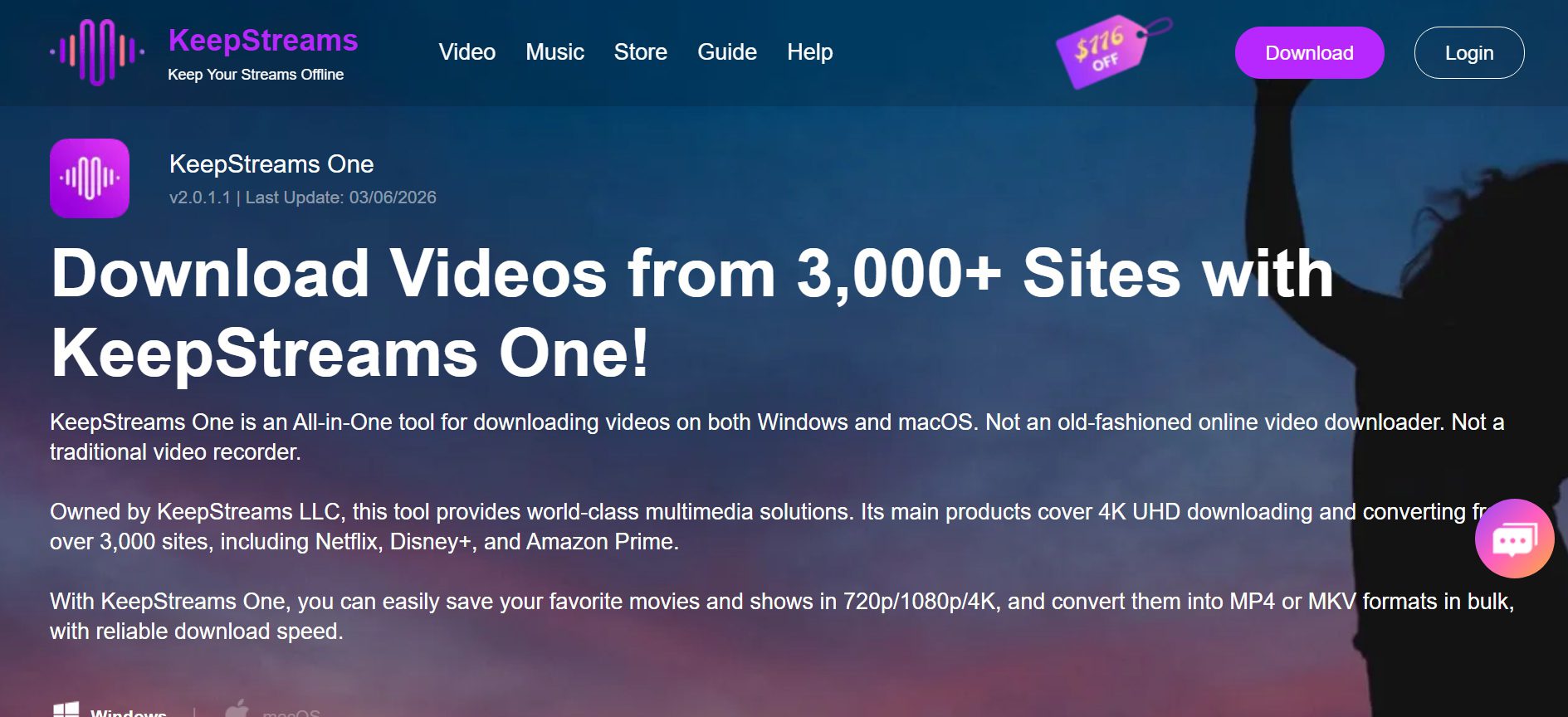
Unlike those basic online downloaders or screen recorders, KeepStreams One is a video downloading solution that works with streaming links directly. It enables 4K UHD video downloading, and users can save movies and shows in 720p, 1080p, or 4K resolution, depending on what’s available from the source.
This tool supports bulk downloads. This tool means you can download more than one video/episode at the same time. With this tool, you can convert the downloaded files to MP4 or MKV format. Both formats have compatibility with most devices and media players.
Part 2: How Does KeepStreams Perform?
KeepStreams is great as a streaming media downloader for offline users enjoying high quality playing. This tool enables you to download videos and music from popular sites like Netflix, Disney+, Spotify, etc. Its biggest strengths are maintaining good video clarity and supporting resolutions between 480p and 4K, depending on the source quality.
When it comes to downloading a standard movie or TV show, KeepStreams usually gives you a fast download speed. With this software, you can also download multiple episodes or videos at once with the batch download feature, which saves time while watching series. Ad-free for better usability and fewer distractions during downloads.
Yet sometimes, DRM protection updates on streaming sites can slow down or block downloads until the software is updated. Performance can suffer in that case. In general, KeepStreams does perform adequately for most users and arguably, when used to download high-quality streaming videos.
Part 3: How’s the User Feedback?
KeepStreams has a Trustpilot rating of about 3.4/5, which shows mixed user experiences. They love the high-quality downloading features, but then others have issues with performance, refunds, and lack of support. Here are some negative reviews from users that illustrate common complaints.
Negative User Feedback
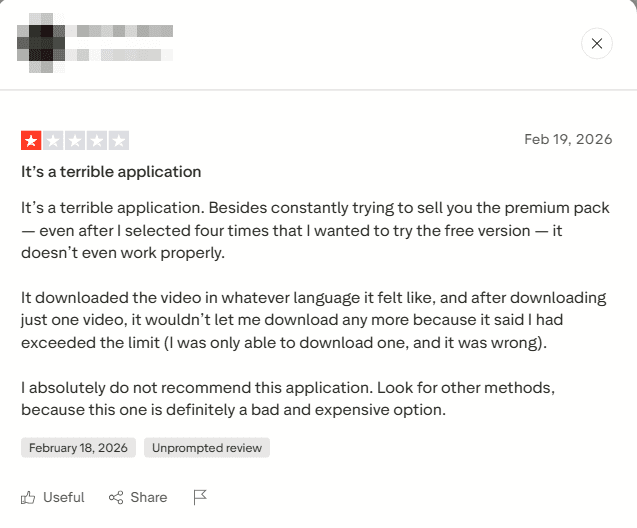
Review 1: The user complained that the software regularly offered premium upgrades even when they chose to download the free version. Also, they complained that after downloading, they realised the video downloaded in different languages, and also, after one successful download, no further downloads were allowed due to limits. Thai review of users telling us we’d better try other tools.
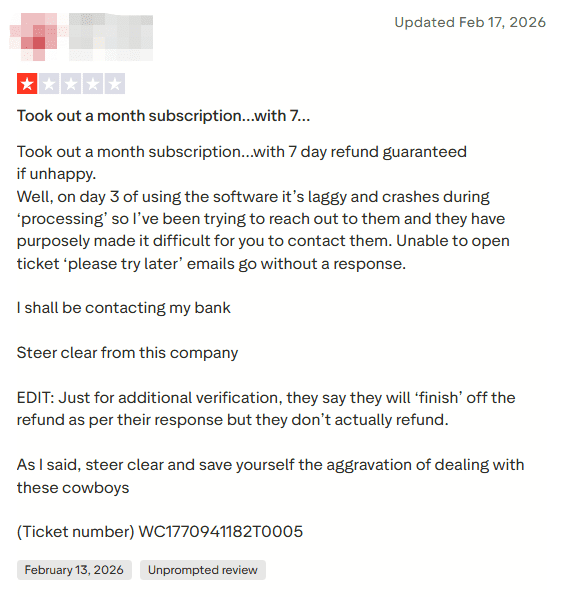
Review 2: The user said he bought a monthly subscription with a 7-day money-back guarantee. However, the software lagged and froze while processing. Also, they complained that the tool and customer support should take time to respond. Also, the user mentioned that the refund requests are painstakingly difficult. Ultimately, this whole situation leads users to frustration.
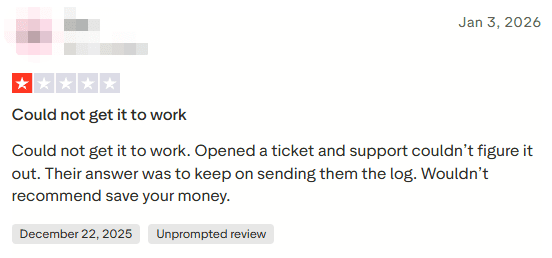
Review 3: Next, the review is a complaint of a user who could not successfully use the software. The user complained that even after reaching out to support, they kept being asked to send logs and never really got an answer; it was not a good experience.
Part 4: Any Better Option than KeepStreams?
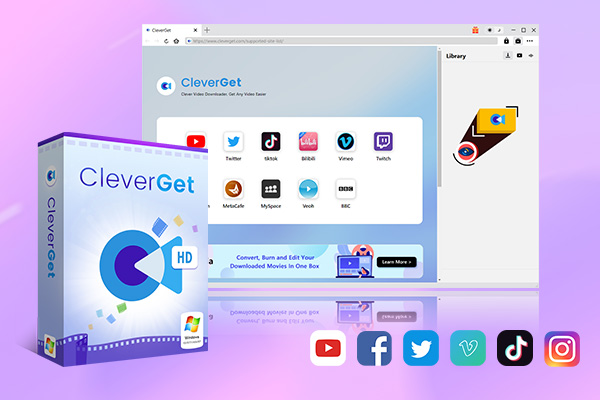
If you’ve read reviews and user feedback around KeepStreams, you may be wondering if there are better alternatives to downloading videos. Another solid alternative worth having a look at is CleverGet All-in-One Video Downloader.
CleverGet All-in-One Video Downloader supports 1000+ websites, so it has much broader compatibility than many single-platform tools. It enables users to store video from several major streaming platforms like YouTube, Facebook, Twitter, Twitch, and even paid services like Netflix, Amazon, Disney+, Hulu, Apple TV+, Paramount,+ and Discovery+. CleverGet also supports 8K video downloads and batch processing, unlike many free or basic downloaders, so you can save full playlists or a bulk of clips in one go. It also enables up to 4k resolution live stream recording at 5X speed and converts recordings into MP4 or MKV formats without any ads.

-
An all-in-one video downloader toolkit that can save online videos including live streams and premium OTT content from over 1,000 sites at up to 8K resolution with an ad filter.
- Batch download movies, TV episodes of certain or all seasons, playlists, etc.
- Support multiple subtitle and audio tracks download selection.
- Record videos in the background at up to 5× speed and 4K resolution.
- Convert videos to MP4, MKV, MP3 or other formats.
For users that need a more stable, flexible, and powerful approach to downloading online videos,including streaming and paid content, CleverGet is a worthy upgrade over tools like KeepStreams. Below are some main pros of Cleverget over KeepStream.
Pros of CleverGet over KeepStreams:
- Broader site support (1000+ platforms)
- Compatible with lossless streaming and livestreams
- Batch downloading and playlist saving
- No ads, converts clean MP4/MKV files
If downloading high-quality videos from many sources is your priority, CleverGet may be the better choice.
Part 5: Wrap Up
While Keepstream has various features for both downloading and streaming videos and music, reviews from actual users seem to tell a different story when it comes to its performance, support, and how it deals with subscriptions. And all those drawbacks make some users wonder whether it’s the best option available, despite its support for many sites and high-quality downloads.
Alternatively, if you want something more dependable and robust, try CleverGet All-in-One Video Downloader. It does batch downloads, supports 8K resolutions, can download from over 1000 websites and even record live streams at up to 4K without ads. Whether you want to download a regular movie, TV show, or playlist from the major platforms above, or you need to save premium content on those platforms, CleverGet provides the flexibility and stability that many users have confirmed is worth getting. If you prefer constant performance and a wider range of platform support than CleverGet All-in-One Video Downloader currently provides, better overall experience than what KeepStreams can give you.
Share this post











 العربية
 繁體中文
繁體中文 Dansk
Dansk Nederlands
 Suomi
Suomi Français
 Deutsch
 Italiano
 한국어
한국어 Norsk bokmål
 Português
 Русский
 Español
 Svenska