Bookmark and Share Home > Mac Products > Mac FLV Converter
User Guide of Mac FLV Converter

How to Use Leawo Mac FLV Converter to Convert FLV to Video File on Mac OS?

Step 1: Add FLV video file.
Click "Add File" to import FLV file from your local computer to the program. And you can add multiple FLV video file into the program for conversion at a time, as this program supports batch conversion.

Step 2: Output settings.

(1) Output file:
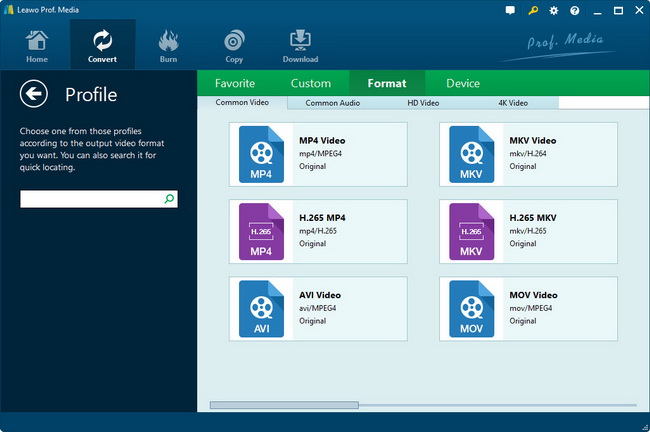
This Mac FLV Converter supports converting FLV to video in all popular formats on Mac for iPod, iPhone, PSP, PS3, Cell Phone, Apple TV, Zune, Creative Zen, MP4 players and MP3 players and so on. So click "drop-down" icon to select the suitable format or device as output for each added FLV file in the file list before conversion.
This Mac FLV Converter also can extract audio file. Select audio format if you want to convert FLV to audio file.

(2) Video and audio detail settings.
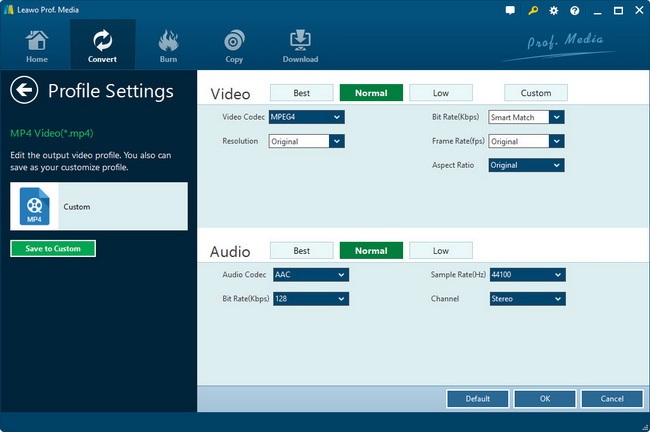
Click "Settings" to make detail settings for the chosen file, such as video resolution, video and audio bit rate, frame rate, encoder, etc. Of course, if you don't want to make these settings, the default settings also work great for you.

(3) Merge FLV video file.
If you want to join several FLV videos and convert into a file on Mac, just make sure that the check box before "Merge into one file" is ticked. Then after conversion, you will only get one output file instead of multiple files.

Then select a folder to save your output video file by clicking the "Browse" button.

Step 3: Start FLV conversion.
When you get ready to convert the added FLV videos on Mac, Click the Convert button to start conversion.

Now you can go out for a walk or take a nap, the FLV to video conversion may have been finished when you come back.

Back to top

Ready To Try and Buy

Download Intel Version Download PowerPC   Only $25.00

Mac FLV Converter

Products

MorePackage Solutions
Easy Media Converter Suite
Blu-ray Video Converter Suite
Easy DVD Converter Suite
Easy Video Converter Suite
Easy AVI Converter Suite
Easy iPad Converter Suite
Easy iPhone Converter Suite
Easy iPod Converter Suite
Easy YouTube Converter Suite
MoreVideo/HD Video Tools
All-in-One Video Converter
HD Video Converter
AVCHD Converter
MTS/M2TS Converter
MKV Converter
Mobile Video Converter
Free AVI Converter
Free MP4 Converter
Free 3GP Converter
Free FLV Converter
Free YouTube Downloader
Video to DVD Creator
More DVD/Blu-ray Tools
Blu-ray Ripper
Blu-ray Copy
DVD Ripper
DVD Copy
DVD to AVI Converter
DVD to MP4 Converter
DVD to FLV Converter
MoreMac Converters
iAm Mac Total Converter
Mac HD Video Converter
Mac Video Converter
DVD Ripper for Mac
Mac FLV to Video Converter
Mac DVD to FLV Converter
Mac Video to AVI Converter
Mac DVD to AVI Converter
Mac Video to MP4 Converter
Mac DVD to MP4 Converter
Mac Video to 3GP Converter
Mac DVD to 3GP Converter
MorePortable Device Tools
Win
Mac
iPad Video Converter for Win
DVD to iPad Converter for Win
Free iPod Video Converter for Win
DVD to iPod Converter for Win
Free iPhone Video Converter for Win
DVD to iPhone Converter for Win
Free PSP Video Converter for Win
DVD to PSP Converter for Win
Mac Video to iPad Converter
Mac DVD to iPad Converter
Mac Video to iPod Converter
Mac DVD to iPod Converter
Mac Video to iPhone Converter
Mac DVD to iPhone Converterc
Mac Video to PSP Converter
Mac DVD to PSP Converter
MorePowerPoint Converters
PowerPoint to DVD Pro
PowerPoint to DVD Std
PowerPoint to Video (Free/Pro)
PowerPoint to FLV
PowerPoint to iPad
PowerPoint to YouTube