

How Can You Download OnlyFans Videos? Verified Tools & Backup Guide (2026)

Summary: Are you tired of not being able to back up your purchased OnlyFans videos? In this post, we’ll share three tested methods and three verified tools and two bonus methods and tools for backing up your purchased OnlyFans videos.
Online communities are filled with complaints that creators delete old posts, archive content, email attachments, and deactivate accounts without warning. This is within their scope of rights, but it may prevent paying users from accessing the purchased media. Therefore, users will look for ways to back up the content they have already paid for. In this case, OnlyFans downloader seems like a solid choice.
OnlyFans downloader claims to help users to preserve their purchased content, but the problem is that most "OnlyFans downloaders" advertised online simply don’t work. Some fail to detect videos, some cannot access message attachments, and others stop functioning after platform updates.
To help users to identify the OnlyFans downloaders that actually work, we tested desktop software, browser extensions, and web-based downloaders in real-world OnlyFans scenarios to find the preferred way to back up purchased OnlyFans videos.? If you want to find out the result, then keep on reading.
OnlyFans downloader claims to help users to preserve their purchased content, but the problem is that most “OnlyFans downloaders” advertised online simply don’t work. Some fail to detect videos, some cannot access message attachments, and others stop functioning after platform updates.
1. Verified Test Results: Which OnlyFans Download Methods Actually Worked?
We tested each solution using the same OnlyFans account and identical download scenarios. Tools were evaluated based on successful download rate, support for message videos, download speed, batch processing capability, and overall reliability. Only the tools that perform best among their class during testing are included below.
| Method | Recommended tool | Resolution | Batch Download | Download Speed* | Save from Creator | Message Download Support | Security & Privacy | Best for |
|---|---|---|---|---|---|---|---|---|
| Desktop Software | CleverGet OnlyFans Downloader | Up to HD/1080P | Yes | 5.6MB/s, Stable | Yes | Yes | High, built-in browser | Massive download |
| Browser Extension | Streamfork | 480P/720P | Yes | 3.5MB/s, minor fluctuations | Yes | Yes | Medium, based on browser | Light-weight downloads |
| Online Downloader | Anyloader | 480P/720P | No | 1.6MB/s, drop to around 50KB/s sometimes | No | No | Low, ads & pop-ups | Casual download |
Download speed results are based on our testing environment and may vary depending on internet connection, content size, and platform updates. To ensure consistency, all tools were tested using identical creator accounts, subscriber-only videos, PPV media, message attachments, and multi-video download scenarios.
| Windows Platform | ||||
|---|---|---|---|---|
| OS | Windows 11 64-bit (25H2) | |||
| Processor | Intel Core i7-10700KF @ 3.80GHz | |||
| Graphics Card | NVIDIA GeForce RTX 4070 16GB | |||
| RAM | 16GB DDR4 3200MHz | |||
| Storage | Kingston SA2000M8500G 500GB M.2 NVMe SSD | |||
| Mac Platform | ||||
| OS | macOS Sonoma 14.8.2 | |||
| Processor | Intel Core i5 6-Core @ 3.0GHz | |||
| Graphics | Intel UHD Graphics 630 (1536MB) | |||
| RAM | 8GB DDR4 2667MHz | |||
2. 3 Verified Methods to Save OnlyFans Content & The Best Tools
I. How to Download Purchased OnlyFans Videos with Desktop Software (Most Reliable Method)
During our testing, CleverGet OnlyFans Downloader successfully detected subscriber-only videos, PPV content, and message attachments more reliably than the other solutions we evaluated. It also maintained stable download speeds of almost 6 MB/s during large-batch download sessions, and all video preserved at 1080P.
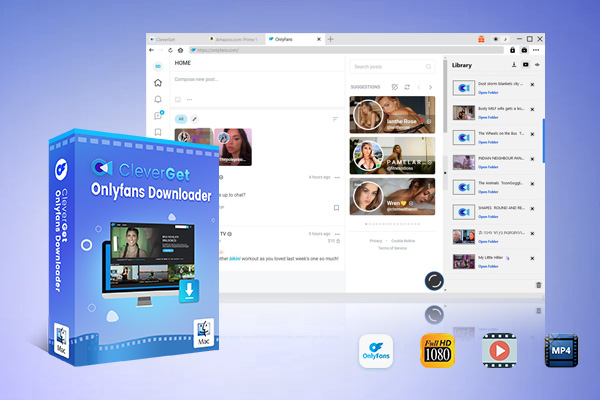
- High Quality in Up to 1080p Resolution
- Support Download PPV, Measage Videos
- Download Live Stream Videos from OnlyFans
- Save Downloaded Videos as MP4/MKV Files
- 6X Higher Downloading Speed.
Among all the software we have tested in the past few days, CleverGet OnlyFans Downloader is undoubtedly the best performing based on our test results. Very suitable for users who want to download a large number of purchased videos.
Here’s a quick guide to using CleverGet OnlyFans Downloader:
Install and launch CleverGet OnlyFans Downloader.
Log in to your OnlyFans account through the built-in browser.
Open the creator profile or video you want to save.
Let the software analyze the media automatically.
Select the desired video quality, then click ‘Download’.

- Stable desktop environment
- Supports batch downloading
- HD video downloads
- Downloads directly to MP4/MKV
- Suitable for large creator libraries
- Better long-term reliability
- Requires software installation
- Requires a paid license after the free trial
II. How to Back Up Purchased OnlyFans Videos Using a Browser Extension
During testing, Streamfork was the highest-performing browser extension that we evaluated. If you are looking for a lightweight download tool, this is an excellent option.? Unlike many competing extensions that failed to detect protected media, Streamfork successfully identified both creator-post videos and message attachments. Its download speed was slightly slower than desktop software at 3.5MB/s, but remained fast enough for everyday use. It is very suitable for daily users who don’t require a large download volume.

Here’s a quick guide for the beginners of Streamfork:
Install the Streamfork extension in Chrome, Edge, or another Chromium browser.
Log in to your OnlyFans account.
Open the post, media page, or message containing the video.
Click the Streamfork download button.
Choose individual or batch download mode.
Choose individual or batch download mode.Save the files to your preferred folder.

- Quick setup
- No separate desktop application required
- Supports message media downloads
- Batch downloading available
- Works directly inside the browser
- Browser updates may occasionally affect functionality
- Performance depends on browser resources
- Some advanced features may require a subscription
As platforms like OnlyFans frequently update their media protection, it is important to ensure that you are using the latest version of the OnlyFans downloader extension; otherwise, there is a high probability of video download failure.
III. How to Back Up Purchased OnlyFans Videos with Online OnlyFans Downloader
According to our tests, Anyloader is a relatively safe and basic OnlyFans video downloader with no ads or pop-ups, compared to other online OnlyFans downloaders. However, as with most online downloaders we have tested, its success rate is much lower than dedicated desktop software and browser extensions, particularly with regard to DRM protection and message content. Most videos can only be downloaded in 480p or 720p quality, and downloading multiple videos at once is not possible.

Here’s how to Download Using Anyloader:
Open the Anyloader website.
Copy the content URL you want to save.
Paste the link into the download field.
Allow the tool to analyze the media.
Select the available quality option.
Download the file to your device.

- No software installation
- Beginner-friendly
- Works directly in the browser
- Fast setup
- Limited compared to desktop tools
- Batch download support may be restricted
- May not support all protected content
- Privacy depends on the website operator
Some of the online OnlyFans downloaders we tested were found to contain a large number of phishing links, annoying adverts, and endless pop-ups during downloads. Therefore, to ensure your network security, it is important to select a reputable online downloader with good reviews.
3. Bonus: Verified Tools to Download Purchased OnlyFans Videos on Mobile
Considering that we have found that many users have a need to download purchased OnlyFans videos on mobile devices, we have also added several mobile testing methods to our testing. Here are the feasible methods we have discovered.
I. How to Back Up Purchased OnlyFans on Mobile with App?
As we mentioned earlier, StreamFork is a browser extension, but they also launched a downloader for mobile devices through another platform called Expo Go. Streamfork app is also a bulk OnlyFans downloader, but the bulk download feature requires a paid subscription. Based on our test, the Streamfork app performance is consistent with the Streamfork extension.
Here’s how to Download Using Streamfork app:
Get Streamfork on your mobile device.
- For Android users, you can get the Streamfork app directly from its official website.
- For iOS users, you will need to download and install Expo Go first. Then, either tap the StreamFork link or scan the QR code on the official website. StreamFork will open directly inside Expo Go.
Open Streamfork app and log in to your OnlyFans account.
Start the downloads by tapping the download button.

- Easy to use
- Basic download feature is free
- Support download message videos
- The bulk download feature requires an extra charge
- The quality of the downloaded video is relatively low
- May consume more data than downloading on PC
II. How to Save OnlyFans on the Phone by Recording? (Might Fail)
Most modern smartphones are equipped with built-in recording functions. The problem is that it is not always effective for recording OnlyFans videos. Based on our experience, you will most likely get a black screen video, especially for DRM-protected videos. But if you don’t want to install any software on your phone, then this is the only way left to save your purchased OnlyFans video.
Here’s the step to record OnlyFans video on your phone:
Enable Screen Recording in the Control Center. (Various based on your device)
Find the video you want to record on OnlyFans.
Start the screen recording.

- No installation is needed
- Totally free to use
- Might fail on DRM-protected videos
- Recorded video files are usually quite large
- Video quality may be compressed during recording
4. FAQs
-
Is it legal to save OnlyFans videos?
Yes, it’s legal as long as you download the video that you have already purchased and only use it for personal offline viewing. But remember, you can only use these downloaded videos for personal use. It’s illegal to distribute this content and can have legal consequences.
Can you keep downloaded OnlyFans videos forever?
Yes. If the video’s been downloaded and stored on your device, it’ll stay accessible even if the post is deleted.
Are OnlyFans downloader browser extensions safe to use?
Safety depends on the extension developer. Reputable and actively maintained extensions are generally safer than unknown alternatives. Before installing any extension, do remember to review permissions, privacy policies, update history, and user feedback.
Can I watch purchased OnlyFans videos offline?
Yes. Once content has been successfully downloaded to your device, you can usually watch it offline using any compatible media player without requiring an active internet connection.
Can I download videos from OnlyFans private messages?
Yes, but not all download tools support message attachments. During our testing, desktop downloaders and certain browser extensions were more likely to detect and download videos shared through private messages than online downloader websites.
Can I download PPV videos from OnlyFans?
Yes, provided that you have already purchased and can legally access the content. However, not every downloader can detect pay-per-view (PPV) media. During our testing, desktop downloaders generally performed better than browser-based and online solutions.
Why do some OnlyFans downloaders stop working?
OnlyFans regularly updates its website structure, media delivery methods, and security mechanisms. As a result, downloaders that are no longer actively maintained may lose compatibility and fail to detect videos correctly.
-
What video quality can OnlyFans videos be downloaded in?
The available quality usually depends on the original source uploaded by the creator and the downloader being used. Most dedicated desktop downloaders can preserve the original resolution, including HD videos when available.
Conclusion
We hope that by the end of this guide, you will have found your preferred way to download videos from OnlyFans. You can have a professional downloader like CleverGet OnlyFans downloader to download OnlyFans videos. Or you can use an OnlyFans downloader online or Chrome extensions. Based on our testing, desktop downloaders delivered the highest success rate, best download stability, and strongest support for subscriber-only videos, PPV content, and message attachments. Browser extensions offered a convenient alternative, while online downloaders were best suited for occasional downloads. No matter whatever method you prefer, make sure to only use OnlyFans content for personal use.
Share this post











 العربية
 繁體中文
繁體中文 Dansk
Dansk Nederlands
 Suomi
Suomi Français
 Deutsch
 Italiano
 한국어
한국어 Norsk bokmål
 Português
 Русский
 Español
 Svenska