

YT Saver Video Downloader Review: All That You Should Know

Summary:
This comprehensive YT Saver video downloader review covers everything you need to know: key features, legal and safety considerations, pricing plans, usage guide, and competitive alternatives to help you make an informed decision.
When choosing a video downloader, safety and performance are the top priorities. YT Saver claims to be a leading solution that lets you save videos, music, and livestreams from over 10000 websites. But is YT Saver truly safe and legit to use? Is its paid version worth the price? How does it compare to other downloaders? This YT Saver review covers its key features, pricing, limitations, and the best alternatives to help you make an informed decision before purchasing.
OutlineCLOSE
1. What is YT Saver?
YT Saver is a multimedia downloader that lets you save videos, audios, and livestreams from YouTube and other popular streaming platforms. With this tool, you can save videos in 18 different formats and resolutions (up to 8K) as desired. It also features a video converter to transform downloaded videos to formats for various devices. YT Saver is available on Windows, macOS, and Android. It is user-friendly, offering many other handy tools that make your viewing experience even better.
Key features of YT Saver:
- Wide site support: It supports downloading more than 10000 websites, from online video platforms like YouTube to music streaming services like Spotify.
- Built-in browser: YT Saver’s built-in browser allows you to browse sites easily and download videos directly within it.
- Batch download: It can auto-detect the whole YouTube playlists and multiple episodes of TV shows, so you can download videos in bulk with one click.
- Privacy protection: The private mode in YT Saver can keep your files from other users.
- YouTube cutter tool: With the YouTube Cutter feature, you can trim the video length easily before downloading.
2. Is YT Saver Legal & Safe to Use?
The software itself is legal. The legality discussed here depends on why and how you use it. Saving videos with permission for personal use, such as offline viewing, is acceptable.
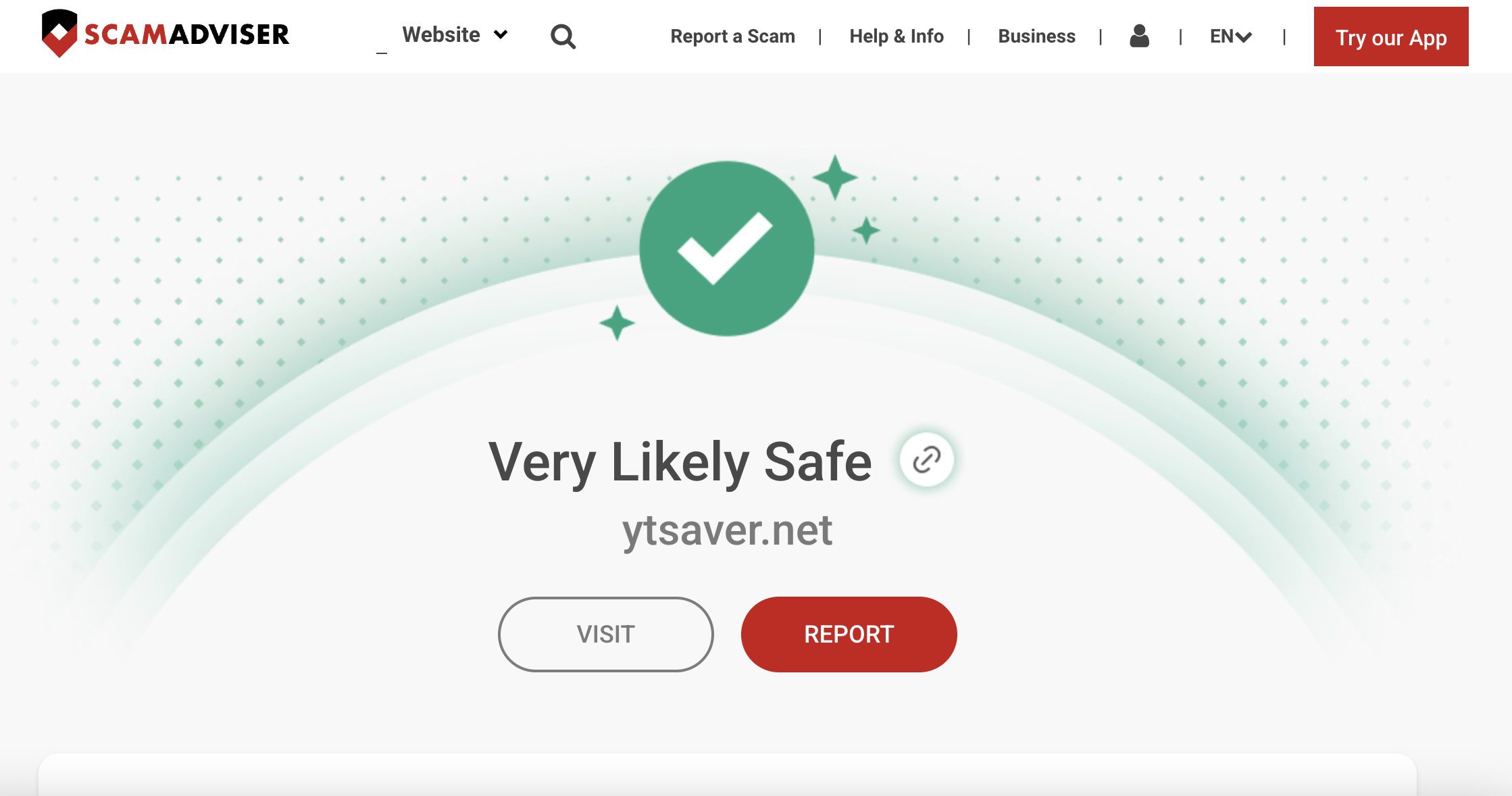
As for safety, YT Saver appears legitimate. You can find the app’s details and reviews on Trustpilot, and its website is verified by ScamAdviser. As long as you download from its official website, you won’t need to worry about malware risks. However, recent reviews on Trustpilot reveal that some key features included in its lifetime plan were removed after software updates. This raised users’ concerns about the value and reliability of its long-term subscription plan.
3. How to Use YT Saver
YT Saver is easy to use. You can find, download, and convert videos within this one app. Visit its official website and download the setup file according to your operating system. After installation, launch the app and follow the instructions below to download a video from a video site. Take YouTube as an example.
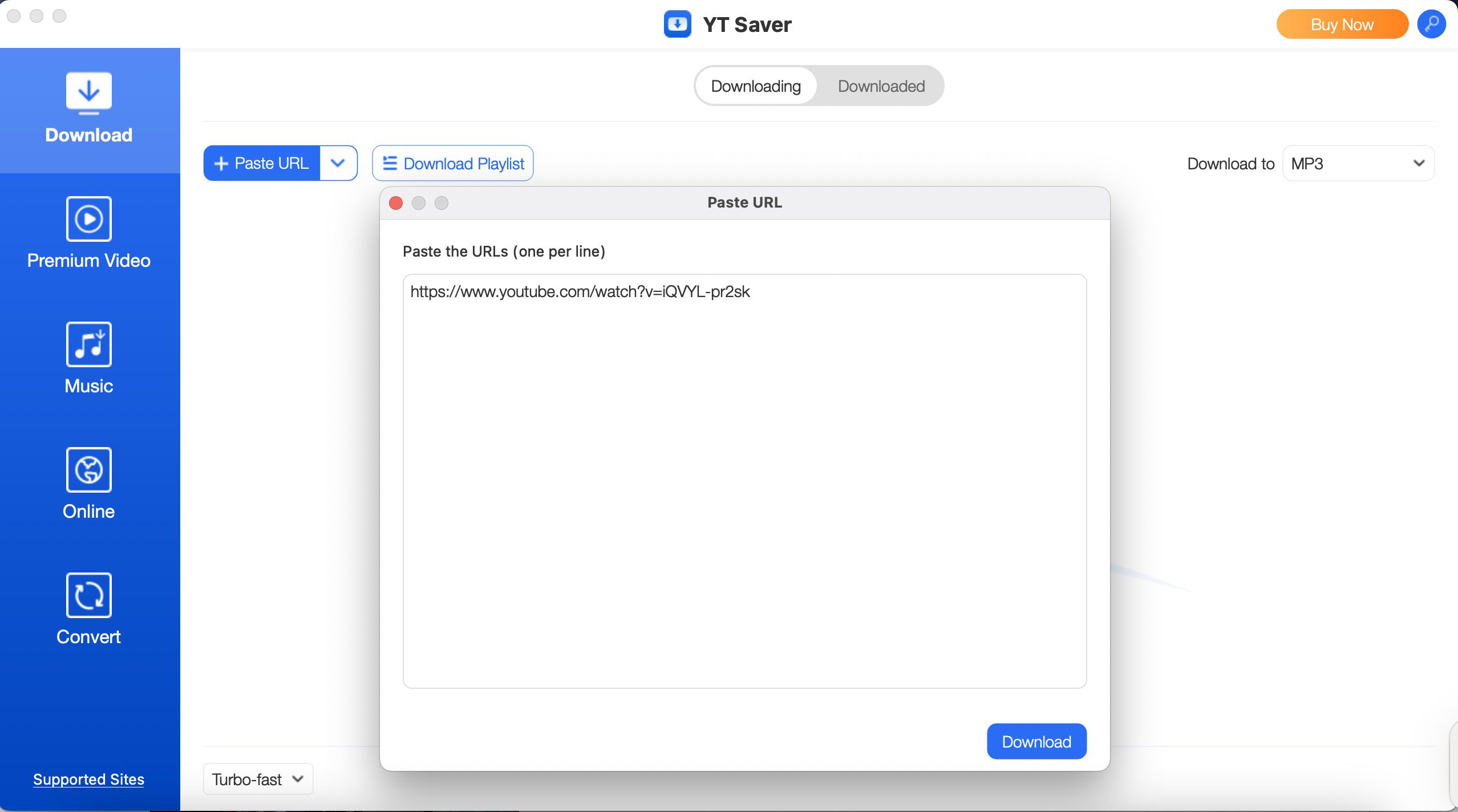
- Step 1: Copy the YouTube video URL you’d like to save.
- Step 2: Go to the Download tab, click the paste URL button, and paste the link.
- Step 3: YT Saver will analyze the video, and then the download starts. Once the process finishes, you can play it with your computer’s media player.
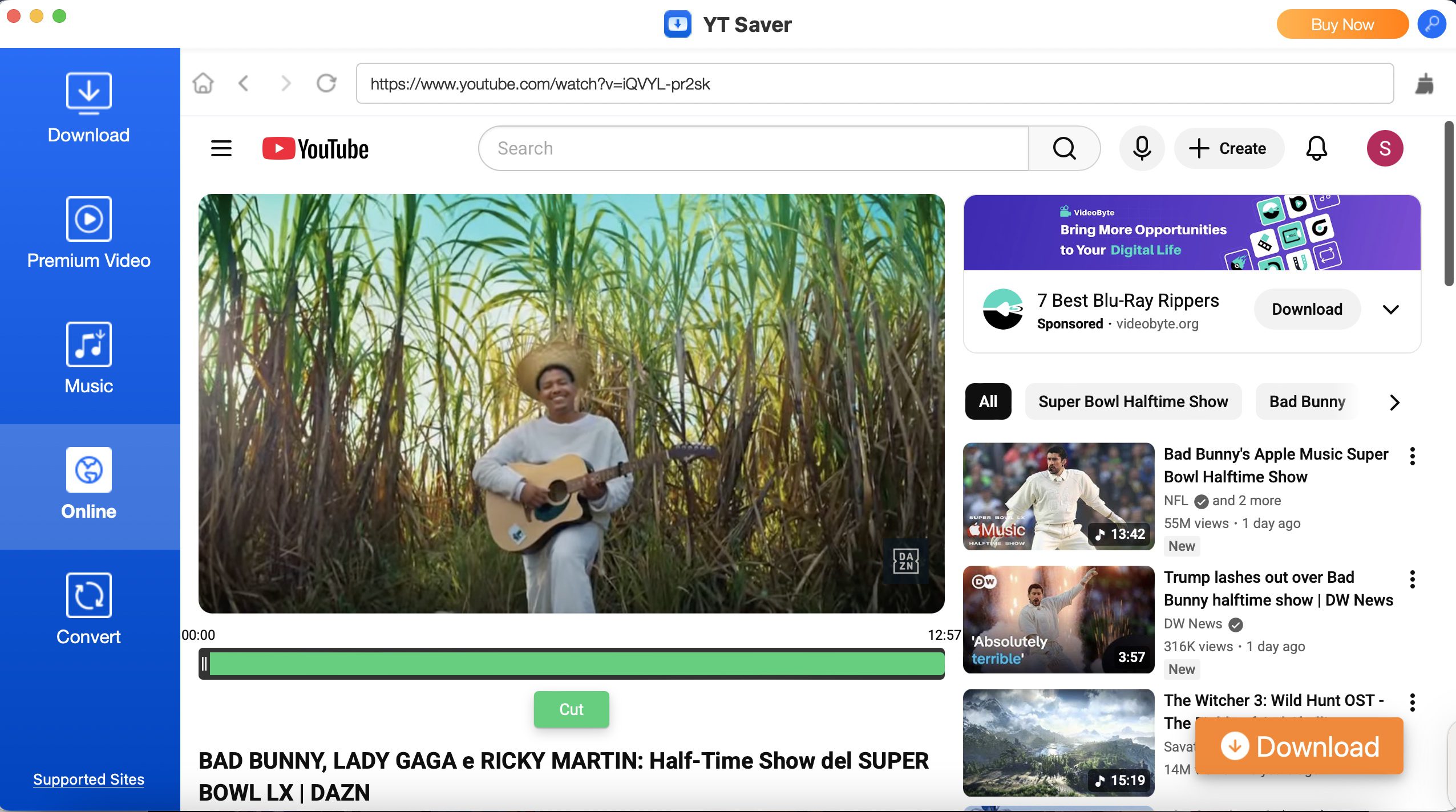
Alternatively, you can find and download videos using its built-in browser:
- Step 1: Go to the Online tab and choose a video site.
- Step 2: Search for the video you’d like to save. You can trim the video to a desired length in the interface.
- Step 3: Click the Download button, and the process will start. You can check it in the Download tab.
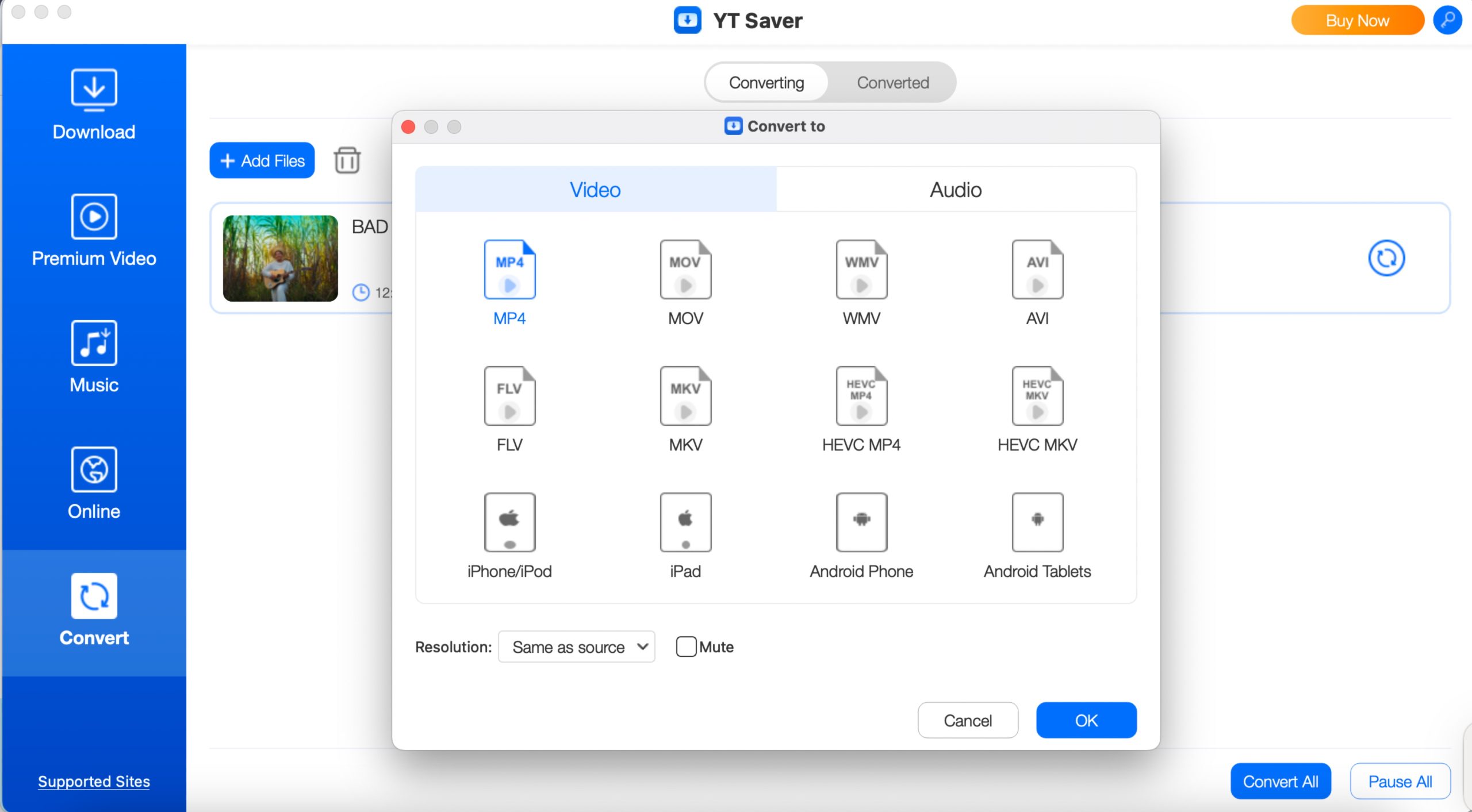
If you’d like to convert the downloaded video to another format, follow the steps below:
- Step 1: Go to the Convert tab, click the Add Files button, and select the video file.
- Step 2: Click the Convert icon, select a compatible format, and click OK. The conversion process starts. Once done, you can access the file in the Converted section.
4. Pricing, Plans, and Trial Limitations
YT Saver offers a free trial version and two paid plans. While the trial version is designed for testing the software’s compatibility with your device, you can download only 3 videos in MP4 at 1080p. For those who want to test the output video quality, this sets a significant limitation. Then come the paid plans: Standard and Pro. The major difference between them lies in the websites they support. For instance, OnlyFans is only supported under the Pro plan. Mac users expect to pay more than Windows users, as can be seen in the pricing list below.
|
|
Standard plan for Windows |
Pro plan for Windows |
Standard plan for Mac |
Pro plan for Mac |
|
1 month plan (1 computer) |
$9.95 |
$19.95 |
$12.95 |
$19.95 |
|
1-year plan (1 computer) |
$25.95 |
$49.95 |
$39.95 |
$69.95 |
|
Lifetime plan (1 computer) |
$39.95 |
$89.95 |
$49.95 |
$89.95 |
|
Family plan (5 computers) |
$69.95 |
$139.95 |
$89.95 |
$139.95 |
5. Most Competitive Alternative: CleverGet Video Downloader
Given YT Saver’s recent complaints and limitations on the free trial mentioned above, it is no harm to seek an alternative. CleverGet Video Downloader comes as a superior choice with many advantages. Its ad removal feature can automatically remove all the pop-up ads in your downloaded video, so you can enjoy them without disturbance. The software is updated regularly, while keeping all functions intact, unlike YT Saver. Here’s a comparison between YT Saver and CleverGet Video Downloader:
|
|
YT Saver |
CleverGet Video Downloader |
|
Supported sites |
1000+ video sites |
1000+ video sites |
|
Suported OS |
Windows, macOS, Android |
Windows, macOS |
|
Update frequency |
Infrequent (last updated Oct 2024) |
Active (last updated Dec 2026) |
|
Video quality |
Up to 8K |
Up to 8K |
|
Ads removal |
NO |
YES |
|
Batch download |
YES |
YES |
Step 1: Download and install CleverGet on your Windows or Mac computer. Launch the program to start.
Step 2: Choose a streaming service in the built-in browser. After logging in to your account, search for the video you’d like to save and begin playback. Or simply copy and paste the video URL.
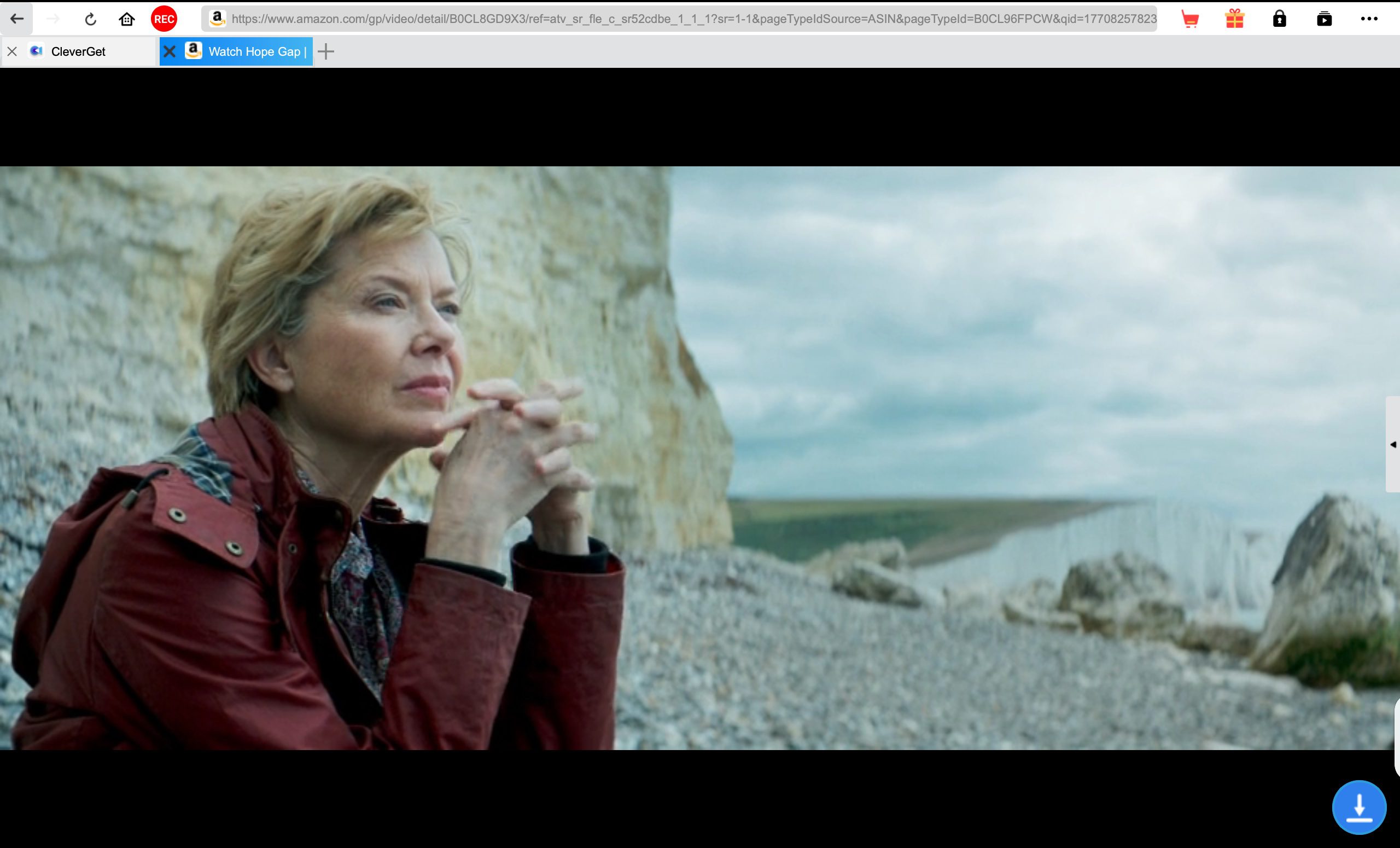
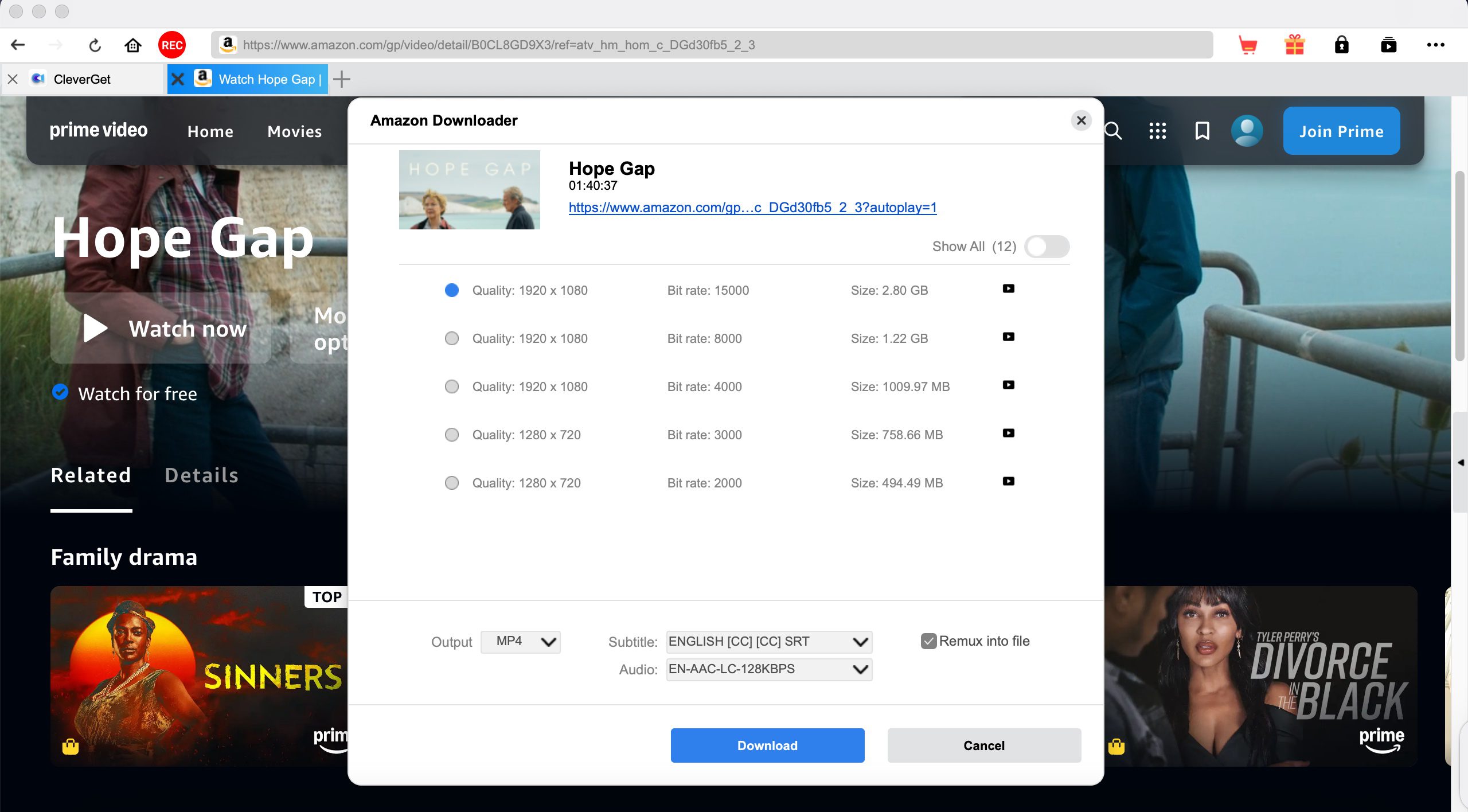
Step 3: Click the Download icon and go through the download options. Then begins the process. You can check the process in the Library tab.
Final Verdict
For basic video download tasks, YT Saver can be considered a budget-friendly choice, but not a reliable one. If you prefer ad-free downloads for an optimal watching experience, stable performance, and a trustworthy subscription, CleverGet Video Downloader comes as a more dependable alternative. While both tools support 1000+ websites, CleverGet’s consistent feature support makes it a better investment.
Share this post











 العربية
 繁體中文
繁體中文 Dansk
Dansk Nederlands
 Suomi
Suomi Français
 Deutsch
 Italiano
 한국어
한국어 Norsk bokmål
 Português
 Русский
 Español
 Svenska