

DVDFab DVD Creator Review: Read Before Buying

Summary:
- DVDFab is a reputation brand in digital entertainment. In this DVDFab DVD Creator review, I will share my own testing experience upon its features, performance, and value. This review might help you in deciding whether to buy it or switch to alternatives.
When I tried to look for a reliable DVD authoring tool online, DVDFab DVD Creator kept popping up everywhere on various sources. While it claims with fast DVD burning, high-quality DVD output, and advanced customization, I would like to take my own testing on it to see if it does meet what it claims. In this DVDFab DVD Creator review, I’ll walk you through my real experience on what DVDFab DVD Creator works, what it doesn’t, and my personal experience, so as to help you figure out whether it’s worth your money or not.
Quick AccessCLOSE
What Feature DVDFab DVD Creator Claims
Before installing the software, I visited DVDFab official website to see what DVDFab DVD Creator can do. I found that it positions itself as an all-in-one DVD burner solution to help people convert and burn videos to DVD content for various uses.
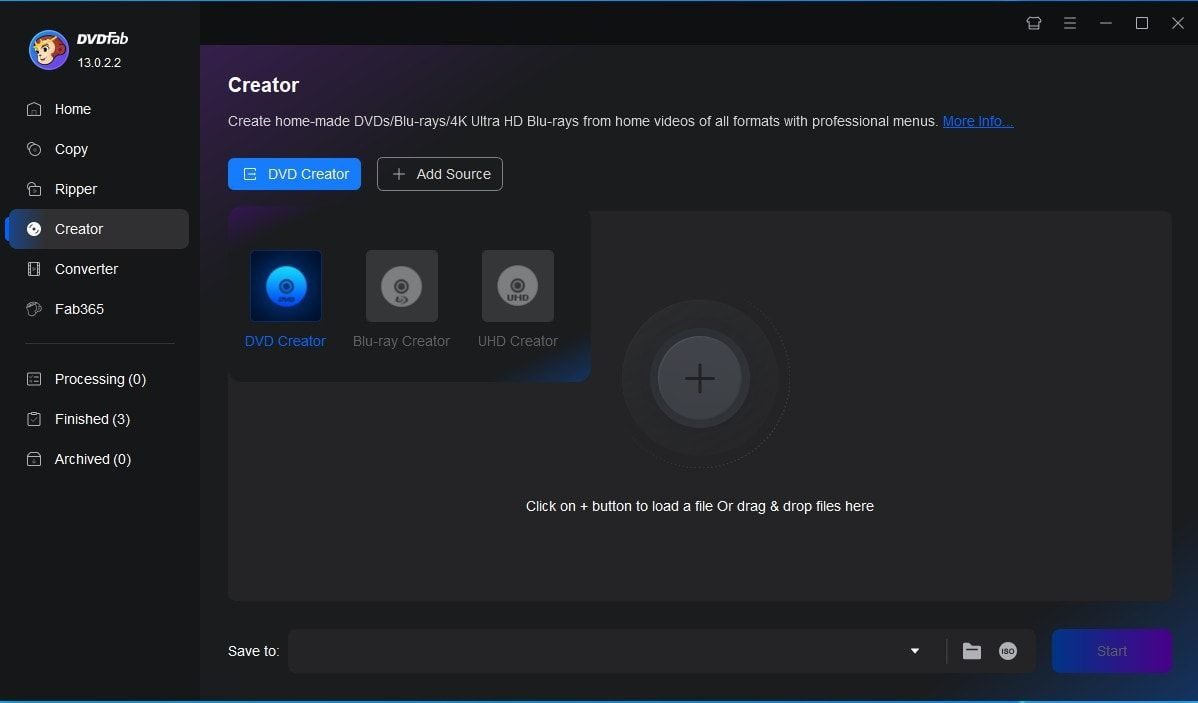
By summarizing its official webpage, the below are the key features it claims to offer:
- Convert and burn video in almost any format (MP4, AVI, MKV, MOV, etc.) to DVD disc, folder and/or ISO image file;
- Create DVDs playable on standard DVD players and computer;
- Provide preset disc menu templates and allow people to customize disc menu with multiple customization options;
- Support various types of GPU accelerations for fast DVD burning;
- Provide multiple basic video editing tools (trim, crop, add subtitles, etc.);
- Ensure high-quality DVD output with minimal compression loss.
All the claims sound impressive. But claims are one thing, and actual performance is another. I then started using DVDFab DVD Creator myself to see how it performs.
DVDFab DVD Creator: Real World Performance Test
After installing the software to run several DVD burning tests, I have come to its practical performance and categorized into different aspects.
1. Ease of Use
The first thing I noticed and appreciated is that DVDFab DVD Creator has a clean, modern interface, which is easy to use and friendly with even novices. Users can directly drag and drop videos, select subtitles and audio tracks, add external subtitles, edit loaded videos, apply disc menu and even customize disc menu, etc. All things are straightforward and easy to navigate. Even beginners should be able to get started without much trouble.
However, when trying to add certain files, there popped up "DVDFab cannot open DVD source" error notification, which happened due to unsupported file structure. This might be a problem if your files are not normally structured.
2. Burning Speed
The burning speed is without a big concern to evaluate a DVD burner. DVDFab promotes fast DVD burning due to the support of GPU hardware accelerations including Multi-core CPU, NVIDIA CUDA, AMD, IQS, Video ToolBox, etc.
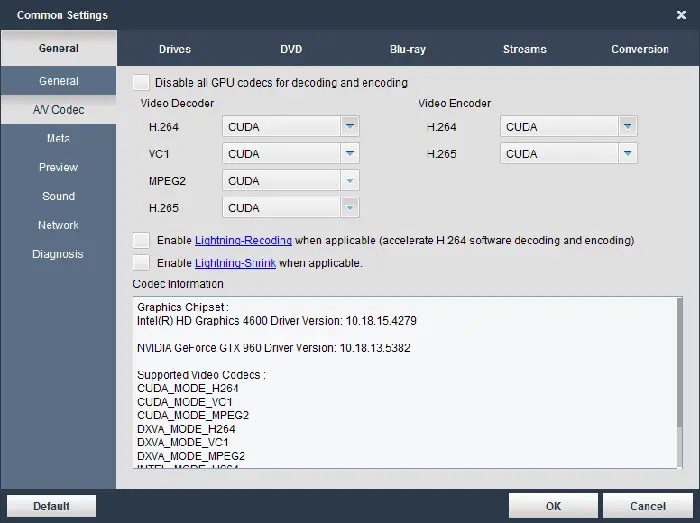
In my tests, it performed reasonably well.
- I burned a standard 90-minute video to DVD-9 disc, which took about 20 minutes to burn;
- When I enabled the GPU acceleration, the burning speed did get improved slightly;
It might not be the fastest tool I’ve used, since some competitors edge it out slightly in terms of raw speed, but the burning speed should be at the top of similar burners.
3. Output Quality
This is where DVDFab stands out. DVDFab DVD Creator claims to deliver high-quality DVD output with sharp visuals, good color accuracy, and minimal compression. Through my testings, it does make it. The output DVD image stays nearly the same as original video. If you prefer to high quality DVD content, DVDFab DVD Creator does a solid job.
4. Stability & Error Handling
During my testing, most of the time DVDFab was stable, but I did experience crashes, especially when I tried to add extra video files for burning. Meanwhile, there were occasional hiccups, like the earlier-mentioned "dvdfab cannot open dvd source" issue. And when handling large files, the program becomes slowed down, which might happen in most DVD burning software tools.
5. Menu Customization
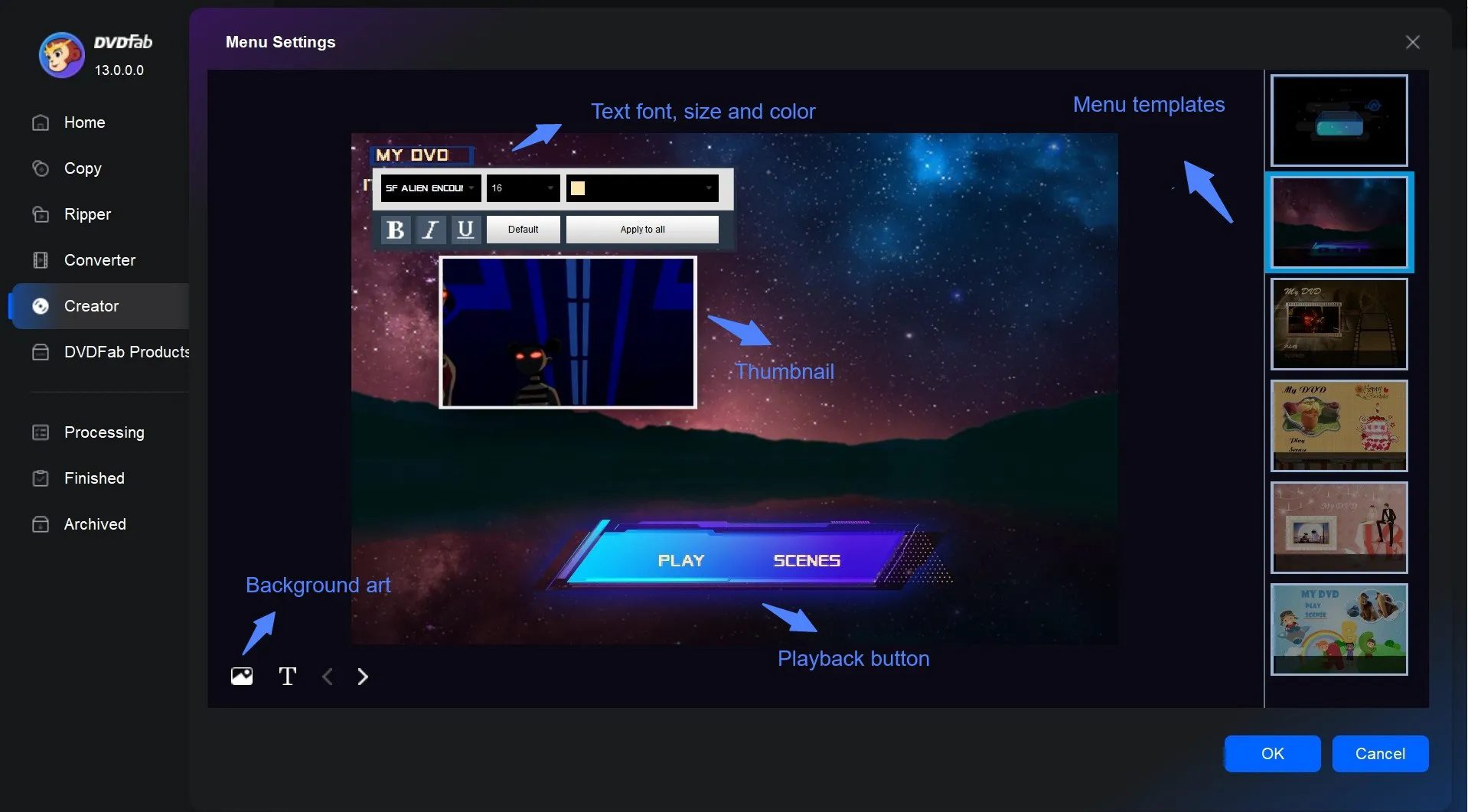
While disc menu plays an important role in DVD authoring, DVDFab DVD Creator does provide multiple preset menu templates and allow users to customize disc menu. The preset menu templates are great for users who want a quick disc menu adding, while the disc menu customization options could provide more DIY fun. I was able to add/change background image, adjust title font, size and content, modify button layout, etc. However, for me the disc menu customization options are far from enough. For example, I couldn’t even find how to create chapters and insert thumbnail. Therefore, I don’t think it is suitable to those people who demand highly creative or professional-grade menus.
6. Video Editing Tools
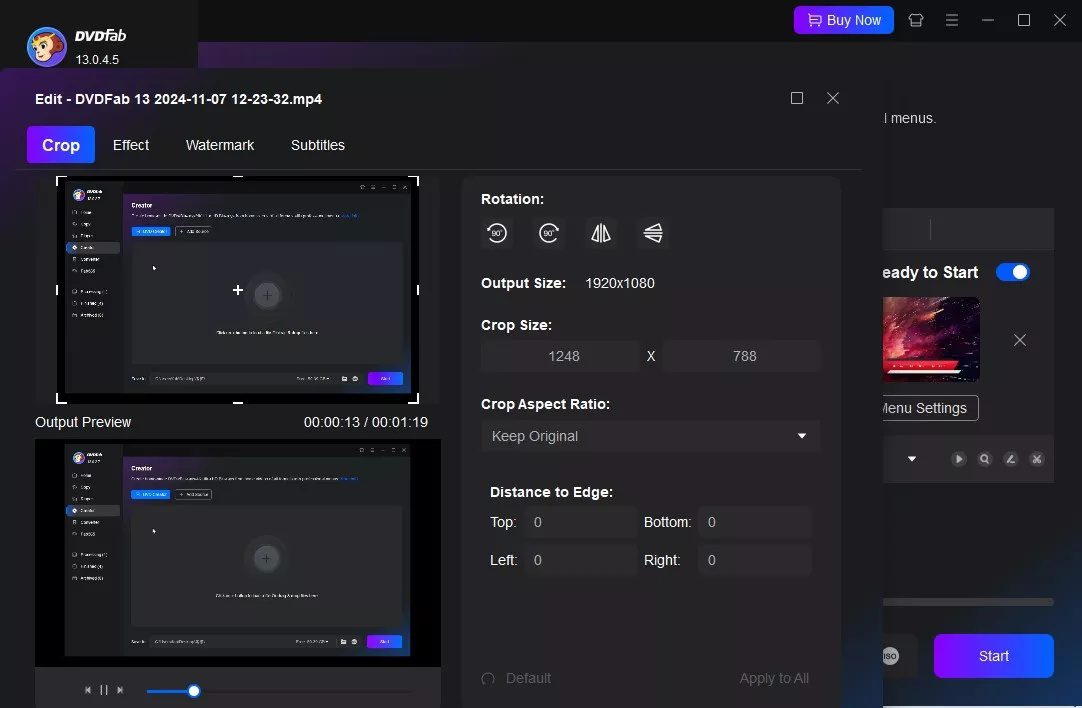
Similar to other DVD burning software, DVDFab DVD Creator also provides a built-in video editor, which provides basic but functional video editing features like trimming, cropping, subtitle adding, video effect adjusting, rotating, etc. As a DVD burning software tool, these features are enough for simple editing needs. If you want more advanced editing features, you might need a professional video editor.
Quick Comparison: DVDFab DVD Creator Pros & Cons
After testing DVDFab DVD Creator for a few DVD burning tasks, here is my honest breakdown of its Pros and Cons, as listed below:
| Pros | Cons |
|
|
It’s worth mentioning that some users search for DVDFab DVD creator crack to bypass the high cost. I strongly advise against that, since it’s risky, often illegal, and can expose your system to potential risks like malware, spyware, virus, personal information leaking, etc.
Is DVDFab DVD Creator Worth Your Cost?
This is the big concern. DVDFab DVD Creator does deliver multiple wonderful features, high output quality and ease of use. But if you concern more about the customization and price (which is $46.99 per 1-year license or $59.99 for lifetime license), you might find other competitive and reliable DVD burners. Leawo DVD Creator is a wonderful alternative to DVDFab DVD Creator but provides equal or even better flexibility and output quality.
Affordable and High-Quality Alternative: Leawo DVD Creator
Leawo DVD Creator is a professional DVD burning software program that can do what DVDFab DVD Creator can and can’t do at lower price. It is available at $29.95 per year use or $39.95 for lifetime use, which is much lower than DVDFab DVD Creator. As to the features, Leawo DVD Creator includes all features DVDFab DVD Creator provides, like video editing, disc menu customization, etc., but delivers more in each. While the internal video editor of DVDFab DVD Creator supports to trim, crop, add watermark, adjust effect and rotate, Leawo DVD Creator enables you to do extra things like adding 3D effect, creating chapters, etc. For disc menu, Leawo DVD Creator offers more disc menu templates and menu customization options to let you design your own disc menu.

-
- Create DVD-9/DVD-5 discs playable on various standalone DVD players and computers without region restriction.
- Burn videos in 180+ file formats to DVD disc, folder and/or ISO image file.
- Provide an internal video editor for personalized DVD content.
- Offer 40+ selectable disc menu templates.
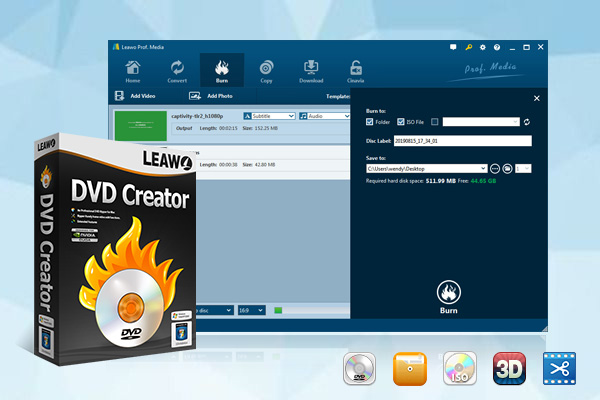
DVDFab DVD Creator vs. Leawo DVD Creator
The below side-by-side comparison table will show you the differences between DVDFab DVD Creator and Leawo DVD Creator.
| Features | DVDFab DVD Creator | Leawo DVD Creator |
| Burn video to DVD | Yes | Yes |
| Burn photo to DVD | No | Yes |
| Burn ISO file to DVD disc | No | Yes |
| Support input video formats | Common formats like MP4, AVI, MKV, MOV, WMV, etc. | 180+ general video formats plus rare codec |
| Supported input picture formats | NA | JPEG, JPG, BMP, PNG |
| Supported input subtitle format | SRT, SUP | SRT, SUP |
| Output DVD types | DVD-9/DVD-5 | DVD-9/DVD-5 disc, ISO image file, folder |
| Operating systems | Windows & macOS | Windows & macOS |
| User interface | Clean and beginner-friendly | Clean, slightly more advanced but still intuitive |
| Burning speed | Fast with GPU acceleration | Faster optimization plus efficient CPU or GPU encoding engine |
| Batch processing | Yes | Yes, with enhanced stability |
| Output quality | High | Higher quality with better bitrate control |
| Menu templates | Limited | 40+ customizable templates |
| Video editing tools | Basic (trim, crop, adjust effect, add watermark, rotate) | More advanced (trim, crop, adjust effect, add image or text watermark, rotate, add 3D, create chapter, etc.) |
| Subtitle & audio track options | Limited control | Multiple subtitles/audio tracks support |
| Stability | Generally stable, minor bugs | Highly stable with fewer crashes |
| Hardware acceleration | Yes | Yes |
| Pricing | $46.99 per year, or $59.99 for lifetime | $29.95 per year, or $39.95 for lifetime |
Priced lower but delivering even more flexible features, Leawo DVD Creator is a more suitable DVD burner software for any level of DVD burning needs.
Conclusion
After thoroughly testing and analyzing the software, my final verdict is that DVDFab DVD Creator is a dependable and high-quality DVD authoring tool that excels in ease of use and output quality. It’s a great choice for beginners and casual users who want a straightforward solution without too much complexity. However, high pricing, limited customization, occasional errors and other issues may push some users away to alternatives. If you’re OK with these limitations and want a hassle-free experience, DVDFab is a solid pick. But if you’re looking for better value or more creative control, exploring other options like Leawo DVD Creator might be the smarter move.
Share this post







 العربية
 繁體中文
繁體中文 Dansk
Dansk Nederlands
 Suomi
Suomi Français
 Deutsch
 Italiano
 한국어
한국어 Norsk bokmål
 Português
 Русский
 Español
 Svenska