How to Convert TikTok Audio to MP3 in Seconds?

Summary:
- While you get no direct and official solution to download TikTok audio to MP3 file, there are multiple TikTok to MP3 converters tools. This post will show you how to download audio from TikTok and convert TikTok to MP3 file with desktop and online TikTok audio converters.
Being one of the most popular leisure entertainment platforms, TikTok provides far more than simple videos. But also, it has been a great place for music listening. Musicians publish their songs on TikTok for sharing. You could even get multiple remix versions of your favorite song. Many TikTok users want to download TikTok audio for offline listening. While there is no official TikTok audio download feature, TikTok to MP3 converters have been developed to cater to such need, since it could download TikTok audio to MP3 file for unlimited playback on nearly all media players and devices. This post will show you 2 different ways to download and convert TikTok to MP3 online and through desktop TikTok audio converter tool.
Quick AccessCLOSE
Before You Start: What You Should Know About TikTok Audio
TikTok audio has been a major appealing point for worldwide users. You could get viral music clips, sound effects, remixes, etc. Downloading TikTok audio and converting TikTok to MP3 file will help you listen to TikTok audio offline without limit. However, there are a few things about TikTok audio you need to figure out before you try to download TikTok to MP3.
- No official TikTok to audio download feature available. Some creators allow their contents to be downloaded on mobile devices for offline viewing, but these contents are restricted to videos only. You won’t be able to directly download TikTok audio to MP3 or other audio files.
- TikTok audio is usually compressed for smaller file size and smoother streaming performance. TikTok audio quality is decided by the source, therefore downloading TikTok audio won’t improve the sound quality.
- Most TikTok audio clips are copyright protected, especially those music clips, licensed soundtracks, movie/TV show audio, etc. This means once you download these TikTok audios, you must not re-upload, re-distribute or share them. It is generally acceptable for personal offline listening.
- There are private and public TikTok audios available. Private TikTok audios (from private accounts, friendly-only videos, restricted regions, etc.) are generally not able to download, while public TikTok audios are available for downloading.
- Background noise is common in original sound like voiceovers, sound effects, custom edits, etc., while licensed music clips often don’t include noise.
- Different TikTok audio formats are available for download: MP3, M4A, AAC, WAV, OGG, etc.
How to Convert TikTok to MP3 with TikTok Downloader Software?
Desktop TikTok to MP3 converter is a prime option for its stability and smoothness. CleverGet TikTok Downloader offers the best TikTok to MP3 download and conversion solution. It could download TikTok videos and convert TikTok audio to MP3/M4A files with AAC 2.0 stereo sound in batch for unlimited offline listening. It enables you to download both public and private (as long as you get access to) TikTok clips to MP3 files.

-
- Download TikTok videos at up to 4K resolution with AAC 2.0 Sound.
- Batch download TikTok videos without watermark.
- Convert TikTok to MP4/MKV/MP3/M4A.
- Download TikTok videos by up to 6X times.
- Preserve metadata tags like title, size, format, length, etc.
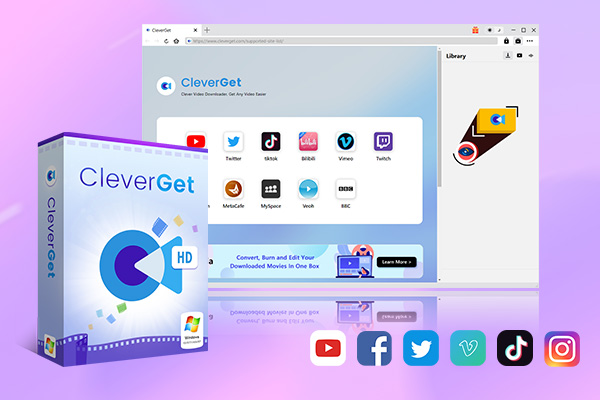
Follow the below guide to learn how to download TikTok audio and convert TikTok video to MP3 directly.
Step 1. Download, install and kick off CleverGet on your computer.
Step 2. Click the “More” button at the top-right corner and then choose “Settings” option to set download directory.
Step 3. Play back target TikTok video within CleverGet.
Step 4. It will automatically analyze the target TikTok video page and provide all available download options.
Step 5. Choose download options and choose “MP3” as output format under the “Output” drop-down box.
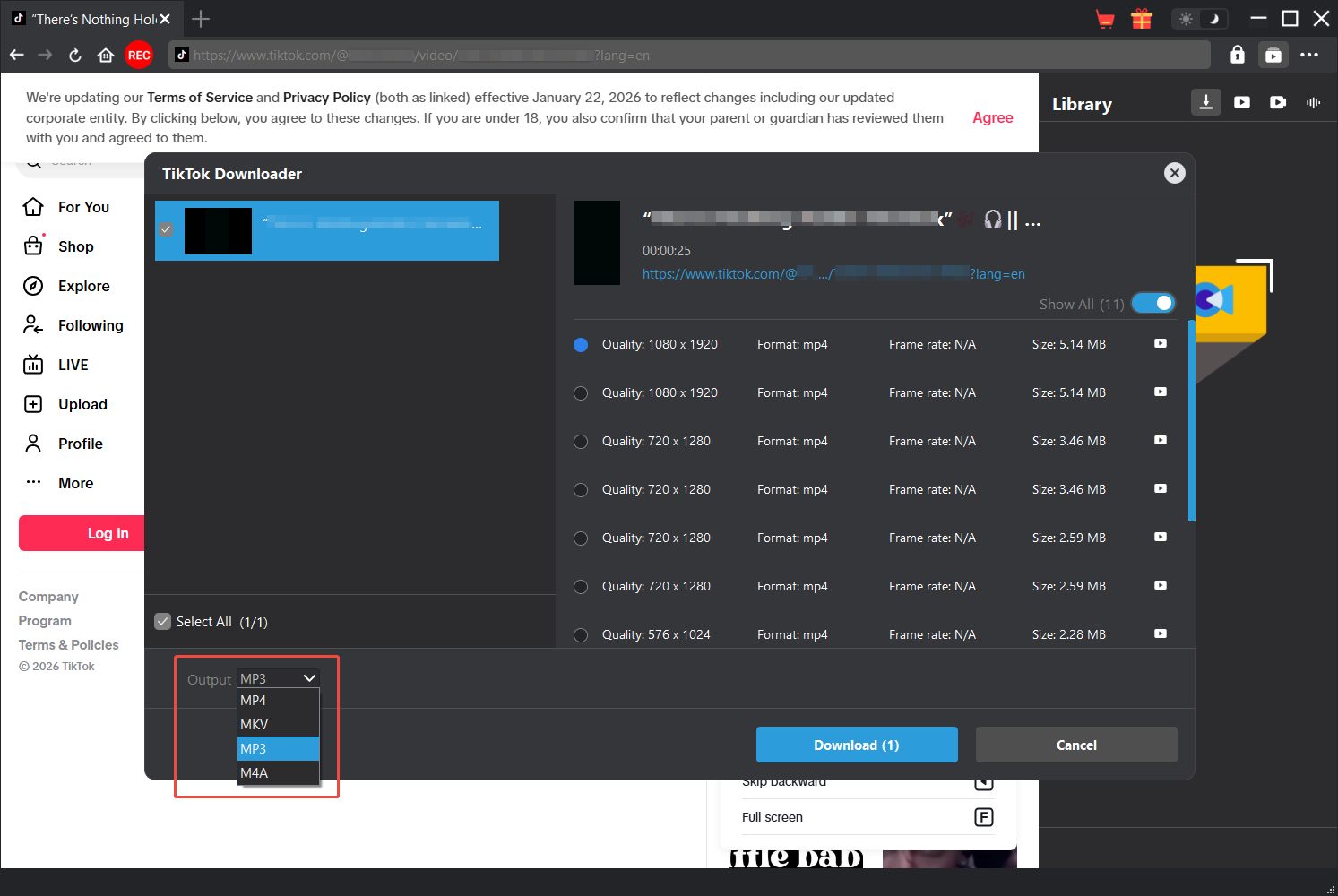
Step 6. Then click the “Download” button to start downloading TikTok video to MP3.
You then only need to wait for the download to complete. Once the downloads complete, you will get TikTok audio in MP3 format on your local drive for unlimited offline playback.
How to Convert TikTok Video to MP3 Online?
Besides CleverGet TikTok Downloader and other desktop TikTok audio downloader software, you could use online TikTok to MP3 converters to download and convert TikTok video to MP3 file online. Compared to desktop TikTok video downloader tools, online TikTok audio to MP3 converters are free from installation and most of them are free to use. A direct and simple copy-and-paste operation will help you download TikTok videos to MP3 files directly. You could get multiple online TikTok to MP3 converters such as musicaldown.com, ssstik.io, etc.
Here we would like to take musicaldown.com as an example to show you how to download and convert TikTok video to MP3 files directly:
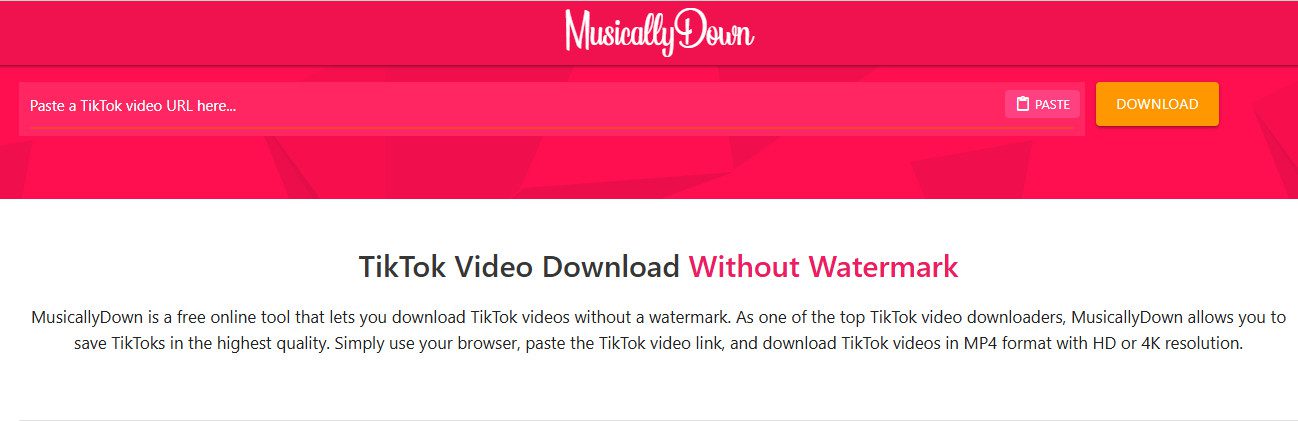
Step 1. Copy the TikTok video page URL.
Step 2. Open musicaldown.com website and then paste the TikTok video page URL into the blank bar.
Step 3. Click the yellow “DOWNLOAD” button.
Step 4. This online TikTok to MP3 converter will start analyzing the TikTok video URL and list all available download options.
Step 5. Click the “DOWNLOAD MP3” option.
Step 6. Then, on the pop-up “Save as” interface, set the download directory and file name.
Step 7. After that, click the “Save” button to start downloading TikTok video to MP3 file.
The entire download process is quick and smooth. Wait for the download to complete and then get TikTok audio files in MP3 format for unlimited offline listening.
Comparison of Two Methods for TikTok to MP3 Download
While most online TikTok to MP3 converters are free to use, why is CleverGet TikTok Downloader firstly recommended? Check the below comparison table to get their differences.
| Features | CleverGet TikTok Downloader | Online TikTok to MP3 Converter |
| Supported platforms | Windows 7 or later; macOS 10.15 or newer | Web-based (PC, Mac, mobile, tablet) |
| Output formats | MP3, M4A, MP4, MKV | Mainly MP3 |
| Audio quality for downloads | Up to 320kbps MP3 | Usually 128kbps – 192kbps |
| Video Quality for downloads | Up to 4K | Mostly 720P or 1080P |
| Batch download | Yes | No |
| Playlist download | Yes | No |
| Stability | Very stable | Unstable, fails frequently |
| Malware risk | Very low | Medium to high |
| Multi-task processing | Yes | No |
| Download speed | High-speed download with GPU accelerations | Slow, depends on server load |
| Customer support | Professional customer service | Not available |
| Installation required | Yes | No |
| Cost | Free trial; starting from $34.96 under a discount for license registration | Mostly free to use |
FAQs
1. Is it legal to download and convert TikTok audio to MP3?
This highly depends on what TikTok audio you want to download and how you use it. Downloading licensed music clips, and re-distributing/re-uploading/sharing TikTok audio downloads are not legal.
2. Is it safe to download TikTok audio online?
Online TikTok converters are highly risky, especially those sites come with a lot of ads.
3. Will the TikTok creator and publisher know that I have downloaded their contents?
No, there is no content download tracking design in TikTok. But don’t use the TikTok downloads for profit.
Conclusion
It is not complicated and difficult to download and convert TikTok videos to MP3 files. The online TikTok to MP3 converters are generally free to use and require no installation, but it might put your computer in risk due to virus, malware or spyware. Desktop TikTok to MP3 downloader tools are more recommended for its batch processing, high security and stability, and cost-effectiveness. Choose the method that meets your needs better.
Share this post







 العربية
 繁體中文
繁體中文 Dansk
Dansk Nederlands
 Suomi
Suomi Français
 Deutsch
 Italiano
 한국어
한국어 Norsk bokmål
 Português
 Русский
 Español
 Svenska