Bookmark and Share Tell a Friend Home > Guide & Tips
Guide & tips of software & computer

How to convert WMV to 3GP or 3G2 for Mac?

I do like 3GP format, because I want to enjoy it on my mobile phone. Is there an excellent tool for me to convert WMV to 3GP/ 3G2 files on Mac? Leawo Mac 3GP Converter is a professional Mac WMV to 3GP converter. It can convert WMV to 3GP for Mac. With its easy-to-use interface and unmatchable speed, it makes WMV to 3GP for Mac conversion routine extremely simple. After a short conversion process, you can joyfully enjoy your 3GP videos made from a WMV file on your cell phone. Easy to use, your sincere comment!

What is WMV?
WMV stands for Windows Media Video. It is used for both streaming and downloading content via the Internet. You can plakback and manage the files of this format on Windows Media player.

What is 3GP?
3GP/3G2 stands for 3rd Generation Partnership Project and 3rd Generation Partnership Project 2 respectively. They are multimedia container formats used by mobile phones. 3GP was designed to make file sizes smaller so mobile phones could support video.

Tutorial of converting WMV to 3GP/3G2 for Mac with Mac WMV to 3GP Converter
Note: Before this tutorial, please download and install Leawo Mac 3GP Converter first!

Step 1: Do the essential settings
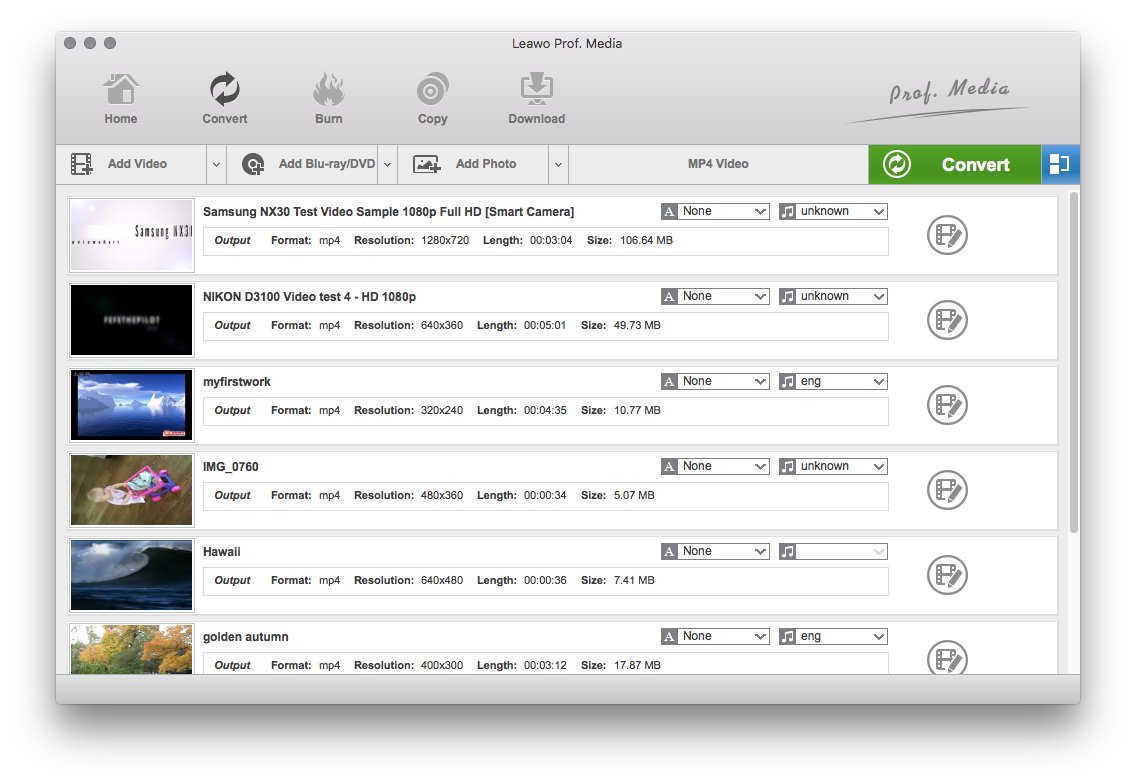
Click "Add " button to load WMV files you want.
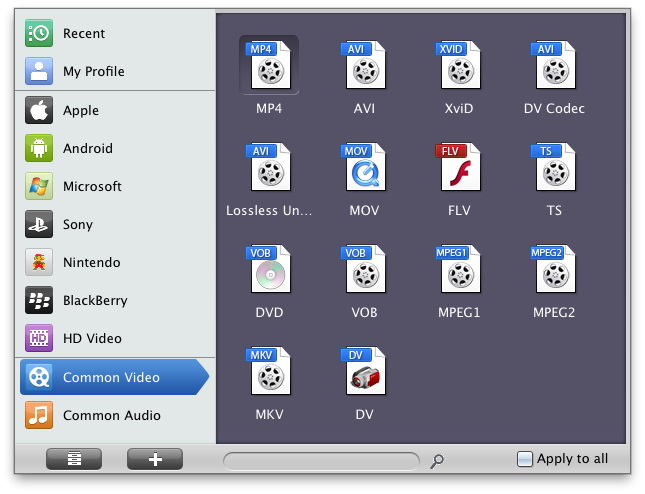
Select each file and choose the output format like 3GP MP4 in "Profile".
Select video and audio quality that you need.
Set an output folder by "Output" for the destination files.
Mac WMV to 3GP Converter
Step 2: Video Effect Settings
Click “Edit” button to crop, adjust and watermark video to satisfy your needs.
Crop: Click "Crop" to crop the video file to extract the black sides or unnecessary segment from the original video file.
Crop WMV for converting WMV to 3GP for Mac
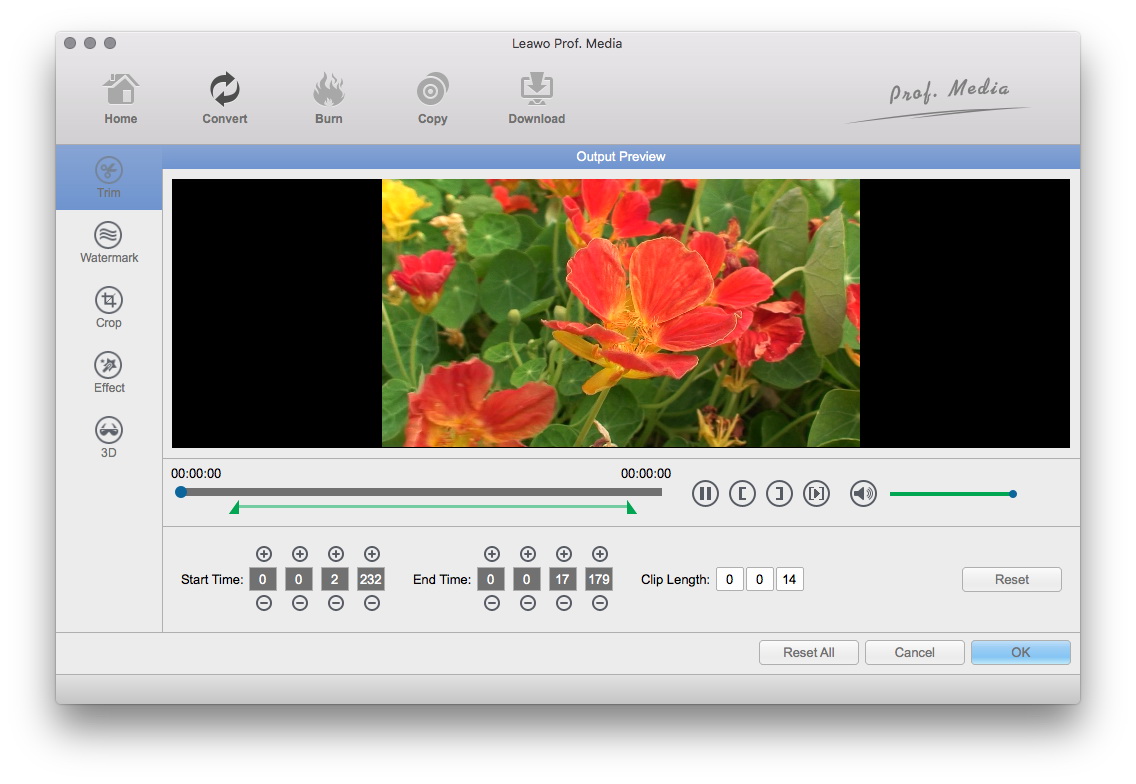
Trim: Click "Trim" button. Now trim video duration by setting start time and end time to keep the segment you want.
Trim WMV for converting WMV to 3GP for Mac
Effect: Click "Effect" button to set video brightness, contrast, and saturation for better output quality.
Effects custom for converting WMV to 3GP for Mac
Watermark: Check "Enable Watermark", and click "Image Watermark" or "Text Watermark" to add watermark to the video, then adjust the Transparency, Margin, and Watermark Size.
Watermark WMV for converting WMV to 3GP for Mac
Besides, you can set detailed parameters: Choose the file and go to "Settings" button at the bottom of the main interface to set detailed parameters for the video as you like. Such as Codec, Video Size, Bit Rate, Aspect Ratio, Frame Rate, Channels, etc.
Set parameters for converting WMV to 3GP for Mac
Step 3: Convert Videos
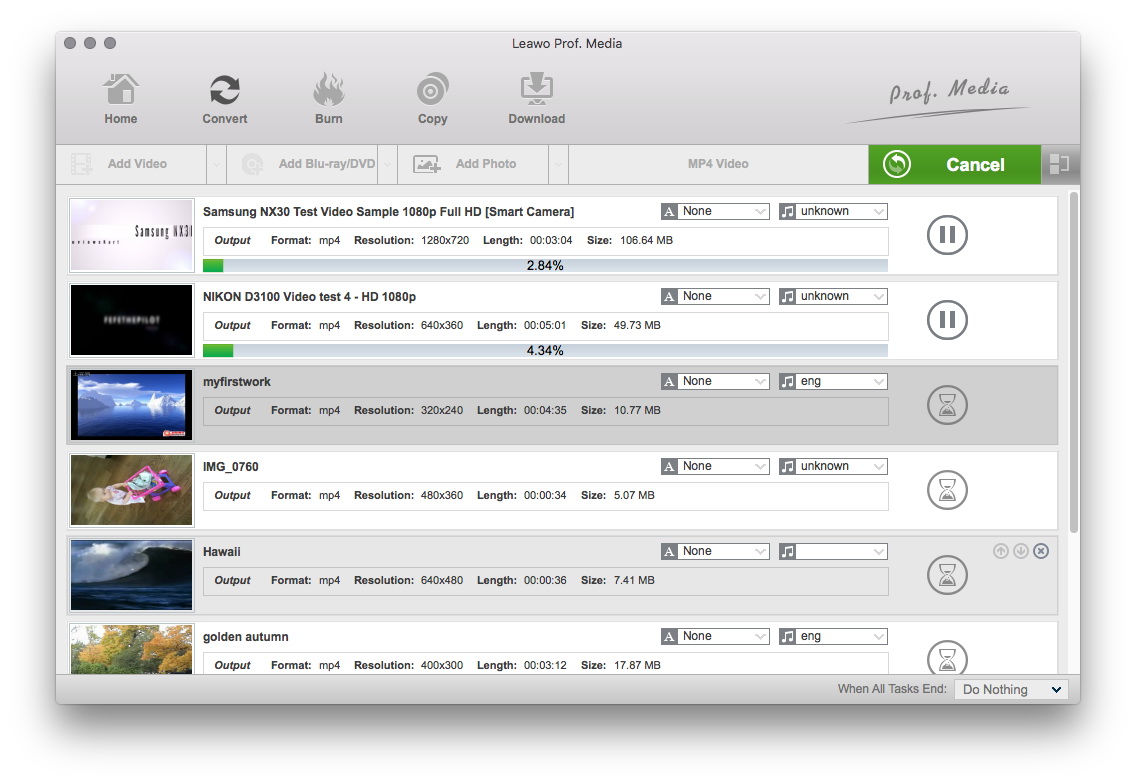
When you have got ready for the settings for the added videos in the video converter program, you can click "Convert" button to start conversion. Just for a while, the conversion would finish and be enjoyed freely.
Convert WMV to 3GP for Mac

Learn More about Leawo Mac 3GP Converter at once!

Guide & Tips Catalogue

Hot Tips for Windows
Convert AVI to DVD
Convert MP4 to AVI
Put WMV video to iPod
Convert DVD to AVI
Convert DVD to MP4
Sync DVD to my iPod
How to insert DVD into PowerPoint?
Convert YouTube video to MP3
Convert FLV to 3GP for cell phones
Convert FLV to AVI
Download YouTube videos
Download YouTube video to iPod
Convert PowerPoint to AVI
Promote your business using PowerPoint
Put PowerPoint to YouTube
Publish PowerPoint on web
Do mobile PowerPoint presentation
More Tips
Hot Tips for Mac
Convert video to AVI for Mac OS users?
Convert video to MPEG for DVD player on Mac OS?
Convert video to 3GP and 3G2 for cell phones on Mac OS?
More Tips