Is there a good VOB to iPod video converter designed for Mac users? It is unnecessary to serach on Google, for there is a valuable tool named Leawo Video Converter for Mac—the best Mac iPod Converter. Undoubtedly, Leawo Mac iPod Converter can act as Mac VOB to iPod converter for Mac users, because it provides you with several powerful functions to convert sorts of video foramts to iPod MP4 video file, of course VOB to iPod for Mac conversion included. With the help of the professional software, you can get your converted videos at super high speed, and also, its perfect output quality can better your visual enjoyment.
What is VOB?
A VOB file is a Video Object file – used specifically in the case of DVD (Digital Versatile/Video Disc) forms. It is derived under the MPEG-2 specification meaning that it is capable of being streamed across computers or to computers. However, the main basis for using VOB files is that they give amazingly high output when it comes to digital multimedia.
Before this tutorial, please download and install Leawo Mac Video Converter first!
Full Guide
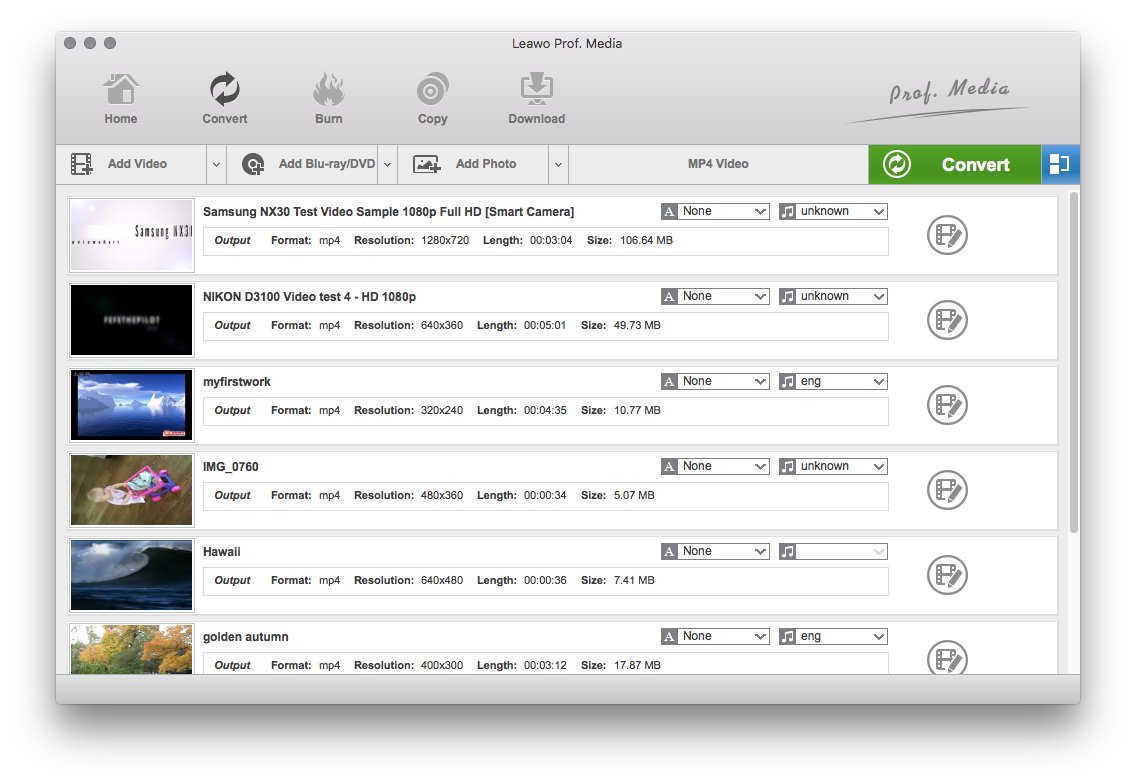
Do the essential settings
Click "Add" button to load VOB files you want.

Select Output Profile
Select each file and choose the output format like iPod MP4 in "Profile".
Select video and audio quality that you need.
Set an output folder by "Output" for the destination files.
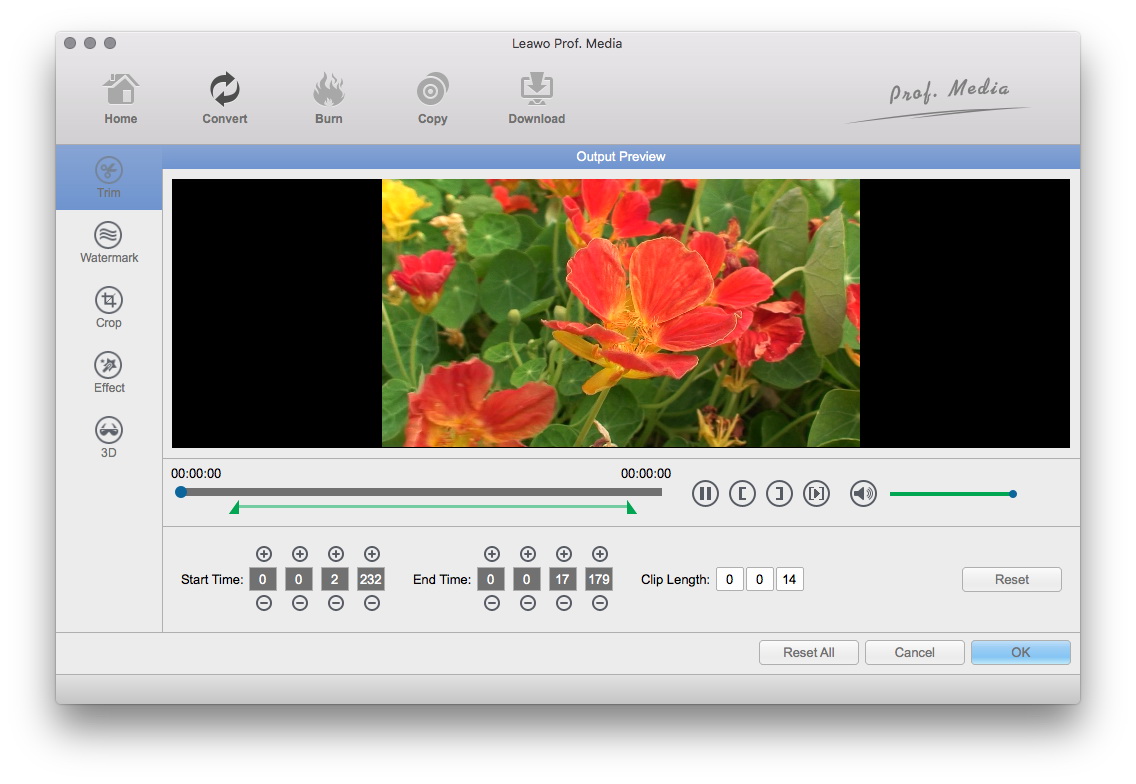
Video Effect Settings
Click "Edit" button to crop, adjust and watermark video to satisfy your needs.
- Trim: Click "Trim" button. Now trim video duration by setting start time and end time to keep the segment you want.
- Crop: Click "Crop" to crop the video file to extract the black sides or unnecessary segment from the original video file.
- Rotation: Revolve the video to the needed angle. You can achieve horizontal flip & vertical flip, or realize to rotate 90° clockwise and rotate 90° counterclockwise. If the adjustment is beyond satisfaction you can reset it as well.
- Effect: Click "Effect" button to set video brightness, contrast, and saturation for better output quality.
- Watermark: Check "Enable Watermark", and click "Image Watermark" or "Text Watermark" to add watermark to the video, then adjust the Transparency, Margin, and Watermark Size.
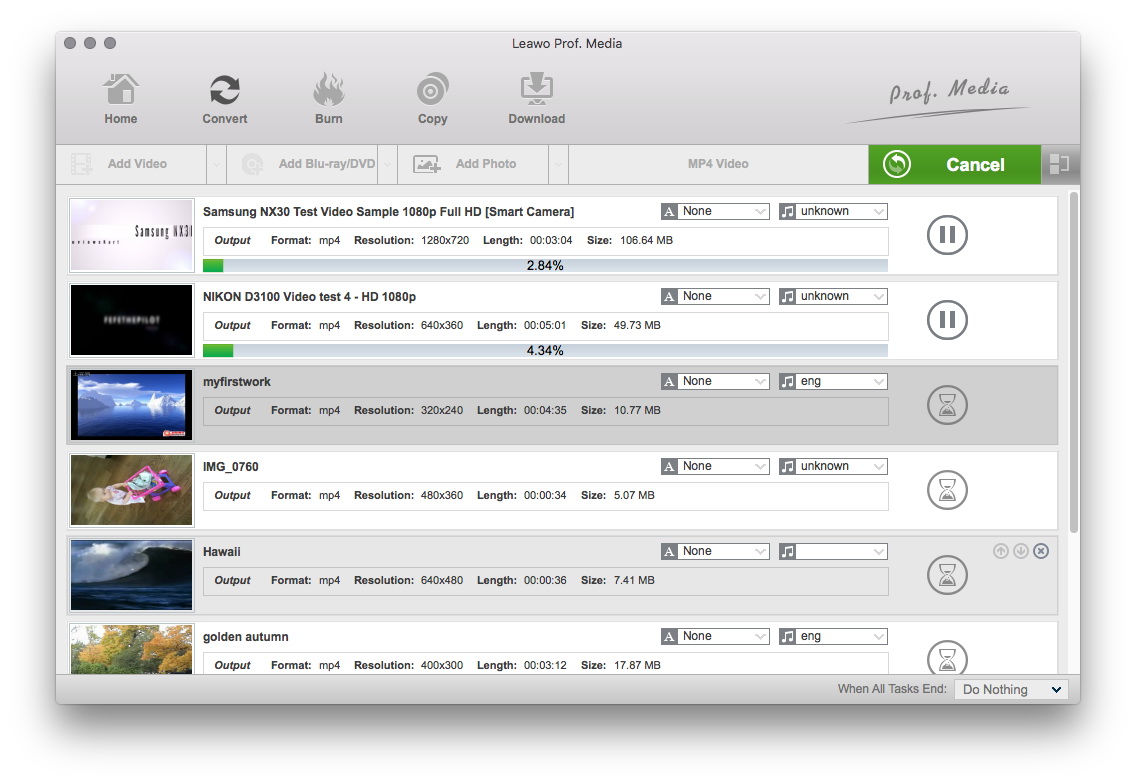
Convert Videos
When you have got ready for the settings for the added videos in the video converter program, you can click "Convert" button to start conversion. Just for a while, the conversion will be finished and you can enjoy it freely.
Extended Knowledge

iPod is a portable device for storing and playing audio files encoded by MP3 or AAC compression algorithms. Designed by Apple Computer, iPods have distinctive styling and can hold anywhere from a few hundred to ten thousand songs. Popular iPod features include a calendar, address book, to-do list, alarm clock with sleep timer, games and text reader. Currently, iPod support MP4 video file in many different resolutions and sizes.
