How to convert MP4 to WMV files on Mac to make them fit for your enjoyment? Undoubtedly, the Mac MP4 to WMV converter from Leawo is a professional tool that can convert among all fashion video formats from one to another, MP4 to WMV for Mac included. This Mac MP4 to WMV converter also allows you to edit your videos by cropping, trimming, watermarking, etc. After converting MP4 to WMV on Mac, you can enjoy your favorite video format. Moreover, this easy-to-use program allows you to get better output quality so asto view the fluent WMV files. Now download this tool!
Full Guide
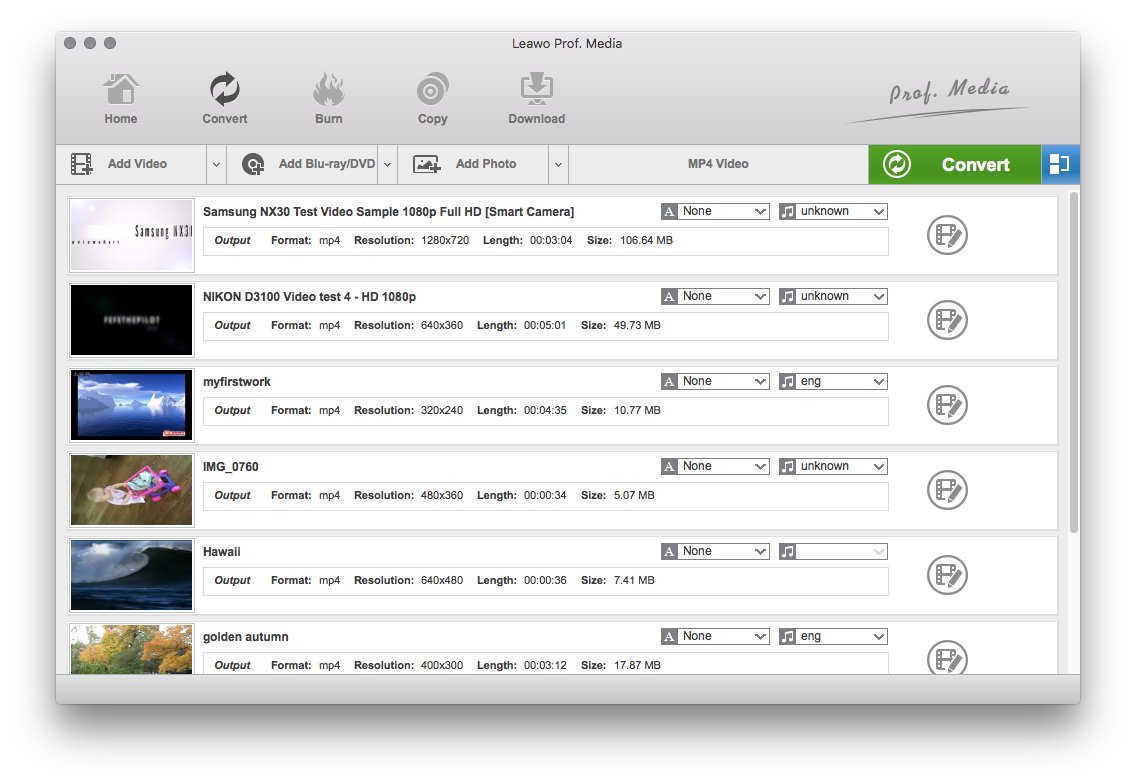
Do the essential settings
Click "Add" button on the main interface to load MP4 files you want.
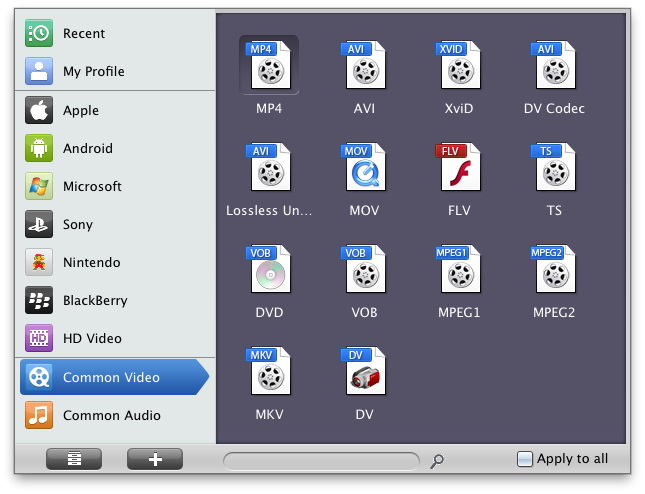
Select Output Profile
Click on the file format of the original video on the video processing list, and then it will switch to the following output file format choosing panel. Select a target format for the output according to your requirement. Or you can take advantage of the "Profile Search Function" and get access to the target format quickly.
You can set detailed parameters: Choose the file and go to "Add Profile" button at the bottom of the main interface to set detailed parameters for the video as you like. Such as Codec, Video Size, Bit Rate, Aspect Ratio, Frame Rate, etc.
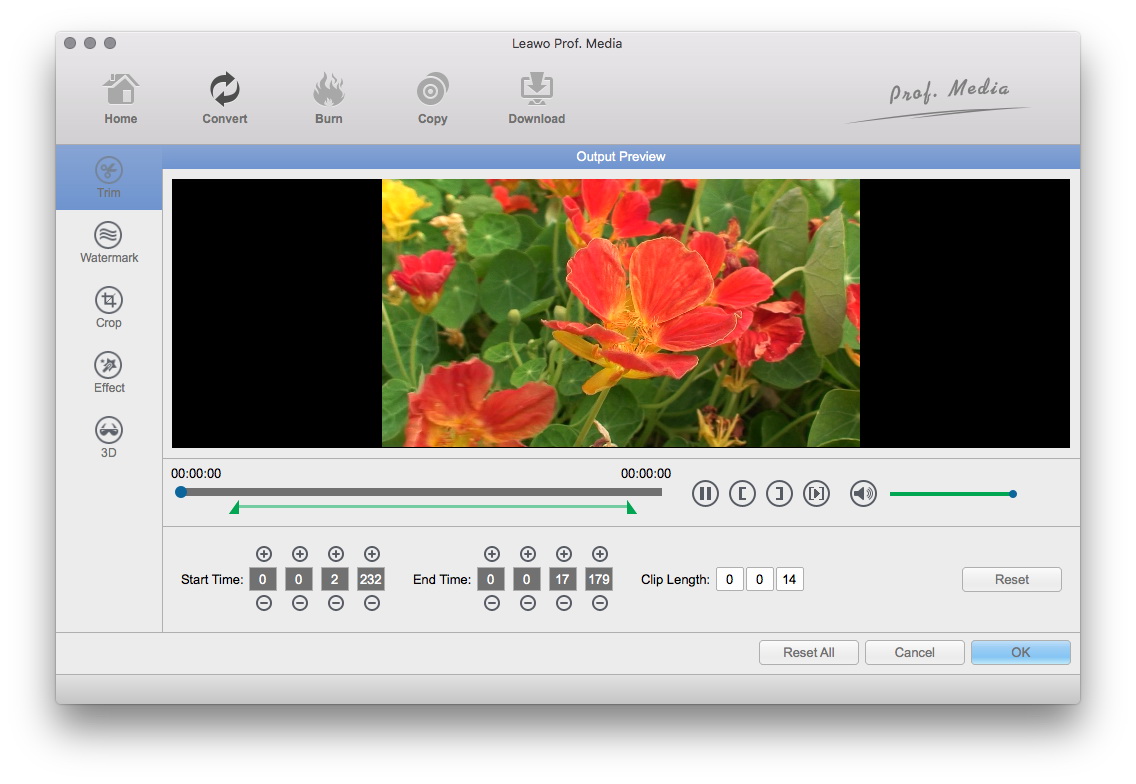
Video Effect Settings
Click on the "Edit" button to switch to the video editing panel where you can add some special features to the output video.
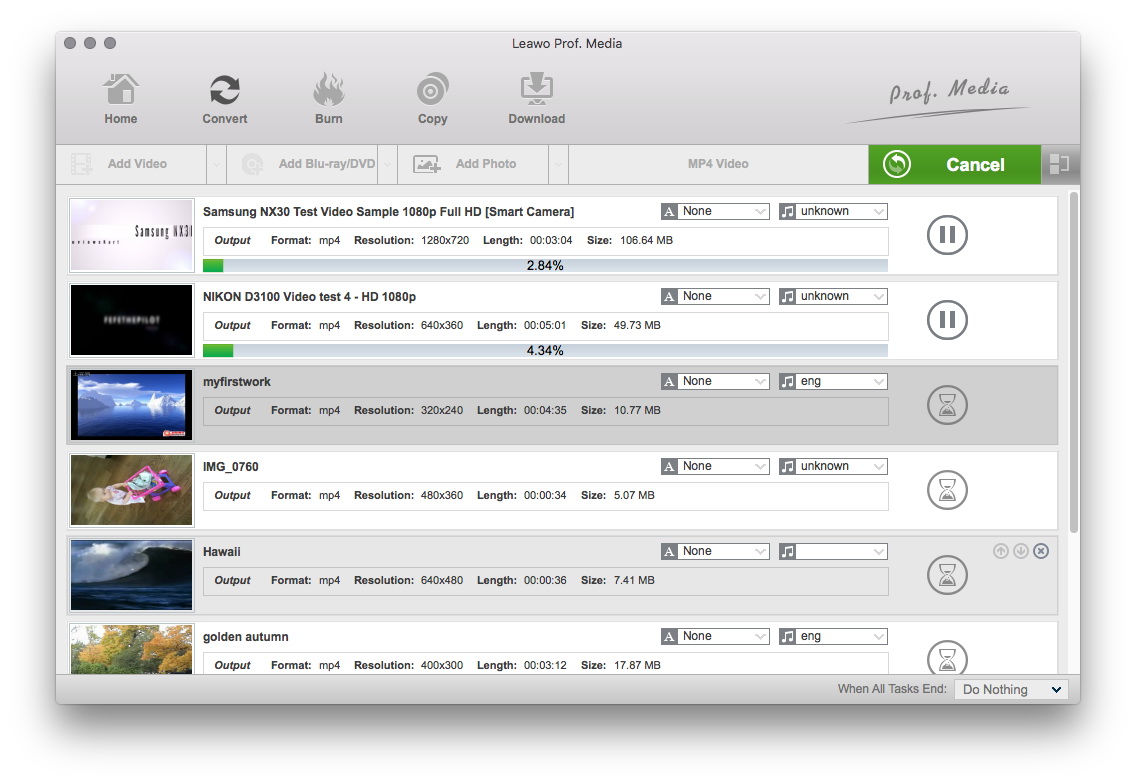
Convert AVI to MVO on Mac!
When you have got ready for the settings for the added videos in the video converter program, you can click "Convert" button to start conversion. Just for a while, the conversion will be finished and you can enjoy it freely.
Extended Knowledge

MP4, short for MPEG-4 Part 14, is a multimedia container format standard specified as a part of MPEG-4. It is most commonly used to store digital audio and digital video streams, especially those defined by MPEG, but can also be used to store other data such as subtitles and still images. Like most modern container formats, MPEG-4 Part 14 allows streaming over the Internet. The official filename extension for MPEG-4 Part 14 files is .mp4, thus the container format is often referred to simply as MP4.
WMV (Windows Media Video) codec is a subset of Microsoft's Advanced Systems Format (ASF) container format. WMV files can be played by players such as MPlayer or Windows Media Player, the latter is only available for Microsoft Windows and Macintosh systems. WMV is a closed source, propriety codec that cannot be manipulated. It is not suggested for editing.
