Though it is designed for games, PSP does have inborn capability for video playback. It will be great if you can download FLV videos to it and DIY it as a portable Game player plus Video station, but in fact it is not possible without an FLV to PSP for Mac conversion. Popular video converters can handle common videos but not always PSP videos, because of PSP's strict limit for video format. Leawo Video Converter for Mac — Mac FLV to PSP Converter is the ideal tool for Mac users to convert FLV to PSP for Mac. With this powerful tool, you can enable the FLV files to be played on your PSP anytime.
Leawo Mac FLV Converter (Leawo Video Converter for Mac) is an all-powerful program which can convert FLV to quality PSP videos in a breeze. Basically it eliminates your worries about how to put FLV to your PSP. Moreover, Leawo Mac FLV Converter is a well-accomplished assistant for you to convert FLV to all other kinds of video formats. For more information, see the website of Leawo Mac FLV Converter.
In the guide below you will learn to convert FLV to PSP on Mac. You only need to follow the simple steps then you can convert FLV to PSP videos with Mac FLV Converter successfully.
Full Guide
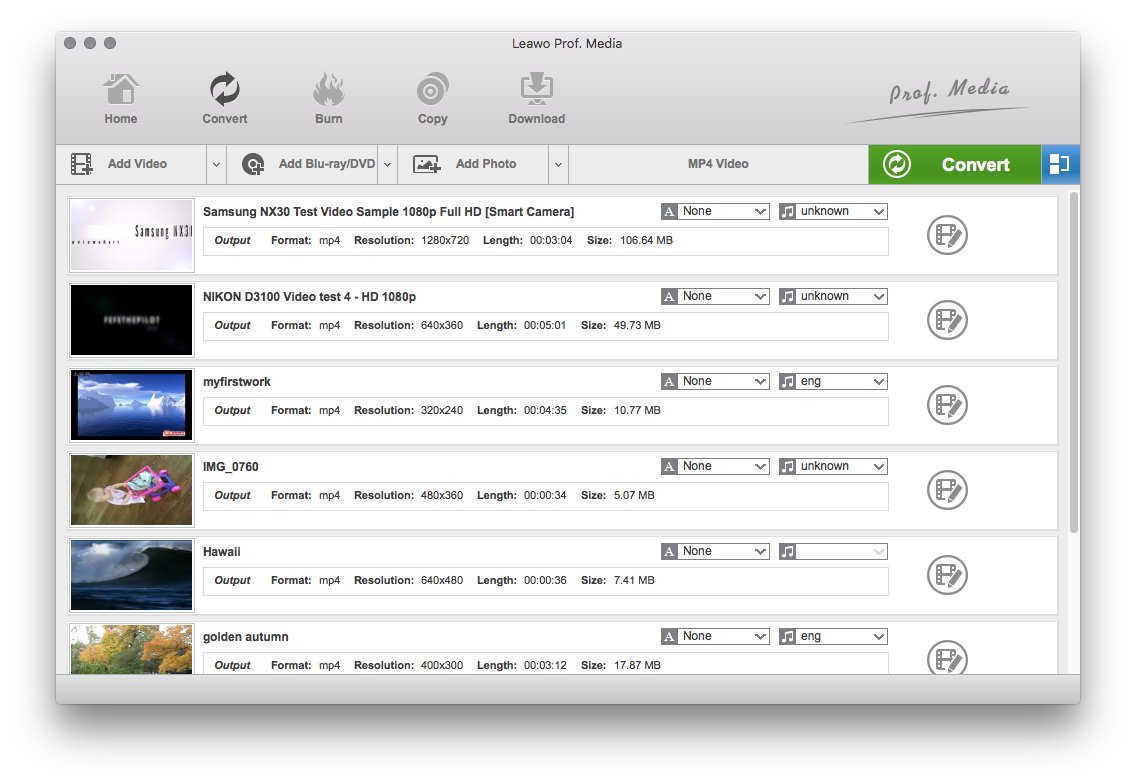
Add video files to the program
You can either click on the Add button to import videos or directly drag the video files to the software. The loaded videos will be presented on the processing list. You can double click on the video to have a preview of the video.
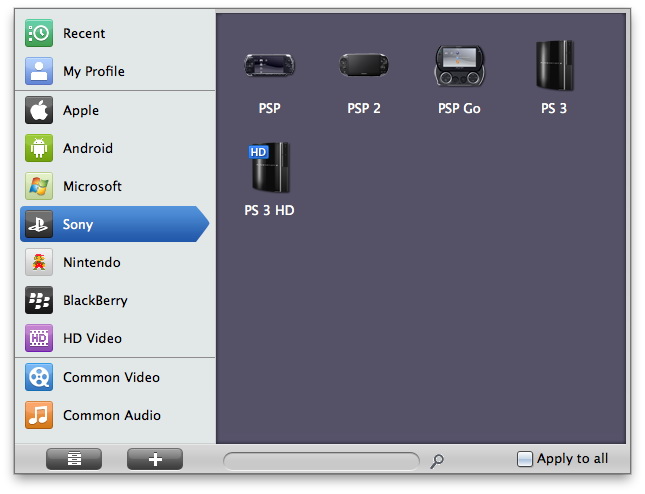
Select the output file format
In the "Profile" menu, just choose PSP compatible format as output.
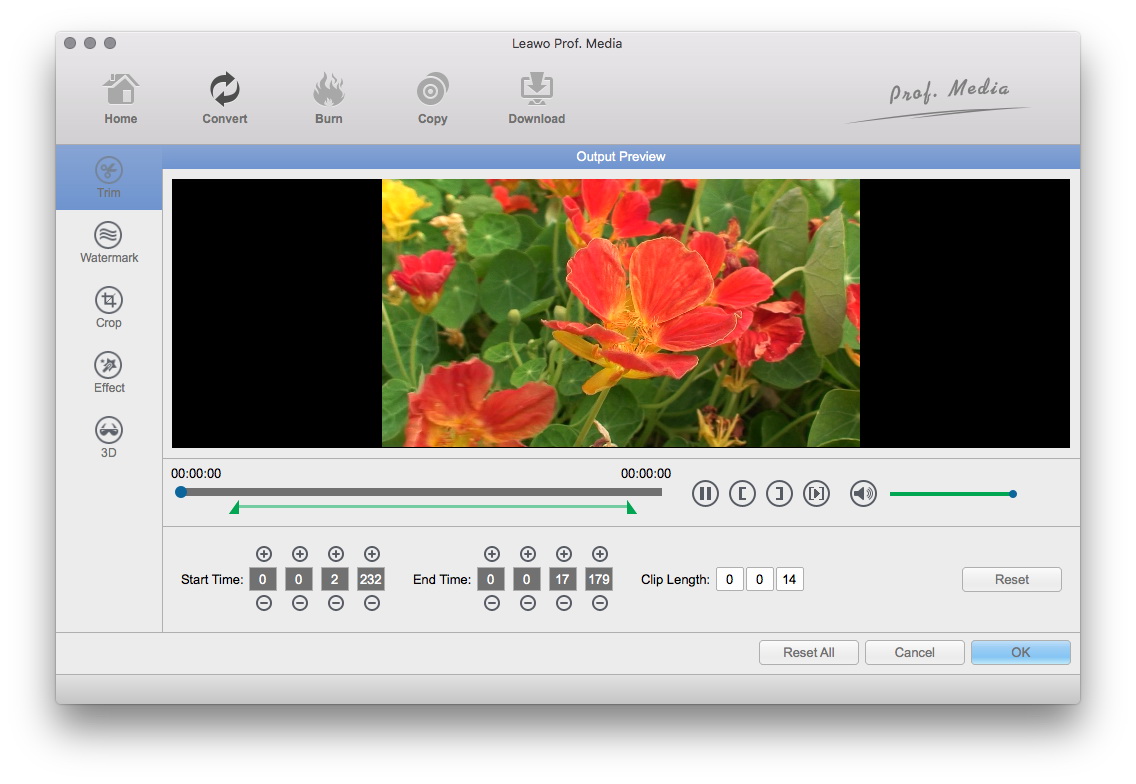
Apply video editing features to the output
You can give some features to the output video through Trim, Crop, Rotation, Effect and Watermark.
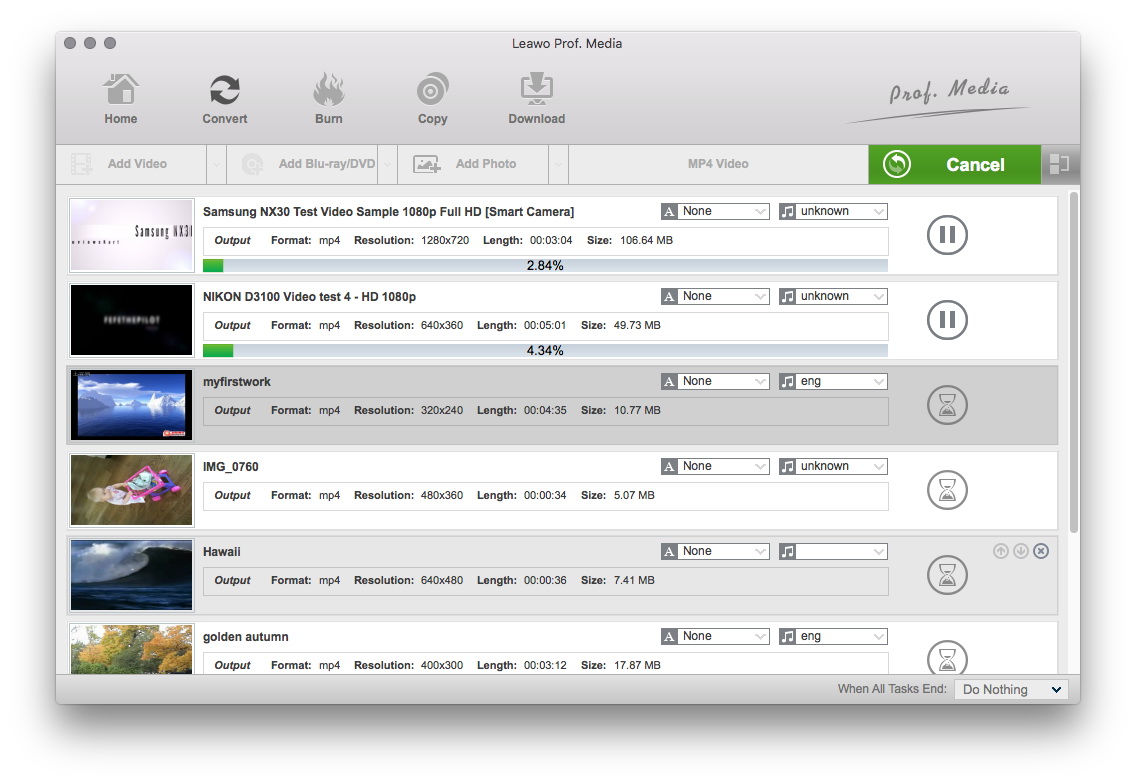
Begin the conversion
After all settings have been done, start to convert FLV to PSP videos by clicking on the Convert button.
Extended Knowledge
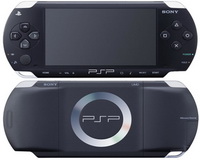
The PSP (PlayStation Portable) is the first and only handheld video game console to use an optical disc format, Universal Media Disc (UMD), as its primary storage medium. Other distinguishing features of the console include its large viewing screen, robust multi-media capabilities, and connectivity with the PlayStation 2, PlayStation 3, other PSPs, and the Internet.
