Could Leawo Video Converter for Mac also act as an Mac AVI to VOB converter? Definitely, this professional tool can convert almost all popular video formats from one to another, surely including Mac AVI to VOB, etc. Leawo Video Converter for Mac is a first-class program that enables you to easily convert AVI to VOB for Mac for AVI video enjoyment. During the process of Mac AVI to VOB conversion, you'll be attracted by its user-friendly interface and high speed conversion. Undoubtedly, you can happily enjoy your VOB video made from AVI file on your fashionable player.
AVI format is familiar to us, after all, it is a common video file in our daily life. Why need to convert AVI to VOB? Ok, let's know some knowledge about VOB format. VOB stands for DVD Video Object. The VOB file is one of the core files found on DVD-Video discs and contains multiplexed Dolby Digital audio (normally AC3 format) and MPEG-2 video.
Full Guide
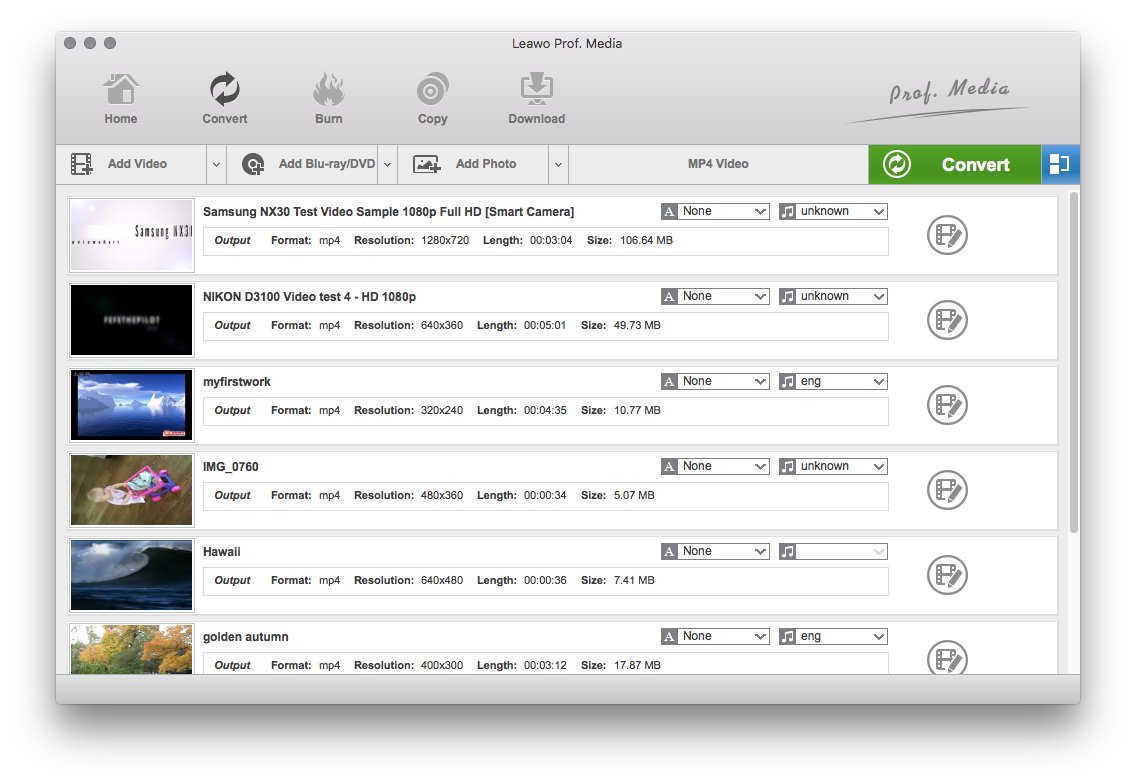
Do the essential settings
Click "Add" button to load AVI files you want.
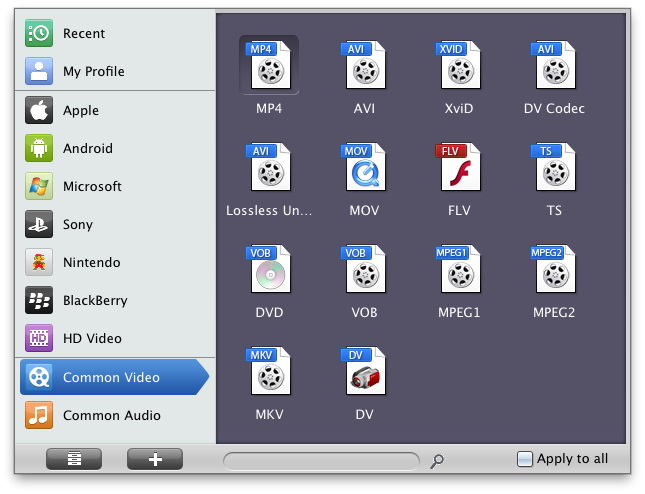
Select Output Profile
Click on the file format of the original video on the video processing list, and then it will switch to the following output file format choosing panel. Select a target format for the output according to your requirement. Or you can take advantage of the "Profile Search Function" and get access to the target format quickly.
You can set detailed parameters: Choose the file and go to "Add Profile" button at the bottom of the main interface to set detailed parameters for the video as you like. Such as Codec, Video Size, Bit Rate, Aspect Ratio, Frame Rate, etc.
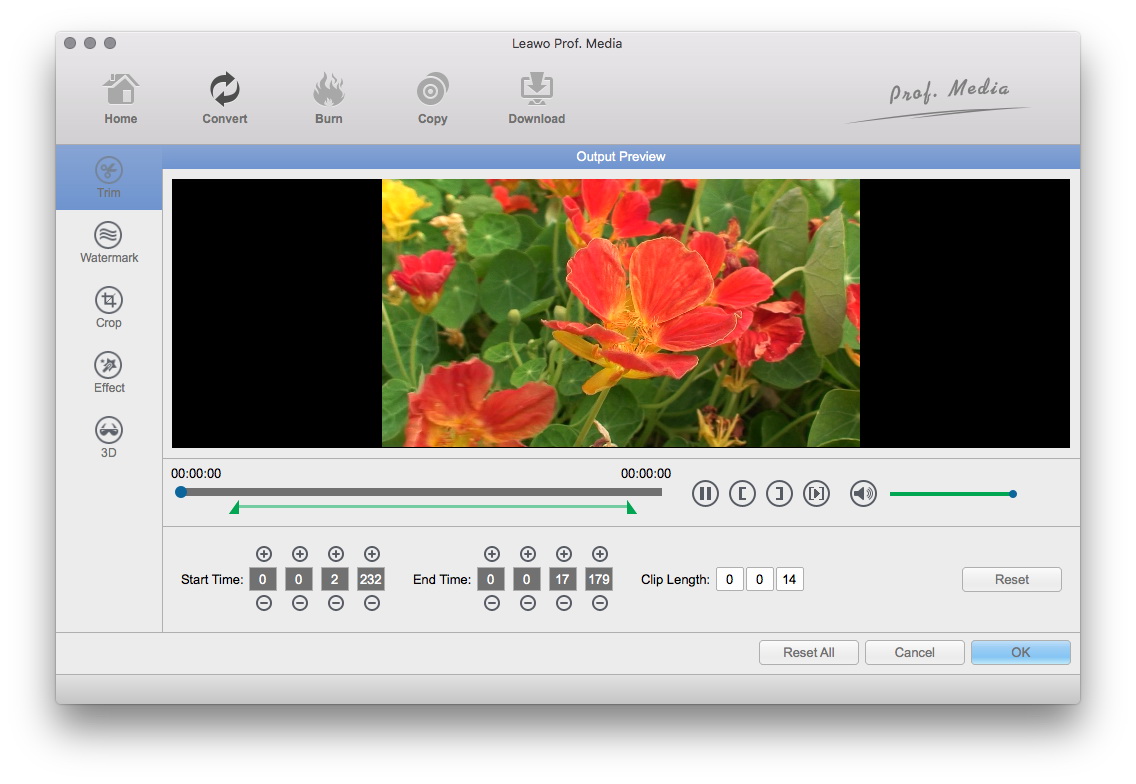
Video Effect Settings
Click "Edit" button to crop, trim, adjust and watermark video to satisfy your needs.
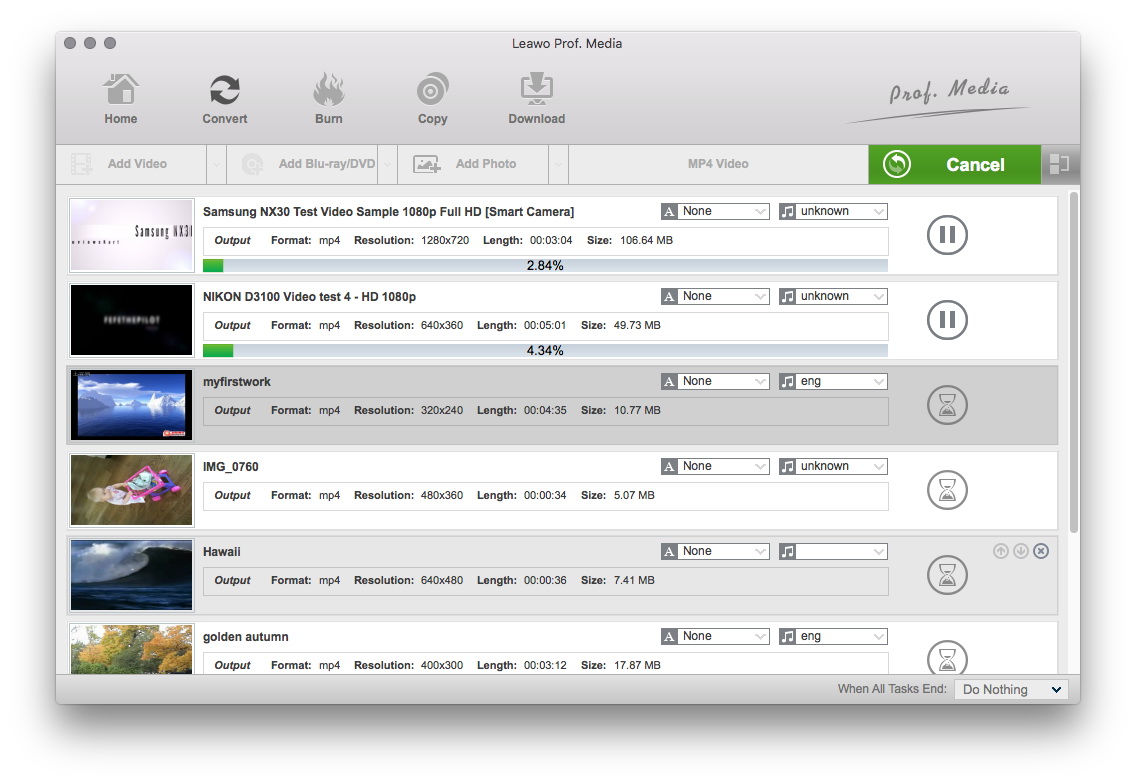
Convert Videos
When you have got ready for the settings for the added videos in the video converter program, you can click "Convert" button to start conversion. Just for a while, the conversion will be finished and you can enjoy it freely.
Extended Knowledge

AVI (Audio Video Interleaved) file is a sound and motion picture file that conforms to the Microsoft Windows Resource Interchange File Format (RIFF) specification. AVI files (which end with an .avi extension) require a special player that may be included with your Web browser or may require downloading.
VOB (Video Object) is a container format in DVD-Video media. VOB can contain video, audio, subtitle, menu and navigation contents multiplexed together into a stream form. VOB is based on the MPEG program stream format, but with additional limitations and specifications in the private streams. The MPEG program stream has provisions for non-standard data (as used in VOB files) in the form of so-called private streams. VOB files are a very strict subset of the MPEG program stream standard. While all VOB files are MPEG program streams, not all MPEG program streams comply with the definition for a VOB file.
