I want to watch my favorite video on PSP, but the video format is 3GP, is there any pretty good tool to convert 3GP to PSP video for Mac? Definitely, Leawo Video Converter for Mac--Mac PSP Converter is just designed for Mac. Acting as a Mac 3GP to PSP converter, the professional software helps you easily convert 3GP to PSP video on Mac, and convert 3GP to PSP MP3 music on Mac, too. After video conversion, you will be attracted by its user-friendly interface and high speed 3GP to PSP for MAC conversion. Undoubtedly, you can happily enjoy your PSP video made from 3GP file on your fashionable PSP player.
How to transfer video to PSP for Mac?
Step1: Connect your PSP with your PC.
Step2: There should be a folder called "MP_ROOT" on the PSP Memory Stick if you formatted it on your PSP; if not, create one.
Step3: There should be a folder called "100MNV01" inside the "MP_ROOT" folder.
Step4: Drag and drop files into the folders just as you would save files in another folder on your computer. Video files will be in the "100MNV01" folder.
Step5: Disconnect your PSP by first clicking on "Safely Remove Hardware" on the bottom menu bar of a PC.
Tutorial of converting 3GP to PSP for Mac with Mac 3GP to PSP Converter
Note: Before this tutorial, please download and install Leawo Mac PSP Converter first!
Full Guide
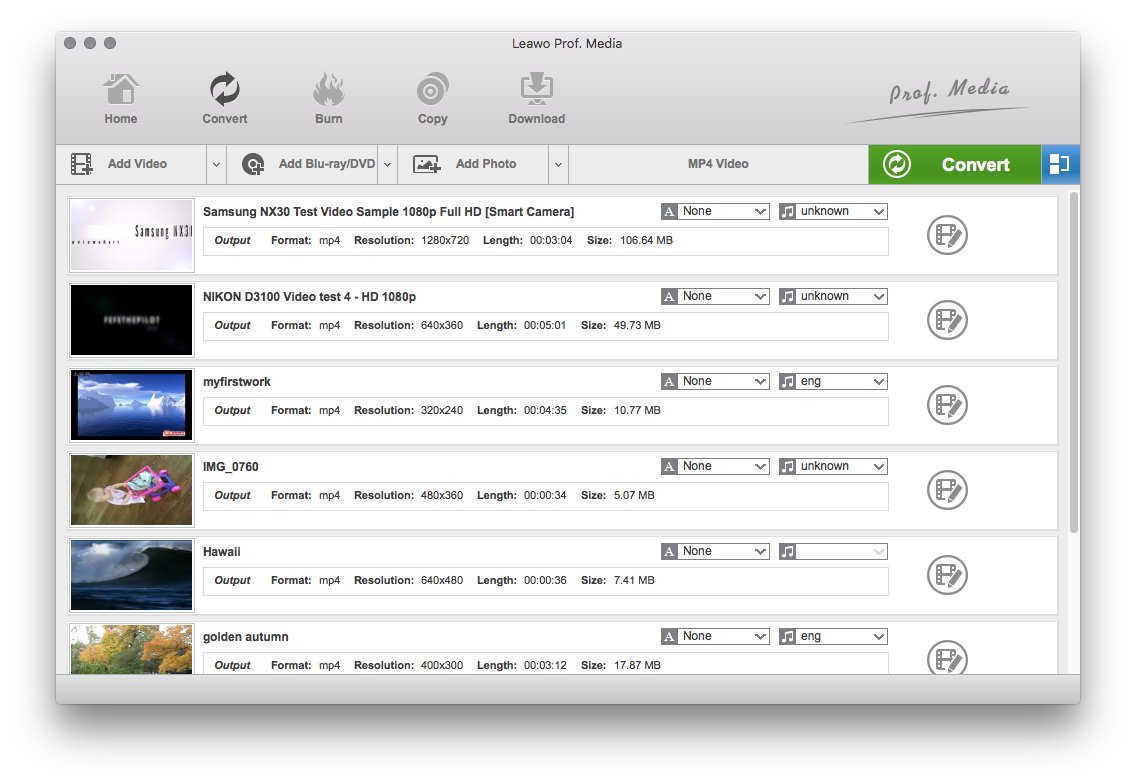
Do the essential settings
Click "Add" button to load 3GP files you want.
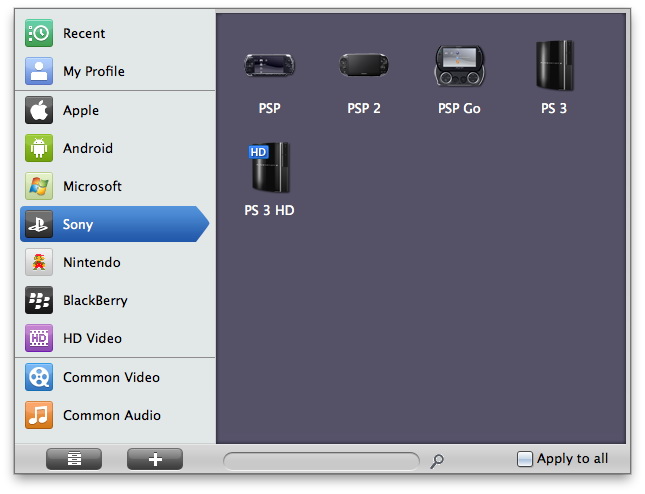
Choose output video format
Select each file and choose the output format like PSP MP4 in "Profile".
Select video and audio quality that you need.
Set an output folder by "Output" for the destination files.
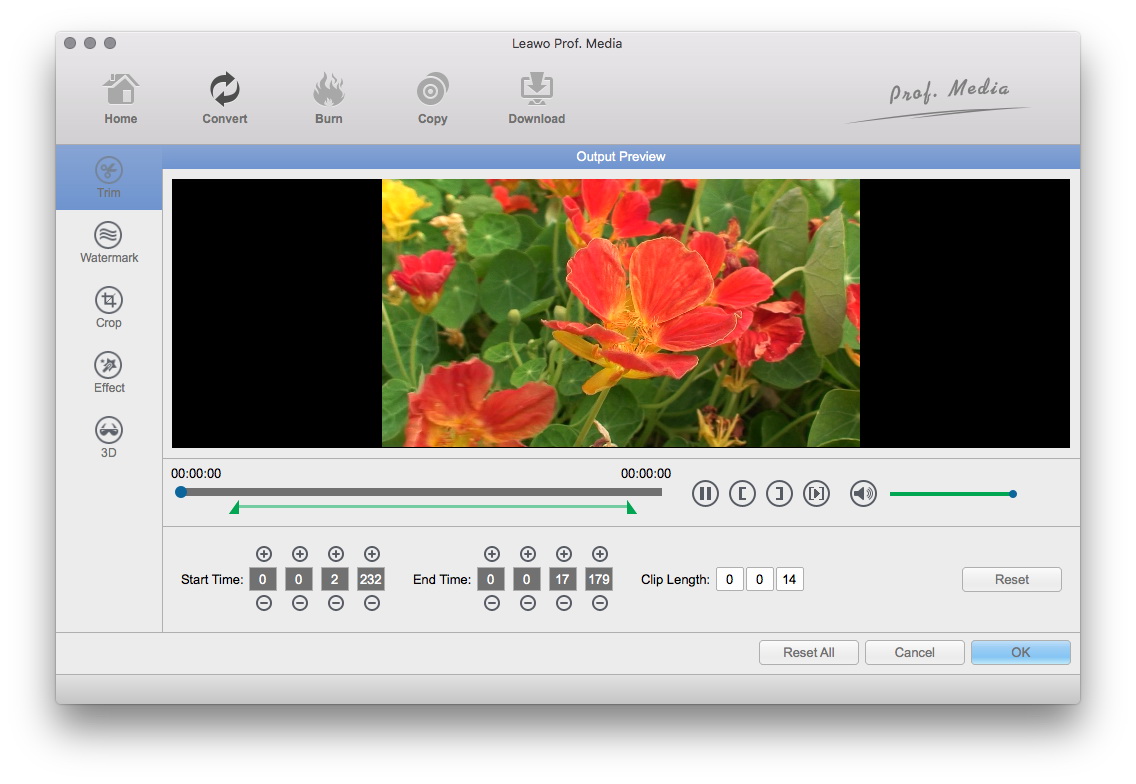
Video Effect Settings
Click "Edit" button to crop, trim, adjust and watermark video to satisfy your needs.
- Trim: Click "Trim" button. Now trim video duration by setting start time and end time to keep the segment you want.
- Crop: Click "Crop" to crop the video file to extract the black sides or unnecessary segment from the original video file.
- Effect: Click "Effect" button to set video brightness, contrast, and saturation for better output quality.
- Watermark: Check "Enable Watermark", and click "Image Watermark" or "Text Watermark" to add watermark to the video, then adjust the Transparency, Margin, and Watermark Size.
- Besides, you can set detailed parameters: Choose the file and go to "Settings" button at the bottom of the main interface to set detailed parameters for the video as you like. Such as Codec, Video Size, Bit Rate, Aspect Ratio, Frame Rate, etc.
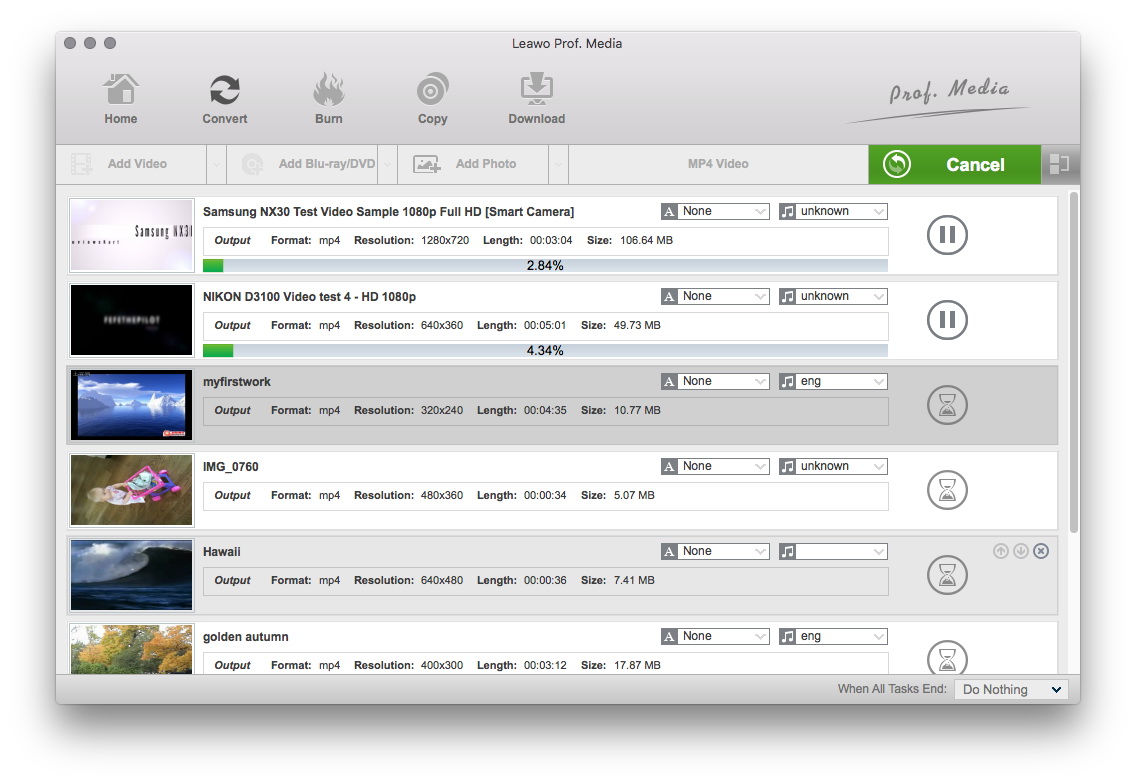
Convert Videos
When you have got ready for the settings for the added videos in the video converter program, you can click "Convert" button to start conversion. Just for a while, the conversion will be finished and you can enjoy it freely.
Extended Knowledge
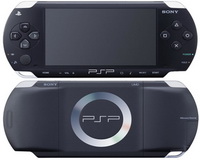
The PSP (PlayStation Portable) is the first and only handheld video game console to use an optical disc format, Universal Media Disc (UMD), as its primary storage medium. Other distinguishing features of the console include its large viewing screen, robust multi-media capabilities, and connectivity with the PlayStation 2, PlayStation 3, other PSPs, and the Internet.
