As we know, different video formats have different advantages and usages. Similarly, different usages and players need different video formats. Then it is the same with internet and website, they need some certain video files like FLV, MP4, MOV, etc. for sharing, uploading, and so on. Then how can we do if we want to share a video that is not supported by internet and website.
This Leawo Video Converter for Mac can be used as best Mac YouTube Converter that can convert video to flash video in FLV, MP4, MOV, 3GP, 3G2 with H.264 codec. With this program, you can easily and freely enjoy and share any video on YouTube video share site, on internet, website, blog, etc.
The following is the step-by-step guide on how to convert video to flash video for sharing videos on YouTube for Mac OS users with Leawo Video Converter for Mac?First, please download Leawo Free Mac Video Converter.
Full Guide
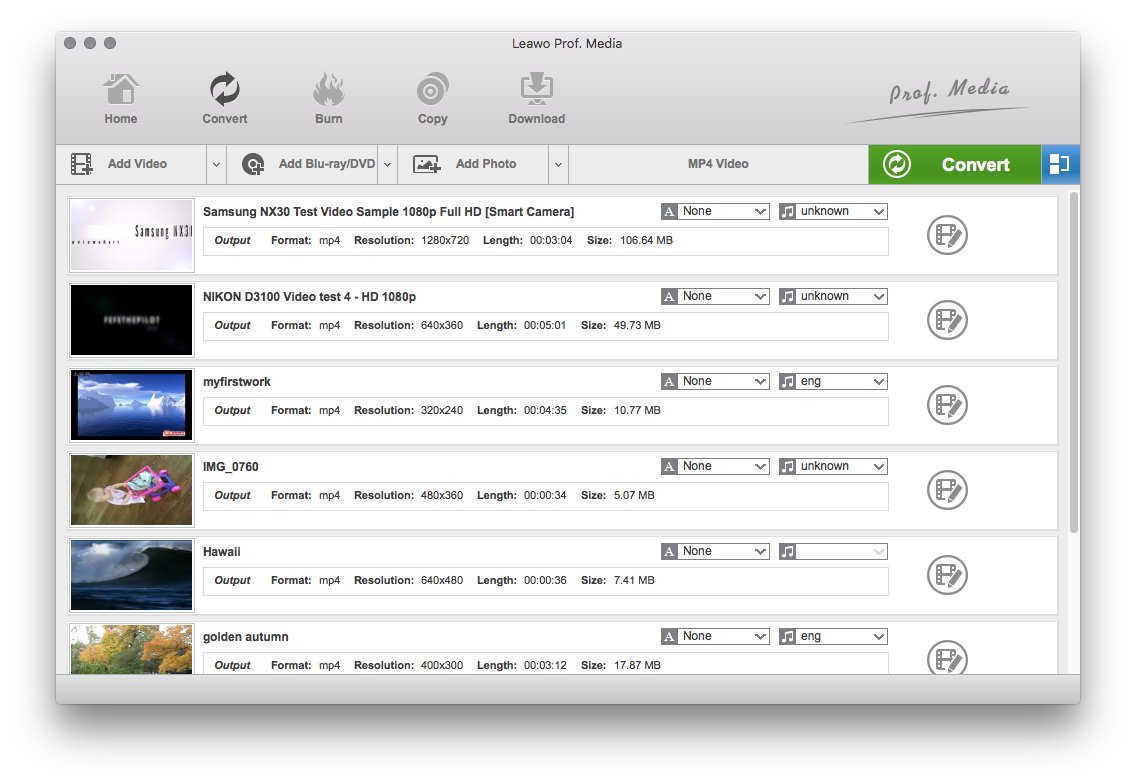
Run program and add files
After running the program, you can click “Add Files” to add files to the program. Then you will see the following interface.
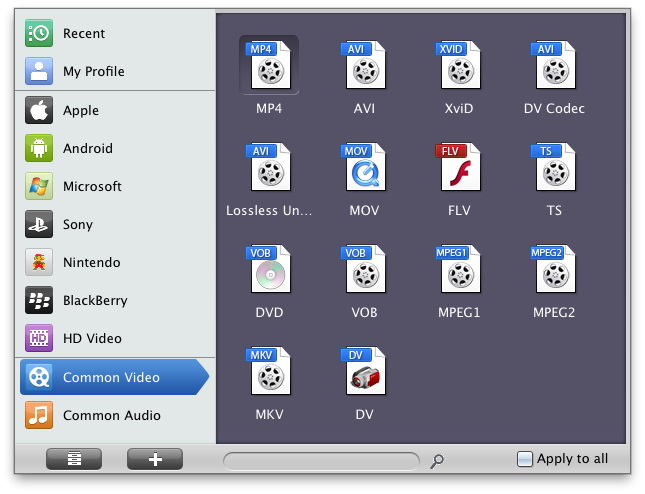
Make settings
Profile: Click to select a specific profile for the output, currently, FLV, MP4, MOV, 3GP, 3G2 with different quality are available.
Apply to all: if you want to convert all the files in the list for your certain purpose, you just need to click “Apply to all” after completed the settings for one video.
Output: Select a folder to save the output file.
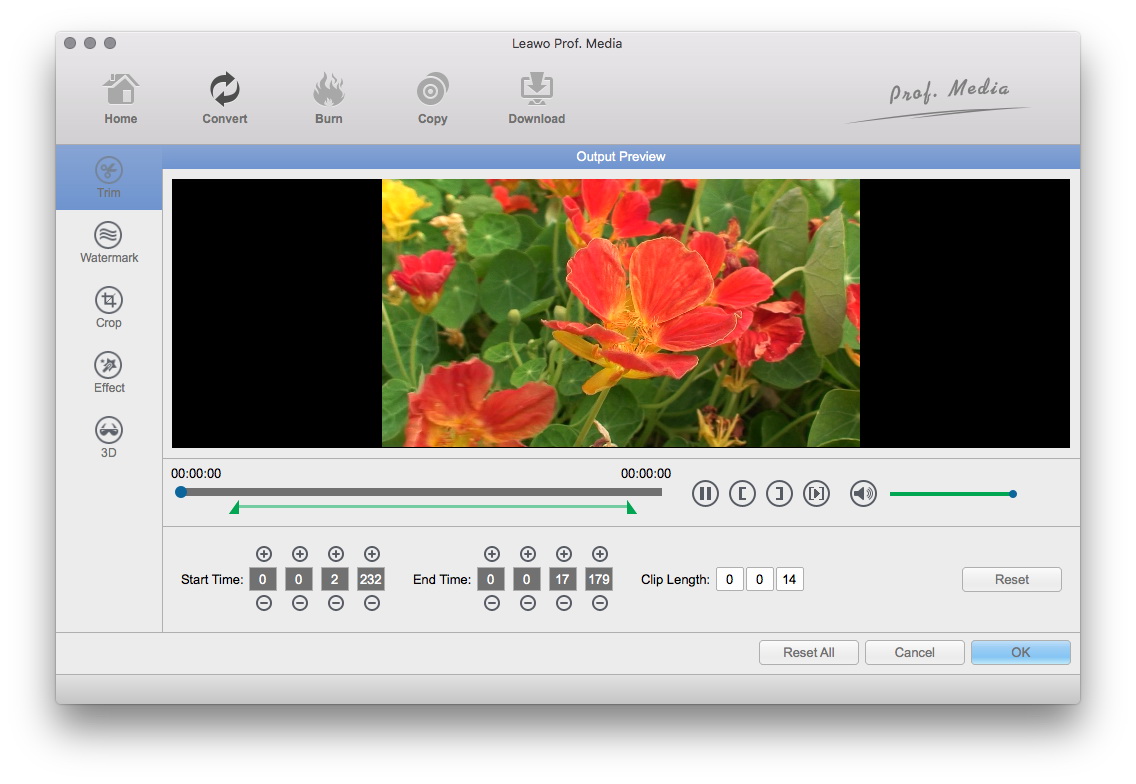
Video effect settings
Click "Edit" button to crop, trim, adjust and watermark video to satisfy your needs.
- Trim: Click "Trim" button. Now trim video duration by setting start time and end time to keep the segment you want.
- Crop: Click "Crop" to crop the video file to extract the black sides or unnecessary segment from the original video file.
- Effect: Click "Effect" button to set video brightness, contrast, and saturation for better output quality.
- Watermark: Check "Enable Watermark", and click "Image Watermark" or "Text Watermark" to add watermark to the video, then adjust the Transparency, Margin, and Watermark Size.
- Besides, you can set detailed parameters: Choose the file and go to "Settings" button at the bottom of the main interface to set detailed parameters for the video as you like. Such as Codec, Video Size, Bit Rate, Aspect Ratio, Frame Rate, etc.
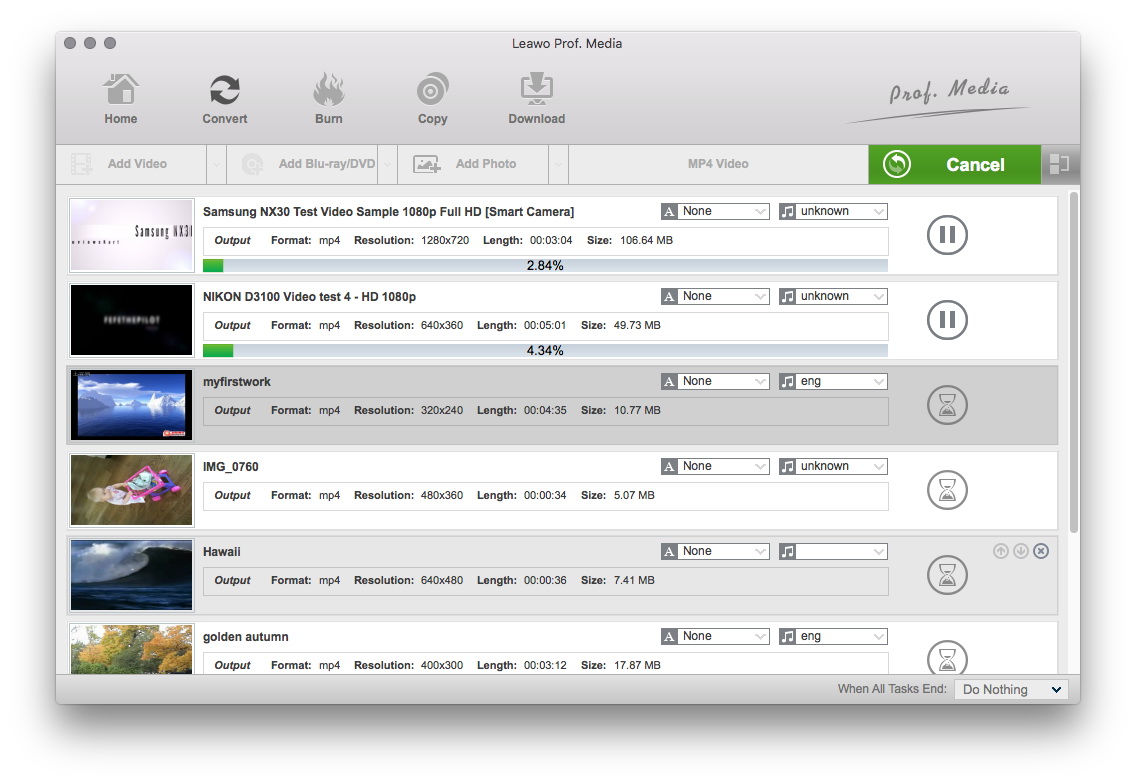
Convert
Click “Convert” to start conversion. After conversion, you can freely upload it to YouTube video sharing site, website, blog, and so on for sharing.
Extended Knowledge
FLV (Flash Video) is a file format used to deliver video over the internet using Adobe Flash Player and, is the most popular file format. Almost all video sharing sites are supporting to play videos in FLV format, that's because 98% of all internet users have installed Adobe Flash Player on their computers, and the webmasters hope the videos on their sites can be viewed by as many as people.
